If you're still relying on spreadsheets to track your inventory, you know the feeling. A big sale kicks off, the orders start rolling in, and you're just hoping the numbers in front of you are accurate. That uncertainty is the quiet tax you pay for manual inventory management—a system that seems to work just fine until, all at once, it doesn't.
The Hidden Costs of Manual Inventory Management
Picture this: you launch a hot new product. Orders are flying in from your Shopify store, Amazon, and Walmart at the same time. Your team is scrambling to keep the master inventory sheet updated, but there's a lag. It's only a few minutes, but it's enough.
Before you know it, you've sold 100 units that you don't actually have in stock. Now you're facing a tidal wave of angry customer emails, canceled orders, and bad reviews that stain your brand's reputation. This isn't just a worst-case scenario; it's the inevitable result of a disconnected, lagging system.
From a Blurry Photo to a Live Video Feed
Trying to run a business with manual inventory tracking is like navigating with a blurry photo of your warehouse that was taken last Tuesday. It gives you a static, outdated snapshot. You might have seen 500 units of your top-seller on Monday, but by Thursday, that number is pure fiction.
Automated inventory tracking, on the other hand, is like having a continuous, high-definition video feed of your entire operation. It's a live, accurate view of every single item you own, at every moment, across all your warehouses and sales channels.
An automated system gets rid of the guesswork that leads to those expensive, brand-damaging mistakes. Instead of just reacting to problems after they’ve already happened, you gain the foresight to prevent them completely. Your inventory stops being a constant liability and starts becoming a strategic asset.
This shift is everything when it comes to scaling your business. When you can trust your inventory data, you can run promotions with confidence, expand to new marketplaces without fear, and make much smarter purchasing decisions. You stop tying up cash in overstocked products that just collect dust and stop losing sales because your best-sellers went out of stock unexpectedly. For a deeper dive into foundational principles, you can learn more about inventory management best practices in our detailed guide.
The True Price of Inaccuracy
The fallout from manual errors goes way beyond a single oversell. It creates a domino effect that can destabilize your entire business.
- Wasted Labor: Every hour your team spends doing manual cycle counts or trying to reconcile conflicting spreadsheets is an hour they aren't spending on marketing, product development, or actually helping your customers.
- Poor Capital Allocation: Without real-time data, you're flying blind. You’re far more likely to sink money into slow-moving products while completely missing out on restocking your proven winners.
- Damaged Customer Loyalty: Nothing kills customer trust faster than a canceled order. In fact, 88% of consumers say they are less likely to buy from a brand again after a bad fulfillment experience.
- Operational Bottlenecks: Bad counts lead to disorganized warehouses, inefficient picking routes, and slow fulfillment times. It puts a hard ceiling on how many orders you can physically get out the door each day.
Ultimately, manual tracking creates friction at every single turn. Moving to automated inventory tracking isn't just about getting new software; it's about building a resilient, scalable foundation that your e-commerce business can actually grow on.
How Automated Inventory Tracking Systems Work
If you’ve ever tried to manage inventory with a spreadsheet, you know the feeling of chasing numbers that are already out of date. Automated inventory tracking swaps that manual guesswork for a coordinated system where every component works together, turning physical products into reliable digital data.
Think of it as a complete operational upgrade. It closes the gap between what's on your shelves and what's in your system, eliminating the human error that leads to costly mistakes.
The whole process starts by giving each of your products a unique identity.
Barcodes and QR Codes: The Digital Fingerprints
The bedrock of any automated system is giving every single item a unique "digital fingerprint." That's exactly what barcodes and QR codes do. Just like a real fingerprint, each code is one-of-a-kind and stores specific, machine-readable information—like a product’s SKU, batch number, or expiration date.
This simple tag transforms a generic box into a trackable asset. When a new shipment arrives, each item gets its fingerprint and is officially logged into your digital ecosystem. From that moment on, every move it makes can be recorded with perfect accuracy.
Scanners: The Eyes of the Operation
If barcodes are the fingerprints, then handheld scanners and mobile devices are the sharp "eyes" of your warehouse. When an employee scans an item during receiving, picking, or packing, the device instantly reads the barcode and sends the data back to your central system. It’s the digital version of a tally mark, but it happens in a split second with zero chance of a typo.
These scanners capture data at every critical point in your workflow, from the receiving dock all the way to the outbound shipping station. This constant flow of information builds a complete history of every item’s journey through your facility.
Without these digital eyes, businesses are forced to rely on manual counts, which is a direct path to the problems shown below.
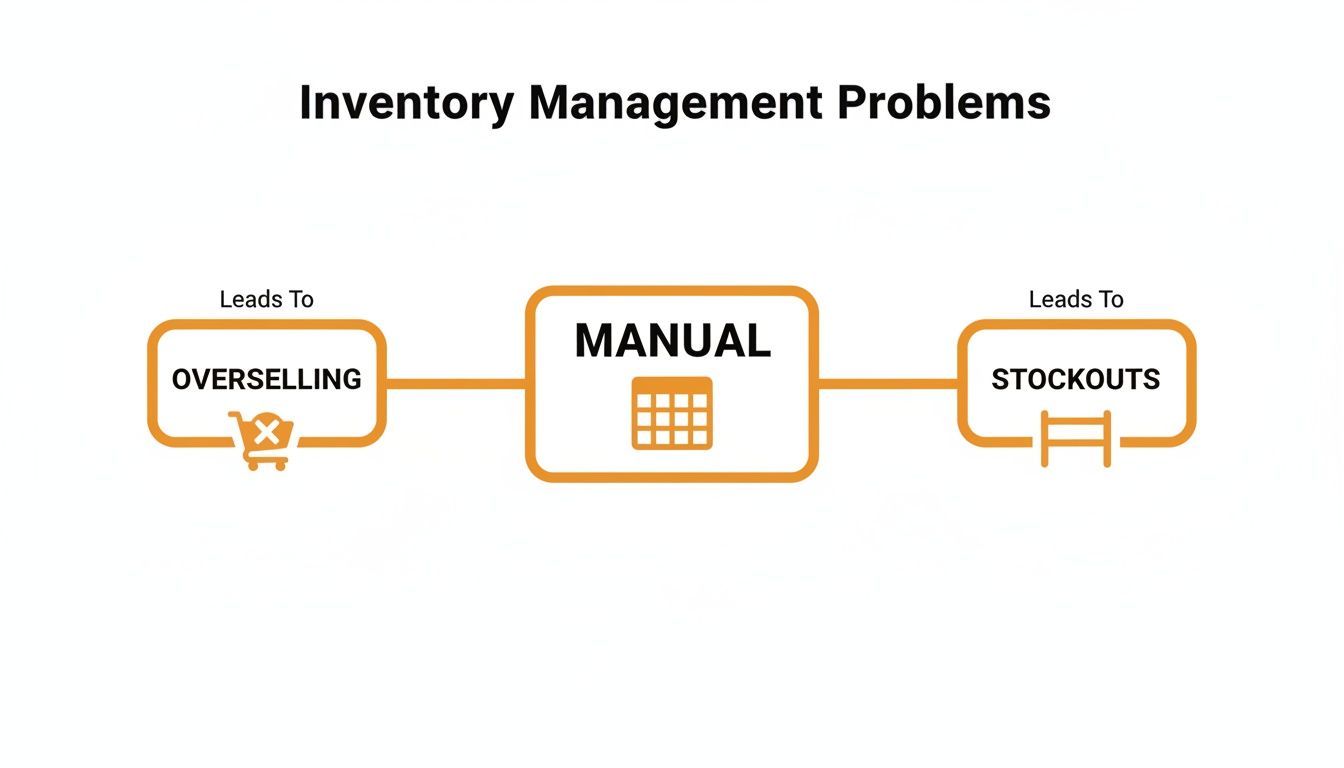
As you can see, a lack of automated data capture is what causes expensive issues like overselling products you don't have and running out of stock unexpectedly.
RFID: The E-ZPass for Your Warehouse
Barcodes are great, but they need a direct line of sight to be scanned. Radio-Frequency Identification (RFID) technology takes things a huge step forward. Think of it like an E-ZPass system for your inventory—you don't need to stop and aim.
An RFID tag contains a tiny chip and antenna that can be read from a distance. This means a warehouse worker can walk down an aisle with a reader and capture data from hundreds of tagged items at once, instead of scanning one box at a time. It’s a game-changer for doing fast, bulk inventory counts.
Warehouse Management System: The Central Brain
All that data from scanners and RFID readers has to go somewhere. This is where a Warehouse Management System (WMS) comes in—it’s the "central brain" of your entire operation. This software platform is where every piece of inventory data is received, processed, and organized in real time.
Your WMS becomes the single source of truth for your business. It knows:
- How many units of every SKU you have.
- The exact location of each item in the warehouse.
- Which products are getting close to their expiration dates.
- When you need to reorder to prevent a stockout.
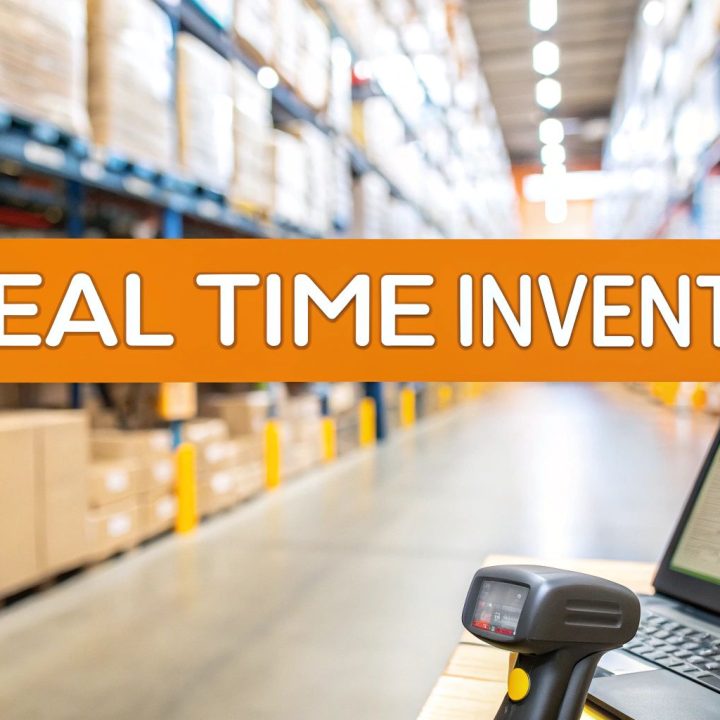
This central hub is what powers your e-commerce engine. By integrating with sales channels like Shopify or Amazon, the WMS automatically subtracts inventory as orders come in, preventing you from selling items you don't have. You can finally trust your numbers. To dig deeper, check out our guide on real-time inventory management.
The Business Benefits of Automating Your Inventory
Knowing how scanners and software talk to each other is one thing. But the real magic of automated inventory tracking is what it does for your bottom line. Switching from manual methods isn't just a tech upgrade; it's a strategic move that directly boosts profitability, builds customer loyalty, and gives you the power to scale.
The cost of a simple manual error is often invisible until it’s a full-blown disaster. Inventory management mistakes quietly bleed cash from e-commerce businesses everywhere. In fact, inventory distortion—which includes both running out of stock and having way too much—costs retailers a mind-boggling $1.77 trillion globally. Businesses that adopt automated solutions see a massive difference, often cutting stock discrepancies by up to 30%. That means fewer stockouts and fewer angry customers trying to buy products you don't actually have. You can see more on these findings in this automated inventory management report from Quicksync.pro.
Before we dig deeper, let’s quickly compare the old way versus the new way.
Manual vs Automated Inventory Tracking at a Glance
The table below paints a clear picture of just how different these two approaches are, highlighting the massive operational and financial gains that come from automation.
| Feature | Manual Tracking | Automated Tracking |
|---|---|---|
| Data Entry | Pen, paper, spreadsheets. Prone to typos and delays. | Barcode/RFID scanners. Instant and error-free. |
| Accuracy | Often below 95%. Small mistakes compound over time. | Pushes 99% or higher. Consistent and reliable. |
| Labor Cost | High. Hours spent counting and reconciling inventory. | Low. Frees up staff for high-value tasks. |
| Visibility | Days or weeks old. A snapshot of the past. | Real-time. See stock levels the second they change. |
| Fulfillment Speed | Slow. Staff must manually locate items. | Fast. Optimized picking paths and instant verification. |
| Decision Making | Based on old data and gut feelings. Risky. | Data-driven. Smart purchasing based on live trends. |
As you can see, the difference isn't just about speed; it's about control, insight, and ultimately, profitability. Now, let’s break down exactly where you'll see these benefits.
Eliminate Costly Human Error
Every time a number is typed into a spreadsheet, there's a chance for a mistake. A simple typo can send the wrong item to a customer, kicking off a chain reaction of costly returns, wasted shipping fees, and a seriously unhappy buyer. A miscount during receiving can create "phantom stock," leading you to sell products that aren't actually on the shelf.
Automation kills these risks at the source. When a barcode is scanned, the right data is captured instantly and perfectly, every single time. This kind of precision stops the small, silent errors that chip away at your profit margins day after day.
Unlock Significant Labor Savings
Think about all the hours your team spends on manual inventory chores. Walking the warehouse with a clipboard, fighting with spreadsheet formulas, and trying to figure out why your Shopify numbers don't match your Amazon numbers. These are low-value, repetitive tasks that burn through payroll without adding a dime to your growth.
By automating this grunt work, you free up your team’s most valuable asset: their time. Instead of counting boxes, they can focus on work that actually moves the needle—like improving customer service, finding better suppliers, or launching a new marketing campaign. This turns your labor cost from a necessary evil into a strategic investment.
The goal isn't just to do the same tasks faster; it's to reallocate your human capital toward activities that a machine could never perform—like building relationships and creating value for your customers.
Drastically Improve Order Fulfillment
In e-commerce, speed and accuracy are the name of the game. Customers expect their orders to be right and to show up fast. Automated inventory tracking is the engine that powers a reliable fulfillment machine.
When an order hits, the system knows exactly where to find each item in the warehouse, instantly generating the most efficient picking route for your team. This slashes the time it takes to grab products and get an order ready. Better yet, verification scans at the packing station make sure the right items go into every box, pushing your order accuracy rates toward 99% and beyond.
This operational excellence translates directly into a better customer experience. Fast shipping and perfect orders build the kind of trust that creates repeat customers—the bedrock of any lasting brand.
Make Smarter Purchasing Decisions
One of the biggest wins from real-time data is the power to see trends as they're happening. An automated system gives you a crystal-clear, up-to-the-minute picture of how fast every single one of your SKUs is selling.
This newfound visibility allows you to:
- Prevent Stockouts: Set smart reorder points that automatically tell you when it's time to restock a hot seller, so you never miss a sale.
- Avoid Overstocking: Easily spot slow-moving products and stop tying up your cash in stuff that just sits there.
- Optimize Cash Flow: Make confident, data-backed decisions on where to put your purchasing dollars for the biggest return.
At the end of the day, automated inventory tracking turns your inventory from a source of stress into a powerful strategic asset. It gives you the control, accuracy, and insight you need to run a leaner, more profitable, and scalable e-commerce business.
Integrating Your Systems for Seamless Operations
An automated inventory system is a huge leap forward, but its real power is unlocked when you connect it to the rest of your e-commerce world. If your inventory data is stuck in a silo, it can't talk to the platforms where you actually sell. This is where integrations come in—they're the critical link for creating a truly hands-off operation.
These connections are made possible by Application Programming Interfaces (APIs). Think of an API as a dedicated messenger that runs back and forth between your warehouse management system (WMS) and your online store. Its only job is to make sure both sides have the exact same information, all the time.
When your systems are hooked up like this, your business stops feeling like a collection of separate parts and starts acting like a single, well-oiled machine.
Connecting Your E-Commerce Platform
For any brand selling directly to consumers, the first and most important integration is with your e-commerce platform. Whether you’re on Shopify, BigCommerce, or something else, a direct API link is non-negotiable if you want real-time accuracy.
Here’s a simple breakdown of how it works:
- A customer buys one of your best-sellers on your Shopify store.
- The API instantly shoots that sales data from Shopify over to your WMS.
- Your WMS immediately deducts that unit from your master inventory count.
- The API then updates the stock level right back on your Shopify product page.
This entire loop happens in a matter of seconds, without anyone lifting a finger. It’s this instant sync that makes overselling a thing of the past. Your website will never show an item as "in stock" when it just sold out, which protects your brand's reputation and saves you the headache of canceling orders.
Mastering Marketplace Integrations
Selling across multiple channels makes perfect synchronization even more critical. An automated inventory tracking system that plugs into marketplaces like Amazon and Walmart is a must-have for any multi-channel brand. Without it, you’re stuck manually updating inventory levels on each platform—a recipe for disaster, especially during a flash sale.
A seamless integration ensures that a sale on Amazon instantly updates your available stock on Walmart and your own website. This centralized control is the only way to scale a multi-channel strategy without constant chaos and costly errors.
This level of connectivity is also crucial for protecting your seller performance metrics. Marketplaces like Amazon are ruthless about penalizing sellers who cancel orders due to stockouts, which can tank your rankings or even get your account suspended. Automation is your best defense.
As your brand grows, it's also worth understanding what a 3PL warehouse is and how partners like us manage these complex integrations on your behalf.
Creating a Single Source of Truth
At the end of the day, the goal of integration is to create a single, undisputed source of truth for your inventory. When your e-commerce store, marketplaces, and WMS are all pulling from the same live data, every part of your business is finally on the same page.
This unified view allows you to:
- Run Confident Promotions: Launch a flash sale knowing your inventory numbers are rock-solid across every channel.
- Get Accurate Reporting: Pull a clean, consolidated report on sales velocity and inventory value without wrestling with a dozen spreadsheets.
- Operate Efficiently: Your warehouse team gets orders instantly, and your marketing team knows exactly what’s available to promote.
Integration isn't just a technical add-on; it's the backbone of a modern, scalable e-commerce business. It turns your automated inventory system from a simple counting tool into the central nervous system of your entire operation.
Your Roadmap to Implementing Automation
Making the jump to automated inventory tracking can feel like a huge project, but breaking it down into a clear roadmap makes it completely manageable. This isn't just about buying fancy new scanners; it's about building a rock-solid operational backbone for your entire business. And the journey starts not with technology, but with a hard look at what you already have.

Conduct an Initial Inventory Audit
Before you can even think about automating, you need a perfectly clean slate. That means doing a full, wall-to-wall physical inventory count—it's the first, non-negotiable step. Think of it as hitting the reset button. You have to iron out every single discrepancy between what your spreadsheet says you have and what's actually sitting on your shelves.
Starting with bad data is like building a house on a shaky foundation. If your initial counts are off, your shiny new system will be wrong from day one, defeating the whole purpose. This baseline audit ensures your automated inventory tracking system kicks off with a trustworthy, 100% accurate snapshot of your stock.
Select the Right Software and Hardware
With your inventory counts squared away, it’s time to choose the tools that actually fit your business. There’s no magical one-size-fits-all solution here. The right gear depends entirely on how complex your operation is.
As you look at your options, consider these key factors:
- SKU Count: A brand with 50 SKUs has totally different needs than one juggling 5,000. Make sure the software can handle your catalog's size without breaking a sweat.
- Order Volume: Think about your average day versus your Black Friday peak. Your system needs to handle the pressure without crashing.
- Sales Channels: Are you just on Shopify, or are you also selling on Amazon, Walmart, and through wholesale? Your system has to talk to all of them seamlessly.
- Hardware Needs: Are simple barcode scanners good enough, or do you need the raw speed of RFID to handle bulk receiving and rapid cycle counts?
Choosing the right tools is all about balancing where you are today with where you want to be tomorrow.
Manage Data Migration and System Configuration
Once you've picked your system, you have to carefully transfer your product data into it. This step, called data migration, is way more than a simple copy-paste job. You'll need to map all your current data fields—like SKUs, product names, and costs—to the new system's format, making sure nothing gets lost or scrambled in the process.
Getting the configuration right is just as crucial. This is where you set up your warehouse map (aisles, shelves, and bins), define reorder points for your best-sellers, and build the rules that will run your new automated workflows. A classic mistake is rushing this stage, which almost always leads to disorganized stock and headaches down the road.
A successful implementation isn't about the tech itself, but how well it's molded to your unique operation. Taking the time to dial in every detail at the start will save you countless hours of troubleshooting later.
Train Your Team and Standardize Procedures
Technology is only half the battle; your team is the other half. They need to be trained not just on how to point a scanner, but on the why behind the new processes. You need clear, standardized procedures for everything—receiving, picking, packing, and returns—to ensure everyone is on the same page.
This is all about change management. Show your team how the new system makes their jobs easier by getting rid of tedious manual counts and cutting down on frustrating errors. When your crew understands the benefits and feels confident with the new tools, you’ll get buy-in much faster.
Decide Between In-House vs. Outsourcing
Finally, you’ll come to a major fork in the road: do you build and manage all this yourself, or do you partner with an expert? For many growing e-commerce brands, working with an automation-ready 3PL like Snappycrate is simply the smarter, faster path.
Building an in-house system demands a huge upfront investment in software, hardware, and the IT staff to run it all. A 3PL partner, on the other hand, already has the entire infrastructure and expertise ready to go. This lets you get all the benefits of automated inventory tracking without the massive cost and operational drain, so you can focus on what you do best—growing your brand.
The market backs this up. The global warehouse automation market is expected to balloon to $59.52 billion by 2030, with these systems delivering up to 300% faster fulfillment and 99% accuracy. You can dig into more of these powerful warehouse automation statistics from SellersCommerce.
Frequently Asked Questions About Inventory Automation
Making the jump to automated inventory tracking is a big move, and it's totally normal to have a few questions. This isn't just about plugging in new software; it's about changing the very engine of your business. We've rounded up the most common questions we hear from e-commerce sellers to give you the straight answers you need to move forward.
Is Automated Inventory Tracking Too Expensive for a Small Business?
This is the big one, and we get it. The upfront cost for hardware and software can look steep, but you have to see it as an investment, not an expense. The real question isn't "what does it cost?" but rather, "what's it costing me not to automate?"
Think about the hidden fees you're already paying:
- The cost of reshipping products to fix wrong orders.
- The lost sales from going out of stock on a hot item.
- The countless payroll hours your team spends on manual counts and fixing spreadsheets.
- The hit your brand takes when you have to cancel an order because you oversold.
When you add it all up, the cost of human error usually blows past the price of an automation system. Modern tools are more accessible than ever, with scalable, subscription-based software that grows with you. An even smarter route? Partnering with a 3PL that already has all this tech in place. You get enterprise-level tools without the enterprise price tag.
How Long Does It Take to Implement an Automated System?
The timeline can really vary, but for a small or medium-sized business, you're typically looking at anywhere from a few weeks to a couple of months. The exact time depends on how complex your operation is, how many SKUs you carry, and how many sales channels you need to connect.
The whole process usually breaks down into a few key stages:
- Planning: Researching and picking the right WMS and scanners for your needs.
- The Big Count: Doing one last, full physical inventory count to get a perfectly clean slate. Honestly, this is often the hardest part.
- Data & Setup: Moving all your product info into the new system and tweaking the workflows to match how you operate.
- Training & Go-Live: Getting your team comfortable with the new tools and officially flipping the switch.
Rushing this is the biggest mistake you can make. A slow, methodical setup will save you a world of hurt later on and make the transition way smoother for your team.
Will Automation Replace My Warehouse Staff?
This is a common fear, but the reality is that automation doesn’t replace people—it makes them better at their jobs. Automated inventory tracking is built to get rid of the boring, repetitive, and mistake-prone tasks that slow your team down.
Think of it this way: automation frees your team from low-value work so they can focus on things that require a human brain—like quality control, finding ways to improve processes, and solving tricky problems. It elevates their roles.
Your pickers and packers get faster and more accurate. Your warehouse manager gets real data to make smart decisions. The whole operation just runs better. These tools are powerful assistants, not replacements for your team.
Can I Still Use My Existing Barcodes?
Most of the time, yes. The good news is that nearly all modern inventory systems are designed to read the standard UPC or EAN barcodes that are already on your products from the manufacturer. This makes everything a whole lot easier since you won’t have to relabel your entire inventory.
Now, if you sell products without barcodes or create your own bundles and kits, you’ll need to generate your own. Luckily, most Warehouse Management Systems (WMS) have a built-in feature to create and print unique barcode labels for your SKUs. The trick is just to get a solid process in place for labeling every single item as it comes in the door.
What Happens If the System Goes Down?
Reliability is a huge deal when you're choosing a system. Any reputable, cloud-based software provider will have crazy-high uptime rates, usually 99.9% or better. They pull this off with redundant servers and solid backup plans, so a total system failure is extremely rare.
Still, you should always have a backup plan. Here’s what that usually looks like:
- Offline Mode: Some modern scanners can keep working even if they lose their connection, and they'll sync up all the data once they're back online.
- Manual Fallback: Have a clear, temporary manual process your team can switch to in a worst-case scenario to keep orders flowing.
- Good Support: Make sure your software provider has a great support team that responds quickly to fix any glitches.
While the risk is low, being prepared for a hiccup is what makes your business resilient. That's the whole point of automated inventory tracking, after all.
Ready to stop worrying about inventory and start focusing on growth? Snappycrate provides the automated inventory management and fulfillment infrastructure you need to scale your e-commerce brand without the headaches. Let us handle the logistics so you can get back to business. Learn how Snappycrate can streamline your operations today.