Let's be honest: Amazon FBA inventory management isn't just about keeping products in stock anymore. It's a high-stakes game where warehouse space is gold and performance metrics can make or break your business.
The old playbook of sending huge, infrequent shipments? That’s now a fast track to crippling storage limits and fees that eat away at your profits.
The New Reality of Amazon FBA Inventory
The game has completely changed. You can no longer treat Amazon’s fulfillment centers like your own personal, unlimited warehouse. How precisely you manage your inventory now directly controls your bottom line and your brand's ability to even sell on the platform. There’s simply no margin for error.
This shift became crystal clear when Amazon overhauled its capacity limits to deal with the intense competition for warehouse space. With over 2.5 million active sellers worldwide and a staggering 82% of them using FBA, something had to give.
Suddenly, sellers saw storage allocations slashed by 40-75%. Projections that once looked at six months of sales were cut to just five months, all measured in cubic feet. For a typical seller, this meant a standard storage allowance plummeted from 500 cubic feet to just 125—a 75% reduction that brought many operations to a grinding halt.
Your IPI Score Is Your Lifeline
In this new environment, your Inventory Performance Index (IPI) score is the single most critical number for your FBA business. This score, ranging from 0 to 1000, is how Amazon grades your efficiency. A high score unlocks more storage, but a low score (usually below the 400-500 threshold) triggers severe restrictions and higher fees.
To get your IPI score under control, you need to master the metrics that drive it.
Here’s a breakdown of the key metrics Amazon uses to evaluate your inventory performance. Getting these right is fundamental, as they directly influence your IPI score, storage limits, and overall account health.
Key Amazon FBA Inventory Metrics and Their Impact
| Metric (IPI Component) | What It Measures | Impact of Poor Performance | Action to Improve |
|---|---|---|---|
| Excess Inventory % | Inventory that has been sitting unsold for over 90 days. | High storage fees, reduced IPI score, and cash flow tied up in dead stock. | Run promotions, liquidate stock, or create removal orders. |
| FBA Sell-Through Rate | Your units sold and shipped over the past 90 days compared to your average units on hand. | Lowers your IPI score, signaling to Amazon that your products are not in demand. | Improve listings, run PPC ads, or adjust pricing to increase sales velocity. |
| Stranded Inventory % | Stock in a fulfillment center that is not available for purchase due to a listing error or other issue. | Zero sales potential while still incurring storage fees. Directly hurts your IPI. | Immediately check your "Fix Stranded Inventory" page in Seller Central to resolve listing issues. |
| FBA In-Stock Rate | How well you keep popular, replenishable products in stock, weighted by their sales velocity. | Missed sales, loss of sales rank, and a negative impact on your IPI score. | Implement better demand forecasting and reorder point planning. |
Each of these metrics tells a story about your efficiency. A low score in any one area is a red flag for Amazon and a direct risk to your business.
A low IPI score isn't just a number on a dashboard; it's a direct threat to your business. We've seen sellers with a score below 400 have their storage capacity slashed by over 70%, effectively preventing them from sending in new stock and grinding their sales to a halt.
The Consequences of Inaction
Ignoring these metrics means you’re accepting a state of constant risk. Excess inventory leads to painful long-term storage fees. A poor sell-through rate tells Amazon you’re a poor user of their valuable warehouse space. And stranded inventory is just dead weight, costing you money every single day.
To get a handle on the FBA-specific challenges, it helps to first understand the basics. A solid grasp of general e-commerce inventory management best practices provides the foundation you need to build a winning FBA strategy. The old "set it and forget it" mindset is officially dead; active, data-driven management is the only way forward now.
Forecasting Demand Like a Pro
If you're still guessing at your FBA inventory needs, you're practically lighting money on fire. Strong Amazon FBA inventory management is all about moving from panicked reactions to proactive, data-driven decisions. The goal isn't just to avoid stockouts; it's to build a predictable and profitable sales machine.
This starts by getting real about your numbers. Forget gut feelings—your sales history is the only crystal ball you need. The most basic metric to track is your sales velocity, which is simply the number of units you sell per day for each SKU. This is your foundation.
But just knowing your daily average isn't enough to stay ahead. Sales are never a flat line; they have peaks and valleys you need to anticipate.
Get it wrong, and you’re looking at a domino effect of disaster—from a tanking IPI score to crippling fees and slashed storage limits.

As you can see, one misstep with your inventory levels directly triggers a cascade of financial and operational penalties. This makes accurate forecasting a non-negotiable for survival on the platform.
Analyzing Seasonality and Promotions
Every product has some seasonality. Sure, a swimwear brand has an obvious summer rush, but even something like coffee beans can see a spike around the holidays. You have to know your own rhythm.
Pull up your year-over-year data. Did a certain SKU see a 30% sales jump last November? It's smart to bake that same lift into this November's forecast. Then, you need to layer on your own marketing plans.
- Prime Day: This is a huge one. Look at last year's performance during the event to get a baseline for this year's demand spike.
- Holiday Deals: Planning a big Black Friday sale? Estimate the sales lift you expect and make sure your inventory can handle it.
- PPC Campaigns: Ramping up your ad spend will naturally increase your sales velocity. This has to be factored into your reorder calculations.
When you blend your baseline sales data with seasonal trends and your marketing calendar, you get a far clearer picture of what's coming.
Calculating Reorder Points and Safety Stock
A great forecast is only half the battle; you need a smart plan to act on it. That's where reorder points and safety stock come in. These two numbers are your triggers—telling you exactly when to reorder and how much of a buffer to keep for the unexpected.
Your reorder point is the inventory level that screams, "Time to order more stock!" The formula is pretty simple:
Reorder Point = (Average Daily Sales x Lead Time in Days) + Safety Stock
Lead time is a critical number here. It’s the total time from the moment you place a PO with your supplier to the moment that inventory is checked in and available for sale at an FBA warehouse. Most sellers underestimate this, and it's a primary cause of stockouts.
Safety stock is your insurance policy. It's the buffer inventory you hold to guard against a sudden sales surge or a delay in your supply chain. Here’s a common way to calculate it:
Safety stock = (Maximum Daily Sales x Maximum Lead Time) – (Average Daily Sales x Average Lead Time)
Let's say you sell an average of 20 units a day and your lead time is a solid 30 days. Without safety stock, you'd reorder when you hit 600 units. But if you add a 150-unit safety stock buffer, your new reorder point becomes 750 units. That buffer can easily save you from a stockout if a shipment gets stuck in customs. To really level up, it's worth exploring how modern tools can enhance your inventory forecasting and give you a clearer view of your supply chain.
By putting these calculations to work, you build a system that tells you what to do and when. You'll send the right amount of product at the right time, helping you maintain that sweet spot of 30-45 day inventory turnover, which keeps your IPI score healthy and your fees low. To stay on top of the latest changes, check out our guide to FBA forecasting updates and learn how to master Amazon's new Capacity Manager.
Building a Streamlined FBA Inbound Process
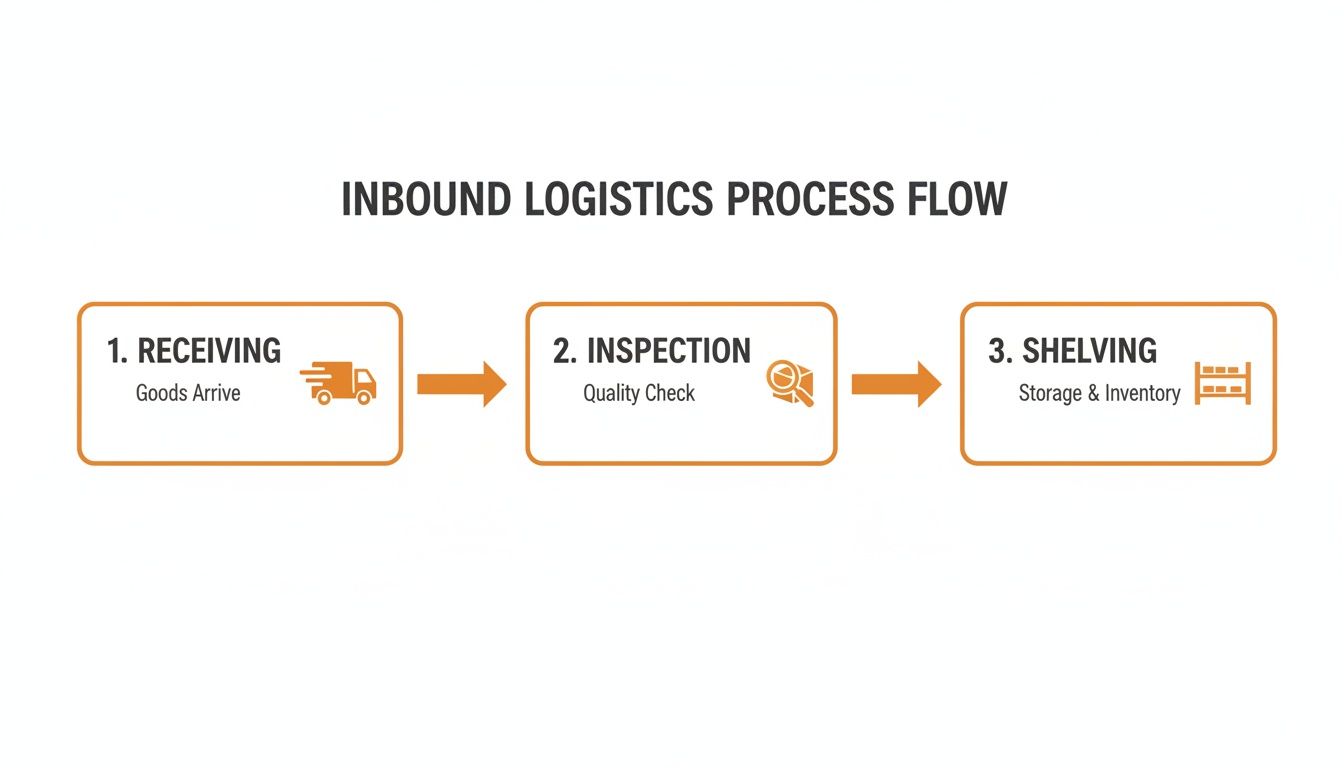
Forecasting is one piece of the puzzle, but actually getting your products from the factory floor to a live Amazon listing is where your Amazon FBA inventory management strategy really gets tested. A messy, unpredictable inbound process is the fastest way to stock out, tank your IPI score, and lose momentum. If you want to scale, building a repeatable workflow isn’t just a good idea—it’s non-negotiable.
It all boils down to mastering your lead time. I’m not just talking about shipping. Your true lead time is the total time from the moment you send that wire transfer to your supplier to the second your units are checked in and ready to sell on Amazon. Getting this number wrong is one of the most common—and expensive—mistakes I see sellers make, often causing them to reorder weeks too late.

Calculating Your Total Lead Time
To get a real-world number you can count on, you have to break your lead time into its individual parts. Track each stage so you can build a realistic timeline for your reorder calculations.
- Production Time: How many days does it take your supplier to actually make your stuff? (e.g., 20-30 days)
- Freight & Transit: This covers everything from ocean or air freight to customs clearance and the final truck ride to your warehouse or 3PL. (e.g., 25-45 days)
- FBA Receiving: How long does Amazon take to check in your shipment once it hits their dock? This can be anywhere from 3 to 14 days, and sometimes much longer during Q4 or Prime Day.
When you add it all up, a typical lead time for an overseas product can easily be 60-90 days. Knowing this exact figure for your supply chain is the secret to timing your replenishment perfectly.
The Advantage of Just-in-Time Shipments
With today’s FBA capacity limits, the old-school strategy of sending huge, infrequent shipments is completely dead. It hogs your storage allocation, destroys your sell-through rate, and puts your IPI score in jeopardy. The only way to win now is with a "just-in-time" approach using smaller, more frequent shipments.
This keeps your inventory lean and your IPI score healthy. For instance, instead of shipping 3,000 units to cover three months of sales, you send 1,000 units each month. This tactic shrinks your FBA storage footprint, cuts your risk of long-term storage fees, and makes it way easier to stay under your capacity limits. It definitely requires more planning, but the payoff is huge.
The core idea is to treat Amazon's fulfillment centers as a distribution hub, not a long-term storage warehouse. By sending just enough inventory to cover your immediate sales cycle (30-45 days), you maintain a high sell-through rate, which is a massive driver of your IPI score.
Creating Your FBA Shipping Plan SOP
A standardized process for creating FBA shipping plans is absolutely critical for consistency and avoiding dumb, costly mistakes. Documenting these steps in a Standard Operating Procedure (SOP) ensures anyone on your team can get it right every single time.
Here’s a simple but effective SOP you can use for your inbound shipments:
- Initiate Shipment in Seller Central: Kick things off under "Manage FBA Shipments" and create a new plan. Be precise with the ship-from address and confirm whether you’re sending individual units or full case packs.
- Enter Box Content Information: This step is crucial. You have to tell Amazon exactly how many units of each SKU are in every single box. If you skip this or get it wrong, you’re asking for major receiving delays and potential penalties.
- Confirm Carrier and Pallet Information: Select your carrier—either an Amazon Partnered Carrier to get their discounted rates or your own preferred carrier. If you're shipping LTL (Less Than Truckload), enter the correct pallet dimensions, weight, and freight class. Wrong information here can get your shipment rejected at the fulfillment center door.
- Print and Apply Labels: Print out the FBA box labels and any pallet labels Amazon generates. Make sure the FNSKU on each unit is scannable and that the FBA box label is placed where it's visible, not over a box seam.
This repeatable workflow removes the guesswork and drastically cuts down your chances of inbound errors. For a deeper dive, check out our ultimate guide to FBA inbound shipments. By building and constantly refining your inbound process, you create a powerful logistical advantage that keeps your inventory flowing and your business growing.
Getting FBA Prep and Compliance Right Every Time

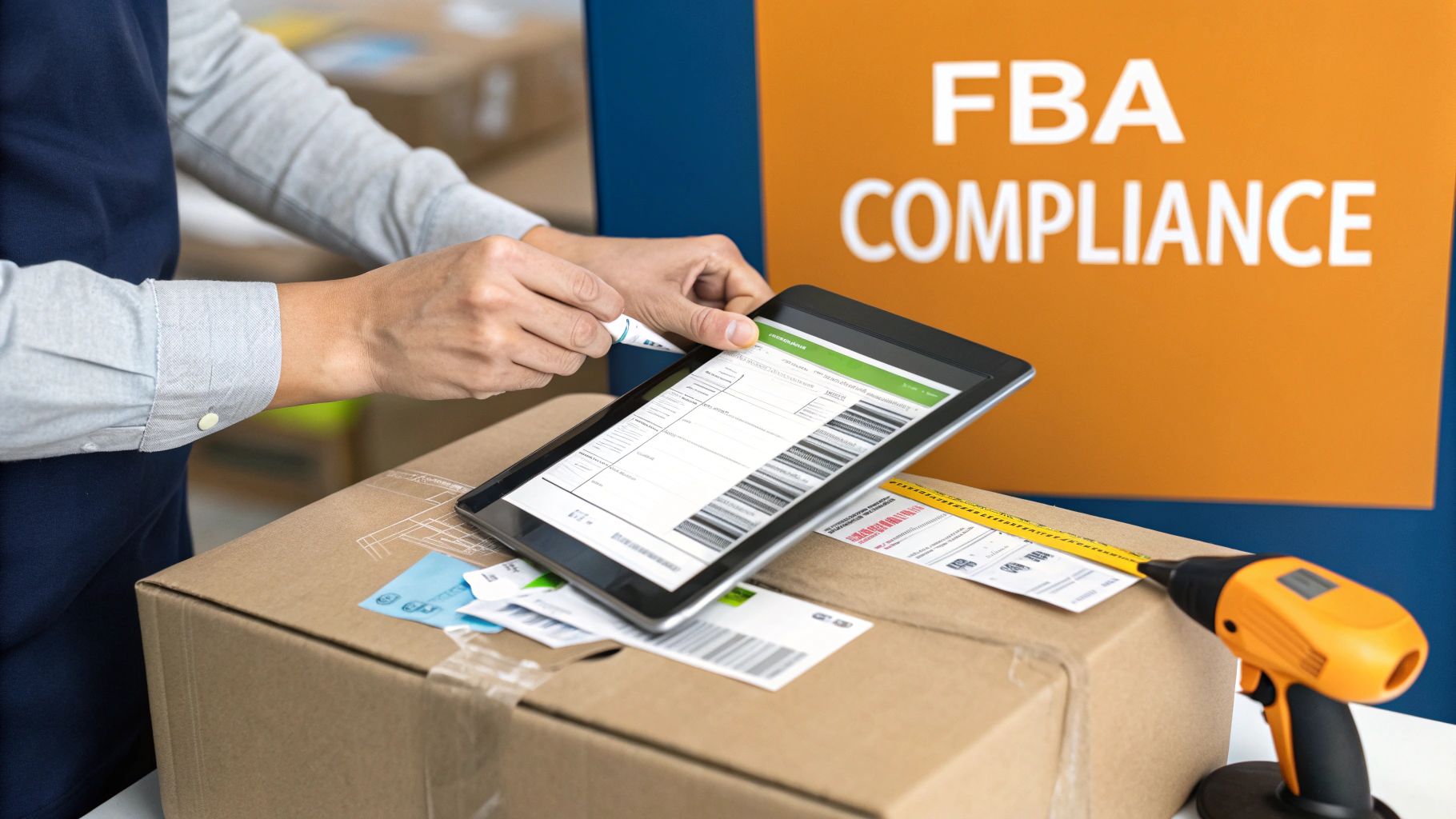
You can have the best demand forecast in the world, but it won’t mean a thing if your shipment gets turned away at the fulfillment center door. One tiny compliance mistake can throw your entire Amazon FBA inventory management plan off the rails, leading to unplanned prep fees, stockouts from receiving delays, or even a suspension of your shipping privileges.
Getting FBA prep right isn’t just about checking boxes. It’s about protecting your cash flow and your sales momentum. Amazon’s network is a well-oiled machine, and your products need to be perfectly prepped to slide right in without causing a jam. Any slip-up creates a bottleneck, and you’re the one who pays for it.
Mastering the FBA Prep Fundamentals
Every product has its own quirks, but there are a few core prep tasks that apply to almost everything. If you can master these, you’re already well on your way to 100% compliant shipments.
- FNSKU Labeling: This is the big one. An FNSKU (Fulfillment Network Stock Keeping Unit) is Amazon’s unique barcode that ties your product directly to you. It absolutely must cover any other barcodes like the UPC. A missing or unscannable FNSKU is one of the most common reasons for inbound headaches.
- Poly Bagging & Suffocation Warnings: If your product can get dirty or damaged by moisture, it needs a clear poly bag. And if that bag has an opening of 5 inches or wider, it legally must have a suffocation warning. This isn't just an Amazon rule; it's a critical safety requirement.
- Bubble Wrapping: For anything fragile—think glassware, ceramics, or delicate electronics—a poly bag won't cut it. Each unit has to be securely wrapped in bubble wrap to survive the drops and tumbles of warehouse life before it goes into a shipping box.
These might seem like small details, but they’re the difference between a shipment that gets checked in within 24 hours and one that’s stuck in a problem-solving queue for weeks. For a complete walkthrough, you can learn how to prepare and label your products for FBA like a pro.
A rejected shipment isn't just an inconvenience; it's a direct hit to your sales velocity and IPI score. The lost sales from a two-week delay can take months to recover from, especially for a high-velocity ASIN.
Prepping for Tricky Items: Bundles and Fragile Goods
Prep gets a lot more interesting when you’re dealing with anything beyond a simple, standard product. Bundles and fragile items are two of the most common things that trip sellers up.
Let's say you sell a three-pack of gourmet spices. Amazon needs to see that as a single, sellable unit. This means you have to bundle the three jars together—usually with shrink wrap or a poly bag—and then apply a single FNSKU label to the outside of that bundle. To prevent warehouse staff from breaking it apart, you also need to add a "Sold as Set" or "This is a Set, Do Not Separate" sticker.
Now, imagine you're selling hand-blown glassware. Every single glass has to be able to survive a 3-foot drop test without shattering. In practice, this means bubble wrapping each glass, putting it in its own individual box, and then placing that box into the master shipping carton. The FNSKU label goes on the outside of that individual box, ready for sale the moment it's received.
This level of detail is exactly why so many sellers choose to outsource prep. While 92% of private-label brands use FBA, a staggering 40% of new international sellers get tangled up in compliance issues. For our clients here at Snappycrate, handing off these headaches to a dedicated prep service that manages inspections, case packs, and custom packaging is the key to perfect execution.
Knowing When to Partner with an FBA Prep Center
When you’re starting out, handling your own Amazon FBA inventory management makes sense. But as your brand scales, that DIY approach quickly turns from a cost-saver into your biggest growth bottleneck.
If you’re spending all your time juggling supplier shipments, in-house prep, and Amazon's ever-changing rules, you’re not focused on growing the business. Deciding to bring on an FBA prep center or a third-party logistics (3PL) partner is a pivotal moment. This isn't just about saving time—it's about building a smarter, more scalable operation with a partner at the center of your inventory flow.
You Are Constantly Hitting FBA Capacity Limits
Is fighting for FBA storage space a constant battle? That’s one of the clearest signs you need a 3PL. Amazon’s capacity limits have made sending huge shipments directly to their warehouses a losing strategy. It eats up your storage allowance and tanks your IPI score.
A 3PL completely flips the script. You can ship your bulk inventory straight from your supplier to their warehouse, where storage fees are a fraction of FBA's. They become your off-Amazon inventory hub, holding your stock and drip-feeding perfectly prepped shipments into Amazon's network just in time.
Imagine this: instead of sending 5,000 units to FBA and maxing out your Q4 capacity, you send them to your prep center. From there, you call for 500 units to be prepped and sent to FBA each week. This keeps your inventory lean, your sell-through high, and your IPI score healthy—unlocking even more FBA capacity down the road.
Your Prep Needs Are Becoming More Complex
Anyone can stick an FNSKU label on a box. But what happens when you start selling bundles, multipacks, or fragile items that need extra care? The prep work gets complicated fast, and the room for error skyrockets.
One bad shipment from a mislabeled kit can cause weeks of receiving delays and thousands in lost sales. This is where a dedicated prep center shines. They live and breathe this stuff.
They have rock-solid workflows for tasks like:
- Complex Kitting and Bundling: Correctly assembling multiple items into one sellable unit, complete with "Sold as Set" labels to stop warehouse staff from separating them.
- Quality Control Inspections: Spotting damaged goods or manufacturing defects before they land in a customer's hands and result in a negative review.
- Expiration Date Management: Handling shelf-life products with a strict First-In, First-Out (FIFO) process to avoid expired inventory issues.
By outsourcing your prep, you're not just offloading work—you're offloading risk. A great 3PL will guarantee that 100% of your shipments are compliant, saving you from the penalty fees and receiving headaches caused by in-house mistakes.
You Are Expanding to Other Sales Channels
Selling on your own Shopify store or the Walmart Marketplace in addition to Amazon? You’ve probably already discovered the logistical nightmare of managing inventory across different platforms.
You can't use FBA to fill your Walmart orders because Walmart's policies forbid using Amazon Logistics for fulfillment. This forces many sellers into the inefficient and costly trap of holding separate inventory pools for each channel.
A 3PL partner is the solution. They centralize your entire inventory in one location, ready to fulfill orders from any channel. When a Walmart order comes in, they ship it using an approved carrier, keeping you compliant. This unified approach is a cornerstone of modern Amazon FBA inventory management and is essential for any brand serious about multichannel growth.
Your Top FBA Inventory Questions, Answered
If you’ve been selling on Amazon for any length of time, you know that inventory management questions are part of the daily grind. Getting the answers wrong can mean lost sales, surprise fees, and a major headache.
We see these same questions pop up from sellers all the time. Here are the straight, no-fluff answers you need, based on our experience managing thousands of FBA shipments.
How Can I Quickly Fix a Low IPI Score?
A low Inventory Performance Index (IPI) score is an emergency. It directly threatens your storage capacity and your ability to stock up for peak seasons. To turn it around fast, you have to hit two things hard: get rid of excess inventory and boost your sell-through rate.
First, it’s time to be ruthless with your old stock. Go straight to your 'Manage Inventory Health' report in Seller Central—this is your action plan. Find every single SKU that’s been sitting for over 90 days or has a terrible sell-through.
- Create removal orders. Don't hesitate. If a product isn't likely to sell in the next 60 days, get it out of FBA. The small removal fee is far cheaper than the mounting storage fees and the damage to your IPI.
- Liquidate with aggressive promotions. Use Amazon coupons, run a deal, or fire up a targeted PPC campaign. The goal is to turn that dead stock back into cash and free up space.
At the same time, you have to fix your stranded inventory. This is stock sitting in a warehouse that you can't sell because of a listing problem, and it's a huge drag on your IPI. Check the "Fix Stranded Inventory" page daily and resolve every issue immediately. If you focus on these two areas for 30-60 days, you will see your score climb.
What’s the Difference Between an FNSKU, UPC, and ASIN?
Mixing these up is one of the most common—and costly—mistakes we see. Each one has a very specific job, and confusing them will get your shipments rejected.
- UPC (Universal Product Code): This is the 12-digit retail barcode you buy for your product. It’s your product’s universal ID in the global marketplace, like a social security number.
- ASIN (Amazon Standard Identification Number): This is the 10-character ID Amazon creates for a product page in its catalog. It’s purely for Amazon’s internal use to track listings.
- FNSKU (Fulfillment Network Stock Keeping Unit): This is the Amazon-specific barcode that ties a product directly to you as the seller. This is the label you must place over the UPC.
The FNSKU is critical because it prevents your inventory from being commingled with products from other sellers. When a customer buys from you, you can be certain they are getting an item that you sent in, which is vital for brand control.
Should I Ship from My Supplier to FBA, or Use a 3PL?
Shipping directly from your overseas supplier to an FBA warehouse sounds efficient, but it's a massive gamble. Your supplier is a manufacturing expert, not an expert on Amazon’s ever-changing, incredibly picky prep rules.
We’ve seen it countless times: shipments get rejected for bad labels, non-compliant packaging, or transit damage. Worse, you have zero quality control. Defective products could go straight to your customers, leading to bad reviews and account health issues.
A 3PL prep center is your operations hub on the ground. They receive your bulk shipment, inspect it for quality, and then prep, label, and package everything perfectly to Amazon’s standards. It’s a far more reliable and scalable model.
Using a 3PL partner like Snappycrate lets you store your bulk inventory affordably and then send smaller, just-in-time shipments into FBA. This keeps your storage fees down and your IPI score way up. For any serious seller, a 3PL isn’t a cost—it’s an insurance policy for a smooth-running supply chain.
How Do I Handle Inventory for Seasonal Products?
Seasonal inventory is one of the trickiest parts of Amazon FBA inventory management. Sending all your stock to FBA at once is a recipe for disaster. It will kill your sell-through rate, crush your IPI score, and likely put you over your storage limits.
The smart strategy is built around a 3PL.
- Use last year's sales data to build a solid forecast for your peak season.
- Ship your entire seasonal order from your supplier directly to your 3PL's warehouse 2-3 months before the season begins.
- Have your 3PL "drip-feed" inventory into FBA in smaller weekly or bi-weekly shipments, based on your real-time sales velocity.
This keeps your FBA stock lean and your sell-through metrics healthy. You'll have the inventory you need to capture peak demand without getting slammed by overage fees or having Amazon restrict your ability to send in more stock.
Navigating the complexities of FBA prep, compliance, and multi-channel fulfillment is a full-time job. Snappycrate acts as a true extension of your team, providing expert FBA prep, storage, and order fulfillment that allows you to focus on growth. If you're ready to build a more resilient and scalable logistics operation, learn more at https://www.snappycrate.com.