Getting your FBA labels right isn’t just a box-ticking exercise—it’s absolutely essential. Think of each barcode as your product's passport through Amazon's massive logistics network. It tells their robots exactly what the item is, who it belongs to, and where it's going. One tiny mistake can bring your entire operation to a grinding halt.
Why FBA Labeling Is So Critical for Amazon Sellers
Picture this: your perfectly packed shipment arrives at an Amazon fulfillment center, only to be turned away at the dock. This isn't a small hiccup. It's a direct hit to your sales, bringing on surprise non-compliance fees and weeks of inventory delays while you scramble to get everything relabeled and reshipped.
This is the harsh reality for sellers who don't take Amazon's strict labeling rules seriously.
Proper labeling is the bedrock of a smooth-running FBA business. It’s what ensures your inventory gets checked in fast, stored in the right place, and sent out to customers without a single issue. Get it right, and your products flow through the system like clockwork. Get it wrong, and the consequences are both severe and expensive.
The Real Cost of Non-Compliance
Ignoring or just misunderstanding Amazon's guidelines is a huge risk. The financial and operational fallout is real and can ripple across your business, messing with everything from your cash flow to your customer reviews.
Here’s what you’re up against:
- Shipment Rejection: If your labels are wrong, missing, or just won't scan, Amazon can refuse the whole shipment. You'll be stuck paying to have it all sent back to you.
- Unplanned Service Fees: When Amazon has to fix your mistakes and relabel products themselves, they’ll hit you with per-item fees that add up incredibly fast.
- Inventory Delays: Incorrectly labeled items get pulled aside for manual processing. This can stall your inventory from going live by days or even weeks, leading to stockouts and killing your sales velocity.
- Lost Inventory: In a worst-case scenario, products with bad labels can become "stranded" or totally lost in a fulfillment center. It's a frustrating and costly nightmare to sort out.
At the end of the day, precise labeling isn't just about following rules—it's about protecting your investment. Every single label you apply correctly is a safeguard for your revenue, your inventory health, and the customer experience you've worked so hard to build.
This guide is your roadmap to navigating every single labeling requirement, from the FNSKU on your product to the final pallet label. Once you nail these details, you can be confident your inventory will move smoothly from your warehouse to your customer, saving you from the costly headaches of non-compliance.
The Three Core Layers of FBA Labeling
To get your products checked into Amazon’s fulfillment centers without a hitch, you need to speak their language. And their language is barcodes. Think of the whole FBA inbound process like sending a package through a super-advanced, robot-powered postal system. Getting the labels right is everything.
The system is built on three distinct layers of identification, each serving a critical purpose.
Imagine it this way: the label on your individual product is the recipient's name. The label on the shipping box is the street address. And the label on the pallet is the city and zip code. Each layer gives Amazon's network broader instructions, guiding your inventory from the loading dock right to the specific bin where it will be stored.
Let's break down each layer.
Layer 1: The FNSKU (Unit Label)
First up is the most important label of all: the FNSKU (Fulfillment Network Stock Keeping Unit). This is the unique barcode for each individual product you sell. Its main job is to tie that specific unit directly back to your seller account.
This barcode is what separates your inventory from another seller's, even if you're both selling the exact same item. It’s your product’s personal ID card inside Amazon’s walls, ensuring your high-quality units don't get mixed up with someone else's.
A proper FNSKU label has a few key rules:
- Unique ID: It tells Amazon, "This specific widget belongs to Seller XYZ."
- Inventory Control: It prevents your products from being commingled with inventory from other sellers, which is crucial for protecting your brand's reputation.
- Placement is Key: It must be placed on a smooth, flat surface of the product's packaging, and it absolutely must cover any other scannable barcodes, like a UPC.
Messing up the FNSKU is one of the fastest ways to get your inventory flagged for manual processing. That means delays, unplanned fees, and headaches you just don't need.
The consequences of getting labeling wrong can be severe, leading to direct hits on your bottom line.
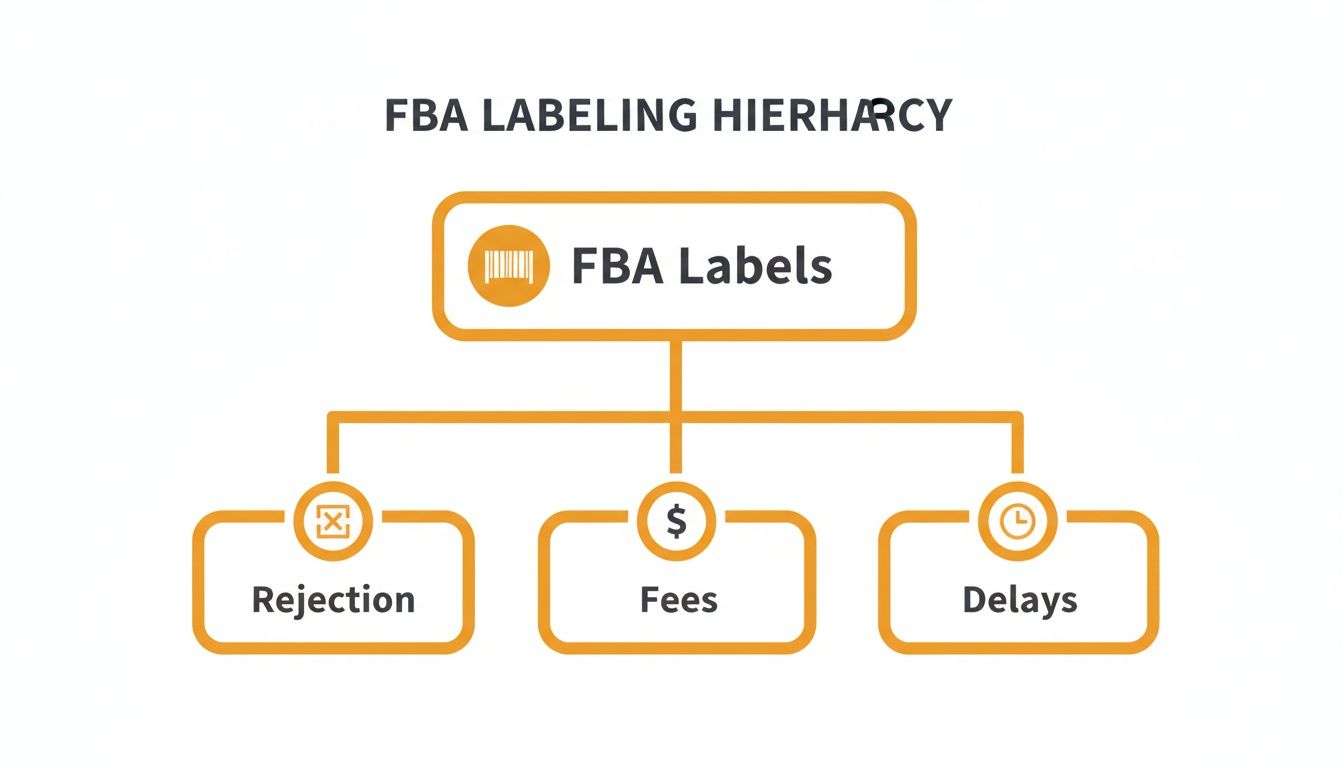
As you can see, small mistakes here can snowball into shipment rejections, surprise fees, and costly delays that keep your products from going live.
Layer 2: The FBA Box ID Label
Once your individually labeled products are packed into a shipping carton, you need the second layer: the FBA Box ID label. You’ll generate this label from your shipping plan in Seller Central, and it gets applied to the outside of each master carton you send.
This label doesn't care about the individual items inside. Its only job is to identify the entire carton as part of a specific shipment (FBA ID). It tells Amazon’s warehouse team everything they need to know to receive the box and route it correctly without ever opening it.
This is the "street address" in our analogy. It gets the box to the right neighborhood in the fulfillment center.
A classic rookie mistake is slapping the FBA Box ID label over a seam or opening on the carton. When a warehouse worker slices open the box, they can damage the barcode, making it unscannable. This simple error can cause check-in nightmares for every item in that box.
Layer 3: The Pallet Label
The final layer comes into play when you’re sending inventory via Less-Than-Truckload (LTL) or Full Truckload (FTL) freight. Every single pallet needs its own set of four identical labels, one on each side.
These FBA pallet labels are for the forklift operators and receiving teams. They need to be able to identify an entire pallet at a glance, no matter which way it's facing, without having to break it down.
To help you keep track, here's a quick summary of the three labels you'll be working with.
Amazon FBA Labeling at a Glance
| Label Type | Purpose | Placement | Key Information |
|---|---|---|---|
| FNSKU | Identifies a single product unit and links it to your seller account. | On the individual product's packaging, covering any other barcodes. | FNSKU barcode, product name, condition. |
| FBA Box ID | Identifies a master carton as part of a specific FBA shipment. | On the outside of each shipping carton, avoiding seams or edges. | FBA Shipment ID, ship-from/to addresses, box number. |
| Pallet Label | Identifies an entire pallet for LTL/FTL freight shipments. | One label on all four sides of a shrink-wrapped pallet. | Pallet number, FBA Shipment ID, carrier information. |
Getting these three layers right creates a clear, efficient communication system with Amazon. Each label builds on the last, giving the fulfillment center the exact information it needs at every step. Mastering this system is fundamental to avoiding costly delays and getting your products available for sale as fast as possible.
Getting Your Product Labels Right: The FNSKU
Let’s talk about the single most important label in your FBA journey: the FNSKU, or Fulfillment Network Stock Keeping Unit.
Think of it like a unique serial number for every single item you send to Amazon. A regular barcode (like a UPC) just identifies a product type—say, a 12oz jar of gourmet honey. But the FNSKU identifies your specific 12oz jar of honey, linking it directly to your seller account and nobody else's.
Why does this matter so much? It’s all about protecting your brand. The FNSKU ensures your high-quality, perfectly prepped inventory never gets mixed up with another seller’s stuff, which could be counterfeit, damaged, or expired. Without it, you're rolling the dice on someone else's quality control.
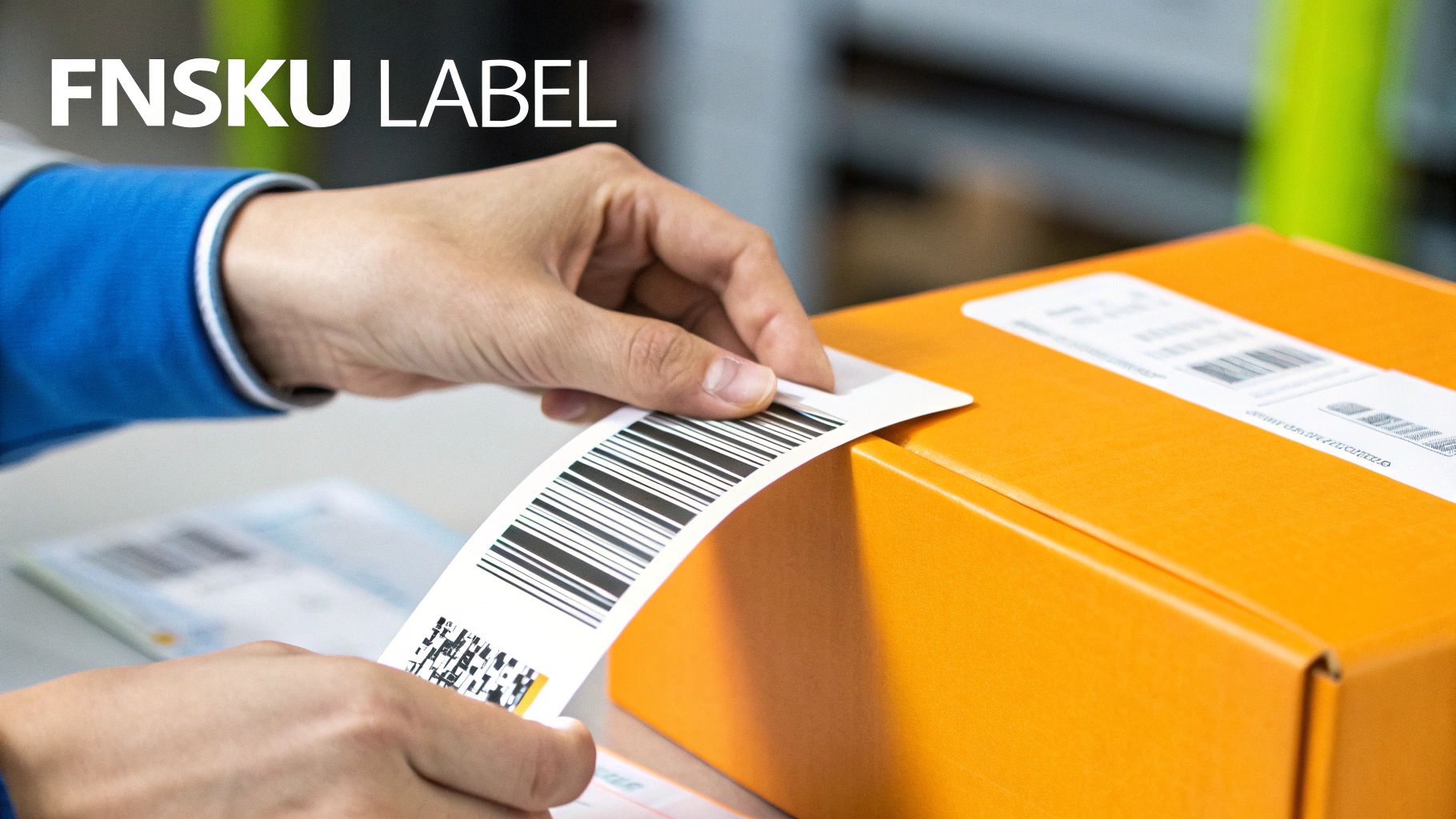
FNSKU Label Specifications
Amazon’s fulfillment centers are a marvel of automation, running on scanners and conveyor belts. This precision means your labels have to be perfect. Even a tiny mistake can cause a scanning error, leading to frustrating receiving delays or unplanned fees from Amazon. Getting this right isn’t optional—it's a core part of your FBA prep.
Here are the non-negotiable amazon fba labeling requirements for every FNSKU:
- Barcode Format: The barcode must be crisp, clear, and scannable. No exceptions.
- Text Information: Below the barcode, the label must include human-readable text showing the FNSKU number, the product name, and the item's condition (like "New").
- Print Quality: Always use black ink on matte white, non-reflective labels. Glossy labels or smudged ink are a recipe for scanning failures.
- Label Size: While sizes vary, the most common are between 1" x 2" and 2" x 3". A fan favorite (and Amazon-recommended) size is 1" x 2⅝".
Heads up: Every FNSKU label needs what Amazon calls a "quiet zone." This is just a fancy term for blank white space around the barcode—at least ¼ inch on the sides and ⅛ inch on the top and bottom. This space is critical for the scanners to lock onto the code without any interference.
Commingled Inventory: The UPC vs. FNSKU Decision
When you create a new product listing, Amazon will ask you to choose between using an Amazon barcode (FNSKU) or a manufacturer barcode (like a UPC or EAN). If you choose the manufacturer barcode, your inventory becomes "commingled," also known as "stickerless."
On the surface, it sounds great. No extra labeling! But here's the catch: commingling means your products are thrown into the same bins as identical items from every other seller. When a customer buys from you, Amazon might grab an item that a competitor sent in to fulfill the order.
While this system can speed things up, you completely lose control over your inventory. If another seller sends in fakes, damaged goods, or items with shoddy packaging, your customer could receive one. And guess who gets the bad review? You do.
Why FNSKUs Are Almost Always the Smarter Choice
For private label brands, serious resellers, or anyone who cares about brand integrity, using FNSKUs is the only way to go. The peace of mind you get from keeping your inventory separate is worth the small effort of applying an extra label.
Here’s a quick breakdown to make it crystal clear:
| Feature | FNSKU (Your Inventory is Separate) | Manufacturer Barcode (Commingled) |
|---|---|---|
| Inventory Control | Total. Your physical stock is always tied to your account. | None. Your products are mixed in with everyone else's. |
| Counterfeit Risk | Low. You control the exact units your customers receive. | High. A competitor's fake product could be sent to your buyer. |
| Brand Protection | High. Guarantees customers get your authentic, quality product. | Low. Your reputation is at the mercy of other sellers' mistakes. |
| Labeling Required | Yes. Each unit needs an FNSKU label covering the original UPC. | No. Just use the existing manufacturer barcode. |
| Best For | Private label brands, sellers of high-value goods, and anyone focused on brand integrity. | Resellers of low-risk, mass-market commodity goods where brand isn't a factor. |
At the end of the day, that FNSKU label is your best insurance policy against a whole host of inventory nightmares. It’s a simple step in your prep process that provides a powerful layer of protection for your business and ensures your customers get the quality they paid for.
How to Generate and Apply FBA Shipping Labels
Once you’ve labeled all your individual products with FNSKUs, it’s time for the next big step: creating the FBA Box ID labels for your shipping cartons. These labels are basically your shipment's passport, and you'll generate them directly inside Amazon Seller Central as part of the "Send to Amazon" workflow.
You start by creating a shipping plan where you'll plug in the ship-from address, which products you’re sending, and how many of each. Don't be surprised if Amazon asks you to send your inventory to multiple fulfillment centers. This is called a split shipment, and it's a totally normal part of Amazon’s strategy to spread products across the country for quicker delivery to customers.
For every destination, Amazon gives you a unique set of FBA Box ID labels. It is absolutely critical that you put the right label on the right box. One mix-up can send a box to the wrong facility, leading to massive check-in delays, stranded inventory, and a whole lot of frustration.
Choosing the Right Printing Equipment
A smudged or unscannable barcode can bring your entire shipment to a screeching halt at the warehouse door, so the quality of your labels is non-negotiable. You have two main options for printing, and each has its place.
Laser Printers: This is where most sellers start. They’re great for printing on standard paper or, more practically, on adhesive label sheets like Avery 30-up labels for your FNSKUs. While they get the job done, the ongoing cost of toner and specialized label sheets can really start to add up as you scale.
Thermal Printers: This is the undisputed champion for serious, high-volume sellers and 3PLs like us. Thermal printers use heat to print on special labels, which means you’ll never buy ink or toner again. Not only does this make them way more cost-effective over time, but the labels they produce are incredibly durable and smudge-proof, guaranteeing a clean scan every time.
A thermal printer is one of those investments that quickly pays for itself. You’ll save a ton on supplies and, more importantly, eliminate the costly scanning errors that can derail a shipment. For any seller serious about growing their FBA business, upgrading to a thermal printer is a no-brainer.
Step-by-Step Label Application
Printing a perfect label is only half the battle; applying it correctly is just as crucial. A label that’s poorly placed can get torn, covered up, or missed completely by Amazon’s automated systems.
Follow these best practices to stay compliant:
- Placement is Paramount: Stick the FBA Box ID label on a flat, smooth side of your shipping box. Never, ever place it over a seam or around a corner. The first thing a warehouse worker does is slice the box open along the seams, and if your barcode is in the way, it gets destroyed.
- Avoid Barcode Confusion: The only barcodes that should be scannable on the outside of your box are the FBA Box ID label and the shipping carrier’s label (like UPS or FedEx). Take a black marker and cover up any other random barcodes on the box to prevent the scanners from getting confused.
- One Label Per Box: Every single box in your shipment needs its own unique FBA Box ID label. Don't photocopy or reuse them.
- Pallet Labeling: If you're sending a larger LTL or FTL shipment, you’ll also need pallet labels. Four identical labels must go on each of the four sides of the stretch-wrapped pallet. Place them in the top-center so a forklift operator can easily scan it from any direction.
Sorting out the differences between Small Parcel Delivery (SPD) and LTL shipping can get tricky, especially when it comes to labeling and routing. To learn more about that, check out our guide on mastering small parcel delivery to FBA. Getting these labels right is the final checkpoint to make sure your inventory flows into Amazon’s network without a hitch, ready to sell.
Common Labeling Mistakes That Cost Sellers Money
Even a tiny labeling mistake can kick off a huge domino effect, turning a profitable shipment into a logistical nightmare that bleeds cash. These aren't just small slip-ups; they are direct threats to your business, leading to surprise relabeling fees, delayed check-ins, or even your shipment being turned away at the fulfillment center door.
Think of this as your final pre-flight check before your inventory takes off. Getting these details right ensures every package is 100% compliant and ready for a smooth, fast journey into Amazon's network.
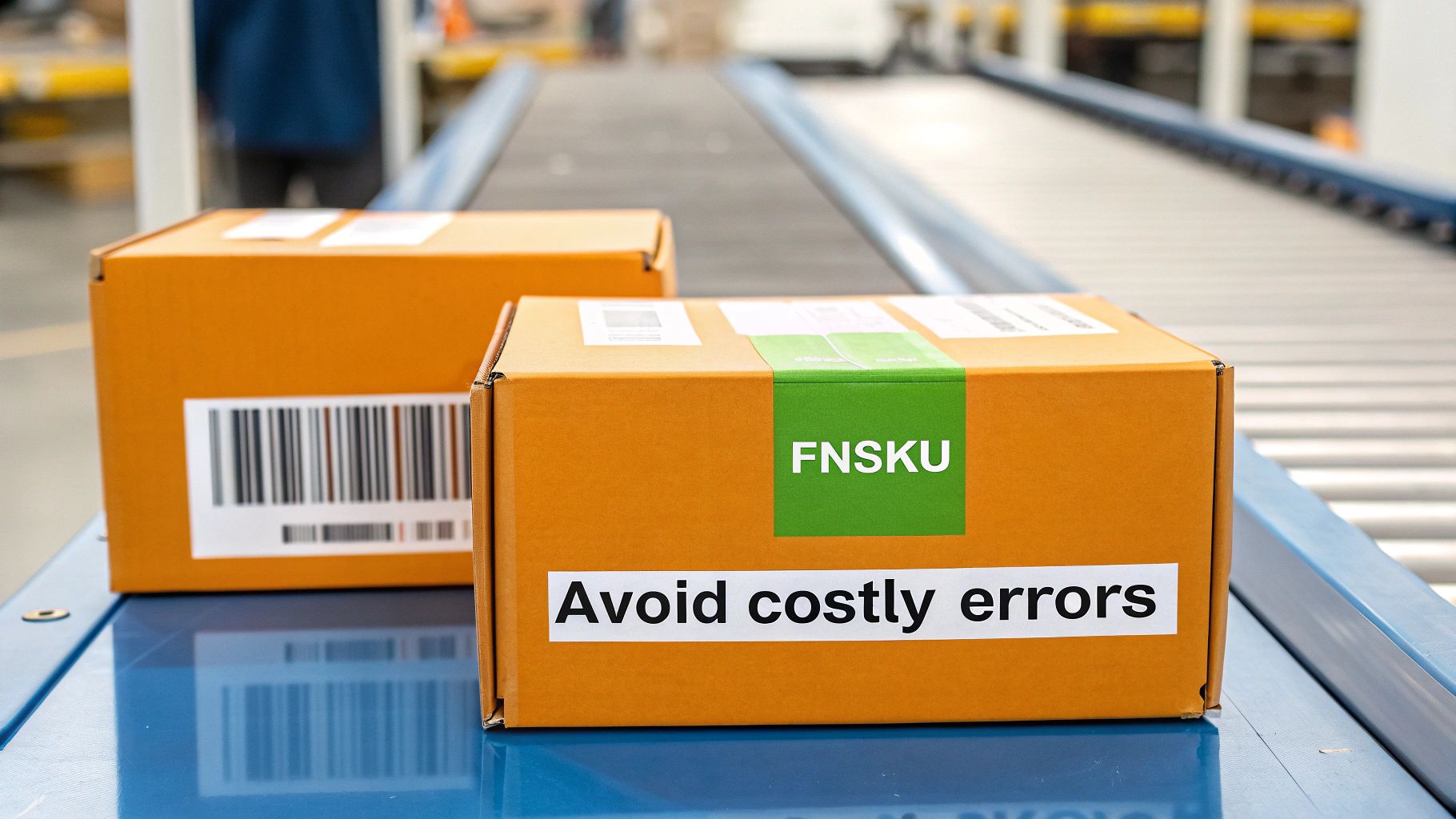
Confusing FNSKUS with Manufacturer Barcodes
One of the most frequent—and damaging—errors is slapping a product’s original UPC or EAN on a unit when Amazon specifically requires an FNSKU. This usually happens when a seller misunderstands the difference or just clicks the wrong option when creating a shipping plan.
When this happens, you’re basically sending "anonymous" inventory to Amazon. Without the FNSKU to tie that unit back to your account, it's at high risk of getting mixed in with items from other sellers. This can lead to lost inventory or, even worse, serious damage to your brand reputation if a customer receives a competitor's shoddy product instead of yours.
Printing Low-Quality or Unscannable Labels
Amazon’s fulfillment centers run on pure speed and automation. That means their scanners need to get a perfect, clean read on every single barcode, every single time. A blurry, smudged, or low-res label might as well be no label at all.
Common culprits behind bad labels include:
- Using cheap ink or toner that smudges with the slightest touch.
- Printing on glossy or reflective paper that creates a glare for the scanner.
- Shrinking the barcode image to fit a smaller label, which completely distorts it.
Each unscannable label forces a human to step in at the fulfillment center. That triggers unplanned prep fees and pushes your inventory to the back of the receiving line, potentially keeping your products offline for days or even weeks.
Placing Labels Incorrectly
Where you put the label is just as critical as what’s on it. A perfectly printed FNSKU is totally useless if the scanner can't see it or if it gets torn off during receiving.
The two biggest placement mistakes are:
- Covering Important Info: Sticking the FNSKU right over crucial details like expiration dates or safety warnings.
- Wrapping Around Corners or Seams: The label has to lie completely flat on one surface. Wrapping it around a corner or placing it over a box seam is a guaranteed way to make it unscannable.
Correct placement is a simple but absolutely non-negotiable part of the Amazon FBA labeling requirements.
Leaving Multiple Barcodes Exposed
Amazon's scanners are built for one thing: efficiency. They scan the very first barcode they see and move on. If your product’s packaging has its original UPC showing right next to your new FNSKU, you’re creating a recipe for confusion.
This barcode conflict can cause the wrong item to be scanned, leading to receiving errors where your inventory gets logged incorrectly or even assigned to another product entirely. The rule is simple: the FNSKU must be the only scannable barcode on the product. Always make sure you completely cover up any old manufacturer barcodes with your FNSKU label.
With 82% of sellers using Fulfillment by Amazon, the competition is intense and there's no room for operational slip-ups. Nailing these details gives you a real advantage, ensuring your inventory is on the virtual shelf and ready for sale while others are stuck fixing preventable problems.
Avoiding these common issues protects your investment and keeps your business running smoothly. For a deeper dive into mistakes to sidestep during the busiest times of the year, check out our guide on what to avoid during peak season.
Streamlining Your Labeling with an FBA Prep Partner
As your Amazon business scales, the time you spend printing FNSKUs, bundling products, and wrestling with box labels can become a serious drag on growth. Managing Amazon FBA labeling requirements in-house eats up hours you could be spending on sourcing new products, marketing, and big-picture strategy.
This is exactly when smart sellers decide to bring in a dedicated FBA prep partner. Think of a prep service as a specialized extension of your own team—one that’s obsessed with turning your bulk inventory into perfectly compliant, FBA-ready shipments without you ever having to touch a label gun.
Taking the Entire Process Off Your Plate
A professional FBA prep service steps in and handles every single tedious step. They can receive inventory directly from your supplier, run quality control checks, and execute all the necessary prep work with battle-tested precision.
This covers a huge range of tasks that are frustratingly easy to get wrong on your own:
- FNSKU Labeling: Applying the right Amazon barcode to every last unit, making sure it completely covers the original manufacturer's barcode.
- Bundling and Kitting: Assembling "sold as set" product bundles that follow Amazon's strict packaging guidelines to the letter.
- Poly Bagging: Using bags with the correct thickness and proper suffocation warnings for any products that need them.
- Shipment Creation: Generating compliant FBA box ID and pallet labels that match your shipping plan perfectly.
When you outsource these tasks, you're not just saving time—you're buying peace of mind. A great prep partner lives and breathes Amazon's rulebook, basically eliminating the risk of costly compliance mistakes that get shipments rejected or slapped with unplanned fees.
The Real Benefits of a Strategic Partner
The biggest advantage is freedom. Instead of getting bogged down by logistical nightmares, you can finally refocus your energy on the high-impact activities that actually grow your business. The operational lift is massive.
A reliable partner turns your supply chain from a constant source of stress into a smooth, scalable machine. You get to skip the investment in warehouse space, commercial printers, and extra staff, all while ensuring your products arrive at Amazon's fulfillment centers flawlessly prepared. This is absolutely critical for keeping your sales velocity up and avoiding painful stockouts.
To learn more about how a 3PL partner can help you navigate these complexities and avoid penalties, read our detailed guide on staying ahead of Amazon's increasing non-compliant fees. Partnering with an expert frees you up to build your brand while they nail the logistics.
FBA Labeling FAQs: Your Top Questions Answered
Even when you think you’ve got the rules down, a tricky situation can pop up and leave you guessing. Let’s tackle some of the most common questions we hear from sellers about Amazon FBA labeling, so you can stay compliant and keep your inventory moving.
What if My Product Is Too Small for an FNSKU Label?
This is a classic problem. If your product is tiny, the go-to solution is to place it inside a clear poly bag. Just apply the FNSKU label to the outside of the bag, making sure it’s flat and scannable.
Keep in mind, if that bag’s opening is 5 inches or wider, Amazon requires a clearly visible suffocation warning. Another workaround is to securely attach a hang tag to the product and put the FNSKU there. Whatever you do, never shrink the barcode to make it fit—that’s a surefire way to make it unscannable at the warehouse.
How Should I Label Bundled Products for FBA?
When you’re selling multiple items as a single unit, you first have to package them together, whether that's in a box, a poly bag, or with shrink wrap. From there, you'll apply a single FNSKU for the entire bundle to the outside of that master package.
But here’s the critical part: you also need to add a second label that says "Sold as Set" or "This is a Set, Do Not Separate." This little sticker is what stops an Amazon employee from tearing open your bundle and receiving the items one by one. And don't forget to cover up or black out any individual barcodes on the items inside.
The "Sold as Set" label is a simple but powerful tool. Forgetting it is a common mistake that can lead to your bundled inventory being broken apart, causing order errors, customer complaints, and a logistical mess that is incredibly difficult to fix.
What Is the Difference Between a UPC, FNSKU, and ASIN?
It’s easy to get these three jumbled, but they each have a very specific job in the e-commerce world.
- UPC (Universal Product Code): Think of this as the product's global ID. It’s the 12-digit manufacturer barcode you see in brick-and-mortar stores everywhere, identifying one specific product.
- ASIN (Amazon Standard Identification Number): This is Amazon's own 10-character internal catalog number. It doesn't identify your physical item, but rather the product page on their website.
- FNSKU (Fulfillment Network Stock Keeping Unit): This is the barcode that matters most for FBA. It’s Amazon’s internal tracking code that links your specific physical inventory directly to your seller account inside their fulfillment centers.
So, while your product has a UPC and lives on a page with an ASIN, the FNSKU is the actual label you stick on it to make sure your stock doesn't get mixed up with another seller's.
Stop wrestling with labels and start scaling your business. Snappycrate handles all your Amazon FBA prep, from FNSKU labeling to bundling, so your shipments are 100% compliant every time. Learn how we can streamline your operations today.