Skip to Content

Blog Archives

Real Time Inventory Management Software for E-commerce Success

Ever tried watching a live game on a choppy, delayed video feed? You see the big play moments after it actually happened. That’s exactly what it feels like to run an e-commerce business on outdated spreadsheets.

Real-time inventory management software is your 4K live broadcast. It gives you a continuously updated, crystal-clear view of your stock levels across every warehouse and sales channel, all at once.

What Is Real-Time Inventory Management?

A person in a warehouse scans a cardboard box with a barcode scanner, with 'LIVE INVENTORY' text.

At its core, real-time inventory management means your stock levels are tracked and updated the instant something happens. An item gets sold, received, moved, or returned, and your records reflect that change immediately across every system.

This isn’t about batch-updating a spreadsheet at the end of the day. It’s a living, breathing system that mirrors physical reality in the digital world. Think of it as the central nervous system for your inventory, connecting your sales channels, warehouse operations, and purchasing department in perfect sync.

The Tech Behind the Live Feed

This instant synchronization isn't magic—it's a carefully orchestrated process powered by a few key pieces of technology working together.

Here’s what makes it all possible:

  • Barcode Scanners and RFID: Your warehouse team uses handheld devices to scan items at every touchpoint—receiving, putaway, picking, and shipping. This zaps the data straight to the central system, killing manual entry errors for good.
  • API Integrations: Your software creates a digital handshake with e-commerce platforms like Shopify and marketplaces like Amazon. When a sale happens online, the API immediately tells your inventory system to deduct that unit from the total count.
  • Warehouse Management System (WMS): This is the operational brain. It crunches all the incoming data from scanners and APIs, updates the master inventory count, and syncs that new, accurate number back out to all your sales channels.

This constant, two-way flow of information ensures the stock level displayed on your website is a true reflection of what’s actually on your warehouse shelves.

A business that relies on periodic or manual inventory updates is essentially flying blind. Real-time visibility turns guesswork into certainty, preventing the costly mistakes that can damage customer trust and profitability.

Why Real-Time Data Is a Necessity, Not a Luxury

In the 24/7 world of e-commerce, delayed data is a recipe for disaster—think overselling, stockouts, and unhappy customers. Real-time visibility has quickly become a foundational requirement for modern retailers and 3PLs.

It’s no surprise the global inventory management software market is projected to hit USD 5.16 billion by 2031. This massive growth is fueled by the intense demand for live stock visibility in e-commerce. You can dig deeper into this explosive market growth with reports from industry analysts.

For a clearer picture of how this shift impacts day-to-day operations, let's compare the old way with the new.

Manual vs Real-Time Inventory Management

The difference between manual or batch systems and a real-time solution is night and day. One leaves you reacting to old news, while the other puts you in proactive control.

Aspect Manual / Batch System Real-Time System
Data Accuracy Low. Prone to human error and always outdated. High. Continuously updated with every transaction.
Visibility Fragmented. You only get a snapshot during counts. Unified. A single, live view across all channels.
Overselling Risk High. Stock levels aren't synced with sales velocity. Low. Inventory is deducted the moment a sale is made.
Decision Making Reactive. Based on historical, often inaccurate data. Proactive. Based on live, accurate inventory levels.
Operational Speed Slow. Requires manual updates and physical checks. Fast. Automated processes reduce labor and delays.
Customer Experience Poor. Leads to stockouts and canceled orders. Excellent. Accurate stock info prevents disappointment.

Upgrading to a real-time system is more than just a software change; it’s a fundamental shift in how you run your business. It allows you to make smarter purchasing decisions, fulfill orders faster, and build a brand that customers trust to deliver.

Core Features That Power E-commerce Operations

A laptop and smartphone displaying synchronized data dashboards, with an orange banner reading 'Multi-Channel Sync'.

A powerful real time inventory management software is the command center for your entire e-commerce operation. It’s not just about counting units; it's about putting critical tasks on autopilot to prevent errors, save time, and clear the path for growth.

Once you understand its core features, you'll see how it turns operational chaos into a smooth, efficient machine. Each one solves a high-stakes problem every online seller knows all too well.

Multi-Channel Synchronization

Think of your inventory as one big pool of water. Every sales channel you have—Shopify, Amazon, Walmart—is a tap drawing from that same pool. Without a way to measure the water level instantly, you have no idea how much is left until the pool runs dry. That's when you start selling products you don't actually have.

Multi-channel synchronization is the technology that watches the water level in real time. The second a sale happens on any channel, the system instantly updates the available quantity across all your other storefronts. This single feature is your best defense against overselling, a killer mistake that tanks seller ratings and erodes customer trust.

Automated Purchase Order Generation

Trying to manually track when to reorder thousands of SKUs is a guaranteed path to either stockouts or overstocking. This is where automated purchase order (PO) generation steps in, acting like a vigilant stock manager who never sleeps.

You just set the minimum stock levels, or "reorder points," for each product based on how fast it sells and how long it takes to get from your supplier. Once inventory hits that number, the software automatically drafts a PO for your approval. This proactive approach means you restock just in time, cutting down on carrying costs and preventing lost sales.

To see how you can put replenishment on autopilot, check out our guide on automated inventory tracking.

The goal of smart inventory management isn't just to have stock, but to have the right stock at the right time. Automation turns this complex balancing act from a constant headache into a reliable, data-driven process.

Low-Stock Alerts and Notifications

While automated POs are great for predictable restocks, low-stock alerts are your early warning system for the unexpected. If a product suddenly goes viral or a marketing campaign blows past expectations, you need to know now—not at the end of the week.

You can customize these alerts and get them sent straight to your email or phone, giving you and your team the heads-up needed to react fast. This lets you:

  • Expedite a purchase order before you completely sell out.
  • Pull back on marketing spend to slow down a fast-selling item.
  • Shift remaining stock to your most profitable channels.

This feature gives you the breathing room to make smart decisions under pressure, turning a potential inventory crisis into a manageable bump in the road.

Advanced Reporting and Analytics

Data is useless without insight. The best real time inventory management software doesn't just collect numbers; it turns them into intelligence you can actually use. A good reporting dashboard gives you a crystal-clear view of your business's health.

Key reports to look for include:

  • Sell-Through Rate: Shows how fast your inventory is moving, helping you spot hot products and duds.
  • Inventory Turnover: Measures how many times you sell and replace your inventory over a given period, a key sign of efficiency.
  • Stock Valuation: Gives you a real-time financial snapshot of the total value of the inventory you're holding.
  • Profitability by SKU: Digs into which products are truly making you money after all costs are factored in.

Getting this kind of instant visibility requires solid systems for managing all your product data. For many sellers, a dedicated solution for Product Information Management (PIM) is the missing piece that makes it all work. Ultimately, these analytics empower you to stop guessing and start making data-backed decisions that optimize cash flow and boost your bottom line.

The True Business Impact of Instant Inventory Visibility

Beyond the technical jargon, the real magic of real time inventory management software is the massive, measurable impact it has on your bottom line. It’s about shifting from guesswork to data-backed decisions. This one change can transform your operations from a simple cost center into a powerful strategic asset for growth.

Think of it as the difference between reacting to yesterday's problems and proactively shaping tomorrow's success.

Instant visibility is your best defense against the two cardinal sins of e-commerce: overselling and stockouts. When a customer pays for an item you don't actually have, you haven't just lost a sale—you've chipped away at your brand's credibility. This is especially dangerous on platforms like Amazon, where overselling can get your account shut down fast.

On the flip side, a stockout is a gift-wrapped customer for your competition. A real-time system acts as a single source of truth, making sure the number on your website perfectly matches the physical count on your shelf. It’s a simple concept that protects both your revenue and your hard-won customer relationships.

Turning Inventory into Financial Fuel

Getting a clear picture of your stock has an immediate and direct effect on your company's financial health. It stops cash from getting stuck in products that just aren't selling, freeing it up to be reinvested where it matters most.

This financial boost works in two main ways:

  • Slashed Carrying Costs: Every item sitting on a shelf costs you money in storage fees, insurance, and the risk of it becoming obsolete. With precise data on how fast things are selling, you can keep your inventory lean, ordering just what you need, right when you need it.
  • Boosted Cash Flow: When you stop overstocking slow-movers, that cash is no longer trapped on a pallet. Instead, you can put it to work on marketing campaigns, new product development, or expanding into different sales channels. That kind of agility is what separates stagnant brands from fast-growing ones.

This level of control lets you run a much leaner operation, turning your inventory from a liability into a dynamic asset that fuels your business instead of draining its resources.

Gaining a Decisive Strategic Advantage

With a live, accurate view of every unit you own, you can start making smarter decisions across the board. Your marketing team can confidently launch a flash sale on a specific SKU, knowing exactly how many are available. Your product team can analyze sales data to kill off underperforming items and double down on winners.

This strategic layer is where real time inventory management software really proves its worth. It provides the hard data you need to scale confidently from a hundred orders a day to thousands without hitting operational walls. It gives you the power to run a more predictable, profitable, and resilient business.

The market for these tools is projected to grow from USD 2.7 billion in 2026 to USD 3.73 billion by 2030, a clear sign that this is becoming standard practice. You can learn more about these inventory management market trends and see where the industry is heading.

Real-time visibility isn't just about avoiding mistakes; it's about creating opportunities. When you have complete confidence in your inventory data, you can make bolder, faster, and more profitable business decisions.

At the end of the day, this technology provides the operational backbone you need to build a brand that customers trust. It ensures you can consistently deliver on your promises—and that’s the most powerful way to build loyalty.

How to Choose and Implement the Right Software

Picking and launching a real-time inventory management software is a huge step for any growing e-commerce brand. This isn't just about buying another app; it's about installing a new central nervous system for your entire operation. A smart evaluation process and a structured implementation plan are what separate a smooth transition from a chaotic one.

Making the right choice means looking past the flashy sales pitches and focusing on the core fundamentals that will actually support your business today—and five years from now.

Core Criteria for Evaluating Your Options

Not all inventory platforms are built the same, especially when you’re juggling multiple sales channels and a growing product catalog. As you start comparing solutions, measure each one against these critical benchmarks to find the right fit.

  • Scalability for Future Growth: The software that works for 100 orders a month will likely buckle under the pressure of 10,000. You need a cloud-native solution that can handle more SKUs, more orders, and even more warehouses without slowing down.
  • Seamless Integration Capabilities: Your inventory software has to talk to everything else in your tech stack, no questions asked. Make sure it has solid, pre-built integrations for your e-commerce platforms like Shopify or Amazon, your accounting software like QuickBooks, and your 3PL’s Warehouse Management System (WMS).
  • An Intuitive User Interface: The most powerful software on the planet is useless if your team hates using it. A clean, logical interface means less training time, fewer mistakes, and better adoption across the board.

The demand for these systems is exploding. The global inventory management software market is expected to rocket from USD 2.75 billion in 2026 to USD 5.52 billion by 2034. That’s not just a random statistic; it shows how essential these tools have become for staying competitive. You can see more on this market's trajectory on Fortune Business Insights.

Before you sign any contracts, it's crucial to have a clear framework for your decision. The table below breaks down the key factors to consider when comparing different software options.

Key Evaluation Criteria for Inventory Software

Feature/Criteria What to Look For Why It Matters
Integrations Pre-built, native connections to your e-commerce platforms, accounting software, and 3PL WMS. Avoids costly custom development and ensures data flows smoothly without manual intervention.
Scalability Cloud-based architecture, ability to handle high order volumes, and support for multiple locations/warehouses. Your software should grow with your business, not hold it back during peak seasons or expansion.
Core Features Real-time syncing, multi-channel support, automated reorder points, and robust reporting. These are the non-negotiable features that drive efficiency and provide the insights you need to make smart decisions.
User Experience (UX) A clean, intuitive dashboard that is easy for your team to navigate and learn. Good UX reduces human error, speeds up daily tasks, and encourages team-wide adoption.
Cost & Pricing Model Transparent pricing (per user, per order, or tiered). Watch out for hidden fees for support or integrations. Ensures the total cost of ownership fits your budget and won't surprise you as you scale.
Support & Training Access to responsive customer support (phone, email, chat) and comprehensive training resources. When issues arise (and they will), you need a reliable partner to help you solve them quickly.

Using a checklist like this ensures you’re making a decision based on your actual business needs, not just a slick sales demo.

Your Step-by-Step Implementation Checklist

Once you’ve made your choice, a successful launch comes down to a methodical rollout. Skipping steps here is a surefire way to create data chaos and operational nightmares.

  1. Clean and Prepare Your Data: Before you migrate a single thing, audit your current inventory data. Fix SKU mistakes, standardize product names, and archive old items. Migrating "dirty" data is the #1 cause of implementation failure. Seriously.
  2. Configure System Settings: Work with your new software provider to set up the rules of the road. This means defining reorder points, setting user permissions for your team, and customizing your low-stock alert thresholds.
  3. Integrate Your Sales Channels: Connect the software to your storefronts and marketplaces one at a time. Run a ton of test orders to make sure sales data flows in correctly and inventory levels update everywhere instantly.
  4. Train Your Team Thoroughly: Don't just show your team how the software works—explain why it’s a game-changer. Run hands-on training sessions that cover daily tasks like receiving new stock, processing orders, and pulling reports. A well-trained team is your best defense against user error.
  5. Go Live and Monitor KPIs: Pick a slow sales period for your official launch. For the first few weeks, keep a close eye on Key Performance Indicators (KPIs) like inventory accuracy, order cycle time, and stock turnover to make sure the system is doing what it promised. To see how this fits into the bigger picture, check out our guide on CRM and order management systems.

The goal of implementation isn't just to "turn on" the software. It's to build a reliable, accurate data foundation that your entire business can trust to make smarter, faster decisions.

Common Pitfalls and How to Avoid Them

Even with the best plan, there are a few common traps that can trip you up. Knowing what they are ahead of time is the best way to steer clear.

  • Pitfall 1: Neglecting Data Hygiene: We mentioned it before, but it’s worth repeating. Migrating messy data is a recipe for disaster. It leads to bad reports and kills your team's confidence in the new system from day one.

    • Solution: Block out the time to do a full data audit upfront. It’s tedious but absolutely non-negotiable.
  • Pitfall 2: Inadequate Team Training: A quick one-hour demo isn’t training. If your team doesn't feel comfortable, they’ll fall back on old habits or use the system wrong, which just creates more problems.

    • Solution: Build a real training program with documentation and follow-up Q&A sessions. Appoint an internal "super user" who can be the go-to person for questions.
  • Pitfall 3: Poor Communication with Your 3PL: Forgetting to loop in your fulfillment partner early can cause massive headaches. Their systems and your new software have to be in perfect sync.

    • Solution: Bring your 3PL into the conversation during the evaluation phase. Make sure the software you pick plays nice with their WMS and that both teams are crystal clear on how data will flow.

By carefully vetting your options, following a clear plan, and avoiding these common mistakes, you can make sure your investment in a real-time inventory management software pays off big time.

Connecting Software and Fulfillment for Real-Time Accuracy

Think of your real time inventory management software as the brain of your e-commerce operation. It’s the command center, giving you the data and visibility you need to make smart decisions. But a brain is useless without a body to carry out its orders. That’s where a tech-savvy third-party logistics (3PL) partner comes in.

Your software can tell you there are 1,000 units in stock, but if those units are lost in a disorganized warehouse or still sitting on a receiving dock, that number is just a fantasy. True real-time accuracy is born when your digital system and your physical operations are perfectly in sync. Your fulfillment partner is what brings your software’s data to life.

This journey—from picking the right tool to growing with it—is a process.

Flowchart illustrating the software selection process with stages: Evaluate, Implement, and Grow.

It starts with a careful evaluation, flows into a structured implementation, and, if done right, fuels long-term growth.

How Optimized Workflows Keep Data Accurate

A top-tier 3PL builds its entire warehouse process around one goal: instant data updates. Every time a product is touched, it’s a data event. This ensures the numbers you see on your screen are an exact match for what’s happening on the warehouse floor.

This constant synchronization starts the second your inventory arrives. Here’s a look at how it works:

  • Container Receiving and Pallet Breakdowns: When a new shipment hits the dock, it's not just set aside. Warehouse teams immediately scan products, confirming SKUs and counts against the digital purchase order. This first scan is everything—it stops inbound mistakes from poisoning your data from day one.
  • FBA Prep and Kitting: Need to bundle products or add FNSKU labels for Amazon? Every step is tracked. As individual items are used to create a new kit, their stock levels are instantly lowered, and the inventory for the new bundled SKU is increased.
  • Pick, Pack, and Ship: An order comes in, and the software tells the warehouse what to do. Every item is scanned as it's picked to verify it's the right one. Once the box is sealed and shipped, a final scan updates its status, deducts the item from your available stock, and fires tracking info back to your e-commerce store.

A great 3PL doesn’t just store and ship your products; they become the hands of your inventory software. Their operational discipline is what guarantees the data you rely on is a true reflection of physical reality.

Preventing Logistical Bottlenecks

Let’s be honest, the whole point of investing in real time inventory management software is to crush the problems that kill growing brands—costly receiving errors, frustrating shipping delays, and stock-outs from bad data. A great 3PL partner is your front line of defense. You can dive deeper into how a 3PL warehouse is structured to do this.

By building their entire operation around disciplined, scan-based workflows, they make sure every single product movement is logged instantly. This operational excellence is what validates your software investment and makes the data trustworthy. To get this right, it's critical to follow Real Time Data Integration Best Practices so all your systems are communicating without a hitch.

Ultimately, the bond between your software and your fulfillment partner is what creates a supply chain that can bend without breaking. It’s this partnership that gives you the confidence to scale, knowing your digital promises will be met with real-world precision.

Common Questions About Real-Time Inventory Management Software

Stepping into the world of real-time inventory management software is a big move, and it's smart to have questions. This isn't just another app; it's a technology that fundamentally changes how you run your business, so getting clear on the details is crucial.

We’ve pulled together answers to the most common questions we hear from e-commerce operators and brand owners thinking about making the jump. These are practical, real-world insights to help you understand the true costs, benefits, and requirements.

How Much Does This Software Typically Cost?

The cost of real-time inventory software is a lot like buying a vehicle for your business—a small delivery van doesn't have the same price tag as a fleet of semi-trucks. The price is tied directly to your business size, complexity, and the specific features you actually need.

Here’s a general breakdown of what you can expect:

  • Startups and Small Businesses: Entry-level plans usually run from $50 to $200 per month. These get you basic inventory tracking, a few user seats, and integrations for one or two sales channels. They’re a perfect fit for brands just starting to feel the pain of tracking everything on a spreadsheet.
  • Growing Mid-Sized Businesses: Once your order volume and SKU count start climbing, your needs get more complex. Mid-tier platforms typically cost between $300 and $1,000+ per month. This level unlocks advanced features like multi-warehouse support, automated purchase orders, and much deeper analytics.
  • Large or Enterprise-Level Operations: If you’re a high-volume seller or have complex needs like custom kitting or international fulfillment, expect to invest several thousand dollars a month. These enterprise plans come with custom integrations, dedicated account managers, and premium support.

Don't forget to ask about one-time fees. Some providers charge for implementation, data migration, or initial team training, so make sure you factor those into your total budget.

What Is the Biggest Advantage for a Multi-Channel Seller?

For any business selling on Shopify, Amazon, and Walmart at the same time, the single greatest advantage is simple: it almost completely eliminates overselling.

Picture this: you have one unit left of your best-seller. Without a real-time system, you could sell that last item on Amazon, and five minutes later, sell it again on your Shopify store before you’ve had a chance to update your stock levels manually. Now you’ve got a canceled order, an unhappy customer, and a potential ding on your seller account.

A real-time system is the central brain—the single source of truth—for your entire inventory. The moment a sale happens on any channel, it instantly deducts that unit and syncs the new quantity across all your other storefronts. It turns a chaotic, high-risk juggling act into a smooth, automated process.

This one capability protects your brand’s reputation, keeps customers happy, and ensures your seller metrics stay healthy—all of which are non-negotiable for long-term success.

Can I Integrate This Software with My 3PL Partner?

Yes, and you absolutely should. A seamless connection with your third-party logistics (3PL) partner isn't just a "nice-to-have" feature; it's a core requirement of any modern inventory platform. This integration is what closes the loop between your digital data and your physical products sitting on a warehouse shelf.

Most good software solutions use APIs (Application Programming Interfaces) to create a direct, automated link with your 3PL's Warehouse Management System (WMS). This opens up a two-way street where information flows back and forth instantly, with no one manually entering data.

Here’s how that data flow works in practice:

  1. A customer places an order on your website.
  2. The order is instantly zapped from your inventory software to your 3PL’s WMS.
  3. The 3PL’s team picks, packs, and ships the order.
  4. Once it's out the door, the tracking information and order status flow back from the 3PL to your software and, finally, to your customer.

This tight integration is the backbone of a scalable fulfillment machine. It drives the speed, accuracy, and efficiency you need to grow, which is why choosing a tech-savvy 3PL is just as important as picking the right software.

Is This Software Only for Physical Products?

Primarily, yes. The core design and features of real-time inventory management software are purpose-built to solve the messy challenges of tracking tangible goods. The whole system—from purchase orders to shipping integrations—is centered around physical SKUs that are stored in a warehouse, moved by people, and shipped in boxes.

Features like barcode scanning, warehouse location tracking, and shipping rate calculations are all tailor-made for businesses selling physical items. E-commerce brands, retailers, and wholesalers are the ones who get the most value from these tools.

That said, the basic principle of preventing the sale of a limited resource can be adapted. Some businesses have used these systems to manage digital goods like event tickets or software licenses. But it's an off-label use. The real power and full toolset are unlocked when you're managing a physical inventory.


Ready to connect powerful inventory insights with flawless fulfillment? At Snappycrate, we provide the tech-enabled 3PL services that bring your real-time data to life, ensuring every order is picked, packed, and shipped with the speed and accuracy your brand deserves. Learn how we help businesses scale at https://www.snappycrate.com.

0 Continue Reading →

Boost Efficiency with best practices for inventory management

In e-commerce, your inventory is more than just stock. It's your business's biggest asset and, if mismanaged, its greatest liability. Poor control leads to tied-up cash in slow-moving products, lost sales from stockouts, and escalating storage fees that erode your profit margins. Effective inventory management isn't about simply tracking what you have; it's a strategic discipline that separates stagnant sellers from scalable, high-growth brands.

While basic stock-taking is a start, true optimization requires a multi-faceted approach that integrates forecasting, technology, and operational excellence. Moving beyond rudimentary tracking is essential for anyone from an Amazon FBA seller dealing with complex prep requirements to a direct-to-consumer brand scaling its monthly order volume. This guide moves beyond the obvious to deliver ten actionable, high-impact best practices for inventory management, specifically designed for ambitious e-commerce sellers and modern 3PL workflows. For a deeper understanding of strategic approaches to inventory control, consider these advanced Omnichannel Inventory Management Best Practices to align your operations across multiple sales channels.

Each strategy detailed below is designed to reduce carrying costs, improve cash flow, and build a resilient supply chain that fuels growth instead of hindering it. Forget generic advice. We will provide specific implementation details for methods like ABC analysis, safety stock optimization, and SKU rationalization. Let's dive into the proven methods that top sellers use to turn their inventory into a decisive competitive advantage.

1. ABC Analysis (Always Better Control)

Not all inventory is created equal, and one of the most effective best practices for inventory management is to stop treating it that way. ABC analysis is a prioritization method that segments your products based on their value to the business. It operates on the Pareto Principle, suggesting that roughly 80% of your revenue comes from just 20% of your products. This technique categorizes stock-keeping units (SKUs) into three distinct tiers, allowing you to focus your resources where they will have the greatest impact.

An organized warehouse with inventory sorted into A, B, and C categories, featuring 'ABC ANALYSIS' text.

Here is how the segmentation typically works:

  • A-Items: These are your top performers, the small percentage of SKUs (around 10-20%) that generate the majority of your revenue (about 70-80%). They have high sales velocity and significant financial impact.
  • B-Items: This middle tier represents products with moderate value and sales frequency. They make up roughly 30% of your SKUs and contribute around 15-25% of revenue.
  • C-Items: The largest group of your products (often 50% or more of your SKUs), these items individually contribute very little to your bottom line (around 5% of revenue). They are slow-moving and can often become dead stock if not managed carefully.

How to Implement ABC Analysis

By applying this framework, you can make strategic decisions that directly influence profitability. For example, an Amazon FBA seller can use ABC analysis to decide which products justify the cost of bulk shipments and premium storage, focusing primarily on their A-items to avoid stockouts. Similarly, a Shopify merchant can reduce holding costs by applying stricter safety stock rules to C-items while ensuring A-items are always available.

This approach gives you a clear road map for allocating capital, warehouse space, and labor.

Key Insight: ABC analysis transforms inventory from a simple list of products into a strategic hierarchy. This allows you to allocate your most valuable resource, attention, to the items that most significantly drive your business forward.

Actionable Tips for ABC Analysis:

  • Schedule Regular Reviews: Your product lifecycle changes. Run your ABC analysis quarterly, or whenever you introduce new product lines, to ensure your classifications remain accurate.
  • Factor in Lead Times: An A-item with a long supplier lead time is a high-risk SKU. Combine ABC data with lead time information to set more precise safety stock levels and avoid costly stockouts on your bestsellers.
  • Optimize Warehouse Layout: Work with your 3PL provider to cluster A-items in prime, easily accessible picking locations near packing stations. This simple change can drastically reduce labor costs and fulfillment times.
  • Manage C-Items Proactively: Don't let C-items become dead weight. Flag slow-movers for promotional bundles, clearance sales, or liquidation to free up valuable warehouse space and recover capital.

2. Just-in-Time (JIT) Inventory Management

Holding excess stock is a direct drain on capital, and Just-in-Time (JIT) inventory management offers a powerful solution. This lean methodology, pioneered by the Toyota Production System, synchronizes procurement and fulfillment to minimize the amount of inventory held on hand. Instead of storing large quantities of product ‘just in case,’ JIT requires receiving goods only as they are needed to meet actual customer demand. This approach keeps cash flow fluid and dramatically reduces storage costs and the risk of product obsolescence.

Here is the core principle of JIT:

  • Demand-Pull System: Inventory is "pulled" through the supply chain by real customer orders, not "pushed" based on forecasts of future sales.
  • Minimal Holding: The goal is to have the absolute minimum stock necessary to operate without stockouts. This means smaller, more frequent deliveries from suppliers.
  • Supplier Partnership: JIT is impossible without highly reliable and responsive suppliers who can deliver quality goods on a tight, predictable schedule.

How to Implement JIT Inventory Management

For e-commerce sellers, JIT is not just for manufacturers. A fashion brand can use this model to react swiftly to new trends without the risk of overproducing a style that falls out of favor. Similarly, a Shopify merchant working with a 3PL can use real-time sales data to trigger weekly replenishments from their supplier directly to the fulfillment center, avoiding the high storage fees associated with monthly bulk shipments. This requires tight integration between your sales channels, inventory management system, and logistics partners.

This strategy forces a disciplined approach to demand planning and supplier relations, turning inventory into a dynamic asset rather than a static cost center.

Key Insight: JIT shifts your focus from managing inventory to managing the flow of goods. Success depends less on how much stock you have and more on the speed and reliability of your entire supply chain.

Actionable Tips for JIT:

  • Establish Strong Supplier Relationships: Work with suppliers who can accommodate smaller, frequent order cycles. Negotiate weekly or bi-weekly receiving windows to create a JIT cadence and have backup suppliers ready to mitigate disruption risk.
  • Use Data for Precision Forecasting: Connect your point-of-sale or order management system data to your inventory platform. Accurate demand forecasting with a one-to-four-week horizon is critical for timing your replenishment orders correctly.
  • Automate Reorder Triggers: Set up automated reorder points in your inventory management system. When stock for an SKU hits a predetermined threshold, the system should automatically generate a purchase order for a small, timely replenishment.
  • Partner with a Responsive 3PL: Choose a fulfillment partner that offers flexible inbound scheduling and real-time reporting. The ability to quickly receive and process frequent, smaller shipments is essential for a successful JIT strategy.

3. FIFO (First-In, First-Out) Rotation

One of the most fundamental best practices for inventory management is treating your stock's age as a critical data point. The First-In, First-Out (FIFO) method is a system of stock rotation that ensures the oldest inventory is sold before the newest inventory. This is not just an accounting principle but a physical warehouse process where goods are arranged and picked to prevent products from expiring, becoming obsolete, or degrading in quality on the shelf.

FIFO is essential for businesses dealing with products that have a limited shelf life. By shipping older stock first, you drastically reduce financial losses from spoilage and write-offs. It is a non-negotiable standard for several product categories:

  • Perishables: Food, beverages, and other grocery items must be rotated to avoid costly spoilage.
  • Health & Beauty: Vitamins, supplements, cosmetics, and skincare products often have "best by" dates that impact their efficacy and consumer trust.
  • Electronics: Products with evolving technology or components that can degrade over time benefit from FIFO to avoid selling outdated models.
  • Regulated Goods: Medical devices and pharmaceuticals must adhere to strict FIFO and lot tracking rules to comply with FDA regulations and ensure traceability.

How to Implement FIFO Rotation

Enforcing FIFO requires a systematic approach in the warehouse. For instance, Amazon FBA sellers of supplements must track expiration dates meticulously, as Amazon will dispose of units that are too close to their expiry, leading to a total loss. Likewise, a cosmetics brand working with a 3PL like Snappycrate can establish specific receiving and slotting protocols to stage older production batches for priority picking, ensuring customers always receive fresh products.

This disciplined approach protects revenue, preserves brand reputation, and ensures compliance with marketplace and regulatory requirements.

Key Insight: FIFO turns your inventory's receiving date into a key driver for fulfillment logic. It shifts the focus from simply having an item in stock to having the right-aged item in stock, which is crucial for preventing waste and maintaining product quality.

Actionable Tips for FIFO Rotation:

  • Systematize with Your WMS: Implement lot tracking or batch numbers in your Warehouse Management System (WMS). This allows you to automate picking logic, directing warehouse staff to the oldest-dated inventory first.
  • Label Everything on Inbound: Require clear date labeling on all inbound cartons and pallets. Use a "Date Received" and "Expiration Date" on each scannable label to make tracking foolproof from the moment stock arrives.
  • Conduct Regular Audits: Perform weekly or bi-weekly cycle counts focused on specific lots or date codes. This helps you verify that FIFO procedures are being followed and allows you to catch any compliance failures early.
  • Flag Approaching Expirations: Set up alerts in your inventory system to flag SKUs that are approaching their expiration date. This gives you time to create a promotional plan, bundle the items, or arrange for liquidation before they become a total loss.

4. Real-Time Inventory Visibility & System Integration

Operating in the dark is a recipe for disaster in e-commerce. Real-time inventory visibility is the practice of syncing your stock data across all sales channels, warehouses, and business systems, ensuring that stock levels are accurate and up-to-date everywhere. This is achieved by integrating your e-commerce platforms like Shopify and Amazon with your inventory management system (IMS) and your 3PL’s warehouse management system (WMS), typically through APIs or EDI connections. This constant flow of data prevents overselling, eliminates manual reconciliation errors, and empowers you to make faster, more informed business decisions.

A man in a warehouse checking real-time stock and inventory levels on a tablet.

Without this synchronization, a multichannel merchant selling on Etsy, eBay, and their own website simultaneously could easily sell the same last unit on all three platforms. A single source of truth for inventory prevents these customer service nightmares. For businesses operating across multiple locations, robust multi-warehouse inventory management is critical to maintaining accurate stock levels and preventing discrepancies.

How to Implement Real-Time Visibility

The goal is to create a seamless ecosystem where data flows automatically between your key systems. For example, a Shopify store integrated with a 3PL partner like Snappycrate gives the business owner a live dashboard to see exactly when an FBA-bound shipment is received and prepped, allowing for precise timing of ad campaigns. This visibility transforms inventory management from a reactive, problem-solving task into a proactive, strategic advantage. You can learn more about how to set up and benefit from real-time inventory management.

This approach connects sales data directly to warehouse operations, ensuring fulfillment is fast and accurate.

Key Insight: Real-time visibility turns your supply chain into a transparent, unified system. It replaces guesswork with data, allowing you to confidently manage multichannel sales, prevent overselling, and optimize stock levels across your entire operation.

Actionable Tips for System Integration:

  • Audit Your 3PL’s Tech Stack: Before partnering with a 3PL, confirm they offer robust API integrations and a real-time client portal, not just batched end-of-day CSV reports.
  • Choose a Central IMS: Select a platform like Cin7 or Sellfy that serves as the "brain" of your operations, with native integrations to both your sales channels and your fulfillment partner.
  • Set Up Automated Alerts: Configure your systems to automatically flag discrepancies between what your WMS shows and what your sales channel reports, allowing you to investigate issues immediately.
  • Validate with Cycle Counts: Trust but verify. Use regular cycle counts to ensure the physical inventory in the warehouse matches your system data, maintaining the integrity of your real-time numbers.

5. Safety Stock Optimization

Running out of your best-selling product is a nightmare scenario that leads directly to lost sales and disappointed customers. Safety stock is the buffer inventory you hold to guard against this, protecting your business from unexpected demand spikes and supplier delays. Optimizing this buffer is one of the most critical best practices for inventory management, as it involves a delicate balance. Too little safety stock leaves you vulnerable to stockouts, while too much ties up capital and inflates storage costs.

This process involves calculating the ideal amount of extra inventory for each SKU. It moves you from guesswork to a data-driven approach, ensuring you have enough product to meet demand without over-investing in slow-moving goods. It's about finding the sweet spot between satisfying customer demand and minimizing carrying costs.

Here is a common formula for calculating safety stock:

  • Safety Stock = Z × σLT × Davg
    • Z-Score: Your desired service level (e.g., a Z-score of 1.65 corresponds to a 95% service level, meaning you want to be in stock 95% of the time).
    • σLT: The standard deviation of your lead time. This measures how unpredictable your supplier's delivery times are.
    • Davg: Your average daily demand for the product.

How to Implement Safety Stock Optimization

Proper safety stock management directly impacts both your top and bottom lines. For instance, an importer who deals with 60-day container shipments can use historical lead time data to calculate an appropriate safety stock cushion, preventing stockouts even if a shipment is delayed at port. Similarly, a Shopify merchant can analyze past sales velocity to pre-calculate necessary safety stock increases before a big summer promotion, ensuring they can meet the anticipated surge in orders.

This methodical approach prevents you from tying up cash in slow-moving C-items while protecting the sales velocity of your A-items.

Key Insight: Safety stock isn't just "extra stuff on the shelf." It's a calculated insurance policy against uncertainty. Optimizing it means you're buying the right amount of insurance for each product, protecting your most valuable revenue streams without overspending on premiums.

Actionable Tips for Safety Stock Optimization:

  • Segment by ABC Tiers: Apply higher service level targets (and thus more safety stock) to your A-items. Be more conservative with B-items and C-items to reduce holding costs on less critical products.
  • Use Actual Lead Time Data: Don't just rely on your supplier's promises. Work with your 3PL to track actual inbound receiving times from "order placed" to "ready for sale" to get a true picture of lead time variability.
  • Review Targets Regularly: Customer demand and supplier performance change. Re-calculate your safety stock levels quarterly or after major sales events to keep them aligned with current business realities.
  • Plan for Seasonality: Proactively increase safety stock for key products several weeks before your peak season begins. Conversely, plan to burn through that excess inventory as the peak season ends to avoid unnecessary storage fees.

6. Cycle Counting & Regular Inventory Audits

Relying on a single, massive annual physical count is a recipe for operational chaos. Cycle counting offers a more intelligent and less disruptive approach by transforming inventory audits from a once-a-year headache into a continuous, manageable process. This practice involves counting a small subset of inventory on a rotating schedule, constantly reconciling physical stock with system records. This ongoing verification catches discrepancies, shrinkage, and data errors early, preventing them from escalating into major stockouts or overstock situations.

A man in a warehouse wearing an orange vest scans boxes on shelves with a handheld device, performing cycle counts.

For 3PL operations, routine cycle counts are an essential quality control that builds trust and maintains high service levels. This proactive method allows for:

  • Early Error Detection: Identify and correct issues like misplaced items, picking errors, or receiving mistakes before they impact customer orders.
  • Shrinkage Control: Uncover patterns related to theft, damage, or undocumented adjustments in a timely manner.
  • Data Integrity: Ensure the data in your Warehouse Management System (WMS) accurately reflects what is physically on the shelves.

How to Implement Cycle Counting

The goal is to maintain near-perfect inventory accuracy without the operational shutdown required for a full physical inventory. For example, an omnichannel retailer might perform daily cycle counts on high-velocity items to ensure accurate availability across all sales channels. Similarly, a 3PL like Snappycrate performs weekly counts on behalf of its sellers to maintain an accuracy rate above 99% and identify issues before they become customer complaints. This is one of the most effective best practices for inventory management to ensure system reliability.

Key Insight: Cycle counting shifts inventory auditing from a reactive, annual event to a proactive, continuous improvement process. It embeds accuracy checks into daily operations, making your inventory data more reliable for forecasting and fulfillment.

Actionable Tips for Cycle Counting:

  • Create a Rotating Schedule: Count your A-items more frequently (weekly or even daily), B-items monthly, and C-items quarterly. This prioritizes effort based on product value.
  • Minimize Disruption: Schedule counts during off-peak hours or have a dedicated team perform counts to avoid interfering with active picking and packing operations.
  • Set a Variance Threshold: Focus your investigative efforts on significant discrepancies. For example, establish a rule that any variance over 2% automatically triggers a root cause analysis.
  • Document and Correct: Don't just fix the count; document the root cause (e.g., incorrect bin location, poor barcode label placement) and implement corrective actions, such as retraining staff or improving receiving processes.

7. Demand Forecasting & Predictive Analytics

Operating your e-commerce business without a demand forecast is like navigating a ship without a compass. Demand forecasting is the process of using historical sales data, market trends, and predictive analytics to estimate future customer demand. Accurate forecasts are the foundation of effective inventory management, directly informing how much stock to order, when to order it, and where to position it across sales channels. This practice minimizes the risk of both stockouts and costly overstock situations.

Modern forecasting moves beyond simple guesswork by applying statistical models like moving averages, exponential smoothing, or machine learning algorithms. These methods identify complex patterns, seasonality, and trend shifts in your data, allowing for more precise predictions. For e-commerce sellers, mastering this practice is essential for optimizing working capital and maintaining a competitive edge.

How to Implement Demand Forecasting

A precise forecast allows you to make proactive, data-driven decisions rather than reactive ones. For instance, a Shopify merchant can use predictive analytics to anticipate the holiday rush, ordering enough of their top-selling products weeks in advance to meet peak demand without a last-minute scramble. Likewise, a multichannel seller can use channel-specific forecasts to allocate a limited supply of a popular SKU between their Amazon store and Walmart storefront, maximizing sales potential on each platform.

This forward-looking approach ensures capital is invested in inventory that will actually sell, preventing it from getting tied up in slow-moving products.

Key Insight: Demand forecasting turns historical data into actionable intelligence. It replaces assumptions with statistical probability, empowering you to align your inventory with future customer behavior and improve your overall analytics in logistics.

Actionable Tips for Demand Forecasting:

  • Gather Sufficient Data: Build your models on a solid foundation. Collect at least two years of historical sales data to accurately identify seasonal patterns; three to five years is ideal.
  • Segment by Channel: A product's demand can vary significantly between Amazon, Shopify, and retail partners. Create separate forecasts for each sales channel to improve accuracy.
  • Factor in Known Events: Adjust your forecasts for planned activities like promotional campaigns, new product launches, and major seasonal events (e.g., Black Friday, back-to-school) that will impact sales velocity.
  • Communicate with Your 3PL: Share your forecasts with your fulfillment partner. This allows them to plan for inbound shipments, allocate warehouse space, and schedule labor to handle your inventory efficiently.

8. SKU Rationalization & Assortment Optimization

More products don’t always mean more profit. SKU rationalization is the strategic process of evaluating your entire product catalog to eliminate or consolidate underperforming, redundant, or unprofitable items. It’s a disciplined approach to decluttering your inventory, ensuring every product you stock justifies its place on your warehouse shelves by contributing positively to your bottom line. This practice involves a deep dive into each SKU's sales velocity, profit margin, and holding costs to make informed decisions about its future.

For e-commerce sellers, especially those using a 3PL, a bloated SKU count directly translates to higher storage fees, more complex picking workflows, and an increased risk of obsolete stock. By systematically pruning your assortment, you can simplify operations, lower costs, and focus your capital on products that actually drive growth. It's one of the most direct best practices for inventory management to improve profitability.

How to Implement SKU Rationalization

The goal is to move from a "collect everything" mindset to a curated, high-performance product assortment. For example, an Amazon seller might consolidate slow-moving apparel color variants into a single, higher-velocity SKU. Likewise, an omnichannel retailer can prune duplicative products listed across their Shopify, Amazon, and Walmart stores to simplify inventory sync and reduce management overhead. A brand might analyze its private-label versus branded product lines and discontinue the lower-margin items to improve overall portfolio profitability.

This process frees up cash, warehouse space, and operational bandwidth, allowing you to invest in your bestsellers or new product development.

Key Insight: SKU rationalization is not just about cutting products; it's about optimizing profitability. It transforms your product catalog from a liability-in-waiting into a finely-tuned engine for revenue growth.

Actionable Tips for SKU Rationalization:

  • Establish a Cadence: Perform a thorough SKU review quarterly or semi-annually, especially before major sales seasons like Q4, to ensure your assortment is aligned with current demand and business goals.
  • Calculate SKU-Level Profitability: Go beyond revenue. Calculate true profit for each SKU by subtracting all associated costs: COGS, fulfillment, storage, and marketing. This reveals which products are truly profitable versus just popular.
  • Use Velocity Trends: Analyze at least 6-12 months of sales data before discontinuing an item. This helps you avoid cutting a seasonal product or overreacting to a temporary sales dip.
  • Bundle to Deplete Stock: Instead of deep discounts that devalue your brand, pair slow-moving C-items with fast-moving A-items in attractive bundles. This helps clear old inventory while boosting the perceived value of the purchase.

9. Vendor-Managed Inventory (VMI) & Supplier Collaboration

Managing replenishment can feel like a full-time job, pulling focus from core growth activities. One of the most effective best practices for inventory management is to shift this responsibility to the experts: your suppliers. Vendor-Managed Inventory (VMI) is a collaborative strategy where you grant a trusted supplier or 3PL the authority to monitor your stock levels and automatically generate replenishment orders on your behalf, based on pre-agreed parameters. This model transforms the traditional, reactive ordering process into a proactive, automated workflow.

The system hinges on deep trust and transparent data sharing. By giving your supplier direct access to your inventory data and sales forecasts, they can anticipate demand, align production schedules, and ensure a steady flow of goods. This reduces the administrative burden on your team and dramatically lowers the risk of stockouts caused by manual ordering oversights.

How to Implement VMI

For VMI to succeed, both parties must operate from a shared understanding of goals and performance metrics. For example, a CPG brand working with a major distributor can implement a VMI program where the distributor monitors retail point-of-sale data to replenish store shelves just in time, minimizing backstock. Similarly, an e-commerce fashion importer can collaborate with their overseas factory and 3PL, like Snappycrate, to time container shipments perfectly with demand spikes, preventing both stockouts and excess holding costs.

This partnership approach streamlines the entire supply chain, making it more resilient and efficient. If you want to dive deeper into the mechanics, you can learn more about vendor-managed inventories and how they function in a modern e-commerce environment.

Key Insight: VMI changes the seller-supplier relationship from a transactional one to a strategic partnership. It aligns incentives, encouraging your supplier to maintain optimal stock levels to maximize their sales and your revenue.

Actionable Tips for VMI & Supplier Collaboration:

  • Establish Clear SLAs: Before launching, define your expectations in a service-level agreement (SLA). Specify fill rate targets (e.g., 98%), lead time commitments, and acceptable inventory ranges (min/max levels).
  • Share Critical Data: Provide suppliers with access to demand forecasts, promotional calendars, and real-time sales trends. The more information they have, the more accurately they can manage your stock.
  • Start with Strategic Partners: Roll out VMI with your most reliable, high-volume suppliers first. Focus on A-items where stockouts are most damaging to prove the concept before expanding.
  • Review Performance Rigorously: Schedule monthly or quarterly performance reviews. Analyze metrics like stock turn, fill rates, and stockouts to identify areas for improvement and adjust reorder points as needed.
  • Include Accountability Clauses: Consider adding penalty clauses to your agreement, such as discounts for failing to meet fill rate targets. This creates a strong incentive for the supplier to perform consistently.

10. Synthesize Strategies for a Cohesive System

Effective inventory management isn't about mastering a single technique; it's about integrating multiple best practices into a unified, strategic system. No single method works in isolation. True optimization comes from synthesizing concepts like ABC analysis, demand forecasting, and real-time data into a cohesive operational plan that works for your business and your 3PL partner. This approach moves beyond individual tactics to create a powerful, data-driven engine that reduces costs and boosts service levels.

By combining these strategies, you create a system where each part strengthens the others. For example, your demand forecasts become more accurate when fed with real-time sales data, and your ABC analysis provides the logic for setting dynamic safety stock levels across your product portfolio. It is the deliberate combination of these best practices for inventory management that produces exceptional results.

How to Implement a Synthesized Strategy

A successful synthesis involves layering different practices to inform one another. An e-commerce brand can use its demand forecasting (practice #2) to set initial stock levels, then apply ABC analysis (practice #1) to prioritize which SKUs get the tightest monitoring. Real-time WMS integrations (practice #7) provide the live data needed for accurate cycle counting (practice #5), ensuring the system's data integrity remains high.

This layered approach ensures that operational decisions are not made in a vacuum. Instead, they are part of a larger, intelligent framework designed to balance inventory costs with customer satisfaction.

Key Insight: The goal is not to just do inventory management, but to build an interconnected system. Each practice, from SKU rationalization to cycle counting, should feed data into and receive instructions from the others, creating a smart and responsive supply chain.

Actionable Tips for Synthesizing Strategies:

  • Create a Master Plan: Document how each practice will interact. For instance, map out how your ABC analysis will directly influence your cycle counting frequency and your safety stock formulas.
  • Prioritize Integration: Ensure your WMS, e-commerce platform, and any other systems can communicate seamlessly. This data flow is the foundation of a synthesized strategy, enabling real-time visibility and decision-making.
  • Start with A-Items: When combining techniques like JIT and safety stock, focus your initial efforts on your A-Items. Perfecting the process for your most valuable products will deliver the biggest impact and provide a model to apply to B- and C-items.
  • Establish a Review Cadence: Schedule regular meetings with your 3PL partner to review how the combined strategies are performing against your KPIs. Use this time to adjust forecasts, re-evaluate safety stock, and refine your approach based on real-world results.

Top 10 Inventory Management Best Practices Comparison

Strategy 🔄 Implementation complexity ⚡ Resource requirements 📊 Expected outcomes 💡 Ideal use cases ⭐ Key advantages
ABC Analysis (Always Better Control) Medium — periodic recategorization and rules Moderate — historical sales data + basic analytics, WMS pick integration Reduced carrying costs, prioritized stock, faster picking Mature catalogs with reliable sales history; 3PL zone picking Focuses labor/space on high-ROI SKUs; lowers storage and dead stock
Just-in-Time (JIT) Inventory Management High — requires tight coordination and forecasting High — reliable suppliers, frequent shipments, real‑time visibility Lower inventory holding, improved cash flow, higher stockout risk if disrupted Sellers with dependable suppliers and short lead times Minimizes working capital and obsolescence; responsive to demand
FIFO (First-In, First-Out) Rotation Low–Medium — disciplined receiving/put-away processes Moderate — labeling, WMS pick logic, staff training Minimizes spoilage/obsolescence; regulatory compliance Perishables, cosmetics, pharmaceuticals, age‑sensitive SKUs Protects quality and compliance; reduces expired inventory and returns
Real-Time Inventory Visibility & System Integration High — API/EDI integrations and ongoing maintenance High — IMS/OMS/WMS integrations, dashboards, monitoring Eliminates oversells, faster decisions, better omnichannel allocation Multichannel merchants and high-velocity sellers Accurate stock across channels; reduces fulfillment errors and reconciliations
Safety Stock Optimization Medium — statistical models with regular recalibration Moderate — historical demand, lead time data, analytics tools Balanced fill rates vs. holding cost; fewer emergency shipments SKUs with variable lead times or demand volatility Prevents stockouts while controlling excess inventory and costs
Cycle Counting & Regular Inventory Audits Medium — recurring operational process and root‑cause workflows Moderate — labor, barcode/RFID scanners, WMS support High inventory accuracy; early variance detection and corrective action All warehouses; critical/high-value or regulated inventory Maintains data integrity, reduces shrinkage and audit risk
Demand Forecasting & Predictive Analytics High — model selection, tuning, and ongoing reforecasting High — historical data, ML tools, analytics expertise Better replenishment timing, fewer stockouts/excess, informed planning Seasonal businesses, promotional planning, multichannel sellers Drives data‑driven replenishment and working capital optimization
SKU Rationalization & Assortment Optimization Medium — cross‑functional analysis and decision workflows Moderate — sales/margin data, stakeholder alignment Fewer low‑performing SKUs, improved turnover, lower storage costs Scaling sellers or cost‑reduction initiatives Simplifies operations, improves profitability and inventory turnover
Vendor‑Managed Inventory (VMI) & Supplier Collaboration High — contractual SLAs, trust, and shared systems High — data sharing, automated reorder triggers, supplier integration Reduced seller planning burden, improved fill rates, risk of misalignment Strategic suppliers; stable-demand SKUs amenable to delegation Outsources replenishment; aligns incentives to reduce stockouts
Inventory Strategy Implementation Recommendations for Snappycrate High — integration of multiple practices and change management High — combined systems, training, SLAs, forecasting and audits Lower storage/handling costs, higher fill rates, scalable operations 3PLs and seller networks adopting standardized best practices Holistic, consultative approach that improves service and lowers costs

Integrating Your Strategy for a Scalable Future

Mastering inventory management is not about adopting a single, standalone technique. It is about thoughtfully weaving multiple, complementary strategies into a single, cohesive operational fabric. The real power emerges when these best practices for inventory management work in concert, creating a system that is far greater than the sum of its parts. You’ve seen how each component, from ABC analysis to vendor collaboration, addresses a specific challenge. Now, the final step is to integrate them into a unified, data-driven engine for growth.

This integration transforms your operations from a series of reactive fixes into a proactive, strategic advantage. Imagine the synergy: ABC analysis guides your cycle counting frequency, ensuring your most valuable products receive the most attention. Dynamic safety stock calculations are fed by accurate demand forecasting, preventing both stockouts and costly overstock. FIFO principles are enforced not just by warehouse layout but are verified through real-time visibility from your WMS, guaranteeing product integrity and reducing waste. This interconnected approach is what separates thriving e-commerce businesses from those constantly struggling with fulfillment issues.

From Theory to Action: Building Your Integrated System

Putting these concepts into practice requires a deliberate, step-by-step approach. It's not about flipping a switch overnight but about building a solid foundation and layering on more advanced tactics as your business matures.

  • Start with Visibility: You cannot manage what you cannot see. The absolute first step is to establish real-time inventory visibility through a capable WMS and tight integrations with your sales channels like Shopify or Amazon. This is the bedrock upon which all other practices are built.
  • Segment and Prioritize: Immediately implement ABC analysis to understand your product hierarchy. This simple act provides immediate clarity, informing how you apply nearly every other strategy, from storage slotting to reorder point calculations.
  • Establish Control and Discipline: With visibility and prioritization in place, introduce foundational controls. Implement strict FIFO rotation, begin a regular cycle counting program, and establish clear receiving and inspection protocols. These disciplines prevent data drift and ensure the accuracy of your system.
  • Optimize and Forecast: Once your current inventory is under control, you can begin looking ahead. Layer in demand forecasting to move from historical data to predictive insights. Use this information to fine-tune safety stock levels and SKU rationalization, ensuring your assortment is profitable and your capital is working for you, not sitting on a shelf.

Ultimately, this journey is about creating an inventory system so seamless and intelligent that it becomes an invisible-yet-powerful driver of profitability. It's the silent engine that ensures a positive customer experience, protects your margins, and gives your brand the operational stability needed to scale confidently. The goal is not just to manage inventory; it is to turn it into a competitive weapon that supports your brand's growth for years to come.


Ready to implement these best practices with a partner built for e-commerce growth? Snappycrate provides the technology, infrastructure, and operational expertise to turn your inventory into a strategic asset. Discover how our 3PL services can help you scale efficiently by visiting us at Snappycrate.

0 Continue Reading →

A Guide to Flawless Receiving and Inspection

Receiving and inspection is where your inventory first meets your warehouse. Get this step wrong, and you're setting yourself up for a chain reaction of costly problems—think inaccurate inventory counts, shipping the wrong products, and dealing with unhappy customers. This isn't just a task for the receiving dock; it's your first and best line of defense against supply chain headaches.

Why Flawless Receiving Is Your First Line of Defense

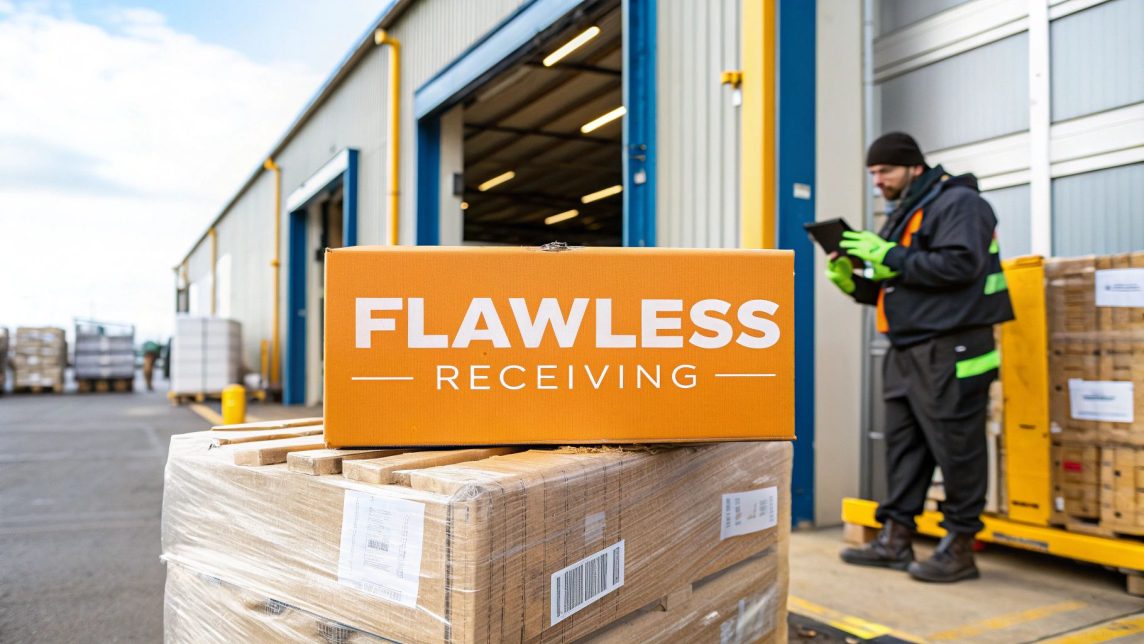
A man in an orange safety vest inspects a clipboard with stacked boxes on pallets in front of a warehouse with “FLAWLESS RECEIVING” signage.

A lot of e-commerce brands and even some 3PLs treat receiving as a simple box-ticking exercise. Just get the stuff off the truck and onto a shelf, right? That’s a huge mistake.

In reality, the receiving dock is where your profitability, inventory accuracy, and customer satisfaction are first put on the line. Every single thing that happens downstream—from putaway and picking to packing and shipping—relies on the data you capture and the quality you verify right at this moment.

The stakes have never been higher. With global e-commerce sales expected to hit $7.4 trillion, the sheer volume of goods flying through warehouses is staggering. This boom means that nearly one in every four dollars spent in retail now happens online, cranking up the pressure on fulfillment operations to be absolutely perfect.

The True Cost of a Small Mistake

Let's walk through a simple, real-world scenario we've seen happen more times than we can count.

A shipment of 500 blue t-shirts (SKU #TS100-BLU) arrives from your supplier. But there was a mix-up at their factory, and 50 of those shirts are actually navy (SKU #TS100-NAV). Without a meticulous receiving process, your team scans the whole lot in as blue. The problems start to snowball immediately:

  • Your Inventory is a Mess: Your warehouse management system (WMS) now shows 500 blue shirts, but you only have 450. It also shows you have zero navy shirts, but you actually have 50 sitting on the shelf.
  • Unhappy Customers: Fifty people order a blue shirt and get a navy one instead. Cue the customer service emails, bad reviews, and costly returns.
  • Stockouts and Lost Sales: Believing you're out of navy shirts, you don't reorder them. You just missed out on 50 potential sales.
  • Wasted Time and Money: Your team is now bogged down handling returns, answering angry customers, and searching for inventory that, according to the system, doesn't even exist.

This single, tiny error at the receiving dock creates a ripple effect of financial loss and brand damage. It’s the perfect example of why a rock-solid receiving and inspection process isn’t a cost center—it's a strategic investment in keeping your operations running smoothly.

This guide treats receiving as a core function for building a resilient e-commerce business. To see how this crucial first step fits into the bigger picture, check out our guide on building an efficient supply chain for ecommerce growth.

Building Your Inbound Receiving Playbook

Let's be honest: a generic checklist taped to a wall isn't going to cut it in a busy warehouse. To really get a handle on your receiving and inspection process, you need a solid, repeatable playbook—a detailed standard operating procedure (SOP) that leaves zero room for guesswork. This isn't about just ticking boxes; it's about building a bulletproof system that everyone on your team can execute flawlessly, every single time.

When putting this guide together, it helps to know the lingo. If you compare a runbook versus playbook, you'll see a playbook is more strategic and built to adapt. That makes it the perfect format for the fast-moving, sometimes chaotic world of an e-commerce warehouse.

So, let’s walk through the core stages of a receiving playbook that actually works, starting long before a truck ever backs into your dock.

Before we dive into the details of each step, it's helpful to see the big picture. A truly effective workflow is more than just a series of disconnected tasks; it's a cohesive process where each stage builds on the last.

Here’s a high-level look at the core stages that should form the backbone of your receiving and inspection playbook.

Core Stages of the Receiving and Inspection Workflow

Stage Key Activity Critical Goal
Pre-Arrival Verify ASN against PO; schedule dock appointment. Catch discrepancies early and ensure dock readiness.
Unloading Visually inspect trailer; unload and stage pallets. Identify and document in-transit damage before accepting.
Initial Verification Count pallets and cartons; verify against BOL. Confirm high-level shipment accuracy immediately.
SKU-Level Inspection Open cartons, scan items, and verify quantities. Ensure every item received matches the PO exactly.
Quality Control Visually inspect a sample of units for defects. Prevent damaged or subpar products from entering stock.
Documentation Record all findings, damages, and discrepancies. Create a clear audit trail for claims and supplier accountability.
System Reconciliation Update WMS/IMS with accurate received quantities. Make inventory available for sale with confidence.

Think of this table as your roadmap. By ensuring each stage is handled with precision, you build a system that protects your inventory, your finances, and your brand's reputation from the moment goods arrive.

The Pre-Arrival Stage

Great receiving starts with great prep. The second you get an Advance Shipping Notice (ASN) from a supplier, the clock starts. This isn’t a passive step where you just wait for the truck—it's your first active checkpoint.

Your team needs to pull up that ASN and immediately compare it to the purchase order (PO) in your Warehouse Management System (WMS). Do the SKUs line up? Are the unit counts what you expected? Catching a mismatch here saves a mountain of headaches later. This is also when you lock in the delivery appointment, making sure you have the dock space and manpower ready to go. No bottlenecks.

A well-managed dock schedule is the foundation of an efficient warehouse. Overlapping deliveries lead to congestion, rushed work, and a much higher likelihood of errors during the crucial receiving and inspection phases.

Unloading and Initial Verification

Once the truck arrives, the real work begins, but it has to be methodical. The very first thing to do is a visual inspection of the trailer and pallets before a single box is moved. Look for the tell-tale signs of damage in transit—crushed corners, gnarly water stains, or torn shrink wrap.

If you see anything suspicious, snap photos and make a note on the Bill of Lading (BOL) right then and there, before you sign it. This is your ammunition for filing freight claims. Miss this step, and you’ve got almost no chance of getting reimbursed.

As pallets come off the truck, stage them in a designated receiving area. This spot should be clean, bright, and completely separate from your main pickable inventory. Then, your team does an immediate verification against the BOL and packing slip.

  • Pallet Count: Does the number of pallets on the dock match what the BOL says?
  • Carton Count: Does the number of boxes on each pallet match the packing slip?
  • Label Check: Are the cartons clearly labeled with the right SKU and PO numbers?

This is your first chance to spot big-picture problems. If the BOL says 100 cartons but you only count 98, you’ve already found a discrepancy that needs to be sorted out before you even think about opening a box.

The Power of a Dedicated Inspection Area

One of the biggest mistakes I see warehouses make is trying to inspect inventory in a cramped, chaotic dock area. Don't do it. Set up a specific, well-equipped station just for detailed receiving and inspection. It doesn’t have to be massive, but it absolutely has to be organized.

Stock this area with the tools your team needs to do the job right:

  • Box cutters and safety knives
  • A calibrated scale for spot-checking weights
  • Barcode scanners that talk to your WMS
  • A computer terminal for quick data entry
  • Good, bright lighting to easily spot defects
  • A camera or phone for documenting any damages

Creating a dedicated space transforms inspection from a rushed chore into a professional, controlled part of your operation. It sends a clear message to your team that this step is a priority, which directly leads to better accuracy and higher quality control across the board.

Mastering Quality and Compliance Inspections

Okay, so you’ve counted the cartons and verified the SKUs. Now the real work begins. This is where your team shifts from just receiving inventory to truly inspecting it. This is the moment your attention to detail protects your customers, your brand, and your bottom line.

Simply matching a carton count to a packing list isn’t enough. You need to dig deeper. A tiered approach works best—not every product needs the same level of scrutiny. Low-cost, durable goods might just get a quick spot-check. But high-value electronics or fragile items? Those demand a much closer look.

This whole inbound process, from pre-arrival tracking to the final inspection, needs to be a smooth, repeatable workflow.

A playbook receiving process flowchart showing steps: Pre-Arrival (Track), Unload (Count), and Inspect (Verify).

As you can see, inspection isn’t a standalone task. It’s the critical quality gate that builds on accurate pre-arrival data and a careful unloading process.

Establishing Your Quality Control Checklist

Think of your inspection checklist as your first line of defense against defects and customer complaints. It has to be specific, easy for anyone on your team to follow, and built around the actual products you sell.

An inspector should be able to run through these points quickly:

  • Physical Condition: Are there any scratches, dents, tears, or other obvious damage to the product itself?
  • Packaging Integrity: Check the retail box. Are the corners crushed? Is the seal broken? Any discoloration?
  • Label and Barcode Accuracy: Scan the barcode. Does it pull up the right item in your system?
  • Product Specifications: Does the color, size, and model number on the item match what’s on the purchase order? No substitutions.
  • Expiration Dates: For anything with a shelf life, check the date. Make sure it meets your minimum requirement, like being at least 90 days out.

Let's say you just received a shipment of high-end skincare. A proper QC check means opening a few units to make sure the jars aren't cracked, the labels are applied straight, and the safety seals are perfectly intact. That one small step is what stops a customer from getting a damaged or tampered-with product.

Navigating Amazon FBA Compliance

For anyone selling on Amazon, FBA compliance is everything. It’s not just a suggestion; it's a set of rules that, if broken, lead to costly chargebacks, receiving delays, or even Amazon refusing your entire shipment. The inspection stage is your final chance to catch these issues before they become a massive headache.

If you need a full breakdown of the rules, our guide on Amazon FBA labeling requirements goes into much greater detail.

Think of FBA prep as a non-negotiable part of your quality inspection. A missing FNSKU label or an incorrect poly bag is just as much a "defect" as a scratch on the product itself.

Your team needs to be trained to spot and fix the common FBA slip-ups during the inspection phase:

  • FNSKU Labeling: Is the FNSKU label correct for the ASIN? Is it neatly applied and completely covering any old barcodes?
  • Poly Bag Requirements: If an item needs a poly bag, is it in one? And does that bag have the required suffocation warning printed on it?
  • Kitting and Bundling: For sets or bundles, are all the components actually there? Are they packaged together correctly so they can be sold as a single unit?

There's a huge difference between inspecting a simple case-packed item and a complex bundle. A case of 24 identical coffee mugs is easy—check one or two for damage and confirm the FNSKU is on every box. But a "Work from Home" kit is another story. You have to verify the mug, a notebook, a pack of pens, and a USB hub are all present, correctly bundled, and have a single FNSKU label for the set. Your inspection process has to be flexible enough to handle that complexity.

What to Do When Shipments Go Wrong: Damages, Discrepancies, and Returns

Several cardboard boxes, one taped, and a tablet on a table in a warehouse, highlighting damaged goods.

Let's be real: no matter how airtight your receiving and inspection process is, things go wrong. A forklift bumps a pallet, a truck springs a leak, or the supplier simply miscounts. That’s just the nature of logistics. You’re not judged by whether these things happen, but by how well you deal with them when they do.

Having a clear, repeatable protocol isn't a nice-to-have; it's the only way to protect your inventory and your client's business. When a problem pops up, your team needs a playbook, not a guessing game. The goal is to move from chaos to control, fast.

Damaged Goods: Document and Isolate Immediately

The second your team lays eyes on a damaged item, the clock is ticking on your ability to file a successful claim. Simply pushing a crushed box to the side won't cut it. You need a formal process built on hard evidence.

First thing’s first: photographic evidence is non-negotiable. Train your crew to snap clear pictures from every angle. Make sure they capture:

  • The outside of the master carton, especially any rips, punctures, or water stains.
  • The inside of the carton, showing how everything was packed (or wasn't).
  • Close-up shots of the actual damage on the product itself.
  • A crystal-clear photo of the shipping label and any tracking numbers.

Once you've got the pictures, get that damaged stock out of the main receiving area. Set up a dedicated, clearly marked "quarantine" or "hold" zone in your warehouse. Physically separating it is the only way to guarantee a damaged product doesn't get accidentally put away and sold.

Finally, update your WMS. Those damaged units need to be moved to a non-sellable or "On Hold" status in your system. This digital quarantine keeps them out of the sales channels and gives everyone an accurate count of what's actually available.

Dealing with Quantity Mismatches

Quantity discrepancies are a classic receiving headache. You either get a shortage (less than you ordered) or an overage (more than you ordered). Both create chaos for your inventory records if you don't jump on them right away.

If you come up short, the first step is always to double-check. Recount the items, review the packing slip again, and check the carton labels. If the shortage is real, you must note it on the Bill of Lading (BOL) before that driver pulls away. That simple note—"Received 98 of 100 cartons"—is your golden ticket for filing a claim.

Overages are a different beast. It might feel like you just got free stuff, but it's really an accounting problem waiting to happen. The extra units should be separated and logged as "Found Inventory," but don’t add them to your sellable stock. Fire off an email to your client or the supplier immediately and wait for their instructions.

Never assume an overage is "free inventory." It's almost always a mistake that will need to be reconciled later, and absorbing it into your stock will only create bigger problems down the line.

The Unique Beast: Customer Returns

Handling customer returns is its own special kind of receiving and inspection. Returns are a massive, unavoidable part of e-commerce—consumers sent back nearly $850 billion in goods last year. This trend means you need a rock-solid returns process to figure out what can be salvaged and resold. For a deeper dive, you can discover insights about the rising return rates and their impact on logistics.

Inspecting a return is like a mini-forensic investigation. Your team isn’t just looking at the product; they’re assessing the packaging to decide its fate:

  • Restock: Is the item in brand-new, unopened, pristine condition?
  • Refurbish: Is the product okay but the box is torn or crushed?
  • Dispose/Liquidate: Is the item clearly used, damaged, or otherwise unsellable?

Constant communication with your client is key here. They need to know the condition of every return to process refunds correctly and keep their inventory valuation accurate.

Using Technology to Measure and Improve Performance

Connecting your physical receiving process to the right technology is where you turn a good operation into a truly great one. A modern Warehouse Management System (WMS) is the brain of your entire inbound operation, finally letting you ditch the clipboards and manual spreadsheets for good. With a simple barcode scan, it automates inventory updates and flags discrepancies the second they happen.

This digital backbone makes every step of the receiving and inspection process faster and far more accurate. When a team member scans a carton, the WMS instantly checks it against the purchase order. Is it the right product? Is the quantity correct? This eliminates all the guesswork and catches supplier errors right on the dock, not weeks later when you're trying to fulfill an order.

The explosive growth of mobile commerce has made this kind of speed non-negotiable. With mobile now driving around 59% of all online retail sales, the flow of orders is constant and relentless. Fulfillment centers have to adapt to this pace, and technology is the only real way to keep up with the demand for rapid, flexible receiving.

Essential Tech for the Modern Receiving Dock

Beyond a solid WMS, a few other tools can seriously supercharge your team’s efficiency. Equipping your staff with mobile scanners is a must—it lets them move freely, scanning items and updating inventory from anywhere in the receiving area without being tethered to a workstation.

Other high-impact tools we see making a big difference include:

  • Dimensioners: These devices automatically measure a package's length, width, and height. This captures precise data that's gold for optimizing storage space and nailing down shipping calculations.
  • Automated Conveyors: For high-volume operations, conveyors are a game-changer. They can move cartons from the truck straight to the inspection station, drastically cutting down on manual labor and saving your team's backs.
  • Software Integrations: Linking your WMS with supplier and carrier systems gives you incredible visibility into what’s coming down the pipeline. This helps you plan labor and clear dock space before the truck even arrives.

And if you're constantly dealing with inconsistently wrapped pallets from suppliers, it might be time to look into automated pallet wrapping machines to standardize your outbound shipments.

Key Performance Indicators That Matter

You can't fix what you can't see. Tracking the right Key Performance Indicators (KPIs) gives you the hard data you need to spot bottlenecks, justify new tech investments, and turn your receiving department into a competitive advantage.

What gets measured gets managed. Focusing on a few core receiving KPIs provides actionable insights that directly impact your warehouse's overall efficiency and profitability.

Start by tracking these crucial metrics:

  • Dock-to-Stock Time: This is the big one. It measures the total time it takes for a shipment to be received, inspected, and put away into its final storage location. The faster this happens, the faster your inventory is available to sell.
  • Receiving Accuracy Rate: This is the percentage of shipments received perfectly—no damages, no quantity screw-ups. You should be aiming for 99% or higher. Anything less points to a problem somewhere in the chain.
  • Cost Per Line Received: This metric helps you understand your operational costs. Just calculate the total cost of your receiving department (labor, equipment, space) and divide it by the number of purchase order lines received.

Keeping a close eye on these numbers will show you exactly where your process is humming along and where it needs a tune-up. To get a better sense of how these metrics drive smart business decisions, check out our guide on the role of analytics in logistics.

Common Receiving and Inspection Questions

Even the most buttoned-up receiving playbook will get thrown a curveball now and then. Things happen. Shipments show up weird. Paperwork goes missing.

Knowing how to handle these common hiccups ahead of time is what separates a smooth-running dock from a chaotic one. Let's walk through a few scenarios we see all the time.

What Is a Blind Receiving Process and When Should I Use It?

Blind receiving is when you have your team count and verify an inbound shipment without giving them the purchase order or ASN first. They have no idea what quantities are supposed to be there.

This forces a completely unbiased, physical count of every single item. It kills the temptation for someone to just glance at the packing slip and assume the supplier’s numbers are correct.

It’s definitely a slower process, so you don’t need it for every shipment. But it's an incredible tool for boosting accuracy. We recommend using it for high-value inventory where a single missing unit is a big financial hit, or when you’re dealing with a supplier who has a history of sending you short-shipments.

Think of blind receiving as a spot-check audit on every inbound. It takes a little more time upfront but can save you from massive inventory headaches and write-offs by catching mistakes the second they hit your door.

How Do I Handle a Shipment with No Packing Slip?

A delivery showing up without a packing slip or an ASN in your system is a huge red flag. The first and only move here is to quarantine it.

Move the entire shipment to a designated holding area and stick a big, clear sign on it. Do not let it get mixed in with your other inventory.

Allowing undocumented stock onto your shelves is how you end up with phantom inventory, fulfillment errors, and a WMS that’s a complete mess. Get on the phone with the supplier or client immediately and track down the paperwork. Only after you have a PO or ASN to receive against should that shipment be touched.

What Are the Most Common Receiving Mistakes to Avoid?

The most expensive errors are almost always the simplest ones. Based on what we've seen over the years, here are the top four rookie mistakes that can sink your inventory accuracy:

  • Signing the POD Blindly: Never, ever sign the carrier’s proof of delivery until you’ve walked around the pallets and checked for obvious external damage. A signature means you’ve accepted it "in good condition."
  • Trusting Carton Counts: It’s easy to assume a carton labeled "24 units" actually has 24 units inside. This is where most quantity discrepancies hide. You have to spot-check the inner contents.
  • Mixing Shipments on the Dock: Letting SKUs from two different POs get staged on the same pallet is a recipe for disaster. It guarantees putaway errors that will haunt you during picking.
  • Taking Bad Photos: If you find damage, blurry photos or a lack of detailed notes won't cut it. To file a successful claim with a carrier or supplier, you need clear, well-documented proof.

At Snappycrate, we’ve built our entire receiving and inspection process around one core idea: preventing these simple mistakes from ever happening. We treat your inventory like our own, ensuring every unit is accounted for and ready to sell. Learn more about how our expert fulfillment services can protect your inventory from the moment it arrives.

0 Continue Reading →