Skip to Content

Category Archives: Uncategorized

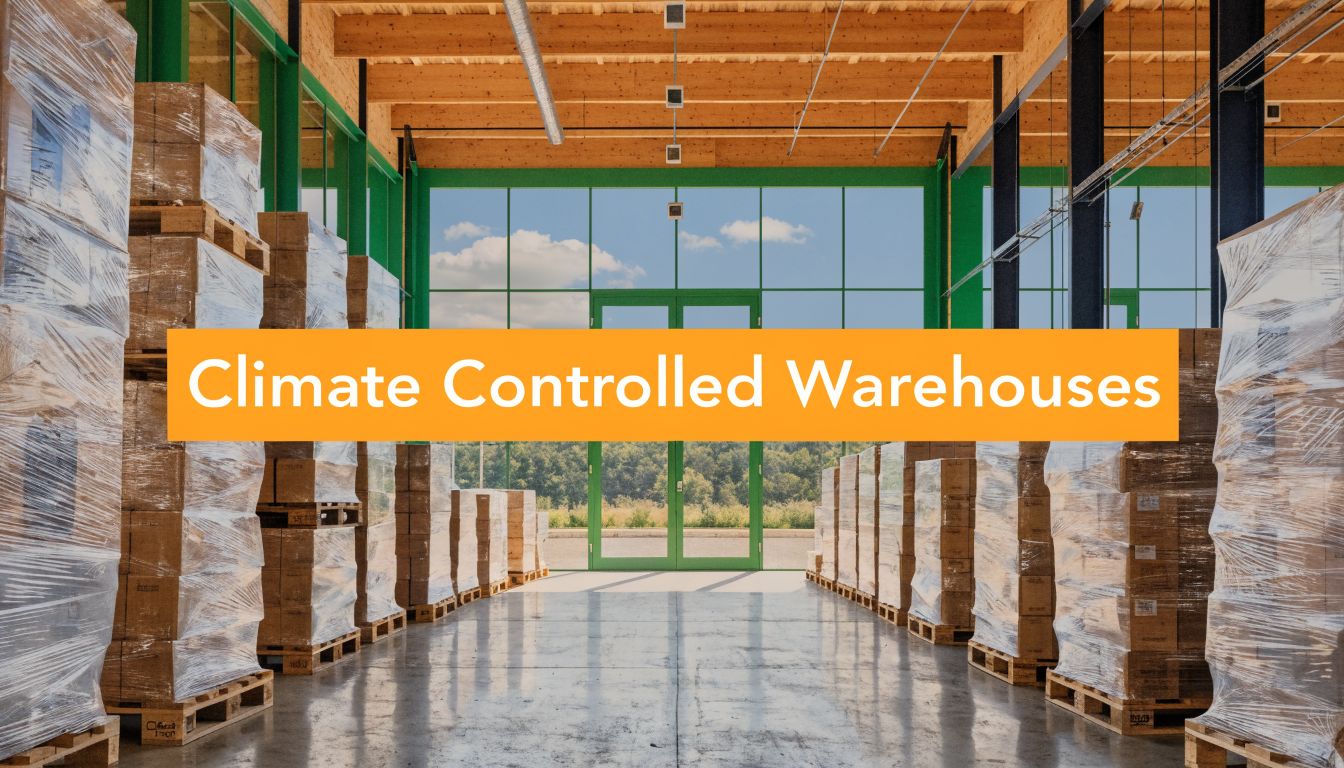
Climate Controlled Warehouses: A Guide for Online Sellers

You don't notice climate damage when a pallet arrives. You notice it later, when a customer says the serum separated, the supplement clumped, the Bluetooth speaker won't power on, or the bundled gift set smells musty the moment the box opens. By then, the storage mistake is already expensive.

A lot of online sellers still hear "climate controlled" and think frozen food, pharmaceuticals, or high-end wine. That's too narrow. In e-commerce, plenty of everyday products can lose quality from heat swings, cold exposure, or humidity drift long before the damage is obvious. Electronics, beauty products, nutraceuticals, adhesives, candles, pet items, and kitted multi-SKU bundles all sit in that risk zone.

Why E-commerce Sellers Need Climate Controlled Warehouses

Most growing brands hit the same point. Sales increase, inbound freight gets less predictable, and inventory starts sitting longer in storage between container receipt, prep, and outbound fulfillment. That's when warehouse conditions stop being a background detail and start affecting returns, reviews, and margin.

A marketing graphic explaining why e-commerce sellers benefit from using climate controlled warehouses for storing perishable food.

The broader market is moving the same way. The global temperature-controlled warehousing market reached USD 42.7 billion in 2024 and is projected to grow at a 9.2% CAGR to USD 93.7 billion by 2033, according to Growth Market Reports on temperature-controlled warehousing. That growth isn't happening because operators want a fancier building. It's happening because more inventory needs environmental protection to stay sellable.

The hidden loss isn't always spoilage

For food and pharma, the risk is obvious. For e-commerce brands selling common consumer goods, the risk is usually quieter.

A jar of cream may not look melted, but texture can change. A supplement pouch may still seal, but moisture can trigger caking. A power bank may still turn on during inspection, but long exposure to poor storage conditions can shorten usable life. A kitted bundle can pass pack-out and still create customer complaints because one component absorbed moisture in storage.

Practical rule: If your product quality depends on consistency, your storage conditions do too.

Climate controlled warehouses matter because they reduce avoidable variability. That helps protect inventory value, makes prep work more reliable, and lowers the odds that an inbound unit becomes a future support ticket.

Why this matters more as you scale

Small brands sometimes get away with basic storage because inventory turns quickly. As SKU counts grow and you start holding deeper stock, the window for environmental damage gets larger. So does the operational complexity.

That shows up in places sellers feel immediately:

  • Customer experience: Fewer condition-related complaints and fewer "arrived damaged" disputes.
  • Marketplace compliance: Better odds of meeting channel requirements for products with storage sensitivity.
  • Inventory planning: More confidence holding backup stock for promotions, seasonal pushes, or long lead-time imports.
  • Brand protection: Less risk that an otherwise good product underperforms because the warehouse environment failed it.

For many sellers, climate control stops being a premium add-on and becomes basic risk management.

Understanding the Types of Climate Control

A lot of confusion starts with the term itself. "Climate control" gets used as if it means one thing. In practice, it can mean several different levels of environmental management.

Think of it this way. A basic fan-cooled room, a properly conditioned storage zone, and a refrigerated chamber are not interchangeable. They solve different problems.

A diagram illustrating five essential types of climate control systems for improving indoor comfort and efficiency.

Temperature control

This is the most common layer. The warehouse maintains a stable temperature band so products aren't exposed to extreme heat or cold swings.

For many e-commerce goods, this is the baseline requirement. Cosmetics, wax-based products, adhesives, some wellness items, and certain packaging materials can all degrade when a building runs hot in summer or drops too low in winter. The issue isn't only absolute temperature. Repeated fluctuation also creates problems.

A reliable temperature-controlled setup uses HVAC equipment with controls that adjust output as conditions change, along with sensors that track the storage zone continuously instead of relying on occasional manual checks.

Humidity control

This is the piece sellers overlook most often.

Humidity control manages moisture in the air. That matters because many products don't fail from temperature alone. They fail when moisture enters packaging, condenses on surfaces, softens paper components, or encourages mold and oxidation.

Humidity control is what separates a true climate-controlled operation from a warehouse that feels air-conditioned. If your products include electronics, paper inserts, corrugated retail packaging, apparel kits, housewares with metal parts, or bundled sets with mixed materials, humidity often matters as much as temperature.

Good climate control isn't "cold enough." It's stable enough.

Refrigerated and frozen storage

Some products need active cold storage, not just conditioned space. Refrigerated facilities typically operate at 34-55°F, while frozen zones run below 0°F, as described in Mecalux's overview of temperature-controlled warehouse operations.

That type of storage requires different infrastructure, different handling practices, and tighter operating discipline. It also comes with more operational risk if the facility isn't built for it.

What good control looks like on the floor

At the facility level, climate control depends on systems working together, not one machine doing all the work.

  • HVAC and refrigeration equipment: Maintains the target environment.
  • Sensors and logging: Tracks temperature and humidity in real time.
  • Insulation: Reduces outside heat transfer and stabilizes interior conditions.
  • Door discipline: Limits air exchange when people and pallets move in and out.
  • Warehouse layout: Separates products by environmental need instead of mixing everything together.

The main mistake sellers make is assuming any "indoor warehouse" can handle all of this. It can't. A standard building with basic heating and cooling may be fine for some inventory and completely wrong for moisture-sensitive stock.

Which Products Require Climate Controlled Storage

The usual assumption is simple and wrong. If you don't sell frozen food or medical products, you probably don't need climate controlled warehouses.

In practice, a lot of online sellers do need them. They just don't realize it until the signs show up downstream through returns, bad reviews, damaged retail packaging, or unexplained quality drift.

The key issue isn't whether a product is technically perishable. It's whether temperature swings, excess humidity, or condensation can change its condition before it reaches the buyer.

Common e-commerce categories at risk

Many consumer goods are vulnerable to humidity. Preventing oxidation and mold with zoned HVAC and dehumidification that maintains 50-60% humidity is especially important for electronics, housewares, and bundled FBA prep items, as noted by Industrial Investments on climate-controlled warehouses.

That applies to more categories than most sellers expect:

Product Category Primary Risk Required Control Example
Electronics Condensation, corrosion, oxidation Humidity control with stable temperature Bluetooth speakers, chargers, headphones
Beauty and skincare Separation, texture change, heat exposure Temperature control, sometimes humidity control Creams, serums, balms, masks
Supplements Clumping, degradation, packaging stress Stable temperature and moisture management Powders, gummies, capsules
Housewares Mold, rust, warped packaging Humidity control Metal-and-fabric kits, boxed kitchen tools
Bundled goods Mixed-material damage across components Zoned climate control Gift sets, subscription kits, FBA bundles
Apparel with inserts Mildew, soft packaging, odor transfer Humidity control Poly-bagged sets, multi-pack apparel

Why bundles fail first

Kitted products create a special problem because the bundle inherits the weaknesses of every component inside it. A metal accessory, paper insert, cosmetic item, and textile component may all react differently to the same warehouse conditions.

That matters for Amazon prep and for DTC subscription boxes. One product might be fine by itself. Once you polybag, case-pack, or assemble it with other items, moisture and heat can affect the full presentation.

If you're evaluating a building or a warehouse partner, it helps to understand the basics of controlled environment design so you can ask sharper questions about zoning, airflow, and material-specific storage requirements.

The product you sell isn't the only thing you store. You also store packaging, inserts, labels, and finished presentation. All of it has to survive the building.

A simple audit sellers should run

Pull your top SKUs and ask:

  • Does heat change the product itself? Think creams, waxes, gels, adhesives, and gummies.
  • Does moisture affect packaging or presentation? Think retail cartons, inserts, and labels.
  • Does the product contain metal, circuitry, or batteries? Those often need humidity stability.
  • Does kitting create new risks? A safe standalone SKU can become a climate-sensitive bundle.

That audit usually reveals more climate-sensitive inventory than most sellers expect.

Navigating FBA Rules and Industry Regulations

Amazon sellers tend to think about compliance in terms of labels, carton dimensions, and prep instructions. That's part of it. Storage conditions matter too, especially when product quality can shift before the unit ever reaches fulfillment.

For FBA, the practical issue is straightforward. If inventory arrives compromised, Amazon doesn't care whether the damage started at your supplier, in transit, or in your warehouse. The seller absorbs the fallout through refused inventory, removals, customer complaints, and account friction.

Compliance is broader than temperature alone

Some products have obvious handling rules. Meltable goods, certain beauty items, ingestibles, and products with sensitive ingredients all create storage questions. Others sit in a gray area. They may not require refrigerated handling, but they still need stable, documented storage conditions to stay in spec.

That becomes harder once you're dealing with relabeling, polybagging, bundling, or pallet breakdowns before FBA check-in. Every touchpoint introduces another chance to expose inventory to the wrong conditions.

A good operator treats compliance as a process, not a final inspection step. That means receiving checks, lot awareness where needed, disciplined staging, and keeping sensitive items out of uncontrolled areas during prep.

Why specialized handling matters

Refrigerated warehousing is not simple labor in a cold room. The injury rate in refrigerated warehousing is 5.5 per 100 workers, compared with 2.7 across private industry, according to Self Storage Association climate control data. That gap tells you something important. These environments require stricter procedures, better training, and tighter operating controls.

For sellers, the takeaway is practical:

  • Storage accuracy matters: A facility can't improvise cold or conditioned handling.
  • Prep workflow matters: Sensitive inventory shouldn't wait in the wrong staging area.
  • Documentation matters: When a marketplace or regulator asks questions, you need records and process discipline.
  • Operator experience matters: Teams handling these SKUs need more than generic warehouse habits.

What doesn't work

The failure pattern is usually the same. A seller uses a warehouse that says it can "keep it cool," but there are no logged conditions, no separated zones, and no real policy for sensitive inbound. Products sit on the dock too long. Repack work happens in a general area. Problems show up only after customer delivery.

That setup may function for standard durable goods. It falls apart for inventory where condition is part of compliance.

If your channel has strict receiving rules, your storage provider can't rely on loose warehouse habits.

Operational Excellence in Climate Controlled Logistics

A climate controlled warehouse isn't defined by a thermostat on the wall. It's defined by how the whole building behaves under daily pressure. Dock doors open. Forklifts move. Teams pick orders. Pallets arrive from trucks that sat outside. If the operation can't hold conditions through that activity, the building isn't doing the job.

The building envelope matters more than sellers think

Proper insulation can reduce energy consumption by 30-50%, and refrigerated spaces are built to minimum standards such as R-40 for freezer roofs, according to facility planning guidance from FDC Comp. Sellers don't need to become building engineers, but they should understand what this means operationally.

Poor insulation causes unstable zones, overworked equipment, and wider condition swings near walls, ceilings, and doors. Good insulation keeps the environment consistent and lowers the odds of localized hot spots or condensation trouble.

If you want a practical overview of why service schedules matter so much in conditioned facilities, this piece on Commercial HVAC maintenance contracts is useful background. Reliable climate control depends on upkeep, not just equipment specs.

What strong operations look like

The best facilities run a set of boring disciplines extremely well:

  • Continuous monitoring: Sensors log conditions across zones instead of relying on occasional manual readings.
  • Alerting: Teams get notified when readings drift outside target parameters.
  • Zone separation: Products with different needs don't share the same storage footprint by default.
  • Backup planning: Power and equipment failures have a response plan.
  • FIFO execution: Inventory rotation prevents older stock from becoming warehouse-aged stock.

For sellers moving refrigerated freight into a fulfillment network, carrier selection matters too. If your inbound leg already requires temperature integrity, a provider familiar with LTL refrigerated carriers can help reduce handoff risk before the product even reaches storage.

The floor-level details that separate average from reliable

A polished sales tour doesn't tell you much. Ask what happens during a busy receiving day.

Does the team stage sensitive pallets away from open dock doors? Are there designated prep areas for products that shouldn't sit in uncontrolled air? Is humidity logged where finished bundles or retail-ready packaging are stored? Can they trace what happened if a customer claims a quality issue weeks later?

Those are the habits that protect inventory.

A good climate operation is repetitive. The same checks happen on quiet days and busy days.

For brands evaluating providers, this is also where one option like Snappycrate can fit. The practical value in a 3PL isn't just floor space. It's storage tied to inventory control, prep workflows, and channel-specific handling so products don't lose quality between receiving and outbound.

How to Choose the Right Climate Controlled 3PL Partner

The wrong way to shop for climate controlled warehouses is to compare storage rates first. The right way is to compare failure risk first.

One rejected inbound shipment, one wave of quality complaints, or one avoidable rework cycle can erase whatever you saved on a lower monthly rate. Sellers usually know this after the fact. It's better to price that risk before signing.

Questions worth asking on the first call

Poor door management can cause 20-40% of thermal loss, and serious facilities invest in rapid roller shutters and zoned HVAC to protect conditions, as explained in the Mecalux source cited earlier. You don't need to ask a provider whether they're "good at climate control." Ask questions that reveal how they operate.

  • How do you manage dock exposure? Listen for specific controls around doors, staging, and receiving workflow.
  • Do you log both temperature and humidity? If your products are moisture-sensitive, temperature-only monitoring isn't enough.
  • How are alerts handled? A sensor that records drift but doesn't trigger action won't protect inventory.
  • Can you separate storage by product type? Mixed-zone storage creates preventable risk.
  • How do you support prep work for sensitive SKUs? Labeling, bundling, and polybagging should happen inside controlled processes.
  • What documentation can you provide after an excursion or claim? If the answer is vague, that's a warning sign.

If you want a plain-language look at how monitoring and automation show up in facilities, these real-world IoT building applications are useful for understanding what modern building controls do.

Look for operational fit, not just capability

A provider might have climate-controlled space and still be a poor fit for your business. The essential question is whether they can combine environmental control with your actual workflow.

That means asking about:

What to Evaluate Why It Matters
Inbound receiving process Sensitive goods often fail during unloading and staging, not long-term storage
FBA prep experience Channel compliance and environmental handling need to work together
Kitting workflow Bundles create mixed-material storage risks
Inventory visibility You need traceability when quality issues appear later
Freight coordination Handovers can break temperature integrity before storage begins

A seller that needs both climate-sensitive storage and marketplace prep should also understand the role of a 3PL warehouse before evaluating partners. Storage by itself isn't enough. Execution around that storage is what protects the SKU.

A fast red-flag test

If a provider answers every question with "we can usually handle that," keep digging. Reliable operators describe process. Weak ones describe intentions.

Implementing Your Climate Control Strategy

Most brands don't need a massive warehouse redesign. They need a clear decision process.

Start with the SKU audit

Review your catalog by material behavior, not just by category. A powder supplement, a retinol cream, a battery-powered item, and a bundled apparel set each fail differently. Build a list of SKUs that can be affected by heat, cold, moisture, or packaging instability.

Put a cost to the problem

Don't stop at product cost. Include relabeling, disposal, replacement units, customer support time, marketplace friction, and the damage from poor reviews tied to product condition. That exercise usually changes the conversation from "Do we need climate control?" to "Where do we need it most?"

Build the storage and prep workflow together

Storage decisions shouldn't sit apart from packaging, kitting, and fulfillment. If a product needs controlled conditions but spends too much time in general staging during prep, the warehouse setup still fails.

A more integrated view of packaging and warehousing matters. The product's environment has to stay protected across receiving, storage, prep, and outbound handling.

The practical path is simple:

  1. Identify the vulnerable SKUs.
  2. Map where damage can happen in your current workflow.
  3. Talk with providers that can support both controlled storage and disciplined fulfillment processes.

Climate controlled warehouses aren't only for frozen goods and regulated pharmaceuticals. For many online sellers, they're the difference between inventory that merely ships and inventory that arrives in the condition your brand promised.


If your products are sensitive to heat, humidity, or handling risk, Snappycrate can be evaluated as one option for storage, FBA prep, kitting, and fulfillment workflows that need tighter operational control.
0 Continue Reading →

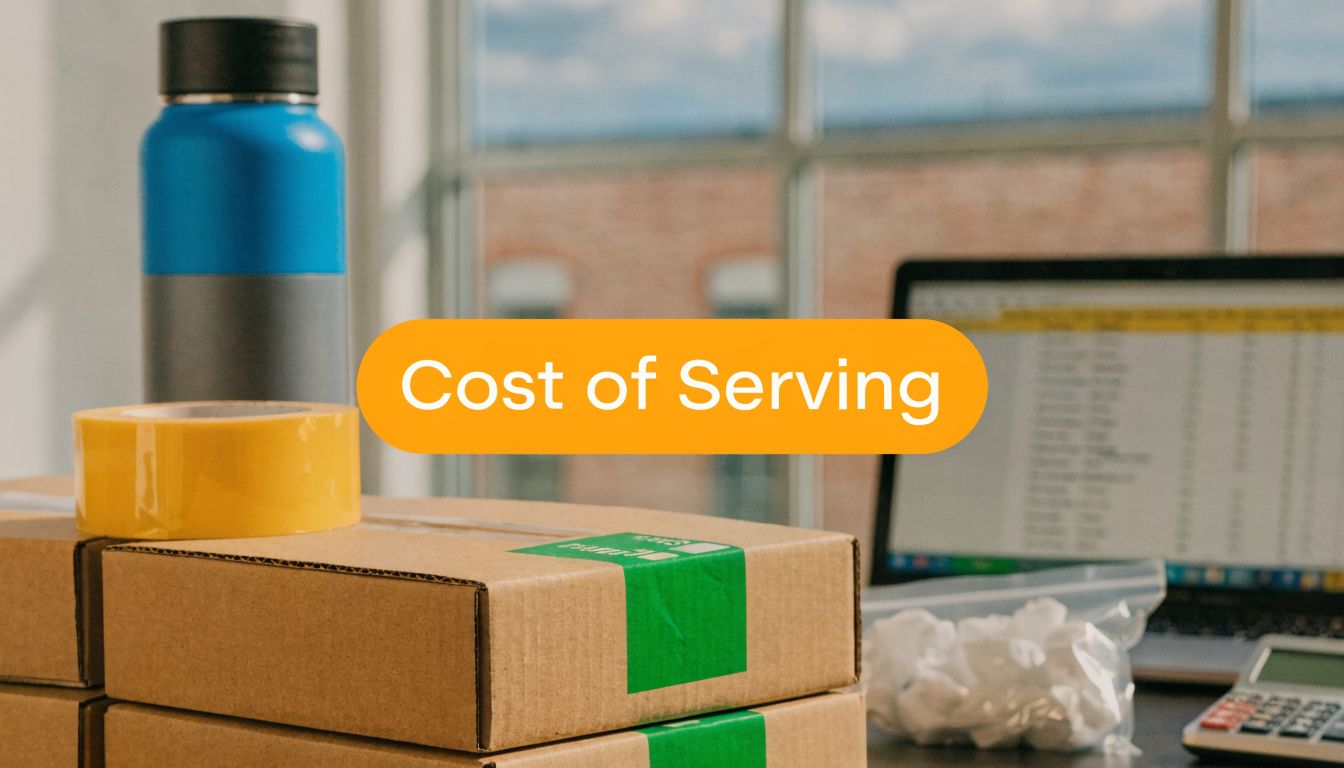
Cost of Serving: A Guide to E-commerce Profitability

You can feel this problem before you can see it on a report.

Orders are flowing in. Your Shopify store is busy. Amazon replenishment is moving. Revenue looks healthy. Then you review the month and ask the same frustrating question many growing brands ask: why did sales go up while profit got tighter?

In e-commerce, that usually means you're tracking revenue well enough, but not the cost of serving each order, customer, and channel. Standard calculators usually stop at pick, pack, and postage. They rarely capture the extra touches, compliance work, exception handling, returns labor, or the hidden cost of fixing preventable mistakes after the order leaves your dock.

That gap is where margin disappears.

Why High Revenue Does Not Always Mean High Profit

Your Shopify sales spike after a promotion. Amazon starts pulling more replenishment units. The dashboard looks strong, but the month closes softer than expected. That usually means the extra orders brought extra handling that never showed up in your margin assumptions.

Revenue does not measure effort. It measures volume.

In e-commerce, the brands that get surprised are often the ones selling well across multiple channels without tracking the messy work behind each order. A large wholesale account may look attractive until its orders keep missing carton labels and your team has to relabel pallets before they can ship. A fast-growing Amazon SKU may look profitable until small prep mistakes turn into chargebacks, refused inbound shipments, or labor-heavy rework. A DTC product line may post solid top-line sales while returns, exchanges, and support tickets eat the contribution margin.

I see this most often with brands that rely on standard fulfillment calculators. Those tools usually cover storage, pick, pack, and postage. They rarely capture the variable costs that move profit in a 3PL operation, like FBA prep corrections, split shipments caused by inventory imbalance, address exceptions, packaging upgrades for fragile items, or the labor to inspect and restock returns.

Those costs are not side issues. They are the reason one high-revenue channel can produce less profit than a smaller, cleaner one.

Revenue rewards demand. Profit rewards operational discipline

A customer with lower sales can be more valuable if their orders are consistent, their cartons arrive compliant, and their return rate stays under control. A bigger customer can do the opposite if they generate manual touches at every step. More order edits. More prep requirements. More replacement shipments. More after-the-fact problem solving.

That is where growing brands need a sharper operating lens. The question is not only, "How much did this channel sell?" The better question is, "How much warehouse labor, exception handling, carrier cost, and post-purchase support did this channel create?"

That distinction matters even more on newer channels. TikTok Shop can drive fast order volume, but it can also expose weak pricing assumptions if the business is not accounting for service costs correctly. HiveHQ's guide for TikTok Shop sellers is useful because it pushes that conversation past gross sales and into real order economics.

A specialized 3PL helps by reducing the hidden work before it turns into margin loss. Better receiving controls catch prep issues earlier. Clear SOPs reduce relabeling and repacking. Returns workflows separate resellable inventory from damaged units faster. Channel-specific handling rules keep Shopify fulfillment, retail compliance, and Amazon prep from being managed like the same job when they are not.

The practical takeaway is simple. If a SKU, customer, or channel creates more touches than your price structure can absorb, higher revenue will not fix the problem. It will scale it.

What Is Cost of Serving in E-commerce

A brand can clear strong top-line sales on Shopify, Amazon, and wholesale, then still watch margins slip because the order economics were wrong from the start. The missing piece is usually cost of serving. It captures the labor, storage, shipping, exception handling, and post-purchase work required to support each order.

A diagram illustrating the various components of the total cost of serving an order in e-commerce.

The all-in view of an order

In e-commerce, cost of serving is the full operational cost of supporting a sale from inbound receipt through final delivery, and often through returns. Product cost and postage are only part of it. The key question is how much work, space, and corrective effort the order created across the business.

For a growing brand, that usually includes:

  • Before the order ships: listing setup, channel-specific requirements, customer support before purchase, and any order review needed to prevent fraud or address edits
  • Inside the warehouse: receiving, inspection, putaway, storage, picking, packing, labels, inserts, kitting, and prep work such as poly bagging or FBA relabeling
  • In transit: carrier charges, surcharges, address issues, reships, and delivery exceptions
  • After delivery: returns processing, replacement orders, claims, restocking decisions, and support tickets

That last bucket is where many brands undercount. A return is not just refunded revenue. It can mean opening the package, checking item condition, deciding whether it can be resold, updating inventory, and sometimes repacking it for a different channel. If FBA prep was missed on the original outbound order, the same unit may get touched twice.

Why average costs hide margin leaks

Blended fulfillment averages look clean in a spreadsheet, but they hide the orders that create the most drag on margin.

A single-SKU Shopify order with no edits and no return may move through the warehouse fast. An Amazon order that needs expiration labels, bundling checks, carton content verification, and replacement handling after a receiving rejection is a different job entirely. Both count as orders. They do not consume the same labor.

That is why good cost-of-serving models assign costs based on the activities that happened. The method does not need to be complicated. It needs to reflect reality. If one channel drives more manual touches, more support tickets, or more returns, it should carry more cost.

From an operations standpoint, this is where a specialized 3PL earns its keep. Strong receiving controls catch prep problems before inventory is booked in. Clear SOPs reduce relabeling and avoidable repacks. A tighter returns workflow shortens the time between receipt and resale decision. Brands that also tighten their inventory management process for growing e-commerce operations usually get a cleaner cost picture because inventory errors stop distorting fulfillment labor and storage.

A useful cost of serving model should show where the business is spending time, not just where invoices happen to land.

Four cost buckets most brands should track

A practical model usually starts with four buckets.

Cost bucket What belongs in it
Pre-sale costs Listing work, support before purchase, fraud review, channel setup
Fulfillment costs Receiving, storage, order processing, picking, packing, materials, prep work
Delivery costs Parcel charges, surcharges, address corrections, reships, delivery exceptions
Post-sale costs Returns, exchanges, claims, support tickets, inspection, restocking, disposal

The goal is clarity, not accounting theory. If a brand can trace cost back to real warehouse actions and channel behavior, pricing decisions get sharper, channel profitability gets easier to compare, and service problems stop hiding inside a blended fulfillment rate. Teams that want better discipline around categorizing these operating expenses can also use this modern expense tracking guide to clean up how costs are captured before reporting begins.

Identifying Your Biggest E-commerce Cost Drivers

A brand can have strong sales on Shopify, a healthy Amazon sell-through rate, and still watch margin slip every month. The usual reason is not one big bill. It is a stack of variable operating costs that sit between the click and the cash, especially the ones a simple fulfillment calculator leaves out.

An infographic illustrating four e-commerce cost drivers including inventory overhead, product waste, cooling costs, and storage costs.

The cost drivers that show up in every fulfillment operation

Across fulfillment operations, three buckets usually carry the most weight: warehousing, pick and pack labor, and transportation. Research cited in the PMC analysis also points to a less visible issue for e-commerce brands. Prep and handling mistakes can push serving costs up fast, particularly in Amazon workflows where compliance errors trigger rework, delays, and extra touches.

Those buckets matter because they explain where margin goes. They become useful once they are tied to actual warehouse activity, channel rules, and SKU behavior.

Warehousing costs start before a product hits the shelf

Storage charges are only part of the picture.

Real warehousing cost includes appointment scheduling, unload labor, receiving checks, putaway, bin placement, cycle counts, replenishment, and the carrying cost of inventory that sits too long. A brand with uneven inbound flow or poor carton labeling usually pays more here because every exception creates another touch.

Layout matters too. If fast sellers are buried, if bundles are assembled far from packing stations, or if replenishment is late, labor cost rises across the whole operation. Brands that tighten their inventory management best practices for growing brands usually see the benefit in lower handling time, fewer stock errors, and cleaner fulfillment data.

Pick and pack cost rises with order complexity

A one-line order for a single beauty SKU is cheap to process. A three-unit order with tissue wrap, inserts, expiry checks, lot tracking, and custom labeling is a different job.

Flat fulfillment rates hide that difference. Actual cost shows up in labor minutes, station congestion, dunnage use, quality checks, and error rates. I have seen brands treat two orders as equal because the order value matched, even though one took three times the labor to get out the door.

Channel mix adds another layer. Shopify orders may need branded presentation. Amazon shipments may require FBA prep steps like polybagging, suffocation labels, case-pack rules, or carton content accuracy. Wholesale orders often bring pallet labels, routing compliance, and appointment coordination. Each one changes cost to serve.

Transportation includes every shipping exception

Carrier spend is only the starting point.

The full cost includes dimensional weight surprises, residential surcharges, address corrections, reroutes, split shipments, lost package claims, and the customer service time tied to delivery issues. Brands also absorb cost when warehouse delays force expedited shipping to protect seller metrics or customer experience.

Good reporting matters here. If parcel charges, packaging purchases, and support-related shipping credits are scattered across systems, the cost model breaks down. Teams trying to clean that up can use this modern expense tracking guide as a practical reference for capturing costs consistently.

Hidden variable costs usually sit in prep work and returns

This is the area standard calculators miss most often.

FBA prep errors are a common example. A missed label, incorrect bundle configuration, or non-compliant carton does more than create a one-time fee. It creates rework, delays check-in, ties up labor, and can extend storage time on inventory that should already be available for sale. For Amazon-heavy brands, that can change the margin profile of a SKU far more than the quoted pick fee.

Returns do the same thing on the back end. A returned unit has to be received, opened, inspected, graded, restocked or quarantined, and recorded correctly. Some items need new packaging. Some need disposal. Some trigger a support ticket and a replacement shipment. If one product line has a high return rate or one sales channel drives more exchanges, your cost to serve is higher there even if outbound fulfillment looked efficient.

This is one reason specialized 3PLs outperform generic models. A 3PL that handles FBA prep correctly the first time, flags repeat return reasons, and separates profitable SKUs from expensive ones gives a brand more than warehouse space. It gives the brand a clearer path to protect margin. That is where Snappycrate adds value, by reducing preventable touches before they become hidden cost.

How to Calculate Your Cost of Serving with Examples

A brand can ship 3,000 orders in a month, see healthy top-line sales, and still lose margin on half its catalog because the spreadsheet only captured pick, pack, and postage.

That happens all the time in e-commerce. The missing costs usually sit in the work around the order. FBA prep corrections, split shipments, customer service time, replacement orders, and returns inspection. If you want a cost-to-serve model you can use, build it around those touches instead of relying on a flat average cost per order.

Start by choosing the level of analysis. For growing brands, the three views that matter are SKU, channel, and customer.

Start with the formula

Use a practical formula:

Cost of serving = all direct and allocated costs required to receive, store, fulfill, ship, support, and process returns for a product, order, channel, or customer

The formula is simple. The discipline is in the allocation.

Some costs are easy to trace, like parcel spend, packaging, or a paid FBA labeling service. Others need to be assigned using a driver such as order count, units handled, storage footprint, return rate, or support time. If the driver is wrong, the output is misleading.

Include overhead. Brands often skip software, warehouse management time, and systems support because those costs feel indirect. They are still part of serving the order. Esker notes that infrastructure and support costs can materially affect cost allocation decisions in service models, including monthly overhead that can run into the thousands for integrated operations, in its cost allocation discussion.

Example by SKU

At the SKU level, the question is straightforward. Does this item produce enough margin after fulfillment reality is included?

Use this structure:

  • Product revenue per unit
  • Product cost per unit
  • Inbound handling allocation
  • Storage allocation
  • Pick and pack labor allocation
  • Packaging material allocation
  • Shipping allocation
  • Return and support allocation
  • Technology and overhead allocation

A simple example helps.

Say a supplement brand sells a $14.99 SKU on Shopify. Product cost is $4.20. Standard pick, pack, and packaging add $2.10. Shipping adds $4.80. On paper, the unit still looks healthy.

Then the hidden costs show up. The item needs a suffocation warning label for some marketplaces, 12 percent of orders trigger address corrections or replacements, and returns often come back with damaged outer packaging that prevents restock. Add even modest prep rework and return handling, and the true cost to serve can erase the margin you thought you had.

That is why operators separate normal handling from exception handling. If one SKU keeps needing relabeling, kitting fixes, or replacement shipments, it should carry those costs directly.

Example by channel

Channel analysis shows where the operational load changes.

A lot of brands assume Amazon is cheaper because volume is higher, or that Shopify is more profitable because the gross margin is better. Neither conclusion is reliable until you account for channel-specific work.

Channel view Common extra costs to include
Shopify Branded packaging, direct support, individual returns handling
Amazon FBA replenishment Prep, labeling, bundling, compliance checks, case-pack handling
Walmart Marketplace Routing requirements, channel-specific support, packaging rules
Wholesale Palletization, freight coordination, documentation, appointment handling

Here is a common pattern I see. Shopify orders may cost more in parcel spend and support, but Amazon replenishment can become more expensive once carton compliance errors, prep labor, and shipment rejections are added back in. One missed FNSKU label can create a chain of rework that a standard shipping calculator never captures.

Brands that want cleaner landed fulfillment economics should pair this analysis with a review of ways to reduce shipping costs without hiding service trade-offs.

Example by customer

Customer-level cost of serving is where margin leaks become hard to ignore.

Use a spreadsheet like this:

Metric Value
Customer revenue Enter total revenue from the customer
Cost of goods sold Enter total product cost
Receiving and inbound handling Allocate based on inbound volume or units
Storage cost Allocate based on space used and time stored
Order processing Allocate by order count
Picking and packing Allocate by units, lines, or labor time
Packaging materials Enter actual or estimated material usage
Shipping and delivery Enter carrier cost plus exceptions
Returns processing Allocate based on returned units or return labor
Customer support time Allocate based on tickets or account management effort
Technology and overhead Allocate by orders, units, or revenue share
Total cost of serving Sum all cost lines above
Customer profit Revenue minus cost of goods sold minus total cost of serving

Now compare two customers.

Customer A places ten small Shopify orders a month, asks for frequent address changes, and returns 18 percent of units. Customer B places two larger orders, rarely contacts support, and almost never returns product. Customer A may produce more revenue and more order volume, but after support time, extra picks, reships, and returns processing are allocated, Customer B is often the more profitable account.

That is the point of the exercise. It replaces assumptions with numbers you can act on.

What works and what distorts the model

What works:

  1. Use the same allocation logic each month. If storage is assigned by cubic footage or bin usage, keep that method stable.
  2. Track exception costs separately. Rework, relabeling, failed FBA prep, and return inspection should not disappear into general warehouse labor.
  3. Start with a spreadsheet you will maintain. A simple model used every month beats a detailed model nobody updates.
  4. Review with your 3PL. A specialized 3PL can usually identify where touches are being created, then remove them through better prep standards, routing controls, and returns workflows.

What distorts the model:

  • Using one average cost per order across every SKU and channel
  • Leaving out support labor and warehouse management overhead
  • Treating returns as a separate issue instead of part of fulfillment economics
  • Ignoring prep failures that only show up after inventory reaches Amazon or the customer

A good 3PL helps reduce the cost. A better one also makes it visible. Snappycrate adds value here by tracking the operational work generic models miss, especially prep-related exceptions, channel-specific handling, and returns touches that directly change SKU and customer profitability.

Actionable Strategies to Lower Your Serving Costs

Once you know where the cost is coming from, the next move is operational. The fastest wins usually come from removing friction. Not from squeezing labor harder.

For fulfillment operations, the key lever for profitability is reducing order friction and average handling time. Optimizing those factors improves marginal costs per order and supports more competitive pricing, based on the verified data tied to Kevin Holland's pricing framework discussion.

A graphic design titled Actionable Strategies to Lower Your Serving Costs featuring breakfast foods and drinks.

Fix the warehouse flow first

A lot of brands try to lower cost of serving by negotiating rates before they fix process waste. That's backward.

If pick paths are messy, fast-moving SKUs are badly slotted, and staff keep searching for packaging or relabeling inventory, you're paying a hidden tax on every order. Cleaner slotting, tighter replenishment habits, and better station setup cut the small delays that pile up all day.

Remove avoidable touches

Every extra touch is a cost.

That includes opening inbound cartons twice, reprinting labels, repacking damaged units, splitting work across too many stations, or correcting order edits after release. These activities rarely show up in standard pricing conversations, but operators feel them every shift.

Use a short audit:

  • Map handoffs: Count where an order pauses or changes hands.
  • Flag repeat exceptions: If the same issue appears daily, treat it as a process defect.
  • Separate custom work: Kitting, inserts, and channel-specific prep should be operationally isolated so they don't slow standard orders.

The cheapest order to fulfill is usually the one that moves through the building once, with no corrections.

Change order shape, not just order cost

You can often lower cost of serving by changing how orders are built.

Bundling and kitting can reduce repeated handling. Clearer prep standards can eliminate relabeling loops. Better packaging design can reduce damage and returns. Tighter reorder planning can reduce emergency inbound work.

These aren't accounting fixes. They're workflow fixes.

Shipping is part of this too. If your packaging choices create dimensional weight problems, or your release process pushes too many late-day premium shipments, your cost issue starts upstream. Tactics in this guide on how to reduce shipping costs for e-commerce fulfillment are most effective when paired with process cleanup, not treated as a standalone carrier exercise.

Know when specialization beats internal patchwork

General fulfillment setups struggle when channel requirements get more technical.

Amazon prep, multi-channel routing, branded packaging, and returns handling all create variation. If your team is trying to run those workflows through one generic process, costs rise because mistakes and rework rise. Specialized handling matters most when the business has real compliance risk or high order complexity.

What usually doesn't work is trying to solve a structural fulfillment issue with more spreadsheets, more rush jobs, and more manual checkpoints. That only hides the friction temporarily. The better approach is a workflow built around the actual requirements of your channels and product mix.

Turning Analysis into Action with KPIs and Reporting

A one-time cost of serving exercise helps. A repeatable reporting habit changes the business.

The goal is to turn your findings into operating discipline. That means a small set of metrics reviewed on a fixed cadence by the people who can change pricing, packaging, routing, inventory placement, and service levels.

KPIs worth tracking consistently

You don't need a crowded dashboard. You need metrics that connect cost to daily behavior.

Track a working set like this:

  • Cost per order: Watch for shifts by channel and order type.
  • Profitability by customer segment: Group by account type, order pattern, or service complexity.
  • Return rate by SKU: This highlights products creating repeat reverse-logistics cost.
  • Order fulfillment cycle time: Slow flow often signals friction, congestion, or rework.
  • Exception volume: Track relabeling, repacks, order edits, address issues, and carrier exceptions.
  • Storage aging by SKU: Slow inventory usually creates both space cost and handling drag.

A useful dashboard should also connect warehouse activity with finance. If your operations data and accounting data live in separate worlds, your cost of serving model will drift out of date.

That's where stronger reporting infrastructure matters. A practical starting point is building logistics visibility around the kinds of workflows described in analytics in logistics for modern fulfillment operations.

Use a simple reporting rhythm

Monthly reviews are usually enough for tactical adjustments. That's where you catch rising return pain, labor-heavy SKUs, or a customer account that is starting to consume too much support time.

Quarterly reviews are better for structural decisions. That's when you revisit pricing logic, channel strategy, packaging changes, and whether a workflow should be redesigned rather than patched.

Don't wait for margin problems to show up in the quarterly financials. By then, the warehouse has usually been telling you the story for weeks.

Keep the process simple. Review the same KPIs, compare against the previous period, and ask three direct questions:

  1. Which orders are getting harder to serve?
  2. Which costs are increasing without a pricing response?
  3. Which exceptions can be eliminated instead of managed?

That habit is what turns cost of serving from a report into a management tool.


If your brand is scaling across Amazon, Shopify, or Walmart and you need a fulfillment partner that understands the true cost of serving, Snappycrate can help. From storage and order fulfillment to FBA prep, labeling, bundling, and inventory workflows, the team is built for sellers who want cleaner operations, fewer compliance issues, and better margin control as volume grows.

0 Continue Reading →

Fulfillment and Dropshipping: Costs, Lead Times, Control

Orders are coming in, but the operation behind them is starting to crack.

For some sellers, the pain shows up as late nights printing labels on a kitchen table, chasing inventory across spreadsheets, and answering customer emails about delayed orders. For others, the store looks lean on paper because suppliers hold the inventory, but customers wait too long, packaging looks generic, and one supplier mistake turns into a refund, a bad review, and a support headache.

That’s the tension in fulfillment and dropshipping. One model lowers the barrier to entry. The other gives you more control once growth starts exposing weak points. Neither is automatically right. Each one fits a different stage, product mix, and margin structure.

That matters because dropshipping is no longer a fringe tactic. The global dropshipping market was valued at approximately $365.7 billion in 2024 and is projected to reach $476.1 billion by 2026, with over 27% of online retailers using it as their primary order fulfillment method, according to Analyzify’s dropshipping market data. The model is popular for a reason. It lets sellers test demand without buying inventory up front.

But popularity doesn’t solve operations.

Once a store starts selling consistently, the questions change. Can you control lead times? Can you package orders in a way that supports the brand? Can you prep inventory correctly for Amazon? Can your system survive a spike in orders without creating stockouts, split shipments, and customer service debt?

The right answer usually isn’t a simplistic 3PL-versus-dropshipping debate. It’s knowing when to stay lean, when to switch, and when to run both models together.

Your E-commerce Business Is at a Crossroads

A common pattern shows up when a store starts to outgrow its original setup.

At first, the model feels efficient. Dropshipping lets you launch fast. You list products, route orders to suppliers, and focus on traffic, offers, and product testing. If you're packing from your own space, the control feels good because you can see everything and fix issues directly.

Then volume changes the math.

The supplier who looked fine when you had a handful of orders now creates delays you can’t hide from customers. Or your in-house setup starts consuming the founder’s time with receiving, storage, picking, packing, and return handling instead of merchandising, marketing, and product planning. Growth exposes whatever was tolerable when order volume was lower.

Most fulfillment problems don’t begin as disasters. They begin as small exceptions that happen too often.

That’s the point where sellers need to stop asking which model is cheaper in theory and start asking which model supports the next stage of the business. Speed, visibility, compliance, and customer experience become operational decisions, not just logistics details.

Three paths usually sit in front of you:

  • Stay with dropshipping for flexibility and low inventory risk
  • Keep fulfillment in-house for direct control
  • Move to a 3PL for structured storage, shipping, and channel-specific workflows

The smart move depends on what’s breaking first.

If product-market fit is still uncertain, buying inventory may be premature. If your core SKUs are stable and repeatable, continuing to rely on supplier-controlled shipping may cost more in customer frustration than it saves in capital. If you sell across Amazon, Shopify, and Walmart, the challenge usually isn't only shipping. It’s coordination.

Defining Your E-commerce Fulfillment Options

The easiest way to compare fulfillment and dropshipping is to separate who owns the product, who touches the order, and who carries the operational burden after checkout.

A laptop displaying shipping analytics beside miniature shipping containers and a cardboard box on a wooden desk.

Dropshipping

With dropshipping, you sell the product before you ever hold it. The customer places an order on your store or marketplace listing, you pass that order to a supplier, and the supplier ships directly to the customer.

The advantage is obvious. You don’t have to buy inventory up front, rent storage, or build a warehouse process before you know whether the product will sell.

The downside is also obvious once you’ve operated it for a while. Your brand owns the customer experience, but your supplier controls much of the execution. If the supplier ships late, substitutes packaging, misses an item, or runs out of stock without updating the feed, your support team absorbs the fallout.

Think of dropshipping as renting the back end of your business from someone else. That can work well for testing, broad catalogs, and low-commitment entry. It works poorly when your growth depends on consistency.

In-house fulfillment

With in-house fulfillment, you buy and store inventory yourself, then your team handles receiving, shelving, order picking, packing, carrier handoff, returns, and inventory counts.

This model gives you direct control. You can inspect product quality, use your own packaging, and make changes fast. For small brands with manageable order volume, it can be the right middle ground.

But in-house operations become expensive in attention before they become expensive on a P&L. The founder starts solving warehouse problems. The team spends time on supplies, staffing, storage layout, and shipping exceptions. Accuracy depends on discipline. Scaling depends on space and process.

3PL fulfillment

A third-party logistics provider, or 3PL, stores your inventory and handles order fulfillment on your behalf. You send inventory into the warehouse, the 3PL receives and organizes it, and orders route from your sales channels into the fulfillment system for pick, pack, and ship.

This is different from dropshipping because the inventory is yours. That matters. It means you can control which SKUs are stocked, how they’re packed, how kits are assembled, and how inventory gets allocated across channels.

For brands that need structured storage, order execution, and channel coordination, a 3PL becomes an operational extension of the business. Sellers evaluating e-commerce order fulfillment services are usually looking for that shift from reactive shipping to repeatable process.

Specialized 3PL work

A lot of sellers hear “3PL” and think only about basic pick, pack, and ship. In practice, the useful work is often in the exceptions and the channel-specific requirements.

That includes:

  • Amazon FBA prep such as labeling, poly bagging, bundling, and carton compliance
  • Kitting and assembly for bundles, promos, and subscription-style orders
  • Repackaging for brand consistency or retail readiness
  • Freight receiving for container, truckload, or palletized inbound shipments
  • Returns processing so sellable goods can be identified and re-entered properly

If your operation includes Amazon inbound rules, bundles, or mixed channel inventory, you don’t just need shipping capacity. You need process control.

The Core Comparison 3PL Fulfillment vs Dropshipping

The practical question isn’t whether fulfillment and dropshipping are different. They are. The practical question is where each model helps and where each one creates drag.

A comparison table outlining the key differences between 3PL fulfillment services and dropshipping business models.

Criterion Dropshipping 3PL Fulfillment
Costs Lower upfront commitment, but supplier pricing and shipping fees can be harder to predict Requires inventory purchase and storage, but fees are usually more visible and itemized
Lead times Often longer and more variable because execution depends on supplier location and process More consistent because inventory is already positioned for order fulfillment
Inventory control Limited visibility and slower response to stock issues Direct ownership of stock and clearer operational oversight
Branding Usually limited packaging control Easier to add inserts, branded packaging, and channel-specific packing rules
Returns Often fragmented and harder to standardize Easier to centralize and route through one process
Scalability Good for testing and catalog expansion Better for repeatable growth, channel compliance, and volume management

Costs and margin visibility

Sellers usually begin with cost because dropshipping looks lighter on day one. It often is. You don't pre-buy inventory, and you avoid storage before demand is proven.

But the cost conversation gets more nuanced as volume grows. E-commerce fulfillment costs typically consume 5% to 15% of sales revenue, while total logistics account for 12% to 20% of expenditures in 2024, according to U.S. e-commerce logistics statistics from ShipToTheMoon. In a dropshipping setup, those costs are often buried inside supplier pricing, shipping charges, and exception handling. In a 3PL model, fees are usually itemized, which makes margin analysis cleaner.

That doesn’t make a 3PL cheaper in every case. It makes the economics easier to see and manage.

A useful rule is this:

  • Use dropshipping when you’re buying optionality
  • Use a 3PL when you need control over unit economics
  • Avoid mixing the two without clear SKU-level rules

If you sell products with wide supplier variability, hidden shipping costs can eat into margin. That’s especially common in categories with fragile packaging, oversized dimensions, or inconsistent pack-outs. Sellers in jewelry and accessory niches, for example, often need tighter standards around supplier consistency before scaling catalog breadth. In that context, a resource on sourcing high-quality jewelry suppliers is useful because product quality and fulfillment reliability are tightly linked.

Lead times and customer experience

Lead time is where many sellers hit the wall first.

Dropshipping often introduces delays because the order has to move through a supplier’s process before it ever enters final transit. By contrast, 3PL-managed order fulfillment typically runs in 3 to 7 business days for B2C subscription and DTC models, while dropshipping commonly falls in the 7 to 21 business day range, based on Quickbox fulfillment benchmark data.

Those ranges matter because customers don’t judge your model. They judge the delivery promise you made at checkout.

A slow order can still be acceptable if expectations are clear. A missed promise creates support tickets, refund pressure, and lower trust.

The shipping issue isn’t only transit time. It’s process time. If inventory is already in a warehouse and connected to your store, a 3PL can start work on the order immediately. In dropshipping, your timeline depends on how quickly the supplier acknowledges, picks, packs, and hands off the shipment.

For branded DTC stores, this gap gets expensive fast. Customers compare your delivery promise to every other purchase they make online. If your store looks premium but fulfillment feels improvised, repeat purchase rates suffer.

For marketplace sellers, slower execution can also put account health at risk. If you're trying to understand how warehouse partners fit into a broader multichannel operation, this overview of what a 3PL warehouse does is a useful lens.

Inventory control and quality assurance

Inventory ownership changes the entire operating model.

In dropshipping, you usually rely on supplier feeds, supplier stock counts, and supplier packing standards. That can be enough early on, but it becomes fragile when you’re selling across multiple channels or when one SKU drives a large share of your revenue.

With a 3PL, you can receive inventory, inspect it, and decide how it should be stored and shipped. That doesn’t eliminate stock issues, but it gives your team a tighter feedback loop.

A few operational differences matter here:

  • Quality checks can happen before orders go out
  • Kits and bundles can be assembled intentionally instead of relying on supplier interpretation
  • Stock allocation can be managed across Amazon, Shopify, and Walmart with less guesswork
  • Returns can be reviewed and triaged instead of disappearing into a supplier process

That control becomes more important when you sell products with presentation requirements or compliance needs. Amazon prep is the clearest example. Label placement, bundling, and packaging rules are not optional details. Errors there can trigger delays or inbound problems that affect the whole replenishment cycle.

Branding and customization

Dropshipping typically falters in this regard.

If your supplier ships in generic packaging with no inserts and no consistent presentation, the customer remembers the transaction, not the brand. That may be acceptable for low-commitment product testing. It’s a poor fit if you’re trying to build retention, giftability, or perceived value.

A 3PL model allows more control over:

  • Branded boxes or mailers
  • Promotional inserts
  • Custom kitting
  • Bundled SKUs
  • Packing rules by sales channel

That doesn’t mean every order needs elaborate packaging. Most brands don’t need expensive theatrics. They need consistency. They need the order to arrive on time, intact, and aligned with the store experience the customer bought into.

Brand control in fulfillment isn’t about decoration. It’s about removing moments that make the customer doubt the purchase.

Returns management

Returns are where weak operating models become obvious.

In pure dropshipping, returns often bounce between your support team and the supplier. Customers ask where to send the product. The supplier has one policy, your storefront has another, and tracking the disposition of returned goods becomes messy. Even when refunds get issued, the process feels fragmented.

A 3PL gives you one place to send returns and one process for inspection, restocking, disposal, or repackaging. That’s operationally simpler and much easier for customer service to explain.

For stores with repeat purchase potential, the return experience matters almost as much as the original shipment. A customer may forgive a product mismatch. They usually won’t forgive confusing return instructions.

Scalability and operational strain

Dropshipping scales catalog size easily. It doesn’t always scale customer experience, and that distinction matters.

You can add many SKUs without buying inventory. That’s useful for testing. But once you identify winners, the same model can create problems. You’re still depending on supplier responsiveness, feed accuracy, and shipping consistency for the products that matter most.

A 3PL scales in a different way. It handles operational repetition better. Core SKUs can be stocked, replenished, counted, packed, and shipped through one workflow. That makes forecasting, staffing, promotions, and channel expansion easier to manage.

The best use of each model is often split by SKU behavior:

Use case Better fit
New product testing Dropshipping
Core branded bestsellers 3PL
Seasonal bundle execution 3PL
Broad long-tail catalog Dropshipping
Marketplace compliance work 3PL

That’s why experienced operators often stop thinking in terms of one permanent model. They start thinking in terms of inventory classes, service levels, and business stage.

Which Model Fits Your Business Stage

The right fulfillment setup usually depends less on ideology and more on where the business is right now.

Three colorful cardboard shipping boxes of increasing size arranged on a textured stone surface, representing business growth.

The starter

If you're still testing products, offers, and positioning, dropshipping makes sense.

At this stage, the priority is learning what customers want without locking cash into inventory that might sit. A starter business usually benefits from flexibility more than precision. You need room to kill weak SKUs quickly, swap suppliers, and learn which products have enough demand to justify a deeper investment.

That said, starters get into trouble when they mistake a testing model for a forever model. If one or two products begin carrying the store, those products need closer operational attention than the rest of the catalog.

Good questions at this stage include:

  • Are a few SKUs generating most of the orders?
  • Are customer complaints tied to shipping speed or product presentation?
  • Are refunds being driven by supplier execution rather than demand quality?

The grower

In this scenario, hybrid operations begin to make sense.

A lot of content about fulfillment and dropshipping skips the hard part, which is the transition between them. That’s a mistake. The most useful setup for many growing brands isn’t all-or-nothing. It’s a hybrid model where bestsellers move into stocked fulfillment while test SKUs remain dropshipped.

That hybrid path matters because, as ShipBob’s analysis of dropshipping fulfillment notes, dropshipping is useful for testing, while 3PL hybrids improve control over branding and supply chain optimization without requiring a full in-house operation. The same analysis also points to AI tools for demand forecasting as a critical 2026 trend for managing hybrid setups.

For Shopify sellers, the operational challenge is usually software as much as storage. You need order routing, inventory sync, customer messaging, and returns workflows that don’t break when two fulfillment methods exist at once. Curating the right app stack matters, and a guide to Zoye.ai's recommended Shopify apps can help merchants think through the tools needed to support inventory visibility, automation, and post-purchase operations.

A practical hybrid setup often looks like this:

  • Core SKUs live in a warehouse for faster, branded fulfillment
  • Experimental or low-volume items stay in a dropship catalog
  • Bundles get assembled from stocked goods, not supplier guesswork
  • Customer service uses clear rules for returns and shipment status by SKU type

Hybrid works when the rules are explicit. It fails when teams treat every SKU the same.

After the process choices become clearer, this short video is a useful complement to the decision.

The scaler

Once the business is running meaningful volume across channels, operational consistency matters more than catalog flexibility.

Scalers need reliable receiving, inventory organization, repeatable pick-pack processes, and structured prep for channels like Amazon. They also need capacity that can absorb promotions, launches, and seasonal spikes without forcing the company to rebuild warehouse labor internally.

At this stage, pure dropshipping usually becomes a selective tool rather than the foundation of the business. It can still support catalog expansion or special-case SKUs. It just shouldn’t be carrying the customer experience for the products that define the brand.

How Snappycrate Supports Your Fulfillment Strategy

The transition from supplier-led shipping to warehouse-based fulfillment usually breaks in the same places. Inventory arrives in mixed condition. Amazon prep rules aren’t documented tightly enough. Shopify orders need branded packaging, but the process lives in someone’s head instead of in a system. Freight shows up before the receiving plan is ready.

That’s where a specialized 3PL becomes useful as an operator, not just as storage.

For sellers moving away from pure dropshipping, one practical option is Snappycrate. The company handles storage, inventory management, order fulfillment, and Amazon FBA preparation for sellers operating across channels such as Amazon, Shopify, and Walmart. Its workflows include receiving inbound freight, pallet breakdowns, labeling, poly bagging, bundling, kitting, repackaging, and outbound parcel or freight dispatch.

When a dropshipper starts stocking core SKUs

The first shift usually isn’t a full catalog move. It’s selective inventory placement.

A seller identifies the products with stable demand, recurring support issues, or the highest branding value. Those items become candidates for stocked fulfillment. The rest can remain in a lower-commitment supplier model until the data justifies a move.

Operationally, that means the 3PL needs to do more than store cartons. It needs to receive inventory cleanly, maintain SKU organization, and support split workflows where some products are stocked and others are not.

When a DTC brand needs consistency

Growing Shopify and multichannel brands usually need three things from a warehouse partner:

  • Reliable receiving so inbound product doesn’t disappear into a staging backlog
  • Consistent pick-pack execution so orders go out the right way every time
  • Brand-aware handling for inserts, custom packaging, and kit assembly

This isn’t glamorous work, but it’s where margin protection and customer trust are won. A store can spend heavily on acquisition and still lose repeat business if fulfillment feels generic or sloppy.

When Amazon prep becomes the bottleneck

Amazon sellers hit a different problem. They often don’t need broad customization. They need compliance and throughput.

Prep errors on labels, bundles, packaging, or carton configuration can create delays before product is even available for sale. A warehouse partner that understands FBA prep removes a specific kind of friction. It gives sellers a cleaner inbound process for products that need inspection, relabeling, bagging, bundling, or case pack handling before they move into Amazon’s network.

For operators, that distinction matters. General fulfillment capacity and Amazon prep capability are related, but they’re not the same skill set.

Checklists for Transitioning Your Fulfillment Model

A fulfillment change goes smoothly when you treat it like an operations project, not a vendor swap.

A hand holding a tablet displaying a transition checklist with completed inventory, integration, and equipment tasks.

Migrating from dropshipping to a 3PL

This move works best when you start with a narrow slice of the catalog.

  1. Choose the first SKUs intentionally
    Start with the products that have stable sales, repeated fulfillment issues, or strong branding value. Don’t move everything at once.

  2. Map landed cost
    Compare supplier-based fulfillment against stocked fulfillment at the SKU level. Include inbound freight, storage, packaging requirements, returns handling, and support burden. Don’t compare only wholesale cost.

  3. Order samples and define packaging standards
    Before inventory lands at a warehouse, decide how each SKU should be packed, labeled, bundled, or inserted. If the product is customer-facing in a branded way, document the presentation.

  4. Set reorder logic before launch
    The biggest early mistake is moving to stocked fulfillment without a replenishment rule. Decide who monitors low stock, how purchase orders get triggered, and what happens if an item falls behind demand.

  5. Integrate channels and test routing
    Connect Shopify, Amazon, Walmart, or your order platform to the fulfillment system. Place test orders before going live. Confirm order imports, SKU mapping, shipping methods, and tracking flow.

  6. Update your storefront promises
    If delivery times, return addresses, or packaging experience will change, update product pages, shipping policy pages, support macros, and post-purchase emails.

Practical rule: Don’t migrate your entire catalog in one wave unless your SKU count is extremely simple.

Outsourcing in-house fulfillment to a 3PL

This transition is less about product sourcing and more about process transfer.

  • Audit your inventory first
    Count what you have. Reconcile damaged goods, unsellable stock, duplicate SKUs, and packaging variants before anything moves.

  • Clean up SKU naming
    If your internal labels don’t match your sales channels, fix that before integration. Warehouse confusion often starts with naming inconsistency.

  • Document your packing rules
    Write down insert logic, box preferences, bundle configuration, fragile handling notes, and channel-specific instructions. If the process only lives with one employee, it isn’t transferable.

  • Prepare inventory physically
    Make sure products are packaged and labeled in a way the receiving team can process efficiently. Mixed cartons and unlabeled items slow down the handoff.

  • Coordinate freight and receiving windows
    Don’t send inventory without a receiving plan. Share shipment contents, carton counts, pallet details, and any special handling requirements in advance.

  • Train customer service on the new workflow
    Support needs to know where tracking comes from, where returns go, how replacement orders are triggered, and how to explain the new timeline to customers.

What not to do during a transition

A few mistakes repeat across both transitions:

Mistake Result
Moving too many SKUs at once Harder troubleshooting and messy inventory allocation
Skipping test orders Problems show up after customers see them
Leaving returns undefined Support confusion and refund delays
Relying on verbal instructions Packing inconsistency and avoidable errors

The cleaner your documentation, the easier the handoff. Warehouses perform well when the operating rules are visible.

Key KPIs to Track Your Fulfillment Success

Once the model is in place, the next job is measurement. Good fulfillment feels invisible to the customer because the basics are handled well and repeatedly.

Elite operations track a few metrics closely. According to TrueCommerce’s guide to drop shipping KPIs, Amazon Seller Fulfilled Prime requires a 99% on-time shipment rate, while best-in-class 3PLs achieve 99.8%. That’s the standard worth paying attention to. The gap between acceptable and excellent fulfillment is usually operational discipline.

The KPIs that matter most

  • On-time shipment rate
    Formula: orders shipped on time ÷ total orders
    This tells you whether your team or partner is meeting the promised ship date.

  • Order accuracy rate
    Formula: error-free orders ÷ total orders
    TrueCommerce notes that moving from 95% to 99%+ accuracy can materially reduce return costs and improve customer lifetime value. Accuracy problems are expensive because they create both reship costs and support load.

  • On-time delivery rate
    Formula: orders delivered by promise date ÷ total orders
    Shipping performance doesn’t stop at label creation. Delivery promise matters, especially on marketplaces.

  • Inventory feed health
    Track whether inventory updates are timely and reliable. Poor sync quality creates oversells, cancellations, and customer frustration.

  • Return cycle time
    Measure how quickly returns are received, inspected, and resolved. Slow returns create unnecessary customer service escalation.

A strong analytics layer helps operators spot these issues before they become customer-facing. Sellers who want a practical view of that side of the operation can review how analytics in logistics supports decision-making around order flow, inventory, and service levels.

If you’re deciding between fulfillment and dropshipping, don’t treat the choice as permanent. Treat it as staged. Use dropshipping where flexibility matters. Use stocked fulfillment where consistency matters. And track performance closely enough that you know when the next transition point arrives.


If your store is outgrowing supplier-led shipping or your team needs a cleaner process for storage, order fulfillment, and Amazon prep, Snappycrate is one option to evaluate. The team supports multichannel sellers with warehousing, pick-pack-ship workflows, kitting, repackaging, and FBA prep so operations can move from improvised to repeatable.

0 Continue Reading →

Warehouse Management for Small Business: A 2026 Guide

Success is fun until it starts breaking your operation.

A lot of small brands hit the same point. What started as a few shelves in a garage, spare room, or back office turns into stacked cartons, handwritten receiving notes, late-night label printing, and the constant suspicion that your inventory count isn't right. Orders keep coming in, which is good. The problem is that fulfillment gets rebuilt every week through workarounds.

The strain gets worse when you sell in more than one place. Small e-commerce businesses that sell across Amazon FBA, Shopify, and Walmart face 20-40% higher fulfillment complexity than single-channel sellers because each channel has different compliance, labeling, and packaging rules, according to Consafe Logistics' warehouse management guide for small business. That gap is where a lot of growing brands start making expensive mistakes.

Warehouse management for small business isn't about making the shelves look tidy. It's about building a repeatable system for receiving, storing, picking, packing, shipping, and tracking stock so growth doesn't turn into chaos.

From Garage Chaos to Scalable Growth

The first real shift happens when you stop treating the warehouse as storage and start treating it as an operating system.

We've seen this with brands that were still running on memory and hustle. One person knows where the fast movers are. Another remembers which Amazon SKUs need special labels. Someone else keeps a spreadsheet that hasn't matched physical stock in weeks. That setup can work for a while, right up until a shipment arrives early, a promotion spikes demand, or a marketplace flags a compliance issue.

Multi-channel selling is what usually breaks the DIY setup. A DTC order needs brand presentation. A Walmart order may need a different workflow. Amazon FBA prep adds its own rules for labeling, bundling, poly bagging, and shipment prep. Those differences don't sound huge on their own. In practice, they create constant friction across inbound, storage, and outbound work.

A professional setup starts with four basics:

  • Inbound control: Every carton, pallet, or container gets checked, logged, and routed before it disappears into the building.
  • Storage discipline: Inventory needs clear locations, usable bin labels, and a counting routine that catches drift early.
  • Outbound consistency: Pick, pack, and ship has to work the same way every day, not only when your strongest employee is on shift.
  • System visibility: You need a live record of where inventory is and what happened to it.

Most warehouse problems don't start in shipping. They start when inventory enters the building without structure.

If you're moving out of a home setup or shifting facilities, operational planning matters as much as the square footage. For businesses physically relocating stock, equipment, or shelving, a commercial moving specialist like Home Removals Sydney can be useful because the move itself often determines whether your new warehouse launches cleanly or starts with missing inventory and broken location logic.

The brands that scale well don't wait for a total breakdown. They install process before the next growth jump forces it on them.

Mastering Your Inbound Receiving Workflow

Receiving is where inventory accuracy starts. If goods are received badly, every downstream task gets harder. Pick paths become unreliable, replenishment decisions get distorted, and customer service ends up solving problems that should have been caught at the dock.

A warehouse worker wearing a high-visibility vest scanning fresh produce crates arriving from a delivery truck.

Get ready before freight arrives

Small brands often receive freight reactively. The truck shows up, someone clears a corner, and boxes start piling up. That approach creates blind spots immediately.

A controlled inbound flow starts before delivery day:

  1. Book the receipt. Know whether you're receiving parcel cartons, LTL pallets, full truckload freight, or a container. Each one needs different labor, time, and floor space.
  2. Prepare the paperwork. Have the purchase order, expected SKU list, carton counts, and any channel-specific prep notes ready.
  3. Stage the area. Separate inbound space from active picking space so new receipts don't get mixed into sellable stock before they are verified.

For importers, this matters even more. Container receiving isn't just "unloading a lot of boxes." It usually includes pallet breakdowns, quantity verification, damage checks, relabeling decisions, and sorting inventory by destination.

Build a receiving workflow your team can repeat

Good receiving isn't complicated, but it has to be exact. The workflow should be simple enough that any trained team member can follow it without improvising.

Use this sequence:

  • Confirm shipment identity: Match the carrier delivery to the expected purchase order or ASN before unloading everything into your workflow.
  • Count first, inspect second: Verify cartons, pallets, or units against the expected quantity. Then inspect for visible damage, wrong packaging, wrong labeling, or mixed SKUs.
  • Quarantine problem inventory: Don't let questionable stock drift into available inventory. Put damaged, short, or mis-labeled goods in a separate hold area.
  • Record exceptions immediately: Supplier shortages, overages, and damage claims should be logged while the freight is still fresh, not reconstructed later from memory.
  • Scan or enter inventory into your system: Even a basic inventory tool should capture SKU, quantity, lot or batch details if relevant, and assigned location status.

Practical rule: If a unit hasn't been checked in, it shouldn't be available for sale.

That single rule prevents a lot of self-inflicted stockouts. Teams often assume inbound goods are available because they can see them on the floor. Until they're logged, labeled, and assigned, they're still in limbo.

Use a simple inspection checklist

Most receiving mistakes are boring. Wrong count. Wrong variant. Wrong barcode. Damaged master carton. Missing inserts. Those are exactly the mistakes that create expensive customer-facing issues later.

A useful quality control checklist covers:

Checkpoint What to verify
Carton condition Crushed corners, tears, water exposure, broken seals
SKU match Correct item, variation, pack size, and supplier labeling
Unit count Actual units versus PO or packing list
Prep readiness Whether the item needs relabeling, poly bagging, bundling, or case-pack changes
Compliance needs Marketplace-specific requirements before putaway

For FBA sellers, receiving should also answer one more question early: can this inventory go straight to stock, or does it need prep first? If prep work is needed, route it to a staging area instead of sending it into standard shelving and touching it twice.

Finish with putaway discipline

Receiving isn't complete when the truck leaves. It's complete when every verified unit has a location and status.

That last step usually breaks down in small operations. Boxes get "temporarily" left near a rack, then someone picks from them, then no one knows whether the quantity was ever entered correctly. Temporary storage becomes permanent confusion.

A cleaner process looks like this:

  • assign a putaway location
  • label the location clearly
  • move the inventory there once
  • confirm the move in the system
  • make it available for sale only after that confirmation

When a 3PL handles inbound well, this entire chain becomes faster to manage. The brand owner isn't chasing carton discrepancies, deciding where overflow should sit, or figuring out which receipts still need prep. That structure matters just as much as shipping speed.

Designing a Smart Storage and Inventory Strategy

Storage is where small warehouses either gain control or bury themselves. The difference usually isn't space alone. It's whether inventory has a location strategy that matches how orders move.

Organized warehouse shelves with labeled food items including liquids, grains, and snacks for inventory management.

Stop storing by habit

A lot of founders store products wherever there's room. New SKUs go on the nearest shelf. Overflow lands on the floor. Best sellers stay where they started, even when order volume changes.

That feels efficient in the moment, but it creates long walks, mis-picks, and count drift.

There are two broad storage models:

Storage model How it works Where it helps Where it hurts
Fixed location Each SKU always lives in the same bin or rack slot Easier to learn at very small scale Wastes space when SKU counts change
Dynamic location Inventory is assigned to any suitable open location and tracked in the system Better space use and easier scaling Requires tighter system discipline

In small operations without reliable inventory tracking, fixed locations usually feel safer. Once SKU counts expand, dynamic slotting paired with barcode-based tracking tends to use space better and reduces the constant need to reshuffle shelves manually.

Use the building you already pay for

Most small warehouses run out of floor space before they run out of cubic space. That's a layout problem.

According to Tejas Software's write-up on WMS implementation challenges, implementing frequent cycle counts through a WMS and optimizing space with vertical racking can push inventory accuracy above 96%, reduce unfulfilled orders by 30-40%, and increase storage capacity by up to 50% in the same footprint. Those are big operational gains for a business that can't justify moving buildings every time the SKU list expands.

Practical improvements usually include:

  • Vertical racking: Use height deliberately for reserve stock, not as a dumping zone.
  • Bin labeling: Every shelf, bay, and bin needs a readable location code that staff can understand instantly.
  • Velocity-based slotting: Put fast movers in the easiest reach zones. Slow movers can sit farther back or higher up.
  • Separated work zones: Keep receiving, storage, prep, and packing from bleeding into each other.

For a deeper look at the systems behind that process, this guide to inventory management for small business is useful because it ties location control to order execution instead of treating inventory as a standalone spreadsheet exercise.

Clean storage isn't the goal. Fast, accurate retrieval is the goal.

Count more often, not less

Annual stocktakes don't work well in a fast-moving e-commerce environment. By the time you find a discrepancy, the root cause is old and hard to trace.

Cycle counting works better because it treats inventory accuracy as a weekly operating habit. Instead of shutting down the warehouse for a full count, you count a portion of locations on a schedule and investigate variance while the transactions are still recent.

A workable cycle count routine includes:

  1. Count high-risk locations first. Fast movers, returns bins, repack areas, and shared prep zones usually drift fastest.
  2. Separate counters from pickers when possible. People count more accurately when they're not rushing to finish open orders.
  3. Investigate variance, don't just correct it. The adjustment matters less than the cause.
  4. Watch for repeat offenders. If one SKU or zone is always wrong, the process around it is broken.

Build storage around channel complexity

Generic warehouse advice falls short for multi-channel brands. A multi-channel brand doesn't just store products. It stores products plus workflow conditions.

You may need one unit format for DTC, another for FBA prep, and another for wholesale or marketplace routing. Bundles may need component storage separate from finished kit storage. Packaging inserts, poly bags, and labels need their own controlled space too.

We've seen this go wrong when brands mix raw components, FBA-ready inventory, and DTC-ready stock in the same rack area with no status labeling. The building looks full, but the usable inventory picture is unclear.

The better setup uses location plus status. Not just where the item is, but whether it's sellable, on hold, waiting for prep, reserved for a bundle, or committed to a specific channel. That distinction is what keeps storage from becoming a guessing game.

Optimizing Your Pick, Pack, and Ship Engine

Outbound fulfillment is where your warehouse becomes visible to the customer. They don't see your racks, your receiving logs, or your count sheets. They see whether the right item arrived, whether it was packed correctly, and whether it showed up on time.

A three-step infographic showing the warehouse pick, pack, and ship process for efficient order fulfillment.

Pick with a method, not with instinct

Small businesses often start with single-order picking. One order prints, one person walks the floor, one box gets packed. That's fine when volume is low and SKU counts are simple. It breaks down once order waves build up.

The right pick method depends on order profile:

  • Single-order picking works for low volume, high customization, or fragile workflows.
  • Batch picking helps when many orders contain the same fast-moving SKUs.
  • Zone picking makes sense when the warehouse has enough activity to divide labor by area.
  • Hybrid picking is common in growing operations. Fast movers get batched, while specialty items stay on a more controlled workflow.

The mistake isn't choosing the "wrong" method forever. The mistake is keeping an early-stage method long after order volume changed.

A quick reality check helps:

Order pattern Better fit
Mostly small DTC orders with repeated SKUs Batch picking
Broad catalog with workers spread across a larger footprint Zone picking
Mixed business with custom inserts, bundles, or channel-specific rules Hybrid workflow

Build packing stations for speed and consistency

A packing station should reduce decisions. If your packer is walking away to grab tape, searching for mailers, or checking channel rules from memory, the station isn't finished.

A strong station has:

  • Standard supplies within reach: cartons, dunnage, tape, poly bags, labels, inserts
  • Clear device access: scanner, screen, printer, and scale positioned for one workflow
  • Exception space: somewhere to place damaged items, missing-item orders, and address issues without blocking active work
  • Packaging standards: a documented rule for when to use each box or mailer type

Teams usually underestimate how much packing quality affects customer perception. The warehouse may think in terms of throughput. The customer judges the brand by presentation and accuracy.

A fast pack line that's sloppy creates more work than a slightly slower line that's consistent.

Watch the metric that reveals operational health

Order fill rate is one of the best indicators of whether your warehouse process is under control. ASCM notes that top-performing small business warehouses maintain an order fill rate of 97-98%, while a drop below 94% points to meaningful issues and can drive a 10-15% increase in customer returns and complaints.

When fill rate slips, the root cause usually sits in one of these areas:

  • Inventory inaccuracy: the system says stock exists, but the bin is empty or wrong
  • Poor replenishment: pick faces run dry while reserve stock sits elsewhere
  • Weak receiving discipline: incorrect inbound quantities were accepted as good stock
  • Packing exceptions handled too late: the order enters the line before missing compliance needs are identified

A lot of founders focus on shipping speed first. Speed matters, but fill rate tells you whether the order can be completed correctly in the first place.

Handle FBA prep as a separate production workflow

Amazon prep is where many small warehouses lose control because they treat it like ordinary pick-pack-ship. It isn't.

FBA prep usually involves some combination of:

  • FNSKU labeling
  • poly bagging
  • bundling
  • case-pack sorting
  • carton labeling
  • pallet breakdowns or rebuilds

That work needs its own staging, supplies, quality checks, and final verification. If FBA prep gets mixed into standard DTC packing without dedicated controls, labels get missed and cartons get built incorrectly.

This is also where brands comparing self-fulfillment, FBA prep, and lighter models like dropshipping need clean operational boundaries. If you're evaluating that side of the model, these BizLawPro dropshipping explanations are a useful legal and commercial primer, especially for understanding how fulfillment responsibility shifts depending on the setup.

Shipping should be the last confirmation, not the first

By the time an order hits label generation, most of the key work should already be done. The item was picked correctly, packed to the right standard, and verified against the order. Shipping then becomes a dispatch step, not a last-minute scramble.

We've seen this distinction matter a lot for growing brands. Warehouses that rely on the final shipping step to catch mistakes tend to run hot and noisy. Warehouses that solve errors earlier stay calmer, even during demand spikes.

That's the practical goal. Not a prettier warehouse. A more dependable outbound engine.

Choosing the Right Warehouse Management System

A WMS is the decision layer behind the floor activity. It tells your team what arrived, where it goes, how it gets picked, and what stock position is real. Without that layer, most small warehouses run on spreadsheets, memory, and frequent interruption.

A person in a green uniform holding a tablet displaying a warehouse management dashboard with stock trends.

Buy for workflow fit, not feature count

Small businesses often shop for software by demo appeal. Dashboards look clean. Reports look polished. The sales list is long. None of that matters if the system doesn't fit your actual operation.

The first questions are more practical:

Decision area What to look for
Channel integrations Direct connection to Shopify, Amazon, Walmart, and your carrier tools
Location tracking Bin-level inventory visibility, not just total stock on hand
Barcode workflow Receiving, putaway, picking, and counting supported by scanning
Scalability Ability to handle more SKUs, more orders, and more workflow complexity
Rules support Capacity to separate DTC, marketplace, wholesale, and prep workflows

For brands that need a clearer picture of system categories before they shop, this overview of types of warehouse management system helps frame the trade-offs between lighter tools and more operationally focused platforms.

A useful WMS for a small business doesn't need every advanced module from day one. It does need to solve the floor problems you already have.

Most implementation failures are avoidable

Many teams get burned during implementation. The software itself isn't always the problem. The rollout is.

According to Made4net's guidance on WMS implementation pitfalls, up to 80% of WMS implementation projects run into budget overruns or delays. The most common reasons are a weak cross-functional team, vague requirements, and dirty data being moved into the new system.

That tracks with what we've seen operationally. Companies rush the decision, assign the project to one person, and load bad item data into a system they expect to magically produce clean results.

A better rollout usually follows five steps:

  1. Put operations, finance, and whoever manages systems in the same room. Warehouse software affects all of them.
  2. Define actual requirements. Bin control, cycle counts, order routing, FBA prep status, and receiving logic are more important than niche features.
  3. Clean the item master first. SKU names, barcodes, pack sizes, and channel mappings need to be right before migration.
  4. Pilot before full launch. Test a live slice of receiving, putaway, picking, and shipping.
  5. Train to the workflow, not just the buttons. Staff need to understand why each scan or status matters.

Bad warehouse data moves faster in a good system. It doesn't become good data.

A related area worth understanding is downstream transportation logic. For brands managing their own delivery footprint or evaluating last-mile planning, AI-powered route optimization explained gives useful context on how routing tools improve dispatch efficiency after warehouse work is complete.

Don't automate broken habits

A common mistake in warehouse management for small business is trying to automate a process that was never stable in the first place. If receiving is inconsistent, if SKUs aren't labeled clearly, or if staff pick from overflow areas without recording moves, a new WMS will expose those issues fast.

This short walkthrough is a good visual primer on how warehouse systems support daily control:

The right approach is to tighten the workflow and then let the software enforce it. That is also where a 3PL with established systems can make sense. Snappycrate, for example, handles storage, real-time inventory management, order fulfillment, and Amazon FBA prep within one operating environment for sellers that don't want to build and manage that stack internally.

The key point is simple. Software should reduce decision-making on the floor. If it creates more exceptions than it resolves, the system choice or the implementation plan is off.

Tracking KPIs and Knowing When to Outsource to a 3PL

Most warehouse decisions get easier when you track the right numbers. Without KPIs, brands usually make outsourcing decisions emotionally. The warehouse feels crowded. Customer complaints are rising. The team is tired. Those are real signals, but they show up late.

The better approach is to watch a small set of operating metrics and use them to decide whether your in-house setup is still serving the business.

Key Warehouse KPIs and Target Benchmarks

KPI What It Measures Target for Small E-commerce
Inventory turnover rate How often inventory is sold and replenished over a year 5 to 10 times per year
Order fill rate Percentage of orders fulfilled completely without backorders or substitutions 97-98%
Inventory accuracy How closely system stock matches physical stock Over 96%
Space utilization How much of available storage space is being used efficiently 70-85%

The inventory turnover benchmark matters more than many founders realize. Deposco notes that an ideal inventory turnover rate for small business warehouses in e-commerce and retail is 5 to 10 times per year, meaning inventory sells through and is replenished roughly every one to two months. The same source says carrying costs can consume 20-30% of inventory value annually if inventory is unmanaged, and rates below 2 usually point to slow-moving items tying up capital.

That metric is useful because it forces you to confront two expensive habits at once. Overstocking because you're afraid of stockouts, and under-planning because you don't trust your own data.

The signs you've outgrown DIY fulfillment

Most founders don't wake up one day and decide to outsource. They get pushed there by operational friction.

Typical triggers include:

  • Multi-channel rule overload: Amazon, Shopify, Walmart, and DTC requirements are colliding inside one small workflow.
  • SKU complexity creep: Variants, bundles, inserts, and prep status are getting hard to track manually.
  • Freight handling needs: You now receive pallets, LTL, or containers instead of simple parcel shipments.
  • Labor dependency: One or two people hold too much process knowledge.
  • Space compression: Inventory, returns, prep work, and packing are competing for the same footprint.

Shared warehousing and on-demand space can help for a period, especially when a brand is testing demand. But they often stop fitting once custom workflows matter. Data cited by Flexspace Logistics on underserved storage market gaps shows 60-70% of small sellers that begin with on-demand warehousing move to a dedicated 3PL partner within 18-24 months as growth exposes limits around custom services, peak capacity, and inventory control.

That's a useful decision point. If your operation increasingly depends on kitting, relabeling, channel-specific prep, or tighter inbound coordination, flexible shared space may stop being flexible in the way you need.

Outsourcing isn't losing control

A lot of brand owners wait too long because they think outsourcing means giving up visibility. In a weak setup, that's true. In a good one, you trade physical handling for process control.

What a dedicated 3PL should give you is:

If you're doing it yourself What a mature 3PL setup should provide
Chasing receipts and count mismatches Structured receiving and inventory visibility
Training staff ad hoc Repeatable operating procedures
Building FBA prep as a side task Dedicated prep workflows
Fighting for space every peak season Capacity planning tied to order flow
Rebuilding systems while trying to grow sales Operational support so the brand team can focus on growth

If you're weighing that move, this overview of what a 3PL warehouse is is a practical starting point for understanding where storage, fulfillment, and inventory control fit together.

The right time to outsource is usually before the warehouse starts slowing down sales, not after.

That timing matters. Once fulfillment starts absorbing leadership attention every day, the warehouse is no longer supporting growth. It's competing with it.

Frequently Asked Questions on Small Business Warehousing

How should I handle customer returns without creating inventory confusion

Treat returns as their own workflow, not as random inbound stock. Returned inventory should go to a separate returns area first, where someone checks condition, verifies the SKU, and assigns a disposition such as restock, rework, damaged, or hold.

Keep the rules simple:

  • Restock only after inspection: Don't put returns straight back into active pick bins.
  • Use reason codes: Note whether the return was damaged, incorrect, unwanted, or carrier-related.
  • Separate sellable from non-sellable stock: That prevents returned items from contaminating available inventory.

Returns get messy when businesses rush them back into stock to recover value quickly. That usually creates more downstream errors.

What's the best way to manage bundled products and kits

Bundles need two layers of control. You need to track the components, and you need to control the finished bundle status.

There are two workable approaches:

  1. Pre-built kits. Assemble popular bundles in advance and store them as finished goods.
  2. On-demand kitting. Keep components separate and assemble only when the order drops.

Pre-building is easier for fast-moving bundles with stable demand. On-demand kitting works better when bundle combinations change often or components are shared across many offers.

The mistake is mixing both methods without clear status tracking. If some units are components and some are already committed to a bundle, your system and physical storage have to reflect that.

How do I survive holiday spikes or promotional surges

Don't wait for peak volume to expose weak process. Tighten the operation before the surge.

The practical checklist is short:

  • Receive earlier where possible: Late inbound freight creates avoidable pressure.
  • Protect fast movers: Put high-velocity SKUs in the easiest-to-reach positions before the rush.
  • Pre-stage packaging and labels: Packing stations should be over-ready, not just barely stocked.
  • Define exception handling: Decide in advance how you will handle shorts, damages, address issues, and urgent marketplace orders.
  • Use overflow support when needed: If labor, prep work, or storage becomes the constraint, outside fulfillment support usually costs less than repeated service failures.

A lot of peak-season failures aren't caused by volume alone. They're caused by ordinary process gaps getting amplified.


If your team is spending too much time receiving freight, counting inventory, handling FBA prep, and chasing order issues across channels, Snappycrate can function as an external warehouse operation for that workload. The company handles storage, inventory management, order fulfillment, custom kitting, repackaging, and Amazon FBA preparation for growing e-commerce sellers that need a cleaner path from inbound to outbound.

0 Continue Reading →

What is OS&D? A Guide to Reducing Shipment Errors

OS&D means Overages, Shortages, and Damages, the standard logistics term for shipment discrepancies when freight arrives with too much, too little, or in damaged condition. For e-commerce sellers, that’s not a paperwork issue. It’s a margin issue, because about 1.9% of palletized shipments experience OS&D problems and those discrepancies drive over $1 billion annually in costs for North American shippers alone.

If you're receiving inventory for Amazon FBA, Shopify, or Walmart, you've probably seen the problem in real terms. A pallet shows up. The carton count looks off. One case is crushed. A label is missing. Your PO says one thing, the truck says another, and your team has to decide whether to sign, reject, quarantine, recount, or start a claim.

That moment matters more than most sellers realize.

In warehouse operations, what is OS&D isn't really the hard question. The harder question is what happens to your business when inbound discrepancies slip through receiving and show up later as inventory drift, delayed replenishment, chargebacks, compliance trouble, or customer service issues. Good operators treat OS&D as a control point. Bad operators treat it like an occasional annoyance and absorb the losses.

The Hidden Costs Lurking in Your Inbound Shipments

Most inbound problems don't announce themselves clearly. They show up as a missing carton, a damaged inner pack, an unexplained overage, or a SKU count that no longer matches your purchase order. By the time sales, customer support, and accounting feel the impact, the receiving window is already gone.

A warehouse worker in a green sweater uses a tablet to inspect shipping labels on stacked cardboard boxes.

OS&D is the formal process for documenting those discrepancies against the bill of lading, delivery receipt, packing list, and expected quantities. In practice, it’s one of the clearest signals of whether a warehouse operation is protecting inventory or only moving boxes.

Why this becomes expensive fast

The financial exposure adds up quickly because the issue rarely stays contained to one damaged item or one bad receipt. According to Kargo’s overview of OS&D and pallet scanning, approximately 1.9% of palletized shipments experience OS&D issues, creating over $1 billion annually in costs for North American shippers, while supply chain teams spend nearly 14 hours per week on manual tracking and claim evidence gathering.

That labor piece matters. The money lost on freight discrepancies is only part of the problem. The other part is the time your team burns reconstructing what happened after the shipment is already in the building.

Practical rule: If your receiving process depends on someone “catching it later,” you already have an OS&D problem.

What sellers usually miss

E-commerce sellers often focus on outbound accuracy and underestimate inbound risk. That’s backwards. If inventory enters the system wrong, every downstream process inherits the error.

Common consequences include:

  • Inventory distortion: Your WMS or spreadsheet reflects stock you don't have, or misses stock that does exist.
  • Fulfillment delays: Orders get held while staff recount, inspect, or isolate questionable inventory.
  • Claim failure: Carriers and insurers push back when evidence is incomplete or delayed.
  • Marketplace exposure: Amazon and other channels don't care whether the root cause came from a supplier, carrier, or warehouse. They care whether the inventory was compliant and available.

OS&D isn't a side topic in logistics. It sits right at the point where freight handling becomes financial control.

Decoding OS&D Overages Shortages and Damages

The term sounds simple, but each part of OS&D creates a different operational problem. If you handle them all the same way, you’ll make bad receiving decisions.

A visual explanation of OS&D, showing Overage, Shortage, and Damage using crates of oranges.

Overages

An overage means you received more product than the paperwork says you should have received. A simple example is a PO for 100 units arriving as 105 units. Sellers sometimes treat this like a lucky break. It usually isn't.

An overage can come from supplier overpacking, labeling errors, duplicate cartons, or freight mix-ups. If your team books those units into available inventory without reconciling the source, you can create accounting issues, vendor disputes, and inaccurate stock valuation. If the excess inventory belongs to another shipment or another consignee, you’ve also introduced a traceability problem.

What works is quarantining the extra units, matching carton labels to the PO and bill of lading, and getting written direction before the inventory is released into sellable stock.

Shortages

A shortage means less product arrived than expected. This can be obvious, like a missing pallet, or more subtle, like a master carton that contains fewer sellable units than the pack list states.

Shortages are often the most disruptive for e-commerce sellers because they affect product availability immediately. You may think you can launch a listing, replenish FBA, or support a promotion, only to discover your receiving count was wrong. That problem then lands on planning, customer support, and marketplace performance.

A shortage should trigger a disciplined check of:

  • Carton count against the delivery receipt
  • SKU count against the packing list
  • Pallet labels and seal condition
  • Any evidence of tampering, split shipment, or partial delivery

Later in the receiving cycle, this explainer is worth watching if you want a quick visual on how discrepancy handling plays out in real warehouse operations.

Damages

A damage issue means the goods arrived in impaired condition. This splits into two categories that matter for claims.

Damage type What it looks like Why it matters
Apparent damage Crushed carton, puncture, wet packaging, broken pallet, visible product damage Staff can note it immediately on the receipt and preserve stronger claim evidence
Concealed damage Outer carton looks acceptable, but product inside is broken, leaking, dented, or unsellable The team must document the internal condition fast and preserve packaging for review

Apparent damage is easier to catch because the evidence is visible at unloading. Concealed damage is where weak receiving operations lose money. Staff put product away, discover the issue later during prep or picking, and then struggle to prove where the damage occurred.

Good receiving teams don’t just count cartons. They read the condition of the freight before they accept custody of it.

The True Financial Impact of Shipment Discrepancies

The direct loss from OS&D is easy to recognize. The harder loss is the operational drag that follows it. One discrepancy can spread into accounting cleanup, stock adjustments, delayed listings, customer service friction, and marketplace compliance problems.

The costs you can see

Transportation discrepancies don't only affect the freight bill. According to Turvo’s OS&D article, 15% of all goods are either returned unsold or never reach end consumers due to transportation discrepancies, with a significant portion looping back to manufacturers and increasing logistics costs.

For an e-commerce seller, that can mean:

  • Write-offs for unsellable units
  • Chargebacks and deductions from retailers or marketplaces
  • Freight claim admin work
  • Rework and repack labor
  • Replacement shipments that disrupt cash flow

If your accounting team is still manually matching freight discrepancies, credits, and vendor disputes across disconnected systems, it helps to look at strategies for accounts payable transformation. The accounting side of OS&D gets messy fast when operations and finance aren't aligned.

The costs you don't see until later

The hidden damage usually shows up in inventory accuracy and planning. A shortage not caught at receiving becomes a phantom available quantity. An overage booked incorrectly becomes stock you can’t confidently sell. A damaged inbound case becomes a pick face problem later, when your team discovers it during order fulfillment instead of during intake.

That’s where sellers get trapped. They think OS&D is a freight issue, but it becomes an inventory issue, then a service issue, then a profitability issue.

If inbound data is wrong, every KPI built on that data becomes less trustworthy.

For Amazon sellers, the risk is even sharper because compliance penalties and prep mistakes tend to pile onto the original discrepancy. If you're already dealing with channel-side fee pressure, this breakdown of Amazon non-compliant fees and how a pro 3PL partner helps is worth reviewing alongside your inbound controls.

Where operations usually break down

In my experience, three patterns create most of the pain:

  1. Teams sign first and inspect later. That immediately weakens the claim's position.
  2. Photos are incomplete. You need pallet, carton, label, and product condition evidence, not one quick snapshot.
  3. No owner is assigned. When nobody owns OS&D follow-up, the incident drifts until the filing window is gone.

You don't eliminate every discrepancy. You control whether it becomes a contained incident or a chain reaction.

Your Step-by-Step OS&D Claim and Reporting Process

When an OS&D event is discovered, speed matters more than perfect paperwork. You can clean up formatting later. You can’t recover a missed receiving note or an unpreserved damage photo once the freight is accepted and moved.

A numbered, six-step infographic illustrating the professional process for reporting and resolving OS&D shipment claims.

Step 1 through Step 3 at the dock

Use a simple receiving SOP and make it mandatory for every inbound load with visible or count-related discrepancies.

  1. Stop and inspect before final acceptance
    Count pallets, cartons, and visible units against the bill of lading and packing list. Look for crushed corners, retaped cartons, water exposure, broken stretch wrap, missing labels, or mixed pallets.

  2. Separate affected inventory
    Don’t let questionable goods blend into standard receiving. Move overages, suspicious shortages, and damaged goods into a hold area so your putaway team doesn't accidentally process them as normal inventory.

  3. Document the condition in detail
    Capture photos of the full pallet, close-ups of damaged areas, carton labels, SKU labels, freight labels, and any seal or packaging issues. Record who received it, when it was unloaded, and what paperwork was present.

Step 4 through Step 6 in the claims workflow

Many teams lose money when they rely on memory instead of process.

  • Notate the delivery paperwork: If there’s a discrepancy, write it clearly on the bill of lading or proof of delivery before signing. Generic notes like “subject to inspection” are weaker than specific notes describing shortage or damage.
  • Notify the shipper and carrier immediately: According to Freightos’ OS&D glossary, the receiver must choose to file an OS&D claim or sign the bill of lading and waive future claims, and the 48-hour notification window to shippers is a common checkpoint after which claim eligibility may be compromised.
  • Submit a formal claim packet: Include the bill of lading, delivery receipt, packing list, itemized discrepancy notes, product value documentation, and all supporting photos.
  • Track the case actively: Claims don't resolve themselves. Assign an owner, keep a log, and follow up until the carrier, supplier, or insurer issues a decision.
  • Preserve damaged goods and packaging: Don’t dispose of packaging too early. Carriers sometimes want inspection access before approving reimbursement.

The best OS&D report is the one built from evidence gathered at receiving, not from emails written two days later.

What good evidence actually includes

A useful OS&D evidence file should cover:

Evidence item Why it matters
Wide pallet photos Shows load condition at arrival
Close-up damage photos Proves the extent and type of damage
Carton and freight labels Ties the incident to the shipment
Bill of lading and packing list Establishes expected versus received
Timestamped receiving notes Supports claim timing
SKU-level count sheet Makes shortages and overages defensible

If your team handles enough volume that claim intake is becoming repetitive, it’s worth looking at workflow ideas from Deploying AI employees for insurance claims. Not because AI replaces receiving judgment, but because structured intake, routing, and follow-up can reduce backlog when incidents stack up.

Proactive Strategies to Prevent OS&D Issues

Most OS&D losses are cheaper to prevent than to claim. Prevention doesn't mean hoping carriers handle freight better. It means building control points before, during, and after receiving.

Tighten packaging and vendor instructions

Weak packaging creates predictable failure points. If cartons collapse under stacking pressure, inner units shift, labels detach, or product arrives without proper void fill, the same problems will repeat shipment after shipment.

Start with supplier standards that are specific enough to enforce:

  • Define carton requirements: Require durable cartons, readable external labels, and clear SKU marking.
  • Set pack expectations: State acceptable inner pack counts, master carton configuration, and barcode placement.
  • Require pallet discipline: Standardize pallet height, wrap quality, corner protection, and mixed-SKU rules where possible.

Vague vendor instructions produce vague results. If your supplier only hears “pack it securely,” your warehouse will inherit the interpretation.

Build receiving controls that catch issues early

Good receiving is repetitive by design. Every load should move through the same set of checks so exceptions stand out immediately.

A practical receiving routine includes:

  • PO and bill of lading matching
  • Carton or pallet count verification
  • Visible damage inspection before unload completion
  • SKU check against packing list
  • Photo capture for any irregularity
  • Hold status for questionable inventory

What doesn’t work is relying on tribal knowledge. One experienced receiver can catch a lot. A process catches more, and it still works when that receiver is off shift.

Prevention starts when the truck is unloaded, not when accounting asks why the numbers don’t match.

Analyze patterns instead of treating every incident as isolated

The smartest OS&D programs look for repetition. If one supplier regularly sends underfilled cartons, that’s not random. If one lane produces repeated corner crush or moisture exposure, someone needs to review palletization, loading method, or carrier handling. If one SKU keeps arriving damaged, the product packaging may be the main problem.

Teams that improve OS&D over time usually do three things well:

  1. They log each incident in a standard format.
  2. They review incidents by supplier, carrier, SKU, and damage type.
  3. They turn recurring findings into packaging, routing, or receiving changes.

Claim recovery matters. Trend analysis is where the bigger operational gains come from.

How a 3PL Partner Eliminates OS&D Headaches

A strong 3PL doesn't just store product and ship orders. It acts as the first serious checkpoint between inbound freight risk and downstream sales activity. That matters because OS&D problems are easiest to contain before inventory is accepted, put away, relabeled, bundled, or sent into marketplace workflows.

Why specialized receiving changes the outcome

According to Logos Logistics’ OS&D glossary, advanced 3PL operations use OS&D teams as a proactive risk management function, and 80-90% of overage and shortage issues are identified during receiving, before receipt is accepted. That same source notes how important this is for Amazon-related compliance pressure.

That’s the core difference between ad hoc receiving and professional inbound operations. A dedicated team knows what to inspect, what to isolate, how to document it, and when to escalate it. They don't treat a count mismatch as a minor annoyance. They treat it as an inventory control event.

If you're comparing outsourced logistics models, this primer on what a 3PL warehouse does gives useful context for how receiving, storage, prep, and fulfillment connect.

What a capable partner handles better than an overstretched in-house team

An in-house team can absolutely manage OS&D well. But many growing e-commerce brands don't have the structure for it. Their warehouse lead is also handling scheduling, staffing, replenishment, prep exceptions, and outbound fires.

A capable 3PL usually brings:

  • Dedicated receiving workflows with consistent inspection standards
  • Carrier-facing documentation discipline so claim evidence is preserved correctly
  • Quarantine and exception handling that prevents bad inventory from entering active stock
  • Root cause review across suppliers, lanes, and SKU types
  • Marketplace-aware inspection for FBA prep, labeling, bundling, and case-pack compliance

The real advantage is focus

The biggest advantage isn't just labor or space. It's attention. When inbound exceptions are someone’s defined responsibility, they get handled while they still matter. The result is cleaner inventory, fewer surprises at prep, and less operational noise for the brand.

That lets the seller focus on forecasting, merchandising, ad spend, and product growth instead of trying to reconstruct what happened to a pallet three days after it was signed in.

Sample OS&D Report Template and Receiving Checklist

A usable OS&D process should live in a form, not only in someone's memory. If your team still builds claim notes in email threads, standardize the intake. For teams that want cleaner documentation, Supatool’s guide to automated PDF forms is a practical reference for turning checklists into fillable workflows.

For a broader operational view of inbound quality control, review receiving and inspection best practices.

OS&D report template

Field Example Data
Date received 2026-04-29
Carrier ABC Freight
Bill of lading number BOL-45789
Purchase order PO-10234
SKU SKU-BLK-001
Expected quantity 100 units
Actual quantity 96 units
Discrepancy type Shortage
Condition notes One carton missing from pallet position 3
Visible packaging issues Stretch wrap torn on left side
Photos taken Yes, pallet and label photos attached
Receiver name J. Smith
Claim status Pending carrier review

Receiving inspection checklist

  • Match shipment to PO and confirm consignee details
  • Count pallets and cartons before final sign-off
  • Inspect outer packaging for crush, tears, moisture, or tampering
  • Check pallet labels and carton labels for SKU accuracy
  • Open suspect cartons for concealed damage review
  • Photograph all discrepancies before moving product
  • Notate issues on delivery paperwork
  • Place affected inventory on hold
  • Notify shipper or carrier with supporting evidence
  • File and track the claim until resolution

Turn Your Supply Chain Weakness into a Strength

OS&D is one of those logistics terms that sounds administrative until it hits your inventory, your cash flow, and your customer commitments. Then it becomes very real. Overages distort stock counts. Shortages create fulfillment gaps. Damages turn sellable inventory into claims work, write-offs, and preventable delays.

The fix isn't complicated, but it does require discipline. Inspect freight at receipt. Document every discrepancy like a claim may depend on it, because it often does. Separate questionable inventory before it contaminates active stock. Review patterns across suppliers, carriers, and SKUs so the same problem doesn't keep returning under a different shipment number.

The biggest shift is mindset. Treat OS&D as a standard operating control, not an exception. The teams that do this well protect margins, keep cleaner inventory records, and make better decisions because they trust the numbers in front of them.

For growth-minded e-commerce brands, that creates a real advantage. Clean receiving leads to cleaner fulfillment, fewer compliance headaches, and less time wasted chasing paperwork after the fact.


If you want a 3PL partner that treats inbound accuracy, FBA prep, and inventory control like core operations instead of afterthoughts, Snappycrate is built for that job. We help Amazon, Shopify, and Walmart sellers receive freight correctly, catch discrepancies early, and keep fulfillment running without the usual OS&D chaos.

0 Continue Reading →

Master Channel Management and Distribution 2026

You add Amazon FBA, then turn on Shopify fulfillment from the same inventory pool, then open Walmart Marketplace because the demand is there. Sales go up. So do the mistakes.

A customer buys the last unit on Shopify while Amazon still thinks it's available. Your team rushes a split shipment because one SKU is sitting in FBA prep and another is in general pick faces. A returns bin starts filling with items that can go back into DTC stock but can't go back into FBA without inspection and relabeling. Nothing is broken. You're just growing faster than your operating model.

That’s where channel management and distribution stops being a vague strategy term and becomes day-to-day operational control. It’s the discipline of deciding where inventory should sit, how orders should route, which rules each channel imposes, and how your systems stay aligned when products move between prep, storage, and outbound fulfillment.
Most brands don’t get in trouble because demand is weak. They get in trouble because growth exposes friction they could ignore at lower volume. The answer isn’t more hustle. It’s a tighter operating system.

Growing Pains The Challenge of Multi-Channel Selling

Multi-channel selling creates a false sense of simplicity at first. Each platform promises reach. Each app promises sync. Each dashboard shows revenue. But your warehouse doesn't ship dashboards. It ships physical units, in the right packaging, with the right labels, against the right channel rules.

The common breakdown looks like this. Inventory is received once, but it has to serve several very different destinations. Some units need FNSKU labels and box content compliance for Amazon. Some need branded inserts for Shopify orders. Some need plain marketplace-safe presentation for Walmart. If you treat all inventory as one interchangeable pool without channel logic, you create preventable exceptions every day.

Three problems usually surface together:

  • Overselling: Inventory updates lag, reserved stock isn't separated correctly, or inbound units get counted before they're physically available.
  • Operational conflict: The same SKU may need different prep standards depending on where it's going.
  • Customer damage: Late shipments, canceled orders, and inconsistent packaging lower trust fast.

A lot of brand owners think they need better software first. Sometimes they do. Often they need clearer rules first. Software only executes the logic you give it.

Practical rule: If your team has to ask where a unit should go after it has already been received, your channel strategy is too loose.

Strong channel management and distribution creates order before orders arrive. It defines allocation, routing, compliance, exception handling, and returns flow in advance. If you're reworking the same problems weekly, it helps to build an omni-channel fulfillment strategy for growth-minded sellers around actual warehouse workflows instead of sales-channel assumptions.

What Is E-commerce Channel Management and Distribution

Think of channel management like air traffic control for your products. Inventory is the aircraft. Amazon, Shopify, Walmart, wholesale accounts, and retail drops are the runways. Your job isn't just to get products in the air. It's to land them on the right runway, at the right time, without collisions, delays, or idle inventory sitting in the wrong place.

An infographic illustrating e-commerce channel management as an air traffic control system for product distribution.

The modern version is different from traditional distribution

Traditional distribution usually meant moving product through wholesalers, distributors, and retail partners. The key questions were partner coverage, margin structure, and account management. That model still matters in many industries, but e-commerce changed the operating environment.

Now the same brand may sell:

  • Direct to consumer through Shopify
  • Through marketplaces such as Amazon and Walmart
  • Through FBA for some SKUs and merchant fulfillment for others
  • Through limited B2B or bulk channels from the same warehouse

That mix creates a very different challenge. You aren't just managing who sells your product. You're managing how a single inventory position supports several fulfillment promises at once.

Strategy and execution have to stay connected

At the strategy level, channel management answers questions like:

  • Where should this SKU be sold
  • Which channel gets priority when inventory is tight
  • Which products belong in FBA versus merchant fulfillment
  • When should you centralize stock versus segment it

At the operational level, distribution answers the harder question. How does that strategy work inside receiving, storage, prep, order routing, shipping, and returns?

Many brands separate decisions that shouldn't be separated. The marketing team opens a new channel. Operations inherits the complexity. The result is usually friction, because the warehouse has to reconcile packaging rules, routing logic, inventory timing, and service expectations after the fact.

If you're still choosing the right storefront architecture or deciding how flexible your stack needs to be, Refact's ecommerce platform insights are useful because platform structure affects how cleanly channel operations can scale.

Channel strategy isn't finished when you publish products to a new marketplace. It's finished when receiving, inventory, fulfillment, and returns all support that decision without manual cleanup.

Mapping Your Core Channel Fulfillment Workflows

A multi-channel operation becomes manageable when you map the physical flows before volume exposes weak points. In practice, most of the work sits inside four workflows. If any one of them is loose, the rest of the system absorbs the damage.

A warehouse worker in a yellow high-visibility vest checks inventory using a tablet in a large logistics center.

Inventory allocation

Allocation is the first real decision point. Too many sellers wait until orders arrive, then decide where stock should have gone. That causes reserve conflicts, emergency transfers, and rushed prep.

A better approach is to assign inventory by channel intent as soon as inbound stock is checked in. That doesn't always mean physically separating every unit forever. It means your team knows which inventory is available for FBA prep, which inventory is ready for DTC orders, and which inventory should stay protected for upcoming marketplace demand.

This matters most when one SKU has multiple packaging paths. A supplement bottle might be sold as a single unit on Shopify, as a two-pack bundle for Amazon, and as a case quantity for wholesale replenishment. If all of that inventory sits in one undifferentiated bucket, accuracy drops the moment volume spikes.

Use allocation logic around realities such as:

  • Sales velocity by channel: Fast movers need protected availability.
  • Prep complexity: FBA-destined units may need labeling, bundling, or poly bagging before they can count as available.
  • Margin and fee differences: Some channels can tolerate tighter stock, others can't.
  • Promotion timing: A flash sale or restock event changes what inventory should be exposed.

Order routing

Routing decides where an order gets fulfilled from and under what rules. It sounds technical, but it’s mostly policy.

For example, if a Shopify order contains one standard SKU and one item currently staged for FBA prep, you need a rule. Do you split the order, hold it, or keep prep inventory unavailable to DTC entirely? There isn't one right answer for every brand. There is a wrong answer, though. Letting staff improvise the decision order by order.

Some routing logic should be straightforward:

  1. Prefer fully available inventory in one node to avoid split shipments.
  2. Exclude units in compliance prep until they pass inspection and labeling.
  3. Reserve scarce SKUs intentionally for the channel with the highest service risk.
  4. Escalate exceptions quickly instead of letting aged orders pile up unnoticed.

Fulfillment and prep

Channel strategy in its operational phase. Pick, pack, and ship isn't one workflow anymore. It's several workflows sharing space.

Amazon prep often includes FNSKU labeling, poly bagging, bundling, case configuration, carton checks, and pallet preparation. Shopify may require custom inserts, branded packaging, or kitted subscriptions. Walmart orders may need plain, consistent fulfillment without the custom presentation you use for direct orders.

Those aren't small details. They're different labor profiles.

A warehouse that says it can do DTC and FBA in the same building isn't telling you much. The real question is whether it can separate those workstreams without mixing inventory status, packaging standards, or outbound timing.

A practical warehouse map usually includes distinct statuses such as received, inspect pending, prep pending, available to sell, allocated, and returns hold. When those statuses are sloppy, stock appears available before it is ready.

Returns management

Returns get neglected because they feel like a post-sale problem. In a multi-channel business, they affect inventory accuracy every day.

Returned units don't all go back into the same bucket. A Shopify return in good condition may go back to active stock after inspection. A marketplace return may need a different review path. An item originally prepared for FBA may need relabeling or repackaging before it can be routed anywhere else.

The cleanest returns process answers four questions immediately:

  • What channel did this come from
  • Can it be resold
  • If yes, in which channel condition
  • What system status should change now

Brands usually don't need more complexity here. They need fewer vague categories and faster disposition rules.

Integrating Your Technology Stack for Seamless Operations

The warehouse can only move as cleanly as the data it receives. In multi-channel fulfillment, the core problem isn't usually a lack of software. It's a stack that was added piece by piece without a clear source of truth.

A digital dashboard displaying various logistics performance metrics including shipping data, sales regions, and inventory statistics.

What each system is supposed to do

At minimum, most growing brands touch three layers:

  • Channel platforms such as Amazon, Shopify, and Walmart. These generate orders and expose inventory to buyers.
  • OMS, or order management system. This layer consolidates orders, applies routing logic, and pushes actions downstream.
  • WMS, or warehouse management system. This runs receiving, bin locations, picking, packing, status changes, and outbound confirmation.

EDI can appear in the mix for retail or structured trading partner requirements, but most e-commerce brands feel the operational pain first through APIs. If those connections are weak, every inventory and order decision becomes less trustworthy.

A poor handoff between systems creates familiar symptoms. Orders import late. Inventory lags after fulfillment. Canceled orders stay live too long. Returns update in one place but not another. The warehouse team starts carrying the risk manually through spreadsheets, Slack messages, and exception queues.

Bad integrations create expensive errors

This isn't a minor inconvenience. A 2025 eMarketer survey found that 68% of Amazon FBA sellers using 3PLs reported integration delays causing 15-20% order fulfillment errors due to poor API connectivity between 3PL systems and marketplaces, cited in ZINFI's overview of channel distribution management.

That number aligns with what operators observe in practice. Not because APIs are unreliable by their nature, but because sellers often connect marketplaces, shipping tools, inventory apps, prep workflows, and warehouse systems without deciding which event should control inventory truth.

If two systems can both adjust available stock, you don't have redundancy. You have conflict.

A cleaner operating model

A workable setup usually follows a simple discipline. One system owns inventory state. One system owns warehouse execution. Channel platforms consume updates, but they don't become the place where operations are reconciled manually.

An order flow might look like this:

Stage System action Operational impact
Order placed on Shopify OMS imports the order Routing rules check node, service level, and inventory status
Order released to warehouse WMS creates pick task Staff pick only sellable units, not prep-pending stock
Shipment confirmed WMS pushes completion upstream OMS closes the order and channels receive updated inventory
Exception occurs OMS or middleware flags issue Team resolves hold before customer-facing promises slip

This is also where your 3PL partner matters more than many sellers expect. You aren't just outsourcing space and labor. You're choosing how much integration discipline the warehouse can support. If you're evaluating system fit, this overview of warehouse management system types for e-commerce operations helps frame what the software layer should control.

Technology is a tool, not a substitute for process

The stack won't save a weak workflow. If your team hasn't defined when inventory becomes available after receiving, no dashboard will fix it. If your prep area doesn't change item status correctly after FBA labeling, marketplace sync won't stay accurate for long.

The strongest setups are boring in the best way. Orders flow in, statuses change predictably, exceptions are visible early, and staff don't need heroics to keep channels aligned.

Navigating Channel-Specific Compliance and Requirements

Every sales channel has rules that feel small until they stop inventory from moving. Compliance is the cost of entry. If your process treats it as an afterthought, you'll spend more time fixing rejected shipments, repacking inventory, and handling avoidable account friction than you spend shipping clean orders.

The requirements are different because the channels are different

Amazon FBA cares about receiving standardization. Walmart expects dependable marketplace execution and clear shipping discipline. DTC orders through your own store give you more control, but that freedom creates another responsibility. The package still has to reflect your brand and arrive intact.

What trips sellers up is assuming one prep standard can cover all three. It usually can't. A unit prepared for direct orders may not be ready for FBA. A product packed for Amazon inbound may not be the unboxing experience you want for Shopify customers.

Here’s the operational view.

Channel Compliance at a Glance

Requirement Amazon FBA Walmart (WFS) DTC (via 3PL)
Product labeling FNSKU and channel-specific labeling must be applied correctly before inbound Marketplace or program-specific labeling must match fulfillment requirements Internal SKU and shipping label accuracy matter most
Packaging condition Poly bagging, bundling, case packs, and warning sufficiency must meet program rules Packaging must support marketplace handling and customer delivery expectations Packaging can be brand-aligned, but it still needs parcel durability
Carton content control Box contents must be accurate and traceable Shipment content must be organized for smooth receiving and outbound handling Carton structure is flexible, but pick-pack consistency is critical
Prep workflow Inspection, relabeling, repackaging, and pallet breakdowns are often required Operational consistency matters more than customization Kitting, inserts, and custom presentation are common
Returns disposition Returned units may need inspection before they can re-enter sellable inventory Returned items may need separate marketplace review logic Returned goods can often be restored to DTC stock after inspection

A simple way to reduce compliance misses is to treat channel readiness like a gate, not a note. A SKU should not become available to a channel until it has passed that channel's prep checklist.

What usually works

Brands keep compliance under control when they do three things well:

  • Create channel-specific prep SOPs: One generic packing document won't cover FBA prep, marketplace fulfillment, and branded DTC work.
  • Separate inventory statuses clearly: Received, inspect hold, prep pending, and available should mean something operationally.
  • Inspect before release: Once inventory is live across multiple channels, errors spread fast.

The warehouse team shouldn't be guessing whether a product needs a suffocation warning, a bundle component check, or a custom insert. Those decisions belong in the workflow before labor starts.

Key KPIs for Monitoring Your Distribution Performance

Most e-commerce brands watch sales first and operations second. That order makes sense until growth starts masking inefficiency. Revenue can rise while your fulfillment quality gets weaker underneath it.

The right KPIs act like a health check for channel management and distribution. They tell you where inventory is getting stuck, where labor is creating errors, and which channels are forcing too many exceptions.

The core metrics worth watching

A short KPI set is better than an overloaded dashboard nobody uses. Start with measures that connect directly to customer experience and inventory control.

  • Order fill rate: Can you ship what customers ordered without cancellations or backorders?
  • Inventory turnover: Are units moving fast enough, or are they sitting in the wrong channel too long?
  • Order accuracy rate: Is the correct SKU, quantity, and configuration leaving the warehouse?
  • On-time shipping rate: Are orders leaving within the promised window for that channel?

These aren't vanity metrics. They help you locate the weak point. A low fill rate often points to bad allocation. Weak order accuracy can indicate poor slotting, vague pick instructions, or confusing kitting logic. On-time shipping issues may come from cut-off problems, labor bottlenecks, or an order queue that mixes prep work with ready-to-ship orders.

What advanced tracking changes

Once the basics are stable, more detailed tracking starts paying off. One of the most useful tools in complex distribution is real-time serial number tracking, because it ties movement, channel performance, and inventory behavior together more precisely.

According to e2open's analysis of channel data and market coverage, organizations that implement real-time serial number tracking typically achieve a 15-20% reduction in excess inventory while improving order fulfillment speed. The operational value is straightforward. You stop relying only on broad SKU-level assumptions and start seeing where products are moving, by region and by channel.

That helps with decisions such as:

  • Reallocating inventory from slow-moving regions
  • Identifying channels that consume stock without enough margin or velocity
  • Improving fill rate consistency through better forecasting inputs
  • Reducing excess stock that sits in the wrong place

Good KPI reviews don't just ask, "How did we do?" They ask, "What process caused this result, and what decision should change next week?"

If you're building a smarter scorecard, these sustainable ecommerce growth strategies offer a useful outside perspective on which metrics deserve ongoing attention.

Use KPIs to trigger decisions

A metric only matters if it changes behavior. Set a review rhythm, compare channels against one another, and investigate exceptions while they’re still small. The brands that stay efficient aren't the ones with the prettiest dashboards. They're the ones that act on patterns before customers notice them.

How to Choose a 3PL for Multi-Channel Growth

A 3PL can make multi-channel selling feel controlled or chaotic. The difference usually isn't warehouse size. It's whether the operator can handle channel complexity without pushing exception work back onto your team.

A person gesturing with their hands over a digital graphic showing various logistics transportation methods.

The wrong selection process focuses too much on storage rates and parcel pricing. Those matter, but they're not what usually break a growing account. Breakdowns happen when the 3PL can't support marketplace integrations, doesn't understand FBA prep discipline, or treats custom kitting as an exception every single time.

What to ask before you sign

Use your evaluation around the key pressure points in your business.

  • Integration capability: Can the provider connect cleanly to your order sources and maintain reliable inventory status across channels?
  • Prep depth: Do they handle FBA labeling, poly bagging, bundling, case packs, pallet breakdowns, and inspection as routine work?
  • Workflow flexibility: Can they support custom packaging, inserts, repackaging, and kitting without turning each request into a special project?
  • Inbound handling: Can they receive container freight, truckload shipments, and parcel replenishment under one operating model?
  • Exception management: Who flags issues, how quickly, and what happens when inventory arrives damaged, mislabeled, or incomplete?

One provider may be strong for simple DTC order flow but weak at compliance-heavy prep. Another may process pallets well but struggle with marketplace sync and fast parcel fulfillment. You need fit, not a generic warehouse.

What good answers sound like

Strong operators describe process clearly. They can explain how inventory moves from inbound receipt to inspection, from prep hold to available stock, and from order release to shipment confirmation. They don't speak only in software terms or only in labor terms. They connect both.

This is also where service model matters. A warehouse may offer broad capabilities on paper but still fail if communication is slow or account ownership is vague. Multi-channel businesses generate exceptions. You need a team that resolves them before they become channel penalties or customer complaints.

For brands comparing partners, it helps to understand the broader business case for third-party logistics in e-commerce growth. The value isn't just outsourced fulfillment. It's operational advantage when channel demands diverge.

Match the 3PL to your actual operating profile

If your business runs FBA prep, DTC, and marketplace orders from the same inventory base, choose a provider that already works in that pattern. For example, Snappycrate handles storage, inventory management, order fulfillment, Amazon FBA preparation, custom repackaging, kitting, and inbound freight types such as container, truckload, and parcel. That's the kind of operating mix to look for when your business needs one warehouse to support several channel models cleanly.

A quick walkthrough can help you spot the difference between a simple shipper and a true multi-channel operator.

The best choice is usually the 3PL that can explain your own workflow back to you with fewer handoffs, fewer status gaps, and fewer assumptions.

Frequently Asked Questions About Multi-Channel Logistics

How does a 3PL handle returns from different channels

A capable 3PL separates returns by source, condition, and next action. That means a DTC return, a marketplace return, and inventory that may need FBA rework don't all go back into the same available bucket. The process should include inspection, disposition rules, and a system update that changes sellable status immediately.

Can a 3PL support flash sales or channel-specific promotions

Yes, if the account is structured for it. The warehouse needs advance notice, allocation rules, and clear order-release logic. Promotions fail when all sellable stock stays in one generic pool and operations only learns about the event after order volume hits.

What if AI repricers start creating channel conflict

That problem is becoming more common in omnichannel operations. A March 2026 Gartner report noted that 55% of DTC brands faced 25% revenue cannibalization from unmonitored AI repricers across platforms, and pilot tests showed that centralizing operations through a 3PL dashboard reduced those AI-driven conflicts by up to 40%, as discussed in IRIS's review of channel conflict in distribution. The practical takeaway is simple. Pricing automation can't run in isolation from inventory and fulfillment visibility.

When pricing moves faster than inventory controls, one channel starts stealing demand from another and operations pays for the confusion.

Can one warehouse really support FBA prep and DTC fulfillment together

Yes, but only if the provider separates statuses, labor paths, and packaging standards. Shared space is not the same thing as shared workflow. The operation has to know which units are prep-pending, which are DTC-ready, and which can be released to which channel without rework.

What's the first sign my current setup isn't scaling

Your team starts solving the same issue manually every week. That may show up as relabeling rushes, inventory holds nobody trusts, recurring split shipments, or support tickets asking where an order is. Repetition is the warning sign. It means the process isn't absorbing growth.


If your brand is juggling Amazon FBA prep, Shopify orders, Walmart fulfillment, and inbound freight under one roof, Snappycrate is worth evaluating as a hands-on 3PL partner. The company supports storage, inventory management, order fulfillment, FBA prep, kitting, repackaging, and multi-channel operations for sellers that need cleaner execution instead of more workarounds.

0 Continue Reading →

Omni Channel Fulfillment Strategy: A 2026 Roadmap

You’re probably dealing with this right now. Shopify orders are flowing in. Amazon needs inbound shipments prepped exactly right. Walmart has its own requirements. Your inventory count says one thing in one system and something else in another. A customer places an order for an item that just got allocated to FBA, your team scrambles, and suddenly a simple growth problem turns into an operations problem.

That’s where most brands hit the wall. They don’t fail because demand is weak. They fail because fulfillment gets fragmented across channels, tools, and warehouse processes. If your stock, order logic, prep rules, and outbound workflows live in separate silos, you don’t have an omni channel fulfillment strategy. You have several disconnected fulfillment habits.

Your Guide to a Modern Omni Channel Fulfillment Strategy

An omni channel fulfillment strategy is the operating model that connects your channels so inventory, orders, and fulfillment decisions work from the same source of truth. That matters more than the label. If you sell on Amazon, Shopify, and Walmart, the key question is simple: can your operation treat those channels as one business with different rule sets, or are you still running each one as a separate island?

A person working at a desk with shipping boxes and computer screens displaying e-commerce fulfillment icons.

What this looks like in the real world

Most sellers start with a channel-first setup. Amazon inventory gets carved out one way. Shopify orders get handled another way. Walmart often gets bolted on later. The result is predictable.

  • Oversells happen: Inventory updates lag, channel buffers are wrong, or inbound stock gets counted before it’s checked in.
  • Transfers multiply: Instead of shipping from one controlled pool, you move units around to fix preventable stock gaps.
  • Customer experience suffers: Delivery promises vary, tracking updates don’t match reality, and support spends too much time answering avoidable order questions.

A modern setup fixes that by unifying inventory visibility, order routing, and warehouse execution. It also supports the workflows sellers usually forget to plan for, like pallet breakdowns, relabeling, FBA prep, returns inspection, and rerouting inventory from one demand source to another without losing control.

Why sellers should care now

The business case is strong. Retailers with mature omnichannel fulfillment capabilities see 27% lower fulfillment costs and 18% reduced cart abandonment rates, yet only 17% rate their current capabilities as mature, according to Manhattan Associates retail omnichannel research. That gap matters because it means most sellers are still operating below what their network could support.

Practical rule: If your team manually checks stock before approving orders, reallocates inventory every week, or treats Amazon prep as a separate side operation, you don't have a scaling problem. You have a systems problem.

Technology helps, but only when it’s tied to warehouse discipline. Tools for automated order processing can reduce manual handoffs, but the automation only works if your data, receiving logic, and fulfillment rules are clean. Otherwise you just automate bad decisions faster.

For sellers outsourcing execution, this usually starts with choosing a provider that can manage both marketplace and DTC workflows inside the same operation. That’s the difference between basic shipping support and actual ecommerce order fulfillment services built for multi-channel growth.

Laying the Foundation with a Unified Tech Stack

Before a warehouse team touches a carton, the systems need to agree on what a SKU is, where it lives, what “allocated” means, and when inventory becomes saleable. If those basics are loose, every downstream process gets expensive.

A diagram illustrating a unified tech stack for omni-channel e-commerce fulfillment and customer experience.

Your stack needs one operating language

Most omni channel fulfillment strategy failures don’t start in picking or packing. They start in naming and status logic. One system says “available.” Another says “incoming.” A marketplace feed publishes quantity before receiving is complete. Customer service sees a different order status than the warehouse sees.

A working stack needs a shared data dictionary across your OMS, WMS, sales channels, and any POS or marketplace connectors. Product IDs, location IDs, order states, carrier codes, and exception types all need standard definitions.

A practical implementation method includes standardizing IDs and event codes across systems, enforcing inventory accuracy from receipt, keeping inventory sync latency under 2 hours, and centralizing communication templates for a consistent service experience, as outlined in The Fulfillment Lab’s omnichannel implementation guidance.

The core systems and what each one should do

A lot of sellers buy overlapping tools and still don’t solve the root problem. Keep the architecture clear.

System Job Common mistake
OMS Decides where orders should route and tracks order state across channels Letting each channel make its own routing decisions
WMS Controls receiving, putaway, picking, packing, and shipping inside the warehouse Using it like a static inventory spreadsheet
Channel integrations Bring in orders and push back inventory, status, and tracking updates Accepting default mappings without field validation
Carrier and shipping tools Select service levels, print labels, and send tracking Optimizing only for label cost instead of total outcome

Your OMS should be the referee. Your WMS should be the executor. If both systems try to make the same decision, errors pile up fast.

Governance beats setup

This isn’t a one-time integration project. It’s governance. Every new bundle, channel, prep rule, insert, and shipping service can break your logic if nobody owns the standards.

That’s why operations teams should document:

  • SKU structure: Parent, child, bundle, and case-pack relationships
  • Location logic: Reserve, pickable, quarantine, FBA-prep, and returns zones
  • Status rules: When inventory is incoming, held, available, allocated, or suppressed
  • Message templates: Order confirmations, delay notices, tracking notices, and return updates

If you’re still deciding which storefront or marketplace stack to standardize around, a neutral resource that can help you find the right ecommerce platform is useful before you lock in integrations that your warehouse has to live with later.

A connected CRM and order management system becomes operationally important for brands seeking a central orchestration layer. The value isn’t abstract. It’s having one place where orders, inventory status, and customer-facing updates stop contradicting each other.

Mastering Multi-Channel Inventory and Warehouse Workflows

A container lands. Or a truckload arrives with mixed pallets. Or your supplier sends cartons directly to your 3PL before a product launch. This is the point where most multi-channel problems begin, because sellers think inventory becomes usable when it physically arrives. It doesn’t. It becomes usable when it’s received correctly, checked, mapped to the right SKU records, and placed into the right warehouse flow.

Warehouse workers in high-visibility vests managing inventory levels with forklifts in a modern distribution center facility.

What happens when inbound is handled correctly

Take a common scenario. You import product for Amazon, but you also need the same SKUs available for Shopify and Walmart. The freight gets unloaded, pallets are counted, cartons are inspected, and units are matched against expected quantities. Some inventory may go straight to FBA prep. Some may go into pickable stock for DTC orders. Some might need relabeling, bundling, or quarantine if packaging isn’t compliant.

In a disciplined warehouse, all of that happens inside one controlled inventory model. The stock may live in different physical zones, but it belongs to one unified pool with clear status rules. That’s what keeps your storefront from selling units that are still being inspected, and it’s what prevents Amazon-bound stock from accidentally getting consumed by DTC demand.

A single pool doesn’t mean zero control

Sellers hear “unified inventory” and assume it means every unit is fully open to every channel at all times. That’s not how good operators run it. You still need allocation logic, buffers, and exception rules.

What works in practice:

  • Use channel reservations selectively: Reserve inventory only where you have a real operational reason, not out of habit.
  • Suppress unscreened inbound stock: Don’t make units saleable before count and condition checks are complete.
  • Separate physical flow from virtual ownership: A unit can sit in one warehouse while remaining unavailable to specific order types until a process is complete.
  • Reconcile variances daily: Small receiving errors become major oversell problems when multiple channels pull from the same pool.

What doesn’t work is the old spreadsheet logic where you split stock evenly across channels and hope the math holds.

The warehouse should never guess whether a unit belongs to FBA, DTC, or marketplace fulfillment. The system should tell the team exactly what that unit is allowed to do next.

Warehouse paths matter more than most sellers think

When inventory is in the building, your omni channel fulfillment strategy becomes a physical workflow problem. A picker may need to pull one unit for a Shopify order, several units for a Walmart batch, and a larger quantity for an Amazon inbound shipment from the same SKU family. If your warehouse layout and task logic don’t support that mix, labor gets wasted and errors jump.

Key workflows need to be built around actual order behavior:

  1. Receiving and putaway for containers, palletized freight, and parcel inbound
  2. Prep lanes for labeling, poly bagging, kitting, bundling, and inspection
  3. Pick faces for fast-moving DTC and marketplace orders
  4. Staging zones for parcel, LTL, and Amazon transfer shipments
  5. Returns areas where restock decisions happen without contaminating good inventory

A short visual is useful here because it highlights how many brands underestimate the warehouse side of omnichannel:

Visibility has to connect inbound and outbound

Real-time visibility isn’t just for shoppers. Your ops team needs it to answer harder questions. Did the inbound freight get fully received? Which cartons are in FBA prep? What stock is available for same-day pick? Which SKUs are held because packaging work isn’t done yet?

That’s why brands that scale cleanly invest in real-time inventory management. The practical benefit is simple. Your team stops making allocation decisions from stale data, and your channels stop publishing inventory based on assumptions.

Where sellers usually get burned

The weak spots are consistent.

  • Inbound gets rushed: Units are made available before inspections finish.
  • Prep and fulfillment are separated: Amazon prep sits in one workflow, DTC shipping in another, and inventory gets stranded between them.
  • No one owns allocation rules: Sales wants maximum availability. Ops wants safety buffers. Finance wants low carrying cost. Without clear logic, the warehouse absorbs the conflict.

A warehouse can support multiple channels from one pool. But only if receiving, prep, storage, and order release all follow the same operational playbook.

Executing Flawless Channel-Specific Fulfillment Rules

One inventory pool doesn’t mean one fulfillment rule set. That’s where a lot of sellers get tripped up. They build a decent shared backend, then assume outbound execution can be standardized across every channel. It can’t.

Amazon, Shopify, and Walmart each ask for something different. The smart move is to keep the inventory unified but make the execution rules channel-specific. That’s how you avoid rework, inbound rejections, chargebacks, and customer complaints that all come from different causes.

The hardest part for 3PL-dependent sellers is operational, not theoretical. Most guidance talks about unified inventory, but the primary friction is integrating FBA prep compliance with DTC fulfillment. That matters because specialized 3PLs can reduce FBA inbound issues by up to 100%, according to Ryder’s discussion of omnichannel logistics challenges for 3PL-dependent sellers.

Amazon requires rigid compliance

Amazon is the least forgiving channel in the mix. The product may be the same SKU you sell elsewhere, but the prep rules are not the same. FNSKU labeling, poly bagging, suffocation warnings, carton rules, bundle consistency, and pallet configuration all have to line up with Amazon’s requirements.

That creates a real operational conflict inside the warehouse. DTC teams often want speed and flexibility. Amazon prep needs repeatable compliance.

What works for Amazon:

  • Dedicated prep checkpoints: Labeling, bagging, bundling, and carton verification should be separate steps, not a rushed add-on before dock close.
  • Clear SKU-level prep instructions: The warehouse should know whether a product needs an FNSKU, insert removal, repackaging, or a specific case-pack rule before work starts.
  • Inbound inspection before allocation: If units arrive with packaging defects, fix that before those units are committed to an Amazon shipment plan.

What doesn’t work is mixing Amazon-prep units into open DTC pick stock without status controls. That’s how mislabeled or partially prepped inventory leaks into the wrong workflow.

Shopify is about brand control and post-purchase experience

Shopify usually gives you more flexibility, which is helpful and dangerous at the same time. You can choose branded packaging, inserts, custom kitting, gift-ready assembly, and channel-specific unboxing details. The problem is that many sellers layer those requests on top of a warehouse flow that was designed only for plain parcel shipping.

Shopify orders often need more decision-making at the pack bench than Amazon orders do. The warehouse may need to apply custom packaging rules by SKU, bundle, subscription type, campaign, or customer tag.

Good Shopify execution depends on:

  • Pack-out instructions tied to the order feed
  • Kit and bundle logic controlled in the system, not by memory
  • Material availability for branded packaging
  • A fast exception path when an insert, sleeve, or bundle component is out of stock

If your DTC customization lives in Slack messages, email threads, or handwritten notes on warehouse tables, it won't scale.

The best warehouse operators treat branded fulfillment as a controlled process, not a favor done at the end of the line.

Walmart sits in the middle

Walmart marketplace fulfillment usually feels closer to standard ecommerce shipping than Amazon inbound prep, but it still has its own service expectations and operational standards. Sellers get into trouble when they assume Walmart can run on the exact same service matrix as Shopify.

The tension here is usually around timing, inventory exposure, and item-level accuracy. Walmart doesn’t reward operational improvisation. It rewards consistency.

A useful way to consider this is:

Channel Operational priority Typical risk if mishandled
Amazon Prep compliance and inbound acceptance Shipment rejection, delays, stranded inventory
Shopify Customer experience and packaging control Inconsistent brand presentation, packing errors
Walmart Reliable marketplace execution Cancellations, preventable service failures

One warehouse, different lanes

A versatile 3PL proves essential. The building doesn’t need three separate warehouses for three channels, but it does need separate decision paths. The same SKU may move through different handling steps depending on where it’s going.

A strong setup usually includes:

  1. Channel tags at order import
  2. Rule-based routing to the right prep or pack lane
  3. Distinct QC standards for marketplace versus DTC orders
  4. Separate documentation and staging logic for parcel, LTL, and Amazon transfers

At Snappycrate, this is the practical reason we handle FBA prep, kitting, relabeling, and DTC fulfillment inside the same warehouse operation. The benefit isn’t marketing language. It’s that the warehouse doesn’t have to hand inventory off to separate providers just because one SKU needs Amazon labeling while another needs a branded Shopify pack-out.

The wrong approach is trying to force every channel into one generic workflow. The right approach is using one inventory backbone with channel-aware execution rules.

Optimizing Returns Reverse Logistics and Overall Costs

Returns tell you whether your operation is integrated. Forward fulfillment can look clean while reverse logistics is still broken. That’s common with sellers who built outbound workflows first and treated returns as something to sort out later.

A return isn’t just a refund event. It’s a stock decision, a quality decision, and often a customer retention decision. If the warehouse can’t inspect, grade, restock, quarantine, or dispose of returns quickly, good inventory gets trapped and support volume rises.

A person holding a returned shipping package with labels indicating it has been quality checked and restocked.

A usable returns workflow

The cleanest reverse logistics process is the one that mirrors outbound discipline. Returned units come in, get identified against the order or SKU record, move through inspection, then land in one of a few clear dispositions: restock, rework, hold, or disposal.

That process needs standard criteria. Otherwise one team member restocks what another would reject, and your inventory quality drifts.

  • Restock: Item is unopened or passes inspection and can return to saleable stock
  • Rework: Packaging damage, relabeling, or missing components can be corrected
  • Hold: The item needs review because condition or compliance is unclear
  • Dispose or remove: Product can’t be resold or is not worth the labor to recover

Returns should move through the same system of record as outbound orders. If returns live in a spreadsheet off to the side, inventory accuracy will drift.

Cost control is network control

Shipping cost problems rarely come from one expensive label. They come from bad routing, split shipments, repeated touches, and preventable exceptions. You lower cost when the network makes smarter decisions across the full order lifecycle.

That includes:

  • Choosing a lower-cost node when service levels still hold
  • Avoiding split shipments unless they protect a more important commitment
  • Using rate shopping without breaking delivery promises
  • Re-entering good return inventory quickly so you don’t reorder product you already own

Amazon sellers should also keep a close eye on fee pressure around inventory placement, prep mistakes, and storage exposure. If you need a clearer breakdown to understand FBA fees, it helps to review those costs alongside your non-Amazon fulfillment costs instead of in isolation.

Reverse logistics affects customer trust

Customers don’t separate outbound and returns in their minds. They see one brand experience. If the delivery was smooth but the return is confusing, slow, or inconsistent, the relationship still takes a hit.

That’s why the best omni channel fulfillment strategy treats returns as part of service design, not just warehouse cleanup. An efficient return workflow protects margin, but it also protects trust because customers can see that your operation stays organized even when something comes back.

Measuring Success with Actionable Fulfillment KPIs

Revenue alone won’t tell you whether your omni channel fulfillment strategy is healthy. A brand can grow top-line sales while its warehouse gets slower, inventory gets less reliable, and split shipments erode margin. The control panel needs operational KPIs.

The most useful metrics are the ones that show whether the network is accurate, fast, and disciplined by channel. According to ShipBob’s omnichannel fulfillment KPI benchmarks, key measures include order accuracy at 99.5%+, perfect order percentage at 98%+ for FBA compliance, and split shipment percentage below 10%. The same source notes that strong strategies retain 89% of customers versus 33% for weak ones.

The KPI table that actually matters

Here’s the scorecard operations teams should review regularly.

KPI (Key Performance Indicator) Definition Target Benchmark
Order accuracy Percentage of orders shipped without item, quantity, or labeling errors 99.5%+
Perfect order percentage Orders completed correctly, on time, and in compliance 98%+ for FBA compliance
Split shipment percentage Share of orders fulfilled from more than one shipment <10%

Those numbers are useful because each one points to a different operational truth. Order accuracy reveals process discipline. Perfect order percentage captures end-to-end execution. Split shipment percentage exposes whether your inventory placement and routing logic are creating avoidable cost.

What each KPI tells you

A metric only matters if it changes what your team does.

  • Order accuracy is the fastest way to spot picking, packing, or labeling drift. If it slips, check slotting, scan discipline, training, and exception handling.
  • Perfect order percentage is broader. It tells you whether the whole chain worked, from inventory availability to final compliance.
  • Split shipment percentage is often the hidden margin killer. A rising split rate usually points back to allocation logic, receiving delays, or inventory fragmentation.

If you only track shipping speed, you’ll miss the causes. A fast shipment that’s wrong, incomplete, or unnecessarily split isn’t a win.

How to use KPIs in 3PL management

The best brand-3PL conversations aren’t vague. They’re anchored in a few operational measures with agreed definitions. If your provider says performance is strong, they should be able to show it in channel-level metrics.

Ask for KPI reviews that separate:

  • Marketplace versus DTC performance
  • Inbound issues versus outbound issues
  • Compliance errors versus customer-facing defects

A good dashboard doesn't just show green numbers. It shows where the process broke, who owns the fix, and whether the change held the following week.

That last part matters. KPI review isn’t reporting for its own sake. It’s how you catch process drift before customers feel it.

Choosing Your Partner for Omnichannel Growth

By the time a brand reaches real channel complexity, the issue usually isn’t whether omnichannel makes sense. It’s whether the business can execute it consistently without building a logistics company inside the company.

That’s the trade-off. You can assemble the stack, manage the warehouse rules, coordinate Amazon prep, control inbound freight, tune routing logic, process returns, and monitor KPIs yourself. Some brands should. Most growing sellers shouldn't, because those tasks pull leadership attention away from product, merchandising, and demand generation.

What to look for in a partner

A 3PL partner for omnichannel growth should be able to do more than store product and print labels. You need operational range.

Look for a provider that can handle:

  • Inbound complexity: containers, pallets, mixed cartons, inspections, and breakdown
  • Multi-channel execution: Amazon, Shopify, and Walmart under one operating model
  • Prep services: labeling, poly bagging, bundling, repackaging, and kitting
  • Data discipline: clean inventory states, reliable order sync, and clear exception handling
  • Returns integration: usable reverse logistics, not an afterthought

Why the choice matters beyond shipping

A weak partner forces you back into channel silos. They’ll ship DTC orders fine but struggle with Amazon prep. Or they’ll do FBA work competently but can’t support branded pack-outs. Or they’ll hold stock but give you poor visibility into what is sellable.

That creates a false omnichannel setup. On paper, you’re selling everywhere. In practice, you’re managing disconnected workflows through a middle layer of manual fixes.

The upside of getting this right is bigger than operational relief. Companies with strong omnichannel engagement retain 89% of customers versus 33% for weak strategies, and omnichannel shoppers have 30% higher lifetime value, according to Uniform Market’s omnichannel statistics. That isn’t just a fulfillment story. It’s a growth story.

The practical decision

Choose the partner that reduces operational handoffs. Fewer providers, fewer disconnected tools, fewer manual reconciliations. The more often your inventory changes hands between systems or service partners, the more often errors get introduced.

A solid omni channel fulfillment strategy should make your business calmer as order volume rises, not more fragile. If your current setup gets harder to control every time you add a channel, a SKU, or a new prep requirement, the model needs to change.


If you need a 3PL that can support Amazon FBA prep, DTC fulfillment, real-time inventory control, kitting, repackaging, and freight receiving under one roof, take a look at Snappycrate. It’s a practical fit for sellers who want fewer operational handoffs and a cleaner path from inbound inventory to multi-channel order fulfillment.

0 Continue Reading →

Supplier vs Distributor: Who to Choose for Your Business

Orders are climbing. Amazon keeps tightening inbound requirements. Shopify orders need to go out the same day. A retailer has asked for wholesale pricing. Your garage, small warehouse, or shared 3PL shelf setup worked when you had a handful of SKUs and predictable replenishment. It stops working when one delayed shipment creates a stockout on one channel and aged inventory on another.

That’s usually when the supplier vs distributor question stops being theoretical.

Most founders ask it as a pricing question. They want to know who’s cheaper. Operators ask a better question. Which partner reduces friction across purchasing, receiving, storage, compliance, and fulfillment without creating new problems somewhere else? For an e-commerce brand, that answer affects cash flow, lead times, FBA prep quality, reorder discipline, and how much operational slack your team has when something goes wrong.

A direct supplier relationship can improve cost control and product control. A distributor can remove a lot of operational drag. Neither is automatically better. The right choice depends on how stable your demand is, how much inventory risk you can carry, and whether your team is equipped to handle the downstream work after inventory lands.

Your Growing Brand at a Crossroads

A common pattern looks like this. A brand launches with one strong hero SKU, ships out of a spare room, then adds bundles, multipacks, and a few channel-specific variations. Sales come from Amazon first, then Shopify, then maybe Walmart Marketplace or a few wholesale accounts.

At that stage, the original sourcing decision starts to crack.

The supplier is good at making the product. They can hold the spec, manage packaging production, and talk through revisions. But once inventory arrives, your team still has to receive cartons, inspect goods, split inventory by channel, relabel units for Amazon, build bundles, and decide how much stock should sit in reserve for direct orders versus FBA replenishment.

A distributor solves a different problem. They don’t usually give you the same level of direct manufacturing control, but they can simplify purchasing across multiple products and reduce the strain on inventory flow. For brands that need faster replenishment and more flexible ordering, that matters more than squeezing every last bit of unit cost out of production.

This decision gets sharper when retail enters the picture. Retailers want reliability. Amazon wants compliance. Your own customers expect fast delivery and accurate orders. If the supply side of the business is built for low unit cost but not for operational resilience, growth creates more exceptions than profit.

The wrong partner rarely fails all at once. They fail in small operational misses. Late replenishment, prep errors, inconsistent labeling, awkward case packs, and inventory that arrives in the wrong format for the channel you're trying to serve.

That’s why supplier vs distributor should be treated as an operating model decision, not a vocabulary lesson.

The Core Roles Defined Supplier and Distributor

A supplier is the origin point of the goods. That might be a factory, manufacturer, processor, or importer supplying finished products or components. Their job is upstream. They make, source, or assemble the product and sell it to another business.

A distributor sits further downstream. They buy goods from suppliers and resell them to retailers, wholesalers, dealers, or brands that need inventory access without dealing directly with multiple production relationships.

A split image showing a craftsman making pottery on the left and a truck delivering packages on the right.

A simple way to think about it

The cleanest analogy is this. The supplier is the author. The distributor is the network that gets the book into stores and into buyers’ hands.

The author creates the thing. The distribution network makes it available, moves it, and puts it in front of the market efficiently. In physical product businesses, both roles matter, but they solve different bottlenecks.

For e-commerce operators, the distinction becomes clearer once logistics enters the conversation. In procurement in logistics, the upstream decision affects every downstream process, from inbound scheduling to how many touches a unit needs before it’s sellable on Amazon or ready for DTC shipment.

What each one is built to do

In e-commerce 3PL operations, suppliers focus on production and direct delivery of raw or finished goods to businesses, with performance centered on production capacity, lead times, and quality control. They typically achieve 95-99% on-time delivery rates, while distributors focus on logistics and market access, providing 2-5 day delivery SLAs, 8-12x annual inventory turnover, and cutting end-user lead times by 40% versus direct supplier sourcing, according to the SCORE supplier and distributer guide.

That tells you what matters operationally. A supplier is optimized for making the product. A distributor is optimized for moving it and making it easier to buy.

Where wholesalers and importers fit

These labels overlap in real life. A wholesaler may behave like a distributor if they hold inventory and serve many buyers. An importer may act like a supplier if they control product specs and bring goods in directly from the factory.

What matters isn't the label on the website. What matters is who owns inventory, who sets the buying terms, who absorbs risk, and who handles the messy work between finished goods and ready-to-sell inventory.

A Head-to-Head Comparison of Key Differences

If you're evaluating supplier vs distributor for a scaling brand, start with the practical differences, not the definitions. The table below gives the quick view.

Area Supplier Distributor
Primary role Produces or sources the product Buys from suppliers and resells
Main strength Product control, customization, direct cost visibility Availability, logistics, assortment, replenishment speed
Inventory position Upstream Midstream
Typical fit Stable demand, high-volume SKUs, custom products Mixed catalogs, variable demand, multi-location supply
Relationship style Deep and direct Broader and more transactional
Operational burden on your team Higher after inventory lands Lower on purchasing and replenishment coordination

A comparison chart outlining the key differences between a supplier and a distributor in business operations.

Business model and scale

A supplier makes money by producing or sourcing goods efficiently. Their economics improve when your ordering is predictable and concentrated. If you have a narrow product line, strong reorder history, and enough purchasing confidence to commit to larger runs, that model can work well.

A distributor makes money by aggregating demand across multiple customers and suppliers. That changes the value they offer. They can stock more variety, break bulk into smaller buys, and help brands access inventory without building direct relationships with every factory or importer behind the scenes.

Many younger brands mistakenly assume the lower unit price from the supplier is automatically the better choice. It isn't if the operating burden shifts back onto your team and creates slow-moving stock, receiving congestion, or constant reorder firefighting.

Working rule: Lower unit cost only wins when your business can absorb the planning, storage, and compliance work that comes with it.

Core responsibilities

Suppliers own the product side. They manage production schedules, raw material inputs, specifications, and quality processes. If you're developing a custom item, changing packaging dimensions, revising inserts, or controlling material selection, the supplier relationship matters more than anything else.

Distributors own the availability side. They hold finished product, move inventory, and support replenishment. In operational terms, they often solve the problem of "how do I keep stock flowing without tying my team to ten different vendor conversations every week?"

The gap between those roles shows up in inventory performance. Distributors maintain 8-12x annual inventory turnover compared with suppliers' 4-6x, enabling 30-50% faster order fulfillment, and some use AI inventory tools for 99.9% stock availability during disruptions by cross-referencing 30+ suppliers, while suppliers focus on upstream tasks such as FBA-compliant labeling with a 99.5% pass rate and no outbound handling, according to Product Distribution Strategy's comparison.

For an Amazon seller, that difference is huge. A supplier may label units correctly at origin, but that doesn't mean they can handle downstream routing, replenishment cadence, reserve storage, or channel allocation once demand shifts.

Pricing and terms

The supplier vs distributor discussion usually starts at this point, but it shouldn't end here.

Supplier pricing is usually cleaner at the unit level. You get direct visibility into production cost, packaging choices, and revision economics. In exchange, you often take on more commitment. That can mean larger runs, narrower flexibility, and more pressure to forecast correctly.

Distributor pricing is higher per unit because you're paying for stock positioning, break-bulk capability, broader availability, and simpler buying. The extra markup isn't just margin. It's also the cost of reducing complexity for the customer.

If you're trying to calculate COGS for Shopify stores, don't stop at purchase price. Include inbound freight, receiving labor, relabeling, storage, dead stock exposure, and the labor required to split inventory across Amazon, Shopify, and wholesale commitments. That's where many "cheap" supplier relationships become expensive.

Relationship management

Supplier relationships tend to be fewer and deeper. You spend more time in specification reviews, production planning, packaging approvals, and issue resolution. That level of access is valuable when your product is differentiated and brand control matters.

Distributor relationships are often broader. They can be easier to start and easier to scale across multiple product lines, but they're not always as flexible when you want unique configurations or packaging exceptions. If the distributor represents many brands, your account may not get white-glove treatment unless your volume justifies it.

That doesn't make the relationship worse. It just changes what you're buying. With a supplier, you're buying closeness to production. With a distributor, you're buying simplification.

A supplier partnership is usually strongest when your product strategy is narrow and intentional. A distributor relationship is usually strongest when your operations are getting more complex than your team can comfortably manage.

What works and what doesn't

A supplier-first model works when you know what you need, buy it consistently, and have the internal discipline to manage the rest. It fails when demand is noisy and your team keeps making urgent exceptions.

A distributor-led model works when flexibility, assortment, and replenishment speed are worth more than shaving a bit off unit cost. It fails when your brand needs product changes, packaging control, or manufacturing-level accountability that the distributor can't provide.

Logistics and Compliance Deep Dive

The supplier vs distributor decision gets much more serious once inventory touches a dock door.

For a brand selling on Amazon, Shopify, and wholesale, the question isn't only who can get product to you. It's who helps you turn landed inventory into compliant, available, channel-ready stock without extra touches, confusion, or avoidable delays.

A warehouse worker wearing a green cap and high-visibility vest scanning a cardboard box with a laser.

Inventory ownership changes your risk

With suppliers, you usually carry more of the planning burden. You decide what to order, when to reorder, and how much stock to hold. That gives you control, but it also means your team absorbs forecasting mistakes faster.

With distributors, some of that risk shifts outward because they already hold finished inventory or can consolidate supply across multiple sources. That's one reason many brands use distributors when demand is uneven or when they need to support a broader catalog without buying significant quantities of every SKU.

If your team is tightening reorder points, reconciling available stock across channels, or trying to stop overselling, a strong guide to managing ecommerce stock can help frame the operational side before you lock into either model.

Fulfillment isn't just shipping

Operators sometimes compress logistics into a single word, but the downstream work has several separate parts:

  • Inbound handling: Container receiving, floor-loaded unloads, pallet breakdowns, carton counts, and exception logging.
  • Inventory preparation: Inspection, relabeling, poly bagging, bundling, case pack adjustments, and barcode checks.
  • Channel allocation: Deciding what goes to FBA, what stays for DTC, and what is reserved for wholesale or marketplace replenishment.
  • Outbound execution: Pick, pack, ship, routing, and tracking discipline.

A supplier may support part of that chain. Some will prep units to your specification before goods leave origin. That's helpful. It still doesn't mean they are built to manage post-receipt exceptions, reserve storage, or mixed-channel fulfillment once the shipment is in the country.

Distributors tend to be closer to those realities because availability and delivery are already central to their model.

Compliance pressure exposes the difference fast

Amazon FBA doesn't care whether your upstream partner was technically a supplier or distributor. It cares whether the shipment arrives exactly as required. Labels need to scan. Poly bags need the right treatment. Bundles need to match the listing. Case packs need to be consistent. Routing appointments and pallet configurations need to match instructions.

This gets more complicated for importers. Your incoterms, transfer of risk, and freight handoff determine who owns what problem while goods are moving. If your team is still sorting that out, understanding what FOB stands for in shipping helps clarify where supplier responsibility often ends and your logistics responsibility begins.

The execution benchmark is telling. A 2009 IFDA Foodservice Distribution Operational Benchmark Report highlighted that successful distributors aim for 90% clean deliveries, meaning error-free, on-time shipments from their centers, as summarized by Restaurant Business on distributor benchmark operations. That target reflects the distributor's role in reliable downstream execution and in buffering supply fluctuations that upstream producers don't directly manage.

Compliance problems rarely start with a dramatic failure. They usually start with small mismatches between how inventory was produced, how it was packed, and how the channel expects to receive it.

For Amazon and multi-channel sellers, that's the practical dividing line. Suppliers can help you make inventory. Distributors are often better positioned to help you move inventory cleanly through the system.

Strategic Fit Pros and Cons by Business Type

The right answer changes by business model. A DTC brand, an importer, and a wholesale-heavy operator are all solving different problems, even if they're asking the same supplier vs distributor question.

For the DTC brand

If you sell a focused line and care a great deal about packaging, inserts, materials, or bundle configuration, the supplier relationship usually carries more strategic weight. You get tighter control over the product and a more direct path for revisions when something needs to change.

That control comes with work. Your team has to manage purchase timing, inbound visibility, reserve stock, and channel-specific prep. If your order volume is still uneven or your SKU count is expanding quickly, a distributor may give you more room to breathe because replenishment is simpler and assortment is easier to manage.

A practical split is common. Keep direct supplier relationships for hero products and brand-defining SKUs. Use distributors where speed, fill-in inventory, or low-friction access matters more than manufacturing-level control.

For wholesalers and retailers

Wholesalers and retailers usually care less about custom production and more about reliable access to sellable stock. In that environment, distributors often fit better because they reduce vendor sprawl and let buyers source multiple lines through one relationship.

That matters operationally. One account team, one ordering rhythm, and one inventory source is often easier to run than juggling separate supplier relationships across every product category. Brands trying to improve assortment planning and channel expansion often find useful ideas in Reddog Consulting distribution insights, especially when they’re balancing reach against complexity.

Suppliers still make sense for high-volume anchor products where the buyer knows demand well and wants stronger pricing discipline. But for curated catalogs, seasonal changes, or mixed replenishment needs, distributor flexibility often wins.

For importers

Importers sit in the toughest middle ground because they deal with international production and domestic execution at the same time.

If you work directly with a supplier overseas, your team often has to coordinate purchase orders, production updates, freight booking, customs documentation, receiving plans, and post-arrival prep. That model can work well if you have solid systems and predictable volume. It breaks down when there are too many handoffs or when no one clearly owns the transition from landed freight to channel-ready inventory.

A distributor can simplify that by acting as the domestic inventory layer between foreign production and your sales channels. You lose some direct control, but you may gain speed and operational stability.

Importers usually don't fail because they chose the wrong factory. They fail because the handoff from factory output to domestic fulfillment wasn't designed tightly enough.

For multi-channel sellers

Multi-channel brands should assess one thing first. Are you managing one product stream or several different ones?

If most of your revenue comes from a small number of stable SKUs, direct supplier relationships are often easier to justify. If your business has marketplaces, bundles, channel-specific packs, and frequent assortment changes, distributors can reduce the operational load that comes from trying to keep all of that synchronized.

The operational answer often isn't pure supplier or pure distributor. It's using each where their strengths match the job.

The Decision Checklist and Key Contract Terms

A bad partner can look good in a pricing sheet. A good partner holds up under exceptions, deadlines, damaged freight, and changing demand. Before you sign anything, pressure-test the fit.

A close-up of a person holding a black pen and filling out a checklist on paper.

Decision checklist

Ask these questions before you decide between supplier and distributor:

  1. How predictable is demand

    Stable demand supports direct sourcing better. Unstable demand usually benefits from more flexible replenishment.

  2. How much inventory risk can you carry

    If excess stock would create a cash squeeze, don't ignore that just because supplier pricing looks attractive.

  3. How many touches does the product need after arrival

    A simple item in a single carton configuration is one thing. A bundle, poly-bagged set, subscription insert, or FBA-specific unit prep is another.

  4. How many channels need to be fed

    Amazon-only operations can be simpler. Amazon plus Shopify plus wholesale usually requires tighter inventory discipline.

  5. How much product control do you need

    If packaging changes, material specs, or product revisions matter often, direct supplier relationships usually matter more.

  6. Who handles the exceptions

    Ask what happens when labels are wrong, cases arrive damaged, quantities are short, or Amazon changes an inbound rule.

Contract terms that deserve real scrutiny

For suppliers, pay close attention to:

  • Minimums and production commitments: Make sure order requirements match your actual buying pattern.
  • Lead time language: Clarify standard production timing and what happens when schedules slip.
  • Quality and specification clauses: Put approvals, tolerances, and rework responsibility in writing.
  • Packaging and labeling requirements: If Amazon compliance matters, the exact prep standard needs to be documented.
  • Chargeback and defect handling: Decide upfront who absorbs the cost of nonconforming goods.

For distributors, review these just as carefully:

  • Inventory availability terms: Understand how stock is allocated when supply tightens.
  • Territory or channel restrictions: Make sure the agreement doesn't indirectly limit where you can sell.
  • Return and damage policies: This becomes important fast when product moves across several channels.
  • Service scope: Confirm whether they support storage, break-bulk, relabeling, or special pack-outs.
  • Exclusivity provisions: Exclusive rights can help or hurt, depending on your growth plan.

Watch for collaborative inventory models

Not every relationship is strictly one-sided. According to the 67th annual Survey of Distributor Operations, 51% of distributors reported involvement in Vendor Managed Inventory, where suppliers manage inventory at the distributor level, as noted by Industrial Distribution's survey on VMI participation. If you're evaluating more advanced agreements, vendor managed inventories is worth understanding because it changes who monitors stock levels and who acts first when replenishment is needed.

Contract check: If a term affects inventory ownership, replenishment timing, or compliance responsibility, don't leave it implied. Put it in writing.

The best agreements remove ambiguity before the first shipment goes wrong.

Real-World Scenarios Putting It All Together

A small craft hot sauce brand gets strong traction online and starts landing specialty grocery interest. Their product isn't hard to make, but their real issue is reach. They need inventory available in more places without building a direct sales and replenishment engine from scratch. A distributor makes sense here because store access, repeat ordering, and regional stock positioning matter more than shaving down unit economics at the factory.

A custom tech gadget brand makes the opposite call. Their product is proprietary, their packaging is part of the brand, and small spec changes affect the customer experience. They stay close to the supplier because control matters more than assortment breadth. They accept the heavier operational burden because the product itself is the advantage, and they don't want a middle layer between the brand and the factory.

An apparel company with established volume often lands in the middle. They source proven core styles directly from suppliers because demand is stable and they know how to plan buys. For test collections, seasonal items, or secondary channels, they use distributors to avoid overcommitting. That hybrid model protects margin on predictable volume while keeping flexibility where demand is less certain.

Another common scenario shows up with importers. A brand buys directly from an overseas supplier and thinks the hard part is done once the container ships. Then the goods arrive and the domestic workload starts. Cartons need to be counted, pallets broken down, units relabeled, and stock split between FBA and direct fulfillment. If the brand doesn't have a clean handoff plan, the direct supplier relationship feels efficient on paper and chaotic in practice.

The lesson across all four examples is simple. The right model depends on where your business carries complexity.

If complexity lives in the product, stay closer to the supplier. If complexity lives in replenishment, assortment, and availability, a distributor often earns their keep quickly. If both are true, a hybrid approach is usually the most realistic answer.

Most brands don't need a perfect theoretical model. They need one that keeps inventory flowing, preserves cash, and doesn't collapse when sales channels multiply.


If your team needs help turning inbound freight into sellable inventory across Amazon, Shopify, and Walmart, Snappycrate can support the operational side with storage, FBA prep, labeling, bundling, kitting, pallet breakdowns, and fulfillment workflows built for growing e-commerce brands.

0 Continue Reading →

Box Truck Dimensions: A 2026 Guide for E-commerce Freight

A truck shows up for your inbound delivery. The PO is ready. Your team has dock space blocked off. Then the driver backs in and the problems start.

The cargo door opening is tighter than your pallet setup. The truck sits wrong at the dock. The interior looked large enough on paper, but the pallets inside were loaded around wheel wells and dead space, so unload time stretches and receiving stalls. If you're scaling an e-commerce brand, this kind of mismatch doesn't feel like a “truck issue.” It feels like inventory delay, labor waste, and late availability across Amazon, Shopify, or Walmart.

That’s why box truck dimensions matter a lot more than most sellers think. They affect how much freight you can move in one trip, whether your receiving team can unload efficiently, whether your carrier can stay under the right compliance threshold, and whether your warehouse flow keeps moving or gets jammed up. For growing brands, these details sit right in the middle of freight cost, speed, and inventory accuracy.

Why Box Truck Dimensions Matter More Than You Think

A lot of freight mistakes start with a simple assumption. If the truck is “big enough,” the load should work.

In practice, that assumption fails all the time. A supplier books a truck based on rough cube. The truck arrives with an interior layout that doesn't match palletized freight. Your receiving team has to hand-unload part of the shipment, shift pallets inside the box, or refuse part of the load because the equipment and truck setup don't line up. That delay doesn't stay at the dock. It rolls downstream into putaway, prep, and order release.

For e-commerce brands, inbound freight isn't just transportation. It's the first operational handoff that determines whether inventory becomes sellable on time. If you send replenishment into FBA, prep products for retail compliance, or break down wholesale pallets into smaller channel-specific allocations, truck dimensions directly shape labor time and space planning.

We see sellers focus heavily on carton specs, pallet labels, and routing appointments while overlooking the vehicle itself. That creates avoidable friction. The truck’s interior width, cargo height, door opening, and legal weight limits all affect what your team can effectively do once the freight arrives.

The wrong truck can turn a routine receiving appointment into a manual rework project.

This also ties back to broader supply chain discipline. If you're tightening your inbound process, this guide on building an efficient supply chain is worth reading alongside your freight planning. The biggest gains usually come from fixing handoff points, not just negotiating rates.

The Anatomy of a Box Truck Demystified

A box truck can look workable on a rate sheet and still create problems the moment it backs into your dock. We see that with inbound e-commerce freight all the time. The posted truck size looks fine, but the door opening is tight, the wheel wells steal floor space, or the loaded weight pushes the truck into a different compliance category than the seller expected.

That is why the dimensions that matter are the ones your receiving team feels on unload day.

A side view of a modern orange box truck parked on a concrete lot under a blue sky.

Interior dimensions and exterior dimensions

Interior dimensions tell you what freight can fit inside the cargo box. For warehouse planning, this means usable length, width, and height after accounting for the parts of the truck that interrupt loading, such as wheel wells, scuff rails, and the space near the bulkhead that may not take a full pallet cleanly.

Exterior dimensions decide whether the truck can reach the unload point without creating delays. Turning radius, overall height, body width, and rear overhang affect dock approach, yard flow, and clearance under canopies or doors.

Sellers often focus on box length because it is easy to compare. At the dock, width and access usually decide whether unload takes 20 minutes or burns half a shift.

If your inbound volume sometimes moves on larger equipment, it also helps to compare box truck constraints against the dimensions of a 53 ft trailer. That side-by-side view makes dock and pallet planning much easier.

Cubic feet is about volume, not handling

Cubic feet measures enclosed volume. It does not tell you how easy the truck is to load, unload, or work around.

For carton-heavy replenishment, cubic feet can be a useful planning number. For palletized freight, mixed SKU loads, or fragile product with stack limits, cube can be misleading. A truck may offer enough total volume on paper while still forcing bad pallet orientation, awkward hand-unloading, or wasted vertical space.

We treat cube as a screening metric, not a final decision point.

Payload capacity and GVWR are not the same thing

These two terms get mixed up often, and that mistake gets expensive fast.

Payload capacity is the weight of the cargo the truck can carry. Dense product reaches this limit sooner than many sellers expect, especially with liquids, printed materials, hardware, or bundled retail packs.

GVWR, or Gross Vehicle Weight Rating, is the maximum legal weight of the truck, the cargo, fuel, driver, and onboard equipment combined. The Federal Motor Carrier Safety Administration defines GVWR as the value specified by the manufacturer as the loaded weight of a single motor vehicle, as noted in the FMCSA guidance on GVWR and GCWR.

Here is the operational distinction:

  • Payload capacity asks: How much product weight can this truck carry?
  • GVWR asks: What is the maximum legal total weight once the truck is fully loaded?

That difference matters for routing, driver qualification, and legal compliance. It also affects cost. The wrong assumption can force a reload, a second trip, or a last-minute equipment change.

Practical rule: If your products are heavy for their size, verify payload before you book. If your routing plan depends on a non-CDL setup, verify GVWR before the truck is dispatched.

Door opening dimensions decide unload speed

The rear opening often matters more than the total box length.

A pallet can fit inside the truck and still fail at the door. Rear opening width and height affect forklift entry, pallet jack angle, dock plate placement, and whether stretch-wrapped loads stay stable during extraction. This becomes a bigger issue when suppliers build inconsistent pallets or stack freight tight against the door.

We have seen receiving teams lose time on trucks that had enough cargo space but poor unload geometry. That usually turns into more touches, more product damage, and slower putaway.

Width and height affect more than storage

Width controls pallet orientation and aisle space inside the box during loading. Height controls stackability, headroom for unstable cartons, and whether you can use the available cube without increasing crush risk.

The overlooked issue is usable width. Published interior width can sound sufficient, but wheel well intrusion can cut into the floor area that matters for pallets and rolling equipment. For e-commerce brands receiving mixed inbound freight, that detail can be the difference between clean pallet extraction and hand-stacking cartons at the dock.

Published dimensions are a starting point. Real receiving performance comes from the combination of interior layout, door clearance, floor obstructions, and legal weight limits.

Those are the details that shape labor time, warehouse flow, and inbound cost per unit.

A Practical Guide to Common Box Truck Sizes

A truck that looks big enough on a rate sheet can still create expensive friction at the dock. We see that with growing e-commerce brands all the time. The load fits in the box, but the pallet pattern is awkward, the wheel wells steal floor space, or the weight lands too close to the truck’s limit. Then your team spends the morning hand-unloading what should have been a quick receiving job.

That is why box truck size should be evaluated as an inbound operations decision, not just a transportation purchase.

A chart showing common box truck sizes, internal cargo lengths, payload capacities, and typical e-commerce use cases.

Box truck dimensions and capacity comparison

Truck Size Interior Dimensions (L x W x H) Cubic Feet Payload Capacity (lbs) Standard Pallet Count (48"x40")
10 ft 9'11" x 6'3" x 6'1" ~402 ~2,850 Usually not a good pallet truck
12 ft 11'11" x 6'4" x 6'2" ~450 ~3,100 1 small or partial pallet load, depending on access and packaging
16 ft 16'0" x 7'7" x 6'6" ~800 ~4,300 Usually 3 to 4 pallets, depending on orientation
22 ft 22'0" x 8'2" x 7'0" ~1,250 ~7,800 Usually 8 to 10 pallets
24 ft 24'0" x 8'2" x 7'4" ~1,450 ~10,000 Usually 10 to 12 pallets
26 ft 26'2" x 8'1" x 8'3" ~1,682 ~12,859 Up to 12 standard pallets

Specs vary by body manufacturer, chassis, liftgate, and upfit. Treat the table as planning guidance, then confirm the exact truck before you book. A shelving package, thicker liftgate, or wheel well placement can change what fits and what your crew can unload safely.

If you are comparing box trucks against full truckload planning, our guide to the dimensions of a 53 ft trailer gives the better benchmark for larger inbound lanes.

10-foot box truck

A 10-footer is a light-duty shuttle. It works for cartons, packaging supplies, returns transfers, and short local moves where dock access is tight and the freight is easy to handle by hand.

It usually stops making sense once your supplier ships dense inventory or anything close to standard pallet dimensions. The nominal floor space is limited, and weight becomes a problem sooner than many sellers expect. For apparel, inserts, poly mailers, or sample stock, it can work. For regular inbound replenishment, it usually creates more handling than it saves.

Best use cases

  • Local transfers of loose cartons
  • Packaging material runs
  • Short-haul overflow inventory moves

Common mistake

Booking a 10-footer for palletized purchase orders and assuming the dock team can “make it work.”

12-foot box truck

The 12-footer is the first size many sellers consider when they outgrow vans but are still trying to keep transportation spend tight. It gives you slightly more usable floor length than a 10-footer, but the operating logic is similar. This is still a carton-first truck in many e-commerce workflows.

For brands moving lighter consumer goods, a 12-footer can handle small supplier pickups, pop-up replenishment, or transfers into a prep location. It is less forgiving with full pallets, especially if the load has overhang, uneven stack heights, or mixed case sizes. Rear opening clearance matters more here than sellers expect. A pallet that technically fits the box can still create a slow unload if the entry angle is poor.

Best use cases

  • Regional carton pickups
  • Small replenishment runs
  • Light inventory transfers between facilities

Watch for

  • Limited pallet flexibility
  • Payload constraints with denser SKUs
  • Lost floor space around wheel wells and liftgate hardware

16-foot box truck

A 16-footer is where box truck dimensions start to support more structured receiving. For many growing brands, this is the smallest size that can serve as a repeatable inbound option rather than a one-off solution.

It works well for mixed cartons, partial pallet shipments, and controlled transfers between supplier, prep center, and warehouse. The trade-off is that published dimensions can look better than the actual unload experience. A 16-foot truck can carry a useful amount of freight, but once pallets are irregular or the box has floor obstructions, labor time climbs fast.

We usually recommend this size only when the shipment profile is predictable.

Best-fit situations

  1. Supplier pickups built around case packs
  2. Internal transfers between storage and prep
  3. Retail or B2B replenishment loads that do not need full truck volume

22-foot and 24-foot box trucks

This is the range where many e-commerce operations start to gain real efficiency. A 22-foot or 24-foot truck can absorb more palletized freight without pushing you into a larger linehaul setup. It also gives your warehouse more room to stage an unload in pallet order instead of breaking down freight at the door.

That matters for labor cost.

A 22-footer is often a strong middle-ground choice for brands receiving heavier purchase orders from regional suppliers. It can carry enough volume to reduce trip count while still staying easier to route into tighter urban docks than a 26-footer. A 24-footer gives you more flexibility for mixed pallet and carton freight, especially when inventory has to be sorted by SKU or split between channels after receiving.

22-foot truck

Use it for:

  • Mid-volume supplier inbound
  • Mixed pallet and floor-loaded freight
  • Regional consolidation runs

Watch for:

  • Payload limits on dense products
  • Wheel wells reducing true pallet layout options
  • Liftgates cutting into available capacity

24-foot truck

Use it for:

  • Larger purchase order pickups
  • Palletized replenishment into a 3PL
  • Multi-stop inventory transfers with better cube use

Watch for:

  • Dock length and turning radius at older warehouse sites
  • GVWR compliance if the product is heavy for its size
  • False assumptions about pallet count based on box length alone

If your team is still choosing between enclosed haul options for local moves, this outside comparison of Moving Truck vs Cargo Trailer is useful context, but warehouse inbound planning still comes down to load shape, door clearance, and receiving method.

26-foot box truck

The 26-footer is the common ceiling for box-truck flexibility in warehouse operations. It can handle meaningful pallet volume, larger wholesale transfers, and seasonal inbound without forcing a move to a full trailer.

That does not mean it is automatically the right choice.

A 26-footer works best when your site can handle the approach, the dock can unload it efficiently, and the shipment is heavy enough or frequent enough to justify the extra truck. We see sellers overbook this size for light freight, then pay for empty cube. We also see the opposite problem. Sellers book it for dense inventory and forget that liftgates, body upfits, and chassis limits eat into legal payload.

When it earns its cost

  • Bulk inbound to a 3PL
  • Palletized supplier freight
  • Seasonal inventory repositioning
  • Wholesale replenishment with stable pallet builds

How to read these sizes as a seller

Use truck size to control total receiving cost, not just linehaul cost.

The right truck reduces touches, keeps unloads inside appointment windows, and lowers the chance that your team has to break down freight at the dock. The wrong truck does the opposite, even if the freight rate looked cheaper upfront.

Before you approve a dispatch, confirm:

  • Actual interior box dimensions
  • Rear door opening width and height
  • Liftgate presence and capacity
  • Wheel well location
  • GVWR and expected loaded weight
  • Whether the shipment is palletized, floor-loaded, or mixed

That short check prevents a lot of expensive surprises.

Choosing the Right Truck for Your E-commerce Workflow

Truck size decisions get easier when you stop thinking in generic vehicle categories and start thinking in workflows. The question isn’t “What box truck dimensions are common?” The question is “What does this load need to do when it reaches the next handoff?”

A seller moving inventory into a prep center has different needs than a brand shuttling floor-loaded cartons from a local supplier. The truck should fit the process, not just the product.

For supplier inbound and purchase order receiving

If your supplier ships cartonized freight, smaller or mid-size trucks can work well because receiving teams can break down and sort by SKU without depending entirely on pallet integrity. What matters most is clean access, predictable load order, and enough room to unload without creating a dock bottleneck.

If your supplier ships full pallets, the choice changes. Stable pallet orientation, rear access, and unload equipment matter more than nominal cube. A truck that barely fits the load often costs more in labor than it saves in transportation.

Good questions to ask before dispatch:

  • Is the freight floor-loaded or palletized?
  • Will the truck arrive with a liftgate if there’s no dock?
  • Does the driver know the receiving requirements at the destination?
  • Are the pallets built for Amazon FBA compliance, storage, or cross-dock breakdown?

For FBA prep and pallet breakdown

FBA-bound freight creates a special kind of pressure. You’re not just receiving goods. You’re receiving them into a workflow that may include inspection, relabeling, bundling, poly bagging, case pack adjustment, and pallet rebuild.

In that environment, efficient inbound matters more than squeezing every last inch of cargo space from the truck. If the load arrives in a format that your team can’t unload fast or break down cleanly, prep time drifts.

A truck that unloads cleanly will usually outperform a slightly larger truck that arrives packed awkwardly.

That’s also where comparison content outside the usual freight world can help. This piece on Moving Truck vs Cargo Trailer is useful because it highlights a broader truth: equipment choice shapes handling complexity just as much as capacity does.

For regional inventory transfers

Brands often need to move inventory between local storage, retail backrooms, event stock, or overflow space before it ever touches final fulfillment. In those situations, the best truck is usually the one that minimizes handling steps.

Use a smaller truck when:

  • Access is tight
  • Loads are light
  • Stops are frequent
  • Product is mostly cartonized

Use a larger truck when:

  • You need fewer trips
  • The freight is palletized
  • The receiving location has proper dock support
  • Inventory is moving in a bulk replenishment cycle

For bulky direct-to-consumer products

Some DTC brands ship furniture, fitness items, large décor, or bundled kits that create awkward loading patterns. Those products can cube out before they weigh out. They also create more damage risk when carriers stack around them.

In those cases, length and interior height often matter more than raw payload. You want room to secure freight properly and unload without dragging product through a narrow opening or over unstable stacks.

A practical selection filter

When choosing among box truck dimensions, run the load through this filter:

  1. Start with freight format
    Cartons, pallets, or mixed.

  2. Check the handoff
    Dock unload, curbside unload, liftgate unload, or hand unload.

  3. Match to warehouse process
    Putaway, prep, inspection, FBA staging, or immediate outbound.

  4. Only then compare vehicle size
    Bigger isn’t always cheaper if your team spends more time fixing the load than moving it.

That approach protects both freight spend and warehouse speed.

Beyond the Specs The Hidden Factors You Cant Ignore

A truck can match the quote, arrive on time, and still slow your receiving team down for half a shift. We see that with growing e-commerce brands all the time. The spec sheet looked fine. The unload did not.

A close-up view of a green truck wheel well inside a cargo trailer filled with sand.

The wheel well problem

Wheel wells are one of the easiest details to miss and one of the fastest ways to lose usable space. On paper, the truck may have enough interior length and cubic capacity. On the floor, wheel well intrusions can interfere with pallet placement, force offset loading, and create extra touches during unload.

That matters in a warehouse because every extra touch costs time. If a pallet cannot clear cleanly, your team ends up rotating it, breaking it down, or hand-unloading cartons around the obstruction. Freight that looked efficient in transit turns into slower receiving, longer dock occupancy, and higher labor cost per inbound appointment.

For cartonized freight, wheel wells may be manageable. For palletized inbound, they can change the whole unload plan.

GVWR changes carrier options and cost

GVWR is not just a truck spec. It affects who can legally run the equipment, what the truck can carry after upfits, and how flexible your carrier pool will be.

The key threshold is 26,001 pounds. Above that point, CDL requirements apply under Federal Motor Carrier Safety Administration commercial driver's license rules, which changes driver availability and operating cost for the lane. FMCSA outlines those licensing thresholds in its CDL guidance at fmcsa.dot.gov.

If you ship dense products, this matters fast. A load of compact, heavy inventory can hit weight limits before the box looks full. Then you are paying for a truck that cubes well but still cannot legally or practically move the load you planned.

Upfits reduce usable capacity

Liftgates, interior shelving, reefer units, and other upfits solve real operational problems. They also take away payload and usable cargo space.

A liftgate is a good example. If your site has no dock, it may be the only workable unload method. If your site does have dock access, that same liftgate can reduce available payload and add friction at the door if the setup does not match your receiving process. We plan around those trade-offs because "truck size" alone does not tell you what the truck can do at your building.

The same goes for interior dimensions near the rear opening. Freight may fit inside the body but still catch at the door, especially with taller pallets, odd bundles, or unstable floor-loaded cartons.

Building fit matters as much as truck fit

A truck can be legal on the road and wrong for your warehouse. Dock height, apron depth, yard turning radius, door clearance, and plate position all affect unload speed. Teams that treat inbound planning as part of effective facility planning and control usually avoid the expensive mismatch between transportation booking and warehouse reality.

We recommend standardizing receiving requirements before dispatch. Call out dock height, whether liftgate service is acceptable, max truck length if yard access is tight, and whether the freight must stay palletized through unloading. If inbound volume is growing, tighten that process further with a defined dock-to-stock workflow for faster receiving.

Spec sheets help with screening. Real inbound performance comes from checking the details that affect labor, dock time, and usable capacity.

Your Freight Receiving and Warehouse Planning Checklist

Inbound freight usually goes wrong before the appointment starts. A supplier books the wrong equipment, the carrier arrives with a floor-loaded truck instead of pallets, or the cartons fit in the body but not through the rear opening. By the time your team discovers it at the dock, you are paying in labor, delays, and inventory that misses its available date.

A good checklist protects receiving speed and storage flow at the same time.

A warehouse worker holding a clipboard while reviewing a freight acceptance checklist in a distribution facility.

Freight acceptance checklist

  • Confirm the truck configuration before arrival: Get the equipment type, load format, and whether the freight is palletized or floor-loaded.
  • Verify the unload method: Confirm dock-high compatibility, liftgate availability if needed, and whether pallet jacks or forklifts can work the load safely.
  • Check the rear opening first: Interior body dimensions do not guarantee the freight will clear the door.
  • Inspect pallet condition before signing: Document leaning pallets, broken boards, crushed corners, shifted stretch wrap, and visible product damage.
  • Match freight to paperwork: Review PO count, pallet count, carton count, and visible SKU labeling before acceptance.
  • Control the dock area during unload: A crowded receiving lane slows putaway, increases touch time, and creates avoidable safety issues.

Warehouse planning points that save time

Wheel wells are one of the easiest details to miss because they rarely show up in booking conversations. They matter once the truck backs in. On many box trucks, the wheel housings narrow part of the floor and interrupt clean pallet placement, especially if the load shifts in transit or arrives floor-loaded. Sellers planning prep work, pallet breakdowns, or direct putaway should measure around those intrusions instead of relying on published body width alone. For a practical reference on cargo van and truck interior constraints, Ryder outlines how wheel wells and door openings affect usable cargo space in its box truck rental guide.

That is why we plan receiving around usable geometry. Clear floor between wheel wells, rear door opening, interior height where the freight sits, and forklift access matter more than headline dimensions on a spec sheet.

What to communicate to suppliers and carriers

  1. Your dock requirements
    State whether you require dock-high equipment, appointment scheduling, palletized presentation, or a specific truck size because of site access.

  2. Your pallet standards
    If the freight is headed into FBA prep, retail compliance work, storage by lot, or fast putaway, say that before dispatch so the shipper builds the load correctly.

  3. Your unload limitations
    Call out access windows, staging limits, hand-unload rules, and any truck features that create problems at your facility.

Fast receiving starts with better truck decisions upstream.

What to measure inside your own operation

  • Dock opening and approach clearance
  • Plate compatibility with common truck heights
  • Forklift and pallet jack turning space
  • Staging area available per appointment
  • Floor space near the dock for partial pallet breakdowns or carton sortation

If you are refining inbound flow, this article on effective facility planning and control is a useful companion because layout decisions shape unload speed, staging discipline, and labor use. We also recommend reviewing your dock-to-stock workflow for faster receiving so receiving, putaway, and inventory availability run as one process instead of separate handoffs.

A simple operating habit

Require suppliers and carriers to confirm truck configuration before dispatch. Ask for the body type, load format, rear access, liftgate status, and any interior features that reduce usable space, including wheel well interference.

That single check prevents expensive surprises at the dock.

Turn Your Inbound Logistics into a Competitive Advantage

Most brands treat box truck dimensions as a shipping detail. Strong operators treat them as an inventory control tool.

When you understand how truck size affects unload speed, pallet fit, compliance, and warehouse flow, you make better decisions before freight ever hits the dock. You book the right equipment. You give carriers clearer requirements. You reduce manual rework. You shorten the path from arrival to sellable inventory.

That discipline matters even more if your supply chain includes imported goods, regional transfers, and marketplace compliance. If cross-border inbound is part of your mix, this guide on smooth customs clearance is worth keeping in your process library because freight problems often start long before domestic delivery is scheduled.

Box truck dimensions aren't technical trivia. They sit at the intersection of cost control, labor efficiency, and inventory readiness. Sellers who understand that usually operate with fewer surprises and cleaner receiving days.


If your brand needs a 3PL partner that understands receiving, FBA prep, pallet breakdowns, storage, and fast order fulfillment, talk to Snappycrate. We help e-commerce sellers turn messy inbound freight into organized, sellable inventory without adding operational drag.

0 Continue Reading →

Finding the Best 3PL Warehouse Los Angeles for Growth

Orders are coming in. That’s the good news. The bad news is that your team is still acting like a tiny startup while your operation now behaves like a real distribution business. The founder is answering customer emails at night, someone is printing shipping labels on a folding table, inbound cartons are stacked next to outbound returns, and every delay turns into a customer support problem.

That’s usually the point where the search for a 3pl warehouse los angeles stops being a casual research project and becomes an operational necessity. If your products arrive through Southern California, if you sell on Amazon, Shopify, or Walmart, or if West Coast delivery times matter to your margin, Los Angeles is one of the first markets to evaluate seriously.

Growing Pains The Search for a Los Angeles Logistics Partner

A familiar pattern plays out with fast-growing brands. Sales rise, ad spend gets dialed in, a new SKU launches, and the warehouse process that worked at lower volume starts breaking in small ways first. Receiving takes too long. Inventory counts drift. Amazon prep gets pushed to the end of the day. The team spends more time fixing exceptions than moving orders.

That’s why Los Angeles keeps coming up in serious fulfillment conversations. The Port of Los Angeles handled 8.6 million TEUs in 2023 and remains the busiest container port in the Western Hemisphere. For brands importing product, that scale matters. A 3PL close to the port can shorten the path from container arrival to sellable inventory.

Growth creates another problem that founders often underestimate. Product and marketing teams can move fast, especially during product launches for brands like Purezenjoy, but logistics has to absorb the operational aftermath. Launches don’t just create demand. They create inbound scheduling pressure, labeling work, kitting complexity, storage decisions, and customer delivery expectations all at once.

A warehouse partner isn’t just renting you space. They’re taking over part of your customer experience.

Practical rule: If your team spends more time chasing inventory and fixing shipments than planning purchasing, merchandising, and growth, operations has become the bottleneck.

If you’re still sorting out the basics, it helps to get aligned on what a 3PL warehouse actually does. Then the work starts. You need a partner that fits your freight profile, your channel mix, your prep requirements, and your growth pattern, not one with the prettiest brochure.

First Map Your Own Logistics DNA

Most brands start vendor calls too early. They ask a 3PL for a quote before they can describe their own operation clearly. That creates vague pricing, bad-fit proposals, and a lot of wasted meetings.

Start with your own logistics profile. The U.S. 3PL market reached USD 323.4 billion in 2025, and some specialized providers allocate 40% of services to DTC fulfillment and 40% to omnichannel for categories like CPG and cosmetics. That matters because not every warehouse is built around the same channel mix. A provider optimized for pallet-out retail replenishment won’t necessarily be strong at parcel-heavy DTC or Amazon prep.

A professional man sitting at a desk in a warehouse office reviewing logistics dashboard analytics data.

Pull the numbers that actually matter

Before you talk to any Los Angeles warehouse, document these items:

  • Order pattern: Average monthly orders, peak periods, and which channels generate them.
  • SKU profile: Active SKU count, top sellers, slow movers, bundles, kits, and products with expiration or lot tracking needs.
  • Inbound format: Are you receiving parcels from domestic suppliers, palletized freight, truckloads, or imported containers?
  • Storage behavior: Do products sit for a short cycle, or do you carry deeper inventory?
  • Special handling: Fragile units, cosmetics, supplements, inserts, custom packaging, or marketplace compliance steps.

Don’t guess. Pull the last few months of order and inventory history and look at the pattern. Brands usually know revenue well. They often know operations poorly.

Build a one-page logistics brief

A good brief doesn’t need to be fancy. It needs to be usable. I’d include:

Category What to document
Channels Amazon, Shopify, Walmart, wholesale, or mixed
Inbound flow Parcel, pallet, truckload, container
Storage needs Standard, climate-sensitive, lot-controlled, fast-turn
Fulfillment work Pick pack ship, kitting, repackaging, returns
Compliance work FNSKU labeling, poly bagging, bundling, case packs

This one page changes the quality of every 3PL conversation. Instead of “We need fulfillment in LA,” you can say, “We import mixed-SKU inventory, sell across Shopify and Amazon, need prep support on inbound, and expect seasonal surges.”

The more precise your operating profile is, the faster you’ll spot the wrong 3PL.

Don’t hide your messy details

Founders sometimes present the clean version of their business. That’s a mistake. Tell a 3PL if your SKUs are inconsistent, if vendors label cartons differently, if bundles change often, or if Amazon prep rules keep tripping you up. Those details drive labor, storage logic, and receiving time.

The brands that get accurate quotes are usually the ones that disclose the operational friction upfront.

Ask yourself the uncomfortable questions

Use this short self-audit before you start outreach:

  1. Which channel causes the most operational pain today
  2. What breaks first during a sales spike
  3. How long does inbound inventory stay unsellable after arrival
  4. Which SKUs require manual intervention before shipment
  5. What customer promise matters most, speed, accuracy, presentation, or channel compliance

If you answer those truthfully, your shortlist gets better fast. If you skip this step, even a capable 3PL can become the wrong partner solely because the fit was misunderstood from day one.

How to Vet a Los Angeles 3PL Warehouse

Once your logistics profile is clear, the sales conversation changes. You’re no longer listening passively to broad claims about “scalable ecommerce fulfillment.” You’re testing whether the operation can support your business.

The biggest trap in this market is that many providers sound similar. That’s especially true around Amazon prep. One documented gap in Los Angeles provider content is that many 3PLs describe general e-commerce fulfillment without breaking down FBA-specific workflows or transparent pricing for labeling, bundling, and inspection. That means you have to ask sharper questions than the average buyer asks.

A checklist infographic titled How to Vet a Los Angeles 3PL Warehouse featuring nine evaluation criteria.

Start with operational fit, not brand polish

A polished deck can hide a weak floor operation. On the first call, push into specifics.

Ask questions like these:

  • Port and freight handling: How do they receive containers, truckloads, and small parcel replenishment in the same operation?
  • Warehouse layout: Where do inbound inspection, storage, prep, and outbound packing happen?
  • Labor design: Who handles standard orders versus exception work like relabeling or reboxing?
  • Channel split: Are they primarily DTC, wholesale, Amazon prep, or a mix?

If they stay high-level, keep pressing. A real operator can explain process flow in plain language.

Vet FBA prep like it’s a separate service line

For Amazon sellers, “we do FBA prep” isn’t enough. You need to know exactly how they execute.

Use a question set like this:

Area Questions to ask
Labeling How do you verify that the correct barcode covers any old scannable code
Poly bagging How do you manage bag selection and required warnings
Bundling How are multi-unit sets identified and secured
Inspection What happens when inbound product arrives mislabeled or damaged
Carton prep Who determines carton configuration for Amazon shipments

A weak answer sounds generic. A strong answer sounds procedural.

If a provider can’t walk you through an inbound exception, they probably haven’t built a durable prep operation.

If you’re evaluating smaller providers, this guide on the best 3PL for small business can help frame what flexibility should look like.

Test the technology live

Don’t ask, “Do you have a WMS?” Ask for a demo of how inventory moves through it.

Look for these practical capabilities:

  • Inventory visibility: Can you see available, allocated, and quarantined stock distinctly?
  • Order status clarity: Can your team tell the difference between imported, received, picked, packed, and shipped?
  • Channel integrations: How do Shopify, Amazon, and Walmart orders enter the system?
  • Exception handling: What happens when an order can’t ship because inventory data and physical stock don’t match?

A lot of 3PLs claim integration. Fewer show clean workflows when orders, stock, and prep tasks hit the system at the same time.

Push on scalability with real scenarios

Don’t ask if they can scale. Give them your version of chaos.

For example:

  • A container lands late and all receiving needs to happen before a promo starts.
  • A bundle goes viral and the kitting requirement changes midweek.
  • Amazon creates a prep issue on a shipment already in process.
  • Your order mix shifts from mostly single-line orders to multi-line orders.

A seasoned operator will explain what changes in labor planning, storage assignment, cut-off management, and communication. A weak provider will answer with generic reassurance.

Visit the floor if you can

A site visit still tells you things software demos won’t.

Watch for:

  • Housekeeping discipline
  • How inventory is labeled
  • Whether workstations are organized
  • How exception inventory is separated
  • Whether staff can explain the flow confidently

You’re not just inspecting a building. You’re inspecting operating habits. Good habits usually scale. Sloppy ones usually get expensive.

Decoding 3PL Pricing Models and Negotiating SLAs

The quote is where many brands get trapped. They compare the headline rate and miss the cost drivers hidden underneath. That’s how an apparently cheap 3PL becomes expensive after the first month of receiving, storage adjustments, prep charges, and exception work.

A tablet displays a shipping pricing breakdown for a logistics company against a warehouse background.

Read the quote in four buckets

Most 3PL pricing falls into a few core categories. Even when the labels differ, the logic is similar.

  • Receiving charges: What it costs to process inbound freight.
  • Storage fees: How inventory sitting in the building is billed.
  • Fulfillment fees: Pick, pack, and order handling charges.
  • Shipping spend: The carrier cost plus any accessorials tied to the shipment.

What matters isn’t just the price. It’s the billing unit. A line item can be reasonable under one inventory profile and painful under another.

Where brands usually get surprised

Here’s where I see confusion most often:

Cost area Common mistake
Receiving Not clarifying how mixed pallets, floor-loaded containers, or relabel exceptions are billed
Storage Ignoring how oversize cartons, partial pallets, or slow-moving SKUs affect charges
Fulfillment Assuming all orders behave the same when multi-line, bundle, or fragile orders require more labor
Shipping Treating postage as fixed when packaging choices and zone mix change the outcome

This is also where front-end shipping policy matters. If your ecommerce team is still roughing in rate logic, a practical resource on setting shipping rates on Shopify can help align checkout promises with actual fulfillment costs.

Your SLA should be tighter than the sales pitch

Price matters. But the contract should define how service gets measured.

Industry benchmarks show that optimized 3PLs can reach 99-100% order picking accuracy and 95-100% on-time shipments. Those ranges are useful because they give you a reality-based standard for discussing service levels.

Build your SLA around operational outcomes such as:

  • Receiving turnaround: How fast inbound inventory becomes available.
  • Inventory accuracy: How variances are counted, reported, and resolved.
  • Order accuracy: What counts as a fulfillment error and how credits are handled.
  • Ship timing: Cut-off times, same-day expectations, and how late orders are tracked.
  • Exception response: Who gets notified when inventory or compliance issues block an order.

A quote tells you what you’ll pay. An SLA tells you what you’re buying.

A calculator won’t replace a custom quote, but it can help you pressure-test the economics before negotiations. This warehouse storage cost calculator is useful for modeling how storage assumptions affect the monthly number.

A short explainer can also help your team get aligned on the moving parts before contract review:

Negotiate the parts that get expensive later

The expensive problems rarely come from standard orders. They come from edge cases. Focus your negotiations on:

  1. Exception handling
  2. Prep labor outside standard scope
  3. Peak support expectations
  4. Returns processing logic
  5. Dispute windows for billing and service failures

A contract that leaves those fuzzy will create tension fast. You want the opposite. Clear commercial terms, measurable service expectations, and no confusion about who owns what when volume jumps or inbound gets messy.

Mastering Technology Integrations and FBA Prep

A 3PL can have enough space, good rates, and a decent location, then still fail your brand because the tech stack is weak or the prep workflow is inconsistent. In practice, those two areas are connected. Strong integrations reduce manual handling. Strong prep processes reduce marketplace friction. Together, they protect accuracy.

A solid order fulfillment methodology targets 99.5%+ order accuracy through wave-based picking, robotics, cartonization logic, and real-time tracking that can achieve 99.5% inventory accuracy while preventing 98% of common FBA inbound rejections. The exact tools vary by warehouse, but the principle is consistent. Good data flow and disciplined execution keep errors from compounding.

What a good integration stack actually does

A lot of warehouses say they “integrate with Shopify and Amazon.” That statement is too broad to be useful.

The better question is what the integration removes from your team’s workload. A capable setup should reduce or eliminate:

  • Manual order imports
  • Inventory updates handled by spreadsheets
  • Duplicate data entry between storefront and warehouse
  • Unclear status on backorders or held orders
  • Lag between receiving inventory and exposing it for sale

When the integration is weak, people build workarounds. Workarounds eventually become operating risk.

FBA prep is detail work, not just warehouse work

If your team is new to Fulfillment by Amazon (FBA), learn the model first, then evaluate how the 3PL supports it operationally. Plenty of warehouses can move cartons. Fewer can manage the repetitive detail work that keeps inbound Amazon shipments clean.

That includes:

  • Barcode discipline: The correct label has to be applied cleanly and consistently.
  • Packaging checks: Poly bagging, suffocation warnings, and bundle presentation have to match the shipment requirements.
  • Unit-level inspection: Damaged or noncompliant units need to be separated before they contaminate a shipment.
  • Shipment building: Cartons, case packs, and pallet prep have to align with the plan your team submits.

Good FBA prep doesn’t feel dramatic. It feels boring, repeatable, and clean.

The hidden connection between visibility and compliance

Here’s the part many brands miss. FBA compliance isn’t just about what happens at the prep table. It starts upstream with receiving discipline and inventory status control.

If the warehouse can’t separate available stock from problem stock clearly, your prep team will eventually touch the wrong units. If the WMS doesn’t handle holds, notes, and exceptions well, a labeling issue turns into a shipment issue. If the integration doesn’t sync product identity correctly, small SKU confusion becomes expensive.

That’s why the best operators treat technology and prep as one system. Inventory enters the building, gets identified correctly, gets inspected at the right point, and stays visible through every handoff. When that chain holds, scale becomes much less stressful.

Your Onboarding Roadmap A Week-by-Week Plan

The contract is signed. Now the serious risk begins. Most fulfillment transitions don’t fail because the warehouse can’t ship. They fail because onboarding gets rushed, assumptions stay undocumented, and nobody owns the handoff details.

An orange infographic showing a five-step warehouse onboarding plan featuring forklifts carrying boxes.

Week 1 Build the operating blueprint

Use the first week to lock down the basics in writing. Confirm SKU masters, unit dimensions, barcode rules, bundle definitions, carton specs, channel routing rules, return reasons, and support contacts.

Also confirm what “done” means for the integration. Orders should flow correctly, inventory statuses should be visible, and test products should map cleanly in both systems.

Week 2 Run a controlled inbound test

Don’t send everything at once. Send a smaller inbound shipment first and watch how the receiving process behaves.

You want to test:

  • Appointment scheduling
  • Carton or pallet identification
  • Receiving speed
  • Damage or discrepancy reporting
  • How inventory becomes available after intake

You can catch mismatched SKUs, weak labeling, and packaging issues before they affect your full stock position.

Week 3 Transfer core inventory and place test orders

Once the first inbound works, move the rest of the inventory in planned waves. At the same time, place test orders across your major channels.

Use a small matrix:

Test type What to verify
Standard order Pick, pack, ship flow
Multi-line order Item matching and carton choice
Expedited order Cut-off and priority handling
Marketplace order Channel mapping and status sync
Return test Restock logic and disposition notes

Don’t call it live just because the integration is connected. Call it live when the edge cases work.

Week 4 Go live with daily review

Turn on normal routing only after test orders pass and receiving is stable. During the first live week, review performance daily. Look at shipped orders, held orders, inventory variances, and customer-facing issues.

Keep the feedback loop tight. Small problems are normal early on. Ignored small problems become recurring cost.

Week 5 Tighten the exceptions

The final step is less about launch and more about control. Review recurring issues. Are there preventable holds, barcode confusion, missing prep notes, or packaging inconsistencies?
That’s when the partnership starts settling into a real operating rhythm. The strongest teams don’t assume onboarding is complete because orders are moving. They keep refining until the process becomes predictable.

Choosing a Partner Not Just a Provider

The right Los Angeles 3PL won’t win on marketing language alone. They’ll win because their floor operation is disciplined, their systems are visible, their prep process is clear, and their team answers hard questions without hiding behind generalities.

Cheap storage can become expensive if receiving is slow, inventory is messy, or FBA prep breaks under pressure. A big building doesn’t guarantee flexibility. A good sales rep doesn’t guarantee a good launch. What matters is whether the warehouse can support the way your brand runs.

That’s the frame to keep throughout this search. Don’t buy a list of services. Choose a partner that can absorb your freight reality, your channel complexity, and your growth pace without making every spike feel like a crisis.

When a 3PL does that well, logistics stops draining management attention. Your team gets time back. Inventory becomes more trustworthy. Customer promises get easier to keep. That’s when fulfillment starts acting like infrastructure instead of chaos.


If you need a partner that can handle storage, order fulfillment, and Amazon prep without turning your operation into a black box, Snappycrate is built for growth-minded ecommerce brands that need organized receiving, accurate execution, and responsive support.

0 Continue Reading →