Skip to Content

Blog Archives

Optimize Your Supply Chain Network for E-commerce Success

You’re probably feeling the shift already.

A few months ago, your store could run on hustle. You knew what was inbound, you could spot a low-stock SKU by memory, and fixing a missed shipment meant a few emails and a late night. Then sales picked up. Now one flash sale creates a stockout, Amazon prep requirements eat up your team’s morning, a delayed container throws off replenishment, and shipping costs rise even when order volume looks healthy.

That’s not a series of isolated mistakes. It’s a supply chain network under strain.

For an e-commerce brand, the network isn’t just freight and warehousing. It’s the full operating system behind every sale. It includes suppliers, inbound transportation, receiving, storage, order routing, marketplace compliance, parcel carriers, returns, and the data that connects all of it. If one part slips, the customer sees it as a late delivery, a canceled order, or a product that never came back into stock.

Growing brands often treat these issues as task problems. Hire another warehouse associate. Split inventory manually. Change carriers. Push the supplier harder. Sometimes that helps for a week. It rarely fixes the underlying design.

A better approach is to look at the network as a whole. That means asking where inventory should sit, how inbound gets received, which nodes create delay, which partners need tighter scorecards, and whether your physical footprint still fits your order profile. Even storage layout starts to matter once throughput increases, which is why resources like PSL's industrial mezzanine designs are useful when brands need to think through warehouse capacity before they add more floor congestion.

When Growth Pains Become Network Problems

The first sign is usually simple. Orders are coming in faster, but the operation feels slower.

A brand starts with one supplier, one storage location, and one main sales channel. Then it adds Amazon FBA, launches Shopify bundles, starts taking wholesale inquiries, and brings in more SKUs. Nothing looks dramatic on its own. Together, those changes create more handoffs, more exceptions, and more points where information can get lost.

What scaling actually changes

The workload doesn’t just increase. The shape of the work changes.

A team that used to pick straightforward parcel orders now has to manage:

  • Inbound variability: Containers, pallets, cartons, and partial receipts all arriving on different schedules
  • Channel-specific rules: Amazon labeling, poly bagging, bundling, case pack standards, and retailer-specific routing details
  • Inventory fragmentation: Some stock reserved for FBA, some for DTC, some held for promotions, some stranded in transit
  • Exception handling: Damaged cartons, mislabels, short shipments, and customer return inspections

That’s why growth creates a network problem before it creates a staffing problem. If the network is poorly designed, adding people just means more people working around bottlenecks.

Growth exposes the parts of your operation that were never designed to run at scale.

What a seller usually sees

Most founders and operations leads don’t say, “Our supply chain network needs redesign.” They say:

  • “Why are we always out of the item that’s selling?”
  • “Why did shipping get more expensive this quarter?”
  • “Why are inbound delays suddenly affecting customer orders?”
  • “Why are returns piling up without getting processed back into inventory?”

Those are network symptoms. They point to placement, flow, visibility, and partner coordination.

For a growing seller, the primary job isn’t just moving product. It’s building a system that can absorb variation without breaking every time demand spikes.

The Anatomy of Your E-commerce Supply Chain Network

A useful way to think about your supply chain network is as your product’s circulatory system. Goods, data, and decisions have to move continuously. If one pathway is blocked, the whole system feels it.

A supply chain network in e-commerce is the connected set of suppliers, production points, transportation flows, storage nodes, fulfillment operations, delivery partners, and returns processes that move inventory from origin to customer and sometimes back again.

Here’s the visual version.

A diagram illustrating the six stages of an e-commerce supply chain network as a biological heart system.

Suppliers and manufacturing

The network starts before inventory reaches your warehouse.

Suppliers provide raw materials, finished goods, packaging, or product components. Manufacturing and assembly convert those inputs into saleable inventory. For many online sellers, this stage feels distant because it happens overseas or through a contract manufacturer. But the supplier side drives lead times, MOQ pressure, labeling consistency, and the quality of inbound documentation.

If your supplier packs cartons inconsistently or changes labeling standards without warning, that problem follows the product downstream. It slows receiving, creates FBA prep rework, and increases the chance of inventory discrepancies later.

Inbound logistics and receiving

Inbound logistics is how product gets from source to storage. That includes ocean, air, rail, truckload, LTL, parcel, drayage, and appointment scheduling.

This stage is where many brands underestimate complexity. Freight doesn’t arrive as “inventory.” It arrives as a receiving event that has to be unloaded, checked, counted, sorted, and entered accurately into your systems.

A strong receiving process usually includes:

  • Document matching: Compare PO, packing list, ASN, and actual receipt before inventory becomes available
  • Exception capture: Flag shortages, overages, damage, and compliance issues immediately
  • Routing decisions: Decide what goes to reserve storage, what gets prepped for FBA, and what should flow directly into order fulfillment

Warehousing, fulfillment, and distribution

Warehousing is where most brands focus first because it’s the most visible part of the operation. It includes storage, slotting, inventory control, pick paths, pack stations, packaging materials, and dispatch.

Distribution centers and fulfillment nodes turn stored inventory into shipped orders. If your warehouse layout is wrong, or your SKU logic is messy, labor goes up and accuracy goes down. If your order routing is weak, you may ship the right order from the wrong location and pay for it in transit time and postage.

Last-mile delivery and returns

Carriers move product to the customer’s doorstep. That part matters, but returns matter just as much.

Reverse logistics is where margin gradually leaks. Returned items have to be inspected, restocked, repackaged, quarantined, or written off. If that flow is slow or unclear, you end up with sellable inventory trapped in a returns cage while your purchasing team reorders the same SKU.

The network isn’t complete when the package leaves your dock. It’s complete when inventory, data, and customer expectations stay aligned through delivery and returns.

Choosing Your Network's Geographic Footprint

Where you place inventory changes your cost structure, delivery speed, and operational complexity more than most software decisions ever will.

A small brand often starts with a centralized network because it’s easier to manage. One warehouse, one receiving process, one inventory pool. That model works well until customer locations, channel mix, or service expectations start pulling the business in different directions.

A broader footprint can improve delivery speed and reduce zone-based parcel costs, but it adds transfer decisions, balancing issues, and more room for stock imbalances. Many brands move too early into multiple nodes and end up solving for speed while creating a new inventory problem.

The practical choice

If your SKU count is still manageable and your demand is uneven, simplicity usually wins. One well-run node is easier to control than multiple average ones.

If your order volume is consistently national, your top SKUs move predictably, and fast delivery is becoming part of your conversion strategy, a more distributed model starts to make sense. Brands considering that shift should understand network structures like the hub and spoke model in logistics before splitting stock across locations.

Supply Chain Network Topology Comparison for E-commerce

Topology Best For Pros Cons
Centralized single-node network Early-stage sellers, tighter SKU catalogs, brands prioritizing control Easier inventory control, simpler receiving, fewer systems to coordinate, lower operational complexity Longer delivery zones, higher parcel cost to distant customers, more disruption if one site has issues
Hub-and-spoke network Brands with national reach and recurring volume across regions Better delivery coverage, potential shipping efficiency, central control with regional distribution support More planning required, inventory balancing gets harder, node coordination matters
Decentralized multi-warehouse network Larger brands with stable demand and stronger forecasting discipline Faster delivery, closer inventory to customers, more resilience if one node slows down Split inventory risk, higher complexity, more transfer and replenishment decisions
FBA plus 3PL hybrid network Amazon-first brands that also sell DTC or wholesale Marketplace speed plus off-Amazon flexibility, easier prep separation, channel-specific routing Harder allocation decisions, stranded stock risk, more touchpoints to manage

What usually works in practice

The wrong move is choosing a footprint based on what looks intricate.

The better move is matching geography to operational maturity. If you don’t have clean inventory data, stable receiving, and predictable replenishment rules, adding nodes won’t fix your service problem. It will spread it across more buildings.

Key Metrics for Measuring Network Performance

You can’t manage a supply chain network with instincts alone. Once order volume climbs, the operation needs a small set of metrics that reveal whether the network is healthy or subtly drifting off course.

The mistake many sellers make is tracking only headline outcomes like total orders shipped or total freight spend. Those matter, but they don’t explain why service levels rise or fall.

Metrics that expose network health

Some metrics tell you whether customer promises are being met. Others tell you where friction is entering the process.

Focus on a mix that covers inventory, execution, and transportation:

  • OTIF performance: This shows whether orders arrive on time and complete. It’s one of the clearest indicators of whether inventory availability, picking accuracy, and carrier execution are working together.
  • Inventory turn: This helps you see whether cash is sitting too long in storage or whether replenishment is too thin. A strong turn rate means product is moving with discipline, not just filling racks.
  • Dock-to-stock time: This measures how fast received inventory becomes available for sale or allocation. Slow dock-to-stock often points to receiving bottlenecks, poor documentation, or rework during prep.
  • Order cycle time: This captures the elapsed time from order receipt to shipment. If cycle time stretches, customers feel it before your dashboards do.
  • Return processing time: This shows how long sellable stock stays trapped after customer return. Slow reverse logistics often creates unnecessary reorders and hidden stockouts.

Carrier scorecards matter more than most brands think

Carrier performance is one of the most practical places to add discipline. Carrier performance scorecards, built around measures like on-time delivery and primary tender acceptance, give brands a repeatable way to compare providers and adjust lanes before small delays become systemic failures.

According to RXO’s explanation of supply chain data and carrier scorecards, shippers using scorecards achieve an average 92% on-time delivery and see 15-20% lower dwell times at warehouses, because real-time data supports dynamic lane reallocation.

That’s not just a transportation insight. Lower dwell changes warehouse flow, receiving schedules, dock usage, labor planning, and inventory availability.

For teams trying to make sense of these signals, logistics reporting works better when it moves beyond spreadsheets and into operational dashboards. A practical starting point is understanding how analytics in logistics operations connect carrier, inventory, and fulfillment data into one decision loop.

Practical rule: If a metric doesn’t lead to a routing, replenishment, labor, or carrier decision, it’s probably just reporting.

What to watch for

A healthy dashboard doesn’t need dozens of KPIs. It needs the right few, reviewed consistently.

Look for patterns like these:

  • Fast-selling SKUs with frequent stockouts: Forecasting or inbound timing issue
  • Strong picking accuracy with poor delivery experience: Carrier or zone placement issue
  • Healthy inventory on paper but delayed order release: Dock-to-stock or system sync issue
  • High reorder pressure despite frequent returns: Reverse logistics issue

When those patterns show up together, the network is telling you where to act.

How to Design and Optimize Your Network for Growth

Network optimization sounds academic until you’re paying too much to ship inventory that’s sitting in the wrong place.

For e-commerce brands, optimization usually comes down to three linked decisions: where inventory should sit, how quickly information moves, and how the operation reacts when demand changes. You don’t solve those separately. You solve them as one system.

Two autonomous warehouse robots carrying stacked cardboard boxes through an industrial storage facility.

Start with inventory placement, not just shipping rates

Many brands negotiate parcel rates aggressively while ignoring the larger cost driver, which is inventory placement.

If your top SKUs sit far from your core customer base, you’ll keep paying for longer zones and slower delivery. If you split inventory too widely without reliable forecasting, you’ll create transfers, partial stockouts, and stranded units. The fix is to place inventory where demand is most repeatable, then review that placement as channel mix shifts.

Modern network design tools are useful here because they test trade-offs instead of relying on guesses. SpotSee’s logistics network analysis overview notes that mathematical modeling can reduce lead times by 20-30%, and that prescriptive analytics factoring in risk and carbon can cut freight spending by 12% while boosting service levels to 98%.

Those gains don’t come from one tactic. They come from coordinated decisions across routing, node selection, and inventory positioning.

Build visibility into the operating layer

Technology matters most when it improves handoffs.

A WMS, inventory management platform, marketplace integrations, and transportation reporting should answer basic operating questions quickly: What arrived? What’s available? What’s reserved? What needs prep? What missed cutoff? What’s delayed in transit?

Poor visibility forces teams to compensate manually. They create side spreadsheets, hold stock “just in case,” and make routing decisions with stale information. A connected operating layer reduces those workarounds and shortens the gap between an event and a response.

One option in this category is Snappycrate, which provides warehousing, inventory management, order fulfillment, Amazon FBA prep, and channel integrations for sellers that need one system across inbound and outbound workflows.

Design for peaks before they happen

Most network failures are predictable in hindsight. Promotions, Q4 demand, product launches, and marketplace events create stress in known places: receiving, prep tables, pick faces, packout, carrier cutoffs, and returns.

A growth-ready network usually includes:

  • Forecast-driven slotting: Keep faster-moving SKUs in the easiest pick locations before demand surges
  • Channel segmentation: Separate FBA prep workflows from DTC fulfillment so one doesn’t choke the other
  • Carrier contingencies: Maintain alternatives when pickup windows tighten or service slips
  • Exception playbooks: Define what happens when inbound is late, labels fail inspection, or inventory arrives short

The final leg deserves special attention because last-mile problems erase a lot of upstream efficiency. Teams reworking routing strategy often benefit from operational thinking around solving last mile logistical challenges, especially when delivery speed starts affecting both customer satisfaction and shipping cost.

Good network design doesn’t eliminate variability. It gives your operation enough structure to absorb it.

Overcoming Common Supply Chain Network Pain Points

Most e-commerce teams talk about problems as if they arrived separately. A late inbound. A carrier miss. An FBA rejection. A warehouse count issue. A customer return that never made it back into stock.

In practice, those are usually connected failures inside the same supply chain network.

A professional analyzing a complex supply chain network diagram displayed on a digital touch screen interface.

The visibility problem behind everyday fires

The biggest recurring issue is limited visibility. If you can’t see inventory status, carrier movement, supplier risk, and warehouse exceptions in a timely way, every decision becomes reactive.

That gap is widespread. Procurement Tactics’ summary of supply chain visibility data reports that 94% of companies see revenue impacts from supply chain disruptions, yet only 6% of businesses have full end-to-end visibility across their networks.

For sellers, that shows up in practical ways:

  • FBA prep surprises: Inventory arrives, but labeling or bundling issues aren’t caught until the shipment is already behind schedule
  • Carrier ambiguity: A shipment is “moving,” but no one can confidently say whether it will hit appointment or delivery windows
  • Inventory distortion: Units exist somewhere in the network, but they’re unavailable because they’re unreceived, quarantined, in returns, or assigned incorrectly
  • Slow response loops: Teams discover issues after customers, marketplaces, or downstream partners do

Hidden risks most brands don't model

The more mature risk sits deeper in the network.

A brand may think its sourcing exposure is diversified because it buys from a domestic supplier, while the true dependency sits further upstream in that supplier’s own network. That’s the difference between face-value exposure and look-through exposure. If one second- or third-tier dependency fails, your inbound can still stall even though your direct vendor relationship looked safe on paper.

Cyber risk works the same way. A seller can keep its own systems organized and still face disruption if a supplier, carrier, or logistics partner introduces a security event into the operating chain. In a connected fulfillment environment, those aren’t isolated IT concerns. They can interrupt order flow, visibility, and partner communications.

A resilient network isn’t one with no weak points. It’s one where weak points are identified early enough to route around them.

What actually helps

The useful response isn’t more meetings. It’s better operating discipline.

That usually means:

  • Clear inbound controls: Standard receiving checks, documented exception handling, and immediate quarantine logic
  • Channel-specific compliance workflows: Separate procedures for Amazon prep, DTC orders, and wholesale requirements
  • Multitier awareness: Ask suppliers harder questions about upstream dependencies instead of stopping at direct purchase orders
  • Shared incident response: Treat carriers, warehouses, software platforms, and suppliers as part of one operational ecosystem when disruptions occur

When teams handle pain points this way, the business stops treating every issue like a surprise and starts treating it like a design problem with known failure modes.

How to Choose a 3PL to Manage Your Network

At a certain stage, the smartest network decision isn’t opening another internal process document. It’s choosing a 3PL that can operate the network with more consistency than your team can maintain alone.

That doesn’t mean outsourcing blindly. It means evaluating whether a partner can handle the parts of the supply chain network that now require dedicated systems, labor discipline, and marketplace-specific knowledge.

What to ask before you sign

A good evaluation starts with operating questions, not sales language.

Ask a 3PL:

  • How do you handle FBA prep exceptions? You need specifics on labeling, poly bagging, bundling, case packs, pallet breakdowns, and inspections.
  • Can you support multi-channel fulfillment? Amazon-only capability isn’t enough if you also ship Shopify, Walmart, and wholesale orders.
  • How do you communicate inventory and inbound issues? Look for process clarity, not vague promises of “visibility.”
  • What happens when volume spikes? A partner should explain labor flexibility, receiving throughput, and cutoff management during peak periods.
  • How do you manage freight arriving in different forms? Container, truckload, palletized, and parcel receipts all create different warehouse demands.

It helps to compare those questions against broader logistics buying guidance like Upfreights on choosing logistics, then pressure-test the answers against your own order profile.

What separates a workable partner from a risky one

The weak 3PL pitch sounds polished but stays abstract. The stronger one gets operational quickly.

Look for evidence that the partner understands:

  • Marketplace compliance, especially Amazon inbound requirements
  • Inventory discipline, including receiving accuracy and status visibility
  • Scalability, from lower volume periods to major spikes
  • Workflow fit, not just storage availability
  • Responsiveness, because delays in communication become delays in customer service

If you’re comparing options for a growing brand, a useful benchmark is reviewing what a 3PL for small business e-commerce operations should provide once order volume and SKU complexity start rising.

A 3PL should reduce decision fatigue, not add another layer of confusion. If the partner can’t explain how they’ll manage your inbound, prep, fulfillment, and exceptions in practical terms, they probably won’t manage your network well under pressure.


If your order volume is climbing and operations are starting to feel harder than sales, it may be time to hand the network to a partner built for e-commerce execution. Snappycrate helps online sellers manage storage, inventory, order fulfillment, and Amazon FBA prep so growth doesn’t turn into avoidable bottlenecks.

0 Continue Reading →

Climate Controlled Warehouses: A Guide for Online Sellers

You don't notice climate damage when a pallet arrives. You notice it later, when a customer says the serum separated, the supplement clumped, the Bluetooth speaker won't power on, or the bundled gift set smells musty the moment the box opens. By then, the storage mistake is already expensive.

A lot of online sellers still hear "climate controlled" and think frozen food, pharmaceuticals, or high-end wine. That's too narrow. In e-commerce, plenty of everyday products can lose quality from heat swings, cold exposure, or humidity drift long before the damage is obvious. Electronics, beauty products, nutraceuticals, adhesives, candles, pet items, and kitted multi-SKU bundles all sit in that risk zone.

Why E-commerce Sellers Need Climate Controlled Warehouses

Most growing brands hit the same point. Sales increase, inbound freight gets less predictable, and inventory starts sitting longer in storage between container receipt, prep, and outbound fulfillment. That's when warehouse conditions stop being a background detail and start affecting returns, reviews, and margin.

A marketing graphic explaining why e-commerce sellers benefit from using climate controlled warehouses for storing perishable food.

The broader market is moving the same way. The global temperature-controlled warehousing market reached USD 42.7 billion in 2024 and is projected to grow at a 9.2% CAGR to USD 93.7 billion by 2033, according to Growth Market Reports on temperature-controlled warehousing. That growth isn't happening because operators want a fancier building. It's happening because more inventory needs environmental protection to stay sellable.

The hidden loss isn't always spoilage

For food and pharma, the risk is obvious. For e-commerce brands selling common consumer goods, the risk is usually quieter.

A jar of cream may not look melted, but texture can change. A supplement pouch may still seal, but moisture can trigger caking. A power bank may still turn on during inspection, but long exposure to poor storage conditions can shorten usable life. A kitted bundle can pass pack-out and still create customer complaints because one component absorbed moisture in storage.

Practical rule: If your product quality depends on consistency, your storage conditions do too.

Climate controlled warehouses matter because they reduce avoidable variability. That helps protect inventory value, makes prep work more reliable, and lowers the odds that an inbound unit becomes a future support ticket.

Why this matters more as you scale

Small brands sometimes get away with basic storage because inventory turns quickly. As SKU counts grow and you start holding deeper stock, the window for environmental damage gets larger. So does the operational complexity.

That shows up in places sellers feel immediately:

  • Customer experience: Fewer condition-related complaints and fewer "arrived damaged" disputes.
  • Marketplace compliance: Better odds of meeting channel requirements for products with storage sensitivity.
  • Inventory planning: More confidence holding backup stock for promotions, seasonal pushes, or long lead-time imports.
  • Brand protection: Less risk that an otherwise good product underperforms because the warehouse environment failed it.

For many sellers, climate control stops being a premium add-on and becomes basic risk management.

Understanding the Types of Climate Control

A lot of confusion starts with the term itself. "Climate control" gets used as if it means one thing. In practice, it can mean several different levels of environmental management.

Think of it this way. A basic fan-cooled room, a properly conditioned storage zone, and a refrigerated chamber are not interchangeable. They solve different problems.

A diagram illustrating five essential types of climate control systems for improving indoor comfort and efficiency.

Temperature control

This is the most common layer. The warehouse maintains a stable temperature band so products aren't exposed to extreme heat or cold swings.

For many e-commerce goods, this is the baseline requirement. Cosmetics, wax-based products, adhesives, some wellness items, and certain packaging materials can all degrade when a building runs hot in summer or drops too low in winter. The issue isn't only absolute temperature. Repeated fluctuation also creates problems.

A reliable temperature-controlled setup uses HVAC equipment with controls that adjust output as conditions change, along with sensors that track the storage zone continuously instead of relying on occasional manual checks.

Humidity control

This is the piece sellers overlook most often.

Humidity control manages moisture in the air. That matters because many products don't fail from temperature alone. They fail when moisture enters packaging, condenses on surfaces, softens paper components, or encourages mold and oxidation.

Humidity control is what separates a true climate-controlled operation from a warehouse that feels air-conditioned. If your products include electronics, paper inserts, corrugated retail packaging, apparel kits, housewares with metal parts, or bundled sets with mixed materials, humidity often matters as much as temperature.

Good climate control isn't "cold enough." It's stable enough.

Refrigerated and frozen storage

Some products need active cold storage, not just conditioned space. Refrigerated facilities typically operate at 34-55°F, while frozen zones run below 0°F, as described in Mecalux's overview of temperature-controlled warehouse operations.

That type of storage requires different infrastructure, different handling practices, and tighter operating discipline. It also comes with more operational risk if the facility isn't built for it.

What good control looks like on the floor

At the facility level, climate control depends on systems working together, not one machine doing all the work.

  • HVAC and refrigeration equipment: Maintains the target environment.
  • Sensors and logging: Tracks temperature and humidity in real time.
  • Insulation: Reduces outside heat transfer and stabilizes interior conditions.
  • Door discipline: Limits air exchange when people and pallets move in and out.
  • Warehouse layout: Separates products by environmental need instead of mixing everything together.

The main mistake sellers make is assuming any "indoor warehouse" can handle all of this. It can't. A standard building with basic heating and cooling may be fine for some inventory and completely wrong for moisture-sensitive stock.

Which Products Require Climate Controlled Storage

The usual assumption is simple and wrong. If you don't sell frozen food or medical products, you probably don't need climate controlled warehouses.

In practice, a lot of online sellers do need them. They just don't realize it until the signs show up downstream through returns, bad reviews, damaged retail packaging, or unexplained quality drift.

The key issue isn't whether a product is technically perishable. It's whether temperature swings, excess humidity, or condensation can change its condition before it reaches the buyer.

Common e-commerce categories at risk

Many consumer goods are vulnerable to humidity. Preventing oxidation and mold with zoned HVAC and dehumidification that maintains 50-60% humidity is especially important for electronics, housewares, and bundled FBA prep items, as noted by Industrial Investments on climate-controlled warehouses.

That applies to more categories than most sellers expect:

Product Category Primary Risk Required Control Example
Electronics Condensation, corrosion, oxidation Humidity control with stable temperature Bluetooth speakers, chargers, headphones
Beauty and skincare Separation, texture change, heat exposure Temperature control, sometimes humidity control Creams, serums, balms, masks
Supplements Clumping, degradation, packaging stress Stable temperature and moisture management Powders, gummies, capsules
Housewares Mold, rust, warped packaging Humidity control Metal-and-fabric kits, boxed kitchen tools
Bundled goods Mixed-material damage across components Zoned climate control Gift sets, subscription kits, FBA bundles
Apparel with inserts Mildew, soft packaging, odor transfer Humidity control Poly-bagged sets, multi-pack apparel

Why bundles fail first

Kitted products create a special problem because the bundle inherits the weaknesses of every component inside it. A metal accessory, paper insert, cosmetic item, and textile component may all react differently to the same warehouse conditions.

That matters for Amazon prep and for DTC subscription boxes. One product might be fine by itself. Once you polybag, case-pack, or assemble it with other items, moisture and heat can affect the full presentation.

If you're evaluating a building or a warehouse partner, it helps to understand the basics of controlled environment design so you can ask sharper questions about zoning, airflow, and material-specific storage requirements.

The product you sell isn't the only thing you store. You also store packaging, inserts, labels, and finished presentation. All of it has to survive the building.

A simple audit sellers should run

Pull your top SKUs and ask:

  • Does heat change the product itself? Think creams, waxes, gels, adhesives, and gummies.
  • Does moisture affect packaging or presentation? Think retail cartons, inserts, and labels.
  • Does the product contain metal, circuitry, or batteries? Those often need humidity stability.
  • Does kitting create new risks? A safe standalone SKU can become a climate-sensitive bundle.

That audit usually reveals more climate-sensitive inventory than most sellers expect.

Navigating FBA Rules and Industry Regulations

Amazon sellers tend to think about compliance in terms of labels, carton dimensions, and prep instructions. That's part of it. Storage conditions matter too, especially when product quality can shift before the unit ever reaches fulfillment.

For FBA, the practical issue is straightforward. If inventory arrives compromised, Amazon doesn't care whether the damage started at your supplier, in transit, or in your warehouse. The seller absorbs the fallout through refused inventory, removals, customer complaints, and account friction.

Compliance is broader than temperature alone

Some products have obvious handling rules. Meltable goods, certain beauty items, ingestibles, and products with sensitive ingredients all create storage questions. Others sit in a gray area. They may not require refrigerated handling, but they still need stable, documented storage conditions to stay in spec.

That becomes harder once you're dealing with relabeling, polybagging, bundling, or pallet breakdowns before FBA check-in. Every touchpoint introduces another chance to expose inventory to the wrong conditions.

A good operator treats compliance as a process, not a final inspection step. That means receiving checks, lot awareness where needed, disciplined staging, and keeping sensitive items out of uncontrolled areas during prep.

Why specialized handling matters

Refrigerated warehousing is not simple labor in a cold room. The injury rate in refrigerated warehousing is 5.5 per 100 workers, compared with 2.7 across private industry, according to Self Storage Association climate control data. That gap tells you something important. These environments require stricter procedures, better training, and tighter operating controls.

For sellers, the takeaway is practical:

  • Storage accuracy matters: A facility can't improvise cold or conditioned handling.
  • Prep workflow matters: Sensitive inventory shouldn't wait in the wrong staging area.
  • Documentation matters: When a marketplace or regulator asks questions, you need records and process discipline.
  • Operator experience matters: Teams handling these SKUs need more than generic warehouse habits.

What doesn't work

The failure pattern is usually the same. A seller uses a warehouse that says it can "keep it cool," but there are no logged conditions, no separated zones, and no real policy for sensitive inbound. Products sit on the dock too long. Repack work happens in a general area. Problems show up only after customer delivery.

That setup may function for standard durable goods. It falls apart for inventory where condition is part of compliance.

If your channel has strict receiving rules, your storage provider can't rely on loose warehouse habits.

Operational Excellence in Climate Controlled Logistics

A climate controlled warehouse isn't defined by a thermostat on the wall. It's defined by how the whole building behaves under daily pressure. Dock doors open. Forklifts move. Teams pick orders. Pallets arrive from trucks that sat outside. If the operation can't hold conditions through that activity, the building isn't doing the job.

The building envelope matters more than sellers think

Proper insulation can reduce energy consumption by 30-50%, and refrigerated spaces are built to minimum standards such as R-40 for freezer roofs, according to facility planning guidance from FDC Comp. Sellers don't need to become building engineers, but they should understand what this means operationally.

Poor insulation causes unstable zones, overworked equipment, and wider condition swings near walls, ceilings, and doors. Good insulation keeps the environment consistent and lowers the odds of localized hot spots or condensation trouble.

If you want a practical overview of why service schedules matter so much in conditioned facilities, this piece on Commercial HVAC maintenance contracts is useful background. Reliable climate control depends on upkeep, not just equipment specs.

What strong operations look like

The best facilities run a set of boring disciplines extremely well:

  • Continuous monitoring: Sensors log conditions across zones instead of relying on occasional manual readings.
  • Alerting: Teams get notified when readings drift outside target parameters.
  • Zone separation: Products with different needs don't share the same storage footprint by default.
  • Backup planning: Power and equipment failures have a response plan.
  • FIFO execution: Inventory rotation prevents older stock from becoming warehouse-aged stock.

For sellers moving refrigerated freight into a fulfillment network, carrier selection matters too. If your inbound leg already requires temperature integrity, a provider familiar with LTL refrigerated carriers can help reduce handoff risk before the product even reaches storage.

The floor-level details that separate average from reliable

A polished sales tour doesn't tell you much. Ask what happens during a busy receiving day.

Does the team stage sensitive pallets away from open dock doors? Are there designated prep areas for products that shouldn't sit in uncontrolled air? Is humidity logged where finished bundles or retail-ready packaging are stored? Can they trace what happened if a customer claims a quality issue weeks later?

Those are the habits that protect inventory.

A good climate operation is repetitive. The same checks happen on quiet days and busy days.

For brands evaluating providers, this is also where one option like Snappycrate can fit. The practical value in a 3PL isn't just floor space. It's storage tied to inventory control, prep workflows, and channel-specific handling so products don't lose quality between receiving and outbound.

How to Choose the Right Climate Controlled 3PL Partner

The wrong way to shop for climate controlled warehouses is to compare storage rates first. The right way is to compare failure risk first.

One rejected inbound shipment, one wave of quality complaints, or one avoidable rework cycle can erase whatever you saved on a lower monthly rate. Sellers usually know this after the fact. It's better to price that risk before signing.

Questions worth asking on the first call

Poor door management can cause 20-40% of thermal loss, and serious facilities invest in rapid roller shutters and zoned HVAC to protect conditions, as explained in the Mecalux source cited earlier. You don't need to ask a provider whether they're "good at climate control." Ask questions that reveal how they operate.

  • How do you manage dock exposure? Listen for specific controls around doors, staging, and receiving workflow.
  • Do you log both temperature and humidity? If your products are moisture-sensitive, temperature-only monitoring isn't enough.
  • How are alerts handled? A sensor that records drift but doesn't trigger action won't protect inventory.
  • Can you separate storage by product type? Mixed-zone storage creates preventable risk.
  • How do you support prep work for sensitive SKUs? Labeling, bundling, and polybagging should happen inside controlled processes.
  • What documentation can you provide after an excursion or claim? If the answer is vague, that's a warning sign.

If you want a plain-language look at how monitoring and automation show up in facilities, these real-world IoT building applications are useful for understanding what modern building controls do.

Look for operational fit, not just capability

A provider might have climate-controlled space and still be a poor fit for your business. The essential question is whether they can combine environmental control with your actual workflow.

That means asking about:

What to Evaluate Why It Matters
Inbound receiving process Sensitive goods often fail during unloading and staging, not long-term storage
FBA prep experience Channel compliance and environmental handling need to work together
Kitting workflow Bundles create mixed-material storage risks
Inventory visibility You need traceability when quality issues appear later
Freight coordination Handovers can break temperature integrity before storage begins

A seller that needs both climate-sensitive storage and marketplace prep should also understand the role of a 3PL warehouse before evaluating partners. Storage by itself isn't enough. Execution around that storage is what protects the SKU.

A fast red-flag test

If a provider answers every question with "we can usually handle that," keep digging. Reliable operators describe process. Weak ones describe intentions.

Implementing Your Climate Control Strategy

Most brands don't need a massive warehouse redesign. They need a clear decision process.

Start with the SKU audit

Review your catalog by material behavior, not just by category. A powder supplement, a retinol cream, a battery-powered item, and a bundled apparel set each fail differently. Build a list of SKUs that can be affected by heat, cold, moisture, or packaging instability.

Put a cost to the problem

Don't stop at product cost. Include relabeling, disposal, replacement units, customer support time, marketplace friction, and the damage from poor reviews tied to product condition. That exercise usually changes the conversation from "Do we need climate control?" to "Where do we need it most?"

Build the storage and prep workflow together

Storage decisions shouldn't sit apart from packaging, kitting, and fulfillment. If a product needs controlled conditions but spends too much time in general staging during prep, the warehouse setup still fails.

A more integrated view of packaging and warehousing matters. The product's environment has to stay protected across receiving, storage, prep, and outbound handling.

The practical path is simple:

  1. Identify the vulnerable SKUs.
  2. Map where damage can happen in your current workflow.
  3. Talk with providers that can support both controlled storage and disciplined fulfillment processes.

Climate controlled warehouses aren't only for frozen goods and regulated pharmaceuticals. For many online sellers, they're the difference between inventory that merely ships and inventory that arrives in the condition your brand promised.


If your products are sensitive to heat, humidity, or handling risk, Snappycrate can be evaluated as one option for storage, FBA prep, kitting, and fulfillment workflows that need tighter operational control.

0 Continue Reading →

Cost of Serving: A Guide to E-commerce Profitability

You can feel this problem before you can see it on a report.

Orders are flowing in. Your Shopify store is busy. Amazon replenishment is moving. Revenue looks healthy. Then you review the month and ask the same frustrating question many growing brands ask: why did sales go up while profit got tighter?

In e-commerce, that usually means you're tracking revenue well enough, but not the cost of serving each order, customer, and channel. Standard calculators usually stop at pick, pack, and postage. They rarely capture the extra touches, compliance work, exception handling, returns labor, or the hidden cost of fixing preventable mistakes after the order leaves your dock.

That gap is where margin disappears.

Why High Revenue Does Not Always Mean High Profit

Your Shopify sales spike after a promotion. Amazon starts pulling more replenishment units. The dashboard looks strong, but the month closes softer than expected. That usually means the extra orders brought extra handling that never showed up in your margin assumptions.

Revenue does not measure effort. It measures volume.

In e-commerce, the brands that get surprised are often the ones selling well across multiple channels without tracking the messy work behind each order. A large wholesale account may look attractive until its orders keep missing carton labels and your team has to relabel pallets before they can ship. A fast-growing Amazon SKU may look profitable until small prep mistakes turn into chargebacks, refused inbound shipments, or labor-heavy rework. A DTC product line may post solid top-line sales while returns, exchanges, and support tickets eat the contribution margin.

I see this most often with brands that rely on standard fulfillment calculators. Those tools usually cover storage, pick, pack, and postage. They rarely capture the variable costs that move profit in a 3PL operation, like FBA prep corrections, split shipments caused by inventory imbalance, address exceptions, packaging upgrades for fragile items, or the labor to inspect and restock returns.

Those costs are not side issues. They are the reason one high-revenue channel can produce less profit than a smaller, cleaner one.

Revenue rewards demand. Profit rewards operational discipline

A customer with lower sales can be more valuable if their orders are consistent, their cartons arrive compliant, and their return rate stays under control. A bigger customer can do the opposite if they generate manual touches at every step. More order edits. More prep requirements. More replacement shipments. More after-the-fact problem solving.

That is where growing brands need a sharper operating lens. The question is not only, "How much did this channel sell?" The better question is, "How much warehouse labor, exception handling, carrier cost, and post-purchase support did this channel create?"

That distinction matters even more on newer channels. TikTok Shop can drive fast order volume, but it can also expose weak pricing assumptions if the business is not accounting for service costs correctly. HiveHQ's guide for TikTok Shop sellers is useful because it pushes that conversation past gross sales and into real order economics.

A specialized 3PL helps by reducing the hidden work before it turns into margin loss. Better receiving controls catch prep issues earlier. Clear SOPs reduce relabeling and repacking. Returns workflows separate resellable inventory from damaged units faster. Channel-specific handling rules keep Shopify fulfillment, retail compliance, and Amazon prep from being managed like the same job when they are not.

The practical takeaway is simple. If a SKU, customer, or channel creates more touches than your price structure can absorb, higher revenue will not fix the problem. It will scale it.

What Is Cost of Serving in E-commerce

A brand can clear strong top-line sales on Shopify, Amazon, and wholesale, then still watch margins slip because the order economics were wrong from the start. The missing piece is usually cost of serving. It captures the labor, storage, shipping, exception handling, and post-purchase work required to support each order.

A diagram illustrating the various components of the total cost of serving an order in e-commerce.

The all-in view of an order

In e-commerce, cost of serving is the full operational cost of supporting a sale from inbound receipt through final delivery, and often through returns. Product cost and postage are only part of it. The key question is how much work, space, and corrective effort the order created across the business.

For a growing brand, that usually includes:

  • Before the order ships: listing setup, channel-specific requirements, customer support before purchase, and any order review needed to prevent fraud or address edits
  • Inside the warehouse: receiving, inspection, putaway, storage, picking, packing, labels, inserts, kitting, and prep work such as poly bagging or FBA relabeling
  • In transit: carrier charges, surcharges, address issues, reships, and delivery exceptions
  • After delivery: returns processing, replacement orders, claims, restocking decisions, and support tickets

That last bucket is where many brands undercount. A return is not just refunded revenue. It can mean opening the package, checking item condition, deciding whether it can be resold, updating inventory, and sometimes repacking it for a different channel. If FBA prep was missed on the original outbound order, the same unit may get touched twice.

Why average costs hide margin leaks

Blended fulfillment averages look clean in a spreadsheet, but they hide the orders that create the most drag on margin.

A single-SKU Shopify order with no edits and no return may move through the warehouse fast. An Amazon order that needs expiration labels, bundling checks, carton content verification, and replacement handling after a receiving rejection is a different job entirely. Both count as orders. They do not consume the same labor.

That is why good cost-of-serving models assign costs based on the activities that happened. The method does not need to be complicated. It needs to reflect reality. If one channel drives more manual touches, more support tickets, or more returns, it should carry more cost.

From an operations standpoint, this is where a specialized 3PL earns its keep. Strong receiving controls catch prep problems before inventory is booked in. Clear SOPs reduce relabeling and avoidable repacks. A tighter returns workflow shortens the time between receipt and resale decision. Brands that also tighten their inventory management process for growing e-commerce operations usually get a cleaner cost picture because inventory errors stop distorting fulfillment labor and storage.

A useful cost of serving model should show where the business is spending time, not just where invoices happen to land.

Four cost buckets most brands should track

A practical model usually starts with four buckets.

Cost bucket What belongs in it
Pre-sale costs Listing work, support before purchase, fraud review, channel setup
Fulfillment costs Receiving, storage, order processing, picking, packing, materials, prep work
Delivery costs Parcel charges, surcharges, address corrections, reships, delivery exceptions
Post-sale costs Returns, exchanges, claims, support tickets, inspection, restocking, disposal

The goal is clarity, not accounting theory. If a brand can trace cost back to real warehouse actions and channel behavior, pricing decisions get sharper, channel profitability gets easier to compare, and service problems stop hiding inside a blended fulfillment rate. Teams that want better discipline around categorizing these operating expenses can also use this modern expense tracking guide to clean up how costs are captured before reporting begins.

Identifying Your Biggest E-commerce Cost Drivers

A brand can have strong sales on Shopify, a healthy Amazon sell-through rate, and still watch margin slip every month. The usual reason is not one big bill. It is a stack of variable operating costs that sit between the click and the cash, especially the ones a simple fulfillment calculator leaves out.

An infographic illustrating four e-commerce cost drivers including inventory overhead, product waste, cooling costs, and storage costs.

The cost drivers that show up in every fulfillment operation

Across fulfillment operations, three buckets usually carry the most weight: warehousing, pick and pack labor, and transportation. Research cited in the PMC analysis also points to a less visible issue for e-commerce brands. Prep and handling mistakes can push serving costs up fast, particularly in Amazon workflows where compliance errors trigger rework, delays, and extra touches.

Those buckets matter because they explain where margin goes. They become useful once they are tied to actual warehouse activity, channel rules, and SKU behavior.

Warehousing costs start before a product hits the shelf

Storage charges are only part of the picture.

Real warehousing cost includes appointment scheduling, unload labor, receiving checks, putaway, bin placement, cycle counts, replenishment, and the carrying cost of inventory that sits too long. A brand with uneven inbound flow or poor carton labeling usually pays more here because every exception creates another touch.

Layout matters too. If fast sellers are buried, if bundles are assembled far from packing stations, or if replenishment is late, labor cost rises across the whole operation. Brands that tighten their inventory management best practices for growing brands usually see the benefit in lower handling time, fewer stock errors, and cleaner fulfillment data.

Pick and pack cost rises with order complexity

A one-line order for a single beauty SKU is cheap to process. A three-unit order with tissue wrap, inserts, expiry checks, lot tracking, and custom labeling is a different job.

Flat fulfillment rates hide that difference. Actual cost shows up in labor minutes, station congestion, dunnage use, quality checks, and error rates. I have seen brands treat two orders as equal because the order value matched, even though one took three times the labor to get out the door.

Channel mix adds another layer. Shopify orders may need branded presentation. Amazon shipments may require FBA prep steps like polybagging, suffocation labels, case-pack rules, or carton content accuracy. Wholesale orders often bring pallet labels, routing compliance, and appointment coordination. Each one changes cost to serve.

Transportation includes every shipping exception

Carrier spend is only the starting point.

The full cost includes dimensional weight surprises, residential surcharges, address corrections, reroutes, split shipments, lost package claims, and the customer service time tied to delivery issues. Brands also absorb cost when warehouse delays force expedited shipping to protect seller metrics or customer experience.

Good reporting matters here. If parcel charges, packaging purchases, and support-related shipping credits are scattered across systems, the cost model breaks down. Teams trying to clean that up can use this modern expense tracking guide as a practical reference for capturing costs consistently.

Hidden variable costs usually sit in prep work and returns

This is the area standard calculators miss most often.

FBA prep errors are a common example. A missed label, incorrect bundle configuration, or non-compliant carton does more than create a one-time fee. It creates rework, delays check-in, ties up labor, and can extend storage time on inventory that should already be available for sale. For Amazon-heavy brands, that can change the margin profile of a SKU far more than the quoted pick fee.

Returns do the same thing on the back end. A returned unit has to be received, opened, inspected, graded, restocked or quarantined, and recorded correctly. Some items need new packaging. Some need disposal. Some trigger a support ticket and a replacement shipment. If one product line has a high return rate or one sales channel drives more exchanges, your cost to serve is higher there even if outbound fulfillment looked efficient.

This is one reason specialized 3PLs outperform generic models. A 3PL that handles FBA prep correctly the first time, flags repeat return reasons, and separates profitable SKUs from expensive ones gives a brand more than warehouse space. It gives the brand a clearer path to protect margin. That is where Snappycrate adds value, by reducing preventable touches before they become hidden cost.

How to Calculate Your Cost of Serving with Examples

A brand can ship 3,000 orders in a month, see healthy top-line sales, and still lose margin on half its catalog because the spreadsheet only captured pick, pack, and postage.

That happens all the time in e-commerce. The missing costs usually sit in the work around the order. FBA prep corrections, split shipments, customer service time, replacement orders, and returns inspection. If you want a cost-to-serve model you can use, build it around those touches instead of relying on a flat average cost per order.

Start by choosing the level of analysis. For growing brands, the three views that matter are SKU, channel, and customer.

Start with the formula

Use a practical formula:

Cost of serving = all direct and allocated costs required to receive, store, fulfill, ship, support, and process returns for a product, order, channel, or customer

The formula is simple. The discipline is in the allocation.

Some costs are easy to trace, like parcel spend, packaging, or a paid FBA labeling service. Others need to be assigned using a driver such as order count, units handled, storage footprint, return rate, or support time. If the driver is wrong, the output is misleading.

Include overhead. Brands often skip software, warehouse management time, and systems support because those costs feel indirect. They are still part of serving the order. Esker notes that infrastructure and support costs can materially affect cost allocation decisions in service models, including monthly overhead that can run into the thousands for integrated operations, in its cost allocation discussion.

Example by SKU

At the SKU level, the question is straightforward. Does this item produce enough margin after fulfillment reality is included?

Use this structure:

  • Product revenue per unit
  • Product cost per unit
  • Inbound handling allocation
  • Storage allocation
  • Pick and pack labor allocation
  • Packaging material allocation
  • Shipping allocation
  • Return and support allocation
  • Technology and overhead allocation

A simple example helps.

Say a supplement brand sells a $14.99 SKU on Shopify. Product cost is $4.20. Standard pick, pack, and packaging add $2.10. Shipping adds $4.80. On paper, the unit still looks healthy.

Then the hidden costs show up. The item needs a suffocation warning label for some marketplaces, 12 percent of orders trigger address corrections or replacements, and returns often come back with damaged outer packaging that prevents restock. Add even modest prep rework and return handling, and the true cost to serve can erase the margin you thought you had.
That is why operators separate normal handling from exception handling. If one SKU keeps needing relabeling, kitting fixes, or replacement shipments, it should carry those costs directly.

Example by channel

Channel analysis shows where the operational load changes.

A lot of brands assume Amazon is cheaper because volume is higher, or that Shopify is more profitable because the gross margin is better. Neither conclusion is reliable until you account for channel-specific work.

Channel view Common extra costs to include
Shopify Branded packaging, direct support, individual returns handling
Amazon FBA replenishment Prep, labeling, bundling, compliance checks, case-pack handling
Walmart Marketplace Routing requirements, channel-specific support, packaging rules
Wholesale Palletization, freight coordination, documentation, appointment handling

Here is a common pattern I see. Shopify orders may cost more in parcel spend and support, but Amazon replenishment can become more expensive once carton compliance errors, prep labor, and shipment rejections are added back in. One missed FNSKU label can create a chain of rework that a standard shipping calculator never captures.

Brands that want cleaner landed fulfillment economics should pair this analysis with a review of ways to reduce shipping costs without hiding service trade-offs.

Example by customer

Customer-level cost of serving is where margin leaks become hard to ignore.

Use a spreadsheet like this:

Metric Value
Customer revenue Enter total revenue from the customer
Cost of goods sold Enter total product cost
Receiving and inbound handling Allocate based on inbound volume or units
Storage cost Allocate based on space used and time stored
Order processing Allocate by order count
Picking and packing Allocate by units, lines, or labor time
Packaging materials Enter actual or estimated material usage
Shipping and delivery Enter carrier cost plus exceptions
Returns processing Allocate based on returned units or return labor
Customer support time Allocate based on tickets or account management effort
Technology and overhead Allocate by orders, units, or revenue share
Total cost of serving Sum all cost lines above
Customer profit Revenue minus cost of goods sold minus total cost of serving

Now compare two customers.

Customer A places ten small Shopify orders a month, asks for frequent address changes, and returns 18 percent of units. Customer B places two larger orders, rarely contacts support, and almost never returns product. Customer A may produce more revenue and more order volume, but after support time, extra picks, reships, and returns processing are allocated, Customer B is often the more profitable account.

That is the point of the exercise. It replaces assumptions with numbers you can act on.

What works and what distorts the model

What works:

  1. Use the same allocation logic each month. If storage is assigned by cubic footage or bin usage, keep that method stable.
  2. Track exception costs separately. Rework, relabeling, failed FBA prep, and return inspection should not disappear into general warehouse labor.
  3. Start with a spreadsheet you will maintain. A simple model used every month beats a detailed model nobody updates.
  4. Review with your 3PL. A specialized 3PL can usually identify where touches are being created, then remove them through better prep standards, routing controls, and returns workflows.

What distorts the model:

  • Using one average cost per order across every SKU and channel
  • Leaving out support labor and warehouse management overhead
  • Treating returns as a separate issue instead of part of fulfillment economics
  • Ignoring prep failures that only show up after inventory reaches Amazon or the customer

A good 3PL helps reduce the cost. A better one also makes it visible. Snappycrate adds value here by tracking the operational work generic models miss, especially prep-related exceptions, channel-specific handling, and returns touches that directly change SKU and customer profitability.

Actionable Strategies to Lower Your Serving Costs

Once you know where the cost is coming from, the next move is operational. The fastest wins usually come from removing friction. Not from squeezing labor harder.

For fulfillment operations, the key lever for profitability is reducing order friction and average handling time. Optimizing those factors improves marginal costs per order and supports more competitive pricing, based on the verified data tied to Kevin Holland's pricing framework discussion.

A graphic design titled Actionable Strategies to Lower Your Serving Costs featuring breakfast foods and drinks.

Fix the warehouse flow first

A lot of brands try to lower cost of serving by negotiating rates before they fix process waste. That's backward.

If pick paths are messy, fast-moving SKUs are badly slotted, and staff keep searching for packaging or relabeling inventory, you're paying a hidden tax on every order. Cleaner slotting, tighter replenishment habits, and better station setup cut the small delays that pile up all day.

Remove avoidable touches

Every extra touch is a cost.

That includes opening inbound cartons twice, reprinting labels, repacking damaged units, splitting work across too many stations, or correcting order edits after release. These activities rarely show up in standard pricing conversations, but operators feel them every shift.

Use a short audit:

  • Map handoffs: Count where an order pauses or changes hands.
  • Flag repeat exceptions: If the same issue appears daily, treat it as a process defect.
  • Separate custom work: Kitting, inserts, and channel-specific prep should be operationally isolated so they don't slow standard orders.

The cheapest order to fulfill is usually the one that moves through the building once, with no corrections.

Change order shape, not just order cost

You can often lower cost of serving by changing how orders are built.

Bundling and kitting can reduce repeated handling. Clearer prep standards can eliminate relabeling loops. Better packaging design can reduce damage and returns. Tighter reorder planning can reduce emergency inbound work.

These aren't accounting fixes. They're workflow fixes.

Shipping is part of this too. If your packaging choices create dimensional weight problems, or your release process pushes too many late-day premium shipments, your cost issue starts upstream. Tactics in this guide on how to reduce shipping costs for e-commerce fulfillment are most effective when paired with process cleanup, not treated as a standalone carrier exercise.

Know when specialization beats internal patchwork

General fulfillment setups struggle when channel requirements get more technical.

Amazon prep, multi-channel routing, branded packaging, and returns handling all create variation. If your team is trying to run those workflows through one generic process, costs rise because mistakes and rework rise. Specialized handling matters most when the business has real compliance risk or high order complexity.

What usually doesn't work is trying to solve a structural fulfillment issue with more spreadsheets, more rush jobs, and more manual checkpoints. That only hides the friction temporarily. The better approach is a workflow built around the actual requirements of your channels and product mix.

Turning Analysis into Action with KPIs and Reporting

A one-time cost of serving exercise helps. A repeatable reporting habit changes the business.

The goal is to turn your findings into operating discipline. That means a small set of metrics reviewed on a fixed cadence by the people who can change pricing, packaging, routing, inventory placement, and service levels.

KPIs worth tracking consistently

You don't need a crowded dashboard. You need metrics that connect cost to daily behavior.

Track a working set like this:

  • Cost per order: Watch for shifts by channel and order type.
  • Profitability by customer segment: Group by account type, order pattern, or service complexity.
  • Return rate by SKU: This highlights products creating repeat reverse-logistics cost.
  • Order fulfillment cycle time: Slow flow often signals friction, congestion, or rework.
  • Exception volume: Track relabeling, repacks, order edits, address issues, and carrier exceptions.
  • Storage aging by SKU: Slow inventory usually creates both space cost and handling drag.

A useful dashboard should also connect warehouse activity with finance. If your operations data and accounting data live in separate worlds, your cost of serving model will drift out of date.

That's where stronger reporting infrastructure matters. A practical starting point is building logistics visibility around the kinds of workflows described in analytics in logistics for modern fulfillment operations.

Use a simple reporting rhythm

Monthly reviews are usually enough for tactical adjustments. That's where you catch rising return pain, labor-heavy SKUs, or a customer account that is starting to consume too much support time.

Quarterly reviews are better for structural decisions. That's when you revisit pricing logic, channel strategy, packaging changes, and whether a workflow should be redesigned rather than patched.

Don't wait for margin problems to show up in the quarterly financials. By then, the warehouse has usually been telling you the story for weeks.

Keep the process simple. Review the same KPIs, compare against the previous period, and ask three direct questions:

  1. Which orders are getting harder to serve?
  2. Which costs are increasing without a pricing response?
  3. Which exceptions can be eliminated instead of managed?

That habit is what turns cost of serving from a report into a management tool.


If your brand is scaling across Amazon, Shopify, or Walmart and you need a fulfillment partner that understands the true cost of serving, Snappycrate can help. From storage and order fulfillment to FBA prep, labeling, bundling, and inventory workflows, the team is built for sellers who want cleaner operations, fewer compliance issues, and better margin control as volume grows.

0 Continue Reading →

Fulfillment and Dropshipping: Costs, Lead Times, Control

Orders are coming in, but the operation behind them is starting to crack.

For some sellers, the pain shows up as late nights printing labels on a kitchen table, chasing inventory across spreadsheets, and answering customer emails about delayed orders. For others, the store looks lean on paper because suppliers hold the inventory, but customers wait too long, packaging looks generic, and one supplier mistake turns into a refund, a bad review, and a support headache.

That’s the tension in fulfillment and dropshipping. One model lowers the barrier to entry. The other gives you more control once growth starts exposing weak points. Neither is automatically right. Each one fits a different stage, product mix, and margin structure.

That matters because dropshipping is no longer a fringe tactic. The global dropshipping market was valued at approximately $365.7 billion in 2024 and is projected to reach $476.1 billion by 2026, with over 27% of online retailers using it as their primary order fulfillment method, according to Analyzify’s dropshipping market data. The model is popular for a reason. It lets sellers test demand without buying inventory up front.

But popularity doesn’t solve operations.

Once a store starts selling consistently, the questions change. Can you control lead times? Can you package orders in a way that supports the brand? Can you prep inventory correctly for Amazon? Can your system survive a spike in orders without creating stockouts, split shipments, and customer service debt?

The right answer usually isn’t a simplistic 3PL-versus-dropshipping debate. It’s knowing when to stay lean, when to switch, and when to run both models together.

Your E-commerce Business Is at a Crossroads

A common pattern shows up when a store starts to outgrow its original setup.

At first, the model feels efficient. Dropshipping lets you launch fast. You list products, route orders to suppliers, and focus on traffic, offers, and product testing. If you're packing from your own space, the control feels good because you can see everything and fix issues directly.

Then volume changes the math.

The supplier who looked fine when you had a handful of orders now creates delays you can’t hide from customers. Or your in-house setup starts consuming the founder’s time with receiving, storage, picking, packing, and return handling instead of merchandising, marketing, and product planning. Growth exposes whatever was tolerable when order volume was lower.

Most fulfillment problems don’t begin as disasters. They begin as small exceptions that happen too often.

That’s the point where sellers need to stop asking which model is cheaper in theory and start asking which model supports the next stage of the business. Speed, visibility, compliance, and customer experience become operational decisions, not just logistics details.

Three paths usually sit in front of you:

  • Stay with dropshipping for flexibility and low inventory risk
  • Keep fulfillment in-house for direct control
  • Move to a 3PL for structured storage, shipping, and channel-specific workflows

The smart move depends on what’s breaking first.

If product-market fit is still uncertain, buying inventory may be premature. If your core SKUs are stable and repeatable, continuing to rely on supplier-controlled shipping may cost more in customer frustration than it saves in capital. If you sell across Amazon, Shopify, and Walmart, the challenge usually isn't only shipping. It’s coordination.

Defining Your E-commerce Fulfillment Options

The easiest way to compare fulfillment and dropshipping is to separate who owns the product, who touches the order, and who carries the operational burden after checkout.

A laptop displaying shipping analytics beside miniature shipping containers and a cardboard box on a wooden desk.

Dropshipping

With dropshipping, you sell the product before you ever hold it. The customer places an order on your store or marketplace listing, you pass that order to a supplier, and the supplier ships directly to the customer.

The advantage is obvious. You don’t have to buy inventory up front, rent storage, or build a warehouse process before you know whether the product will sell.

The downside is also obvious once you’ve operated it for a while. Your brand owns the customer experience, but your supplier controls much of the execution. If the supplier ships late, substitutes packaging, misses an item, or runs out of stock without updating the feed, your support team absorbs the fallout.

Think of dropshipping as renting the back end of your business from someone else. That can work well for testing, broad catalogs, and low-commitment entry. It works poorly when your growth depends on consistency.

In-house fulfillment

With in-house fulfillment, you buy and store inventory yourself, then your team handles receiving, shelving, order picking, packing, carrier handoff, returns, and inventory counts.

This model gives you direct control. You can inspect product quality, use your own packaging, and make changes fast. For small brands with manageable order volume, it can be the right middle ground.

But in-house operations become expensive in attention before they become expensive on a P&L. The founder starts solving warehouse problems. The team spends time on supplies, staffing, storage layout, and shipping exceptions. Accuracy depends on discipline. Scaling depends on space and process.

3PL fulfillment

A third-party logistics provider, or 3PL, stores your inventory and handles order fulfillment on your behalf. You send inventory into the warehouse, the 3PL receives and organizes it, and orders route from your sales channels into the fulfillment system for pick, pack, and ship.

This is different from dropshipping because the inventory is yours. That matters. It means you can control which SKUs are stocked, how they’re packed, how kits are assembled, and how inventory gets allocated across channels.

For brands that need structured storage, order execution, and channel coordination, a 3PL becomes an operational extension of the business. Sellers evaluating e-commerce order fulfillment services are usually looking for that shift from reactive shipping to repeatable process.

Specialized 3PL work

A lot of sellers hear “3PL” and think only about basic pick, pack, and ship. In practice, the useful work is often in the exceptions and the channel-specific requirements.

That includes:

  • Amazon FBA prep such as labeling, poly bagging, bundling, and carton compliance
  • Kitting and assembly for bundles, promos, and subscription-style orders
  • Repackaging for brand consistency or retail readiness
  • Freight receiving for container, truckload, or palletized inbound shipments
  • Returns processing so sellable goods can be identified and re-entered properly

If your operation includes Amazon inbound rules, bundles, or mixed channel inventory, you don’t just need shipping capacity. You need process control.

The Core Comparison 3PL Fulfillment vs Dropshipping

The practical question isn’t whether fulfillment and dropshipping are different. They are. The practical question is where each model helps and where each one creates drag.

A comparison table outlining the key differences between 3PL fulfillment services and dropshipping business models.

Criterion Dropshipping 3PL Fulfillment
Costs Lower upfront commitment, but supplier pricing and shipping fees can be harder to predict Requires inventory purchase and storage, but fees are usually more visible and itemized
Lead times Often longer and more variable because execution depends on supplier location and process More consistent because inventory is already positioned for order fulfillment
Inventory control Limited visibility and slower response to stock issues Direct ownership of stock and clearer operational oversight
Branding Usually limited packaging control Easier to add inserts, branded packaging, and channel-specific packing rules
Returns Often fragmented and harder to standardize Easier to centralize and route through one process
Scalability Good for testing and catalog expansion Better for repeatable growth, channel compliance, and volume management

Costs and margin visibility

Sellers usually begin with cost because dropshipping looks lighter on day one. It often is. You don't pre-buy inventory, and you avoid storage before demand is proven.

But the cost conversation gets more nuanced as volume grows. E-commerce fulfillment costs typically consume 5% to 15% of sales revenue, while total logistics account for 12% to 20% of expenditures in 2024, according to U.S. e-commerce logistics statistics from ShipToTheMoon. In a dropshipping setup, those costs are often buried inside supplier pricing, shipping charges, and exception handling. In a 3PL model, fees are usually itemized, which makes margin analysis cleaner.

That doesn’t make a 3PL cheaper in every case. It makes the economics easier to see and manage.

A useful rule is this:

  • Use dropshipping when you’re buying optionality
  • Use a 3PL when you need control over unit economics
  • Avoid mixing the two without clear SKU-level rules

If you sell products with wide supplier variability, hidden shipping costs can eat into margin. That’s especially common in categories with fragile packaging, oversized dimensions, or inconsistent pack-outs. Sellers in jewelry and accessory niches, for example, often need tighter standards around supplier consistency before scaling catalog breadth. In that context, a resource on sourcing high-quality jewelry suppliers is useful because product quality and fulfillment reliability are tightly linked.

Lead times and customer experience

Lead time is where many sellers hit the wall first.

Dropshipping often introduces delays because the order has to move through a supplier’s process before it ever enters final transit. By contrast, 3PL-managed order fulfillment typically runs in 3 to 7 business days for B2C subscription and DTC models, while dropshipping commonly falls in the 7 to 21 business day range, based on Quickbox fulfillment benchmark data.

Those ranges matter because customers don’t judge your model. They judge the delivery promise you made at checkout.

A slow order can still be acceptable if expectations are clear. A missed promise creates support tickets, refund pressure, and lower trust.

The shipping issue isn’t only transit time. It’s process time. If inventory is already in a warehouse and connected to your store, a 3PL can start work on the order immediately. In dropshipping, your timeline depends on how quickly the supplier acknowledges, picks, packs, and hands off the shipment.

For branded DTC stores, this gap gets expensive fast. Customers compare your delivery promise to every other purchase they make online. If your store looks premium but fulfillment feels improvised, repeat purchase rates suffer.

For marketplace sellers, slower execution can also put account health at risk. If you're trying to understand how warehouse partners fit into a broader multichannel operation, this overview of what a 3PL warehouse does is a useful lens.

Inventory control and quality assurance

Inventory ownership changes the entire operating model.

In dropshipping, you usually rely on supplier feeds, supplier stock counts, and supplier packing standards. That can be enough early on, but it becomes fragile when you’re selling across multiple channels or when one SKU drives a large share of your revenue.

With a 3PL, you can receive inventory, inspect it, and decide how it should be stored and shipped. That doesn’t eliminate stock issues, but it gives your team a tighter feedback loop.

A few operational differences matter here:

  • Quality checks can happen before orders go out
  • Kits and bundles can be assembled intentionally instead of relying on supplier interpretation
  • Stock allocation can be managed across Amazon, Shopify, and Walmart with less guesswork
  • Returns can be reviewed and triaged instead of disappearing into a supplier process

That control becomes more important when you sell products with presentation requirements or compliance needs. Amazon prep is the clearest example. Label placement, bundling, and packaging rules are not optional details. Errors there can trigger delays or inbound problems that affect the whole replenishment cycle.

Branding and customization

Dropshipping typically falters in this regard.

If your supplier ships in generic packaging with no inserts and no consistent presentation, the customer remembers the transaction, not the brand. That may be acceptable for low-commitment product testing. It’s a poor fit if you’re trying to build retention, giftability, or perceived value.

A 3PL model allows more control over:

  • Branded boxes or mailers
  • Promotional inserts
  • Custom kitting
  • Bundled SKUs
  • Packing rules by sales channel

That doesn’t mean every order needs elaborate packaging. Most brands don’t need expensive theatrics. They need consistency. They need the order to arrive on time, intact, and aligned with the store experience the customer bought into.

Brand control in fulfillment isn’t about decoration. It’s about removing moments that make the customer doubt the purchase.

Returns management

Returns are where weak operating models become obvious.

In pure dropshipping, returns often bounce between your support team and the supplier. Customers ask where to send the product. The supplier has one policy, your storefront has another, and tracking the disposition of returned goods becomes messy. Even when refunds get issued, the process feels fragmented.

A 3PL gives you one place to send returns and one process for inspection, restocking, disposal, or repackaging. That’s operationally simpler and much easier for customer service to explain.

For stores with repeat purchase potential, the return experience matters almost as much as the original shipment. A customer may forgive a product mismatch. They usually won’t forgive confusing return instructions.

Scalability and operational strain

Dropshipping scales catalog size easily. It doesn’t always scale customer experience, and that distinction matters.

You can add many SKUs without buying inventory. That’s useful for testing. But once you identify winners, the same model can create problems. You’re still depending on supplier responsiveness, feed accuracy, and shipping consistency for the products that matter most.

A 3PL scales in a different way. It handles operational repetition better. Core SKUs can be stocked, replenished, counted, packed, and shipped through one workflow. That makes forecasting, staffing, promotions, and channel expansion easier to manage.

The best use of each model is often split by SKU behavior:

Use case Better fit
New product testing Dropshipping
Core branded bestsellers 3PL
Seasonal bundle execution 3PL
Broad long-tail catalog Dropshipping
Marketplace compliance work 3PL

That’s why experienced operators often stop thinking in terms of one permanent model. They start thinking in terms of inventory classes, service levels, and business stage.

Which Model Fits Your Business Stage

The right fulfillment setup usually depends less on ideology and more on where the business is right now.

Three colorful cardboard shipping boxes of increasing size arranged on a textured stone surface, representing business growth.

The starter

If you're still testing products, offers, and positioning, dropshipping makes sense.

At this stage, the priority is learning what customers want without locking cash into inventory that might sit. A starter business usually benefits from flexibility more than precision. You need room to kill weak SKUs quickly, swap suppliers, and learn which products have enough demand to justify a deeper investment.

That said, starters get into trouble when they mistake a testing model for a forever model. If one or two products begin carrying the store, those products need closer operational attention than the rest of the catalog.

Good questions at this stage include:

  • Are a few SKUs generating most of the orders?
  • Are customer complaints tied to shipping speed or product presentation?
  • Are refunds being driven by supplier execution rather than demand quality?

The grower

In this scenario, hybrid operations begin to make sense.

A lot of content about fulfillment and dropshipping skips the hard part, which is the transition between them. That’s a mistake. The most useful setup for many growing brands isn’t all-or-nothing. It’s a hybrid model where bestsellers move into stocked fulfillment while test SKUs remain dropshipped.

That hybrid path matters because, as ShipBob’s analysis of dropshipping fulfillment notes, dropshipping is useful for testing, while 3PL hybrids improve control over branding and supply chain optimization without requiring a full in-house operation. The same analysis also points to AI tools for demand forecasting as a critical 2026 trend for managing hybrid setups.

For Shopify sellers, the operational challenge is usually software as much as storage. You need order routing, inventory sync, customer messaging, and returns workflows that don’t break when two fulfillment methods exist at once. Curating the right app stack matters, and a guide to Zoye.ai's recommended Shopify apps can help merchants think through the tools needed to support inventory visibility, automation, and post-purchase operations.

A practical hybrid setup often looks like this:

  • Core SKUs live in a warehouse for faster, branded fulfillment
  • Experimental or low-volume items stay in a dropship catalog
  • Bundles get assembled from stocked goods, not supplier guesswork
  • Customer service uses clear rules for returns and shipment status by SKU type

Hybrid works when the rules are explicit. It fails when teams treat every SKU the same.

After the process choices become clearer, this short video is a useful complement to the decision.

The scaler

Once the business is running meaningful volume across channels, operational consistency matters more than catalog flexibility.

Scalers need reliable receiving, inventory organization, repeatable pick-pack processes, and structured prep for channels like Amazon. They also need capacity that can absorb promotions, launches, and seasonal spikes without forcing the company to rebuild warehouse labor internally.

At this stage, pure dropshipping usually becomes a selective tool rather than the foundation of the business. It can still support catalog expansion or special-case SKUs. It just shouldn’t be carrying the customer experience for the products that define the brand.

How Snappycrate Supports Your Fulfillment Strategy

The transition from supplier-led shipping to warehouse-based fulfillment usually breaks in the same places. Inventory arrives in mixed condition. Amazon prep rules aren’t documented tightly enough. Shopify orders need branded packaging, but the process lives in someone’s head instead of in a system. Freight shows up before the receiving plan is ready.

That’s where a specialized 3PL becomes useful as an operator, not just as storage.

For sellers moving away from pure dropshipping, one practical option is Snappycrate. The company handles storage, inventory management, order fulfillment, and Amazon FBA preparation for sellers operating across channels such as Amazon, Shopify, and Walmart. Its workflows include receiving inbound freight, pallet breakdowns, labeling, poly bagging, bundling, kitting, repackaging, and outbound parcel or freight dispatch.

When a dropshipper starts stocking core SKUs

The first shift usually isn’t a full catalog move. It’s selective inventory placement.

A seller identifies the products with stable demand, recurring support issues, or the highest branding value. Those items become candidates for stocked fulfillment. The rest can remain in a lower-commitment supplier model until the data justifies a move.

Operationally, that means the 3PL needs to do more than store cartons. It needs to receive inventory cleanly, maintain SKU organization, and support split workflows where some products are stocked and others are not.

When a DTC brand needs consistency

Growing Shopify and multichannel brands usually need three things from a warehouse partner:

  • Reliable receiving so inbound product doesn’t disappear into a staging backlog
  • Consistent pick-pack execution so orders go out the right way every time
  • Brand-aware handling for inserts, custom packaging, and kit assembly

This isn’t glamorous work, but it’s where margin protection and customer trust are won. A store can spend heavily on acquisition and still lose repeat business if fulfillment feels generic or sloppy.

When Amazon prep becomes the bottleneck

Amazon sellers hit a different problem. They often don’t need broad customization. They need compliance and throughput.

Prep errors on labels, bundles, packaging, or carton configuration can create delays before product is even available for sale. A warehouse partner that understands FBA prep removes a specific kind of friction. It gives sellers a cleaner inbound process for products that need inspection, relabeling, bagging, bundling, or case pack handling before they move into Amazon’s network.

For operators, that distinction matters. General fulfillment capacity and Amazon prep capability are related, but they’re not the same skill set.

Checklists for Transitioning Your Fulfillment Model

A fulfillment change goes smoothly when you treat it like an operations project, not a vendor swap.

A hand holding a tablet displaying a transition checklist with completed inventory, integration, and equipment tasks.

Migrating from dropshipping to a 3PL

This move works best when you start with a narrow slice of the catalog.

  1. Choose the first SKUs intentionally
    Start with the products that have stable sales, repeated fulfillment issues, or strong branding value. Don’t move everything at once.

  2. Map landed cost
    Compare supplier-based fulfillment against stocked fulfillment at the SKU level. Include inbound freight, storage, packaging requirements, returns handling, and support burden. Don’t compare only wholesale cost.

  3. Order samples and define packaging standards
    Before inventory lands at a warehouse, decide how each SKU should be packed, labeled, bundled, or inserted. If the product is customer-facing in a branded way, document the presentation.

  4. Set reorder logic before launch
    The biggest early mistake is moving to stocked fulfillment without a replenishment rule. Decide who monitors low stock, how purchase orders get triggered, and what happens if an item falls behind demand.

  5. Integrate channels and test routing
    Connect Shopify, Amazon, Walmart, or your order platform to the fulfillment system. Place test orders before going live. Confirm order imports, SKU mapping, shipping methods, and tracking flow.

  6. Update your storefront promises
    If delivery times, return addresses, or packaging experience will change, update product pages, shipping policy pages, support macros, and post-purchase emails.

Practical rule: Don’t migrate your entire catalog in one wave unless your SKU count is extremely simple.

Outsourcing in-house fulfillment to a 3PL

This transition is less about product sourcing and more about process transfer.

  • Audit your inventory first
    Count what you have. Reconcile damaged goods, unsellable stock, duplicate SKUs, and packaging variants before anything moves.

  • Clean up SKU naming
    If your internal labels don’t match your sales channels, fix that before integration. Warehouse confusion often starts with naming inconsistency.

  • Document your packing rules
    Write down insert logic, box preferences, bundle configuration, fragile handling notes, and channel-specific instructions. If the process only lives with one employee, it isn’t transferable.

  • Prepare inventory physically
    Make sure products are packaged and labeled in a way the receiving team can process efficiently. Mixed cartons and unlabeled items slow down the handoff.

  • Coordinate freight and receiving windows
    Don’t send inventory without a receiving plan. Share shipment contents, carton counts, pallet details, and any special handling requirements in advance.

  • Train customer service on the new workflow
    Support needs to know where tracking comes from, where returns go, how replacement orders are triggered, and how to explain the new timeline to customers.

What not to do during a transition

A few mistakes repeat across both transitions:

Mistake Result
Moving too many SKUs at once Harder troubleshooting and messy inventory allocation
Skipping test orders Problems show up after customers see them
Leaving returns undefined Support confusion and refund delays
Relying on verbal instructions Packing inconsistency and avoidable errors

The cleaner your documentation, the easier the handoff. Warehouses perform well when the operating rules are visible.

Key KPIs to Track Your Fulfillment Success

Once the model is in place, the next job is measurement. Good fulfillment feels invisible to the customer because the basics are handled well and repeatedly.

Elite operations track a few metrics closely. According to TrueCommerce’s guide to drop shipping KPIs, Amazon Seller Fulfilled Prime requires a 99% on-time shipment rate, while best-in-class 3PLs achieve 99.8%. That’s the standard worth paying attention to. The gap between acceptable and excellent fulfillment is usually operational discipline.

The KPIs that matter most

  • On-time shipment rate
    Formula: orders shipped on time ÷ total orders
    This tells you whether your team or partner is meeting the promised ship date.

  • Order accuracy rate
    Formula: error-free orders ÷ total orders
    TrueCommerce notes that moving from 95% to 99%+ accuracy can materially reduce return costs and improve customer lifetime value. Accuracy problems are expensive because they create both reship costs and support load.

  • On-time delivery rate
    Formula: orders delivered by promise date ÷ total orders
    Shipping performance doesn’t stop at label creation. Delivery promise matters, especially on marketplaces.

  • Inventory feed health
    Track whether inventory updates are timely and reliable. Poor sync quality creates oversells, cancellations, and customer frustration.

  • Return cycle time
    Measure how quickly returns are received, inspected, and resolved. Slow returns create unnecessary customer service escalation.

A strong analytics layer helps operators spot these issues before they become customer-facing. Sellers who want a practical view of that side of the operation can review how analytics in logistics supports decision-making around order flow, inventory, and service levels.

If you’re deciding between fulfillment and dropshipping, don’t treat the choice as permanent. Treat it as staged. Use dropshipping where flexibility matters. Use stocked fulfillment where consistency matters. And track performance closely enough that you know when the next transition point arrives.


If your store is outgrowing supplier-led shipping or your team needs a cleaner process for storage, order fulfillment, and Amazon prep, Snappycrate is one option to evaluate. The team supports multichannel sellers with warehousing, pick-pack-ship workflows, kitting, repackaging, and FBA prep so operations can move from improvised to repeatable.

0 Continue Reading →

Warehouse Management for Small Business: A 2026 Guide

Success is fun until it starts breaking your operation.

A lot of small brands hit the same point. What started as a few shelves in a garage, spare room, or back office turns into stacked cartons, handwritten receiving notes, late-night label printing, and the constant suspicion that your inventory count isn't right. Orders keep coming in, which is good. The problem is that fulfillment gets rebuilt every week through workarounds.

The strain gets worse when you sell in more than one place. Small e-commerce businesses that sell across Amazon FBA, Shopify, and Walmart face 20-40% higher fulfillment complexity than single-channel sellers because each channel has different compliance, labeling, and packaging rules, according to Consafe Logistics' warehouse management guide for small business. That gap is where a lot of growing brands start making expensive mistakes.

Warehouse management for small business isn't about making the shelves look tidy. It's about building a repeatable system for receiving, storing, picking, packing, shipping, and tracking stock so growth doesn't turn into chaos.

From Garage Chaos to Scalable Growth

The first real shift happens when you stop treating the warehouse as storage and start treating it as an operating system.

We've seen this with brands that were still running on memory and hustle. One person knows where the fast movers are. Another remembers which Amazon SKUs need special labels. Someone else keeps a spreadsheet that hasn't matched physical stock in weeks. That setup can work for a while, right up until a shipment arrives early, a promotion spikes demand, or a marketplace flags a compliance issue.

Multi-channel selling is what usually breaks the DIY setup. A DTC order needs brand presentation. A Walmart order may need a different workflow. Amazon FBA prep adds its own rules for labeling, bundling, poly bagging, and shipment prep. Those differences don't sound huge on their own. In practice, they create constant friction across inbound, storage, and outbound work.

A professional setup starts with four basics:

  • Inbound control: Every carton, pallet, or container gets checked, logged, and routed before it disappears into the building.
  • Storage discipline: Inventory needs clear locations, usable bin labels, and a counting routine that catches drift early.
  • Outbound consistency: Pick, pack, and ship has to work the same way every day, not only when your strongest employee is on shift.
  • System visibility: You need a live record of where inventory is and what happened to it.

Most warehouse problems don't start in shipping. They start when inventory enters the building without structure.

If you're moving out of a home setup or shifting facilities, operational planning matters as much as the square footage. For businesses physically relocating stock, equipment, or shelving, a commercial moving specialist like Home Removals Sydney can be useful because the move itself often determines whether your new warehouse launches cleanly or starts with missing inventory and broken location logic.

The brands that scale well don't wait for a total breakdown. They install process before the next growth jump forces it on them.

Mastering Your Inbound Receiving Workflow

Receiving is where inventory accuracy starts. If goods are received badly, every downstream task gets harder. Pick paths become unreliable, replenishment decisions get distorted, and customer service ends up solving problems that should have been caught at the dock.

A warehouse worker wearing a high-visibility vest scanning fresh produce crates arriving from a delivery truck.

Get ready before freight arrives

Small brands often receive freight reactively. The truck shows up, someone clears a corner, and boxes start piling up. That approach creates blind spots immediately.

A controlled inbound flow starts before delivery day:

  1. Book the receipt. Know whether you're receiving parcel cartons, LTL pallets, full truckload freight, or a container. Each one needs different labor, time, and floor space.
  2. Prepare the paperwork. Have the purchase order, expected SKU list, carton counts, and any channel-specific prep notes ready.
  3. Stage the area. Separate inbound space from active picking space so new receipts don't get mixed into sellable stock before they are verified.

For importers, this matters even more. Container receiving isn't just "unloading a lot of boxes." It usually includes pallet breakdowns, quantity verification, damage checks, relabeling decisions, and sorting inventory by destination.

Build a receiving workflow your team can repeat

Good receiving isn't complicated, but it has to be exact. The workflow should be simple enough that any trained team member can follow it without improvising.

Use this sequence:

  • Confirm shipment identity: Match the carrier delivery to the expected purchase order or ASN before unloading everything into your workflow.
  • Count first, inspect second: Verify cartons, pallets, or units against the expected quantity. Then inspect for visible damage, wrong packaging, wrong labeling, or mixed SKUs.
  • Quarantine problem inventory: Don't let questionable stock drift into available inventory. Put damaged, short, or mis-labeled goods in a separate hold area.
  • Record exceptions immediately: Supplier shortages, overages, and damage claims should be logged while the freight is still fresh, not reconstructed later from memory.
  • Scan or enter inventory into your system: Even a basic inventory tool should capture SKU, quantity, lot or batch details if relevant, and assigned location status.

Practical rule: If a unit hasn't been checked in, it shouldn't be available for sale.

That single rule prevents a lot of self-inflicted stockouts. Teams often assume inbound goods are available because they can see them on the floor. Until they're logged, labeled, and assigned, they're still in limbo.

Use a simple inspection checklist

Most receiving mistakes are boring. Wrong count. Wrong variant. Wrong barcode. Damaged master carton. Missing inserts. Those are exactly the mistakes that create expensive customer-facing issues later.

A useful quality control checklist covers:

Checkpoint What to verify
Carton condition Crushed corners, tears, water exposure, broken seals
SKU match Correct item, variation, pack size, and supplier labeling
Unit count Actual units versus PO or packing list
Prep readiness Whether the item needs relabeling, poly bagging, bundling, or case-pack changes
Compliance needs Marketplace-specific requirements before putaway

For FBA sellers, receiving should also answer one more question early: can this inventory go straight to stock, or does it need prep first? If prep work is needed, route it to a staging area instead of sending it into standard shelving and touching it twice.

Finish with putaway discipline

Receiving isn't complete when the truck leaves. It's complete when every verified unit has a location and status.

That last step usually breaks down in small operations. Boxes get "temporarily" left near a rack, then someone picks from them, then no one knows whether the quantity was ever entered correctly. Temporary storage becomes permanent confusion.

A cleaner process looks like this:

  • assign a putaway location
  • label the location clearly
  • move the inventory there once
  • confirm the move in the system
  • make it available for sale only after that confirmation

When a 3PL handles inbound well, this entire chain becomes faster to manage. The brand owner isn't chasing carton discrepancies, deciding where overflow should sit, or figuring out which receipts still need prep. That structure matters just as much as shipping speed.

Designing a Smart Storage and Inventory Strategy

Storage is where small warehouses either gain control or bury themselves. The difference usually isn't space alone. It's whether inventory has a location strategy that matches how orders move.

Organized warehouse shelves with labeled food items including liquids, grains, and snacks for inventory management.

Stop storing by habit

A lot of founders store products wherever there's room. New SKUs go on the nearest shelf. Overflow lands on the floor. Best sellers stay where they started, even when order volume changes.

That feels efficient in the moment, but it creates long walks, mis-picks, and count drift.

There are two broad storage models:

Storage model How it works Where it helps Where it hurts
Fixed location Each SKU always lives in the same bin or rack slot Easier to learn at very small scale Wastes space when SKU counts change
Dynamic location Inventory is assigned to any suitable open location and tracked in the system Better space use and easier scaling Requires tighter system discipline

In small operations without reliable inventory tracking, fixed locations usually feel safer. Once SKU counts expand, dynamic slotting paired with barcode-based tracking tends to use space better and reduces the constant need to reshuffle shelves manually.

Use the building you already pay for

Most small warehouses run out of floor space before they run out of cubic space. That's a layout problem.

According to Tejas Software's write-up on WMS implementation challenges, implementing frequent cycle counts through a WMS and optimizing space with vertical racking can push inventory accuracy above 96%, reduce unfulfilled orders by 30-40%, and increase storage capacity by up to 50% in the same footprint. Those are big operational gains for a business that can't justify moving buildings every time the SKU list expands.

Practical improvements usually include:

  • Vertical racking: Use height deliberately for reserve stock, not as a dumping zone.
  • Bin labeling: Every shelf, bay, and bin needs a readable location code that staff can understand instantly.
  • Velocity-based slotting: Put fast movers in the easiest reach zones. Slow movers can sit farther back or higher up.
  • Separated work zones: Keep receiving, storage, prep, and packing from bleeding into each other.

For a deeper look at the systems behind that process, this guide to inventory management for small business is useful because it ties location control to order execution instead of treating inventory as a standalone spreadsheet exercise.

Clean storage isn't the goal. Fast, accurate retrieval is the goal.

Count more often, not less

Annual stocktakes don't work well in a fast-moving e-commerce environment. By the time you find a discrepancy, the root cause is old and hard to trace.

Cycle counting works better because it treats inventory accuracy as a weekly operating habit. Instead of shutting down the warehouse for a full count, you count a portion of locations on a schedule and investigate variance while the transactions are still recent.

A workable cycle count routine includes:

  1. Count high-risk locations first. Fast movers, returns bins, repack areas, and shared prep zones usually drift fastest.
  2. Separate counters from pickers when possible. People count more accurately when they're not rushing to finish open orders.
  3. Investigate variance, don't just correct it. The adjustment matters less than the cause.
  4. Watch for repeat offenders. If one SKU or zone is always wrong, the process around it is broken.

Build storage around channel complexity

Generic warehouse advice falls short for multi-channel brands. A multi-channel brand doesn't just store products. It stores products plus workflow conditions.

You may need one unit format for DTC, another for FBA prep, and another for wholesale or marketplace routing. Bundles may need component storage separate from finished kit storage. Packaging inserts, poly bags, and labels need their own controlled space too.

We've seen this go wrong when brands mix raw components, FBA-ready inventory, and DTC-ready stock in the same rack area with no status labeling. The building looks full, but the usable inventory picture is unclear.

The better setup uses location plus status. Not just where the item is, but whether it's sellable, on hold, waiting for prep, reserved for a bundle, or committed to a specific channel. That distinction is what keeps storage from becoming a guessing game.

Optimizing Your Pick, Pack, and Ship Engine

Outbound fulfillment is where your warehouse becomes visible to the customer. They don't see your racks, your receiving logs, or your count sheets. They see whether the right item arrived, whether it was packed correctly, and whether it showed up on time.

A three-step infographic showing the warehouse pick, pack, and ship process for efficient order fulfillment.

Pick with a method, not with instinct

Small businesses often start with single-order picking. One order prints, one person walks the floor, one box gets packed. That's fine when volume is low and SKU counts are simple. It breaks down once order waves build up.

The right pick method depends on order profile:

  • Single-order picking works for low volume, high customization, or fragile workflows.
  • Batch picking helps when many orders contain the same fast-moving SKUs.
  • Zone picking makes sense when the warehouse has enough activity to divide labor by area.
  • Hybrid picking is common in growing operations. Fast movers get batched, while specialty items stay on a more controlled workflow.

The mistake isn't choosing the "wrong" method forever. The mistake is keeping an early-stage method long after order volume changed.

A quick reality check helps:

Order pattern Better fit
Mostly small DTC orders with repeated SKUs Batch picking
Broad catalog with workers spread across a larger footprint Zone picking
Mixed business with custom inserts, bundles, or channel-specific rules Hybrid workflow

Build packing stations for speed and consistency

A packing station should reduce decisions. If your packer is walking away to grab tape, searching for mailers, or checking channel rules from memory, the station isn't finished.

A strong station has:

  • Standard supplies within reach: cartons, dunnage, tape, poly bags, labels, inserts
  • Clear device access: scanner, screen, printer, and scale positioned for one workflow
  • Exception space: somewhere to place damaged items, missing-item orders, and address issues without blocking active work
  • Packaging standards: a documented rule for when to use each box or mailer type

Teams usually underestimate how much packing quality affects customer perception. The warehouse may think in terms of throughput. The customer judges the brand by presentation and accuracy.

A fast pack line that's sloppy creates more work than a slightly slower line that's consistent.

Watch the metric that reveals operational health

Order fill rate is one of the best indicators of whether your warehouse process is under control. ASCM notes that top-performing small business warehouses maintain an order fill rate of 97-98%, while a drop below 94% points to meaningful issues and can drive a 10-15% increase in customer returns and complaints.

When fill rate slips, the root cause usually sits in one of these areas:

  • Inventory inaccuracy: the system says stock exists, but the bin is empty or wrong
  • Poor replenishment: pick faces run dry while reserve stock sits elsewhere
  • Weak receiving discipline: incorrect inbound quantities were accepted as good stock
  • Packing exceptions handled too late: the order enters the line before missing compliance needs are identified

A lot of founders focus on shipping speed first. Speed matters, but fill rate tells you whether the order can be completed correctly in the first place.

Handle FBA prep as a separate production workflow

Amazon prep is where many small warehouses lose control because they treat it like ordinary pick-pack-ship. It isn't.

FBA prep usually involves some combination of:

  • FNSKU labeling
  • poly bagging
  • bundling
  • case-pack sorting
  • carton labeling
  • pallet breakdowns or rebuilds

That work needs its own staging, supplies, quality checks, and final verification. If FBA prep gets mixed into standard DTC packing without dedicated controls, labels get missed and cartons get built incorrectly.

This is also where brands comparing self-fulfillment, FBA prep, and lighter models like dropshipping need clean operational boundaries. If you're evaluating that side of the model, these BizLawPro dropshipping explanations are a useful legal and commercial primer, especially for understanding how fulfillment responsibility shifts depending on the setup.

Shipping should be the last confirmation, not the first

By the time an order hits label generation, most of the key work should already be done. The item was picked correctly, packed to the right standard, and verified against the order. Shipping then becomes a dispatch step, not a last-minute scramble.

We've seen this distinction matter a lot for growing brands. Warehouses that rely on the final shipping step to catch mistakes tend to run hot and noisy. Warehouses that solve errors earlier stay calmer, even during demand spikes.

That's the practical goal. Not a prettier warehouse. A more dependable outbound engine.

Choosing the Right Warehouse Management System

A WMS is the decision layer behind the floor activity. It tells your team what arrived, where it goes, how it gets picked, and what stock position is real. Without that layer, most small warehouses run on spreadsheets, memory, and frequent interruption.

A person in a green uniform holding a tablet displaying a warehouse management dashboard with stock trends.

Buy for workflow fit, not feature count

Small businesses often shop for software by demo appeal. Dashboards look clean. Reports look polished. The sales list is long. None of that matters if the system doesn't fit your actual operation.

The first questions are more practical:

Decision area What to look for
Channel integrations Direct connection to Shopify, Amazon, Walmart, and your carrier tools
Location tracking Bin-level inventory visibility, not just total stock on hand
Barcode workflow Receiving, putaway, picking, and counting supported by scanning
Scalability Ability to handle more SKUs, more orders, and more workflow complexity
Rules support Capacity to separate DTC, marketplace, wholesale, and prep workflows

For brands that need a clearer picture of system categories before they shop, this overview of types of warehouse management system helps frame the trade-offs between lighter tools and more operationally focused platforms.

A useful WMS for a small business doesn't need every advanced module from day one. It does need to solve the floor problems you already have.

Most implementation failures are avoidable

Many teams get burned during implementation. The software itself isn't always the problem. The rollout is.

According to Made4net's guidance on WMS implementation pitfalls, up to 80% of WMS implementation projects run into budget overruns or delays. The most common reasons are a weak cross-functional team, vague requirements, and dirty data being moved into the new system.

That tracks with what we've seen operationally. Companies rush the decision, assign the project to one person, and load bad item data into a system they expect to magically produce clean results.

A better rollout usually follows five steps:

  1. Put operations, finance, and whoever manages systems in the same room. Warehouse software affects all of them.
  2. Define actual requirements. Bin control, cycle counts, order routing, FBA prep status, and receiving logic are more important than niche features.
  3. Clean the item master first. SKU names, barcodes, pack sizes, and channel mappings need to be right before migration.
  4. Pilot before full launch. Test a live slice of receiving, putaway, picking, and shipping.
  5. Train to the workflow, not just the buttons. Staff need to understand why each scan or status matters.

Bad warehouse data moves faster in a good system. It doesn't become good data.

A related area worth understanding is downstream transportation logic. For brands managing their own delivery footprint or evaluating last-mile planning, AI-powered route optimization explained gives useful context on how routing tools improve dispatch efficiency after warehouse work is complete.

Don't automate broken habits

A common mistake in warehouse management for small business is trying to automate a process that was never stable in the first place. If receiving is inconsistent, if SKUs aren't labeled clearly, or if staff pick from overflow areas without recording moves, a new WMS will expose those issues fast.

This short walkthrough is a good visual primer on how warehouse systems support daily control:

The right approach is to tighten the workflow and then let the software enforce it. That is also where a 3PL with established systems can make sense. Snappycrate, for example, handles storage, real-time inventory management, order fulfillment, and Amazon FBA prep within one operating environment for sellers that don't want to build and manage that stack internally.

The key point is simple. Software should reduce decision-making on the floor. If it creates more exceptions than it resolves, the system choice or the implementation plan is off.

Tracking KPIs and Knowing When to Outsource to a 3PL

Most warehouse decisions get easier when you track the right numbers. Without KPIs, brands usually make outsourcing decisions emotionally. The warehouse feels crowded. Customer complaints are rising. The team is tired. Those are real signals, but they show up late.

The better approach is to watch a small set of operating metrics and use them to decide whether your in-house setup is still serving the business.

Key Warehouse KPIs and Target Benchmarks

KPI What It Measures Target for Small E-commerce
Inventory turnover rate How often inventory is sold and replenished over a year 5 to 10 times per year
Order fill rate Percentage of orders fulfilled completely without backorders or substitutions 97-98%
Inventory accuracy How closely system stock matches physical stock Over 96%
Space utilization How much of available storage space is being used efficiently 70-85%

The inventory turnover benchmark matters more than many founders realize. Deposco notes that an ideal inventory turnover rate for small business warehouses in e-commerce and retail is 5 to 10 times per year, meaning inventory sells through and is replenished roughly every one to two months. The same source says carrying costs can consume 20-30% of inventory value annually if inventory is unmanaged, and rates below 2 usually point to slow-moving items tying up capital.

That metric is useful because it forces you to confront two expensive habits at once. Overstocking because you're afraid of stockouts, and under-planning because you don't trust your own data.

The signs you've outgrown DIY fulfillment

Most founders don't wake up one day and decide to outsource. They get pushed there by operational friction.

Typical triggers include:

  • Multi-channel rule overload: Amazon, Shopify, Walmart, and DTC requirements are colliding inside one small workflow.
  • SKU complexity creep: Variants, bundles, inserts, and prep status are getting hard to track manually.
  • Freight handling needs: You now receive pallets, LTL, or containers instead of simple parcel shipments.
  • Labor dependency: One or two people hold too much process knowledge.
  • Space compression: Inventory, returns, prep work, and packing are competing for the same footprint.

Shared warehousing and on-demand space can help for a period, especially when a brand is testing demand. But they often stop fitting once custom workflows matter. Data cited by Flexspace Logistics on underserved storage market gaps shows 60-70% of small sellers that begin with on-demand warehousing move to a dedicated 3PL partner within 18-24 months as growth exposes limits around custom services, peak capacity, and inventory control.

That's a useful decision point. If your operation increasingly depends on kitting, relabeling, channel-specific prep, or tighter inbound coordination, flexible shared space may stop being flexible in the way you need.

Outsourcing isn't losing control

A lot of brand owners wait too long because they think outsourcing means giving up visibility. In a weak setup, that's true. In a good one, you trade physical handling for process control.

What a dedicated 3PL should give you is:

If you're doing it yourself What a mature 3PL setup should provide
Chasing receipts and count mismatches Structured receiving and inventory visibility
Training staff ad hoc Repeatable operating procedures
Building FBA prep as a side task Dedicated prep workflows
Fighting for space every peak season Capacity planning tied to order flow
Rebuilding systems while trying to grow sales Operational support so the brand team can focus on growth

If you're weighing that move, this overview of what a 3PL warehouse is is a practical starting point for understanding where storage, fulfillment, and inventory control fit together.

The right time to outsource is usually before the warehouse starts slowing down sales, not after.

That timing matters. Once fulfillment starts absorbing leadership attention every day, the warehouse is no longer supporting growth. It's competing with it.

Frequently Asked Questions on Small Business Warehousing

How should I handle customer returns without creating inventory confusion

Treat returns as their own workflow, not as random inbound stock. Returned inventory should go to a separate returns area first, where someone checks condition, verifies the SKU, and assigns a disposition such as restock, rework, damaged, or hold.

Keep the rules simple:

  • Restock only after inspection: Don't put returns straight back into active pick bins.
  • Use reason codes: Note whether the return was damaged, incorrect, unwanted, or carrier-related.
  • Separate sellable from non-sellable stock: That prevents returned items from contaminating available inventory.

Returns get messy when businesses rush them back into stock to recover value quickly. That usually creates more downstream errors.

What's the best way to manage bundled products and kits

Bundles need two layers of control. You need to track the components, and you need to control the finished bundle status.

There are two workable approaches:

  1. Pre-built kits. Assemble popular bundles in advance and store them as finished goods.
  2. On-demand kitting. Keep components separate and assemble only when the order drops.

Pre-building is easier for fast-moving bundles with stable demand. On-demand kitting works better when bundle combinations change often or components are shared across many offers.

The mistake is mixing both methods without clear status tracking. If some units are components and some are already committed to a bundle, your system and physical storage have to reflect that.

How do I survive holiday spikes or promotional surges

Don't wait for peak volume to expose weak process. Tighten the operation before the surge.

The practical checklist is short:

  • Receive earlier where possible: Late inbound freight creates avoidable pressure.
  • Protect fast movers: Put high-velocity SKUs in the easiest-to-reach positions before the rush.
  • Pre-stage packaging and labels: Packing stations should be over-ready, not just barely stocked.
  • Define exception handling: Decide in advance how you will handle shorts, damages, address issues, and urgent marketplace orders.
  • Use overflow support when needed: If labor, prep work, or storage becomes the constraint, outside fulfillment support usually costs less than repeated service failures.

A lot of peak-season failures aren't caused by volume alone. They're caused by ordinary process gaps getting amplified.


If your team is spending too much time receiving freight, counting inventory, handling FBA prep, and chasing order issues across channels, Snappycrate can function as an external warehouse operation for that workload. The company handles storage, inventory management, order fulfillment, custom kitting, repackaging, and Amazon FBA preparation for growing e-commerce sellers that need a cleaner path from inbound to outbound.

0 Continue Reading →

Omni Channel Fulfillment Strategy: A 2026 Roadmap

You’re probably dealing with this right now. Shopify orders are flowing in. Amazon needs inbound shipments prepped exactly right. Walmart has its own requirements. Your inventory count says one thing in one system and something else in another. A customer places an order for an item that just got allocated to FBA, your team scrambles, and suddenly a simple growth problem turns into an operations problem.

That’s where most brands hit the wall. They don’t fail because demand is weak. They fail because fulfillment gets fragmented across channels, tools, and warehouse processes. If your stock, order logic, prep rules, and outbound workflows live in separate silos, you don’t have an omni channel fulfillment strategy. You have several disconnected fulfillment habits.

Your Guide to a Modern Omni Channel Fulfillment Strategy

An omni channel fulfillment strategy is the operating model that connects your channels so inventory, orders, and fulfillment decisions work from the same source of truth. That matters more than the label. If you sell on Amazon, Shopify, and Walmart, the key question is simple: can your operation treat those channels as one business with different rule sets, or are you still running each one as a separate island?

A person working at a desk with shipping boxes and computer screens displaying e-commerce fulfillment icons.

What this looks like in the real world

Most sellers start with a channel-first setup. Amazon inventory gets carved out one way. Shopify orders get handled another way. Walmart often gets bolted on later. The result is predictable.

  • Oversells happen: Inventory updates lag, channel buffers are wrong, or inbound stock gets counted before it’s checked in.
  • Transfers multiply: Instead of shipping from one controlled pool, you move units around to fix preventable stock gaps.
  • Customer experience suffers: Delivery promises vary, tracking updates don’t match reality, and support spends too much time answering avoidable order questions.

A modern setup fixes that by unifying inventory visibility, order routing, and warehouse execution. It also supports the workflows sellers usually forget to plan for, like pallet breakdowns, relabeling, FBA prep, returns inspection, and rerouting inventory from one demand source to another without losing control.

Why sellers should care now

The business case is strong. Retailers with mature omnichannel fulfillment capabilities see 27% lower fulfillment costs and 18% reduced cart abandonment rates, yet only 17% rate their current capabilities as mature, according to Manhattan Associates retail omnichannel research. That gap matters because it means most sellers are still operating below what their network could support.

Practical rule: If your team manually checks stock before approving orders, reallocates inventory every week, or treats Amazon prep as a separate side operation, you don't have a scaling problem. You have a systems problem.

Technology helps, but only when it’s tied to warehouse discipline. Tools for automated order processing can reduce manual handoffs, but the automation only works if your data, receiving logic, and fulfillment rules are clean. Otherwise you just automate bad decisions faster.

For sellers outsourcing execution, this usually starts with choosing a provider that can manage both marketplace and DTC workflows inside the same operation. That’s the difference between basic shipping support and actual ecommerce order fulfillment services built for multi-channel growth.

Laying the Foundation with a Unified Tech Stack

Before a warehouse team touches a carton, the systems need to agree on what a SKU is, where it lives, what “allocated” means, and when inventory becomes saleable. If those basics are loose, every downstream process gets expensive.

A diagram illustrating a unified tech stack for omni-channel e-commerce fulfillment and customer experience.

Your stack needs one operating language

Most omni channel fulfillment strategy failures don’t start in picking or packing. They start in naming and status logic. One system says “available.” Another says “incoming.” A marketplace feed publishes quantity before receiving is complete. Customer service sees a different order status than the warehouse sees.

A working stack needs a shared data dictionary across your OMS, WMS, sales channels, and any POS or marketplace connectors. Product IDs, location IDs, order states, carrier codes, and exception types all need standard definitions.

A practical implementation method includes standardizing IDs and event codes across systems, enforcing inventory accuracy from receipt, keeping inventory sync latency under 2 hours, and centralizing communication templates for a consistent service experience, as outlined in The Fulfillment Lab’s omnichannel implementation guidance.

The core systems and what each one should do

A lot of sellers buy overlapping tools and still don’t solve the root problem. Keep the architecture clear.

System Job Common mistake
OMS Decides where orders should route and tracks order state across channels Letting each channel make its own routing decisions
WMS Controls receiving, putaway, picking, packing, and shipping inside the warehouse Using it like a static inventory spreadsheet
Channel integrations Bring in orders and push back inventory, status, and tracking updates Accepting default mappings without field validation
Carrier and shipping tools Select service levels, print labels, and send tracking Optimizing only for label cost instead of total outcome

Your OMS should be the referee. Your WMS should be the executor. If both systems try to make the same decision, errors pile up fast.

Governance beats setup

This isn’t a one-time integration project. It’s governance. Every new bundle, channel, prep rule, insert, and shipping service can break your logic if nobody owns the standards.

That’s why operations teams should document:

  • SKU structure: Parent, child, bundle, and case-pack relationships
  • Location logic: Reserve, pickable, quarantine, FBA-prep, and returns zones
  • Status rules: When inventory is incoming, held, available, allocated, or suppressed
  • Message templates: Order confirmations, delay notices, tracking notices, and return updates

If you’re still deciding which storefront or marketplace stack to standardize around, a neutral resource that can help you find the right ecommerce platform is useful before you lock in integrations that your warehouse has to live with later.

A connected CRM and order management system becomes operationally important for brands seeking a central orchestration layer. The value isn’t abstract. It’s having one place where orders, inventory status, and customer-facing updates stop contradicting each other.

Mastering Multi-Channel Inventory and Warehouse Workflows

A container lands. Or a truckload arrives with mixed pallets. Or your supplier sends cartons directly to your 3PL before a product launch. This is the point where most multi-channel problems begin, because sellers think inventory becomes usable when it physically arrives. It doesn’t. It becomes usable when it’s received correctly, checked, mapped to the right SKU records, and placed into the right warehouse flow.

Warehouse workers in high-visibility vests managing inventory levels with forklifts in a modern distribution center facility.

What happens when inbound is handled correctly

Take a common scenario. You import product for Amazon, but you also need the same SKUs available for Shopify and Walmart. The freight gets unloaded, pallets are counted, cartons are inspected, and units are matched against expected quantities. Some inventory may go straight to FBA prep. Some may go into pickable stock for DTC orders. Some might need relabeling, bundling, or quarantine if packaging isn’t compliant.

In a disciplined warehouse, all of that happens inside one controlled inventory model. The stock may live in different physical zones, but it belongs to one unified pool with clear status rules. That’s what keeps your storefront from selling units that are still being inspected, and it’s what prevents Amazon-bound stock from accidentally getting consumed by DTC demand.

A single pool doesn’t mean zero control

Sellers hear “unified inventory” and assume it means every unit is fully open to every channel at all times. That’s not how good operators run it. You still need allocation logic, buffers, and exception rules.

What works in practice:

  • Use channel reservations selectively: Reserve inventory only where you have a real operational reason, not out of habit.
  • Suppress unscreened inbound stock: Don’t make units saleable before count and condition checks are complete.
  • Separate physical flow from virtual ownership: A unit can sit in one warehouse while remaining unavailable to specific order types until a process is complete.
  • Reconcile variances daily: Small receiving errors become major oversell problems when multiple channels pull from the same pool.

What doesn’t work is the old spreadsheet logic where you split stock evenly across channels and hope the math holds.

The warehouse should never guess whether a unit belongs to FBA, DTC, or marketplace fulfillment. The system should tell the team exactly what that unit is allowed to do next.

Warehouse paths matter more than most sellers think

When inventory is in the building, your omni channel fulfillment strategy becomes a physical workflow problem. A picker may need to pull one unit for a Shopify order, several units for a Walmart batch, and a larger quantity for an Amazon inbound shipment from the same SKU family. If your warehouse layout and task logic don’t support that mix, labor gets wasted and errors jump.

Key workflows need to be built around actual order behavior:

  1. Receiving and putaway for containers, palletized freight, and parcel inbound
  2. Prep lanes for labeling, poly bagging, kitting, bundling, and inspection
  3. Pick faces for fast-moving DTC and marketplace orders
  4. Staging zones for parcel, LTL, and Amazon transfer shipments
  5. Returns areas where restock decisions happen without contaminating good inventory

A short visual is useful here because it highlights how many brands underestimate the warehouse side of omnichannel:

Visibility has to connect inbound and outbound

Real-time visibility isn’t just for shoppers. Your ops team needs it to answer harder questions. Did the inbound freight get fully received? Which cartons are in FBA prep? What stock is available for same-day pick? Which SKUs are held because packaging work isn’t done yet?

That’s why brands that scale cleanly invest in real-time inventory management. The practical benefit is simple. Your team stops making allocation decisions from stale data, and your channels stop publishing inventory based on assumptions.

Where sellers usually get burned

The weak spots are consistent.

  • Inbound gets rushed: Units are made available before inspections finish.
  • Prep and fulfillment are separated: Amazon prep sits in one workflow, DTC shipping in another, and inventory gets stranded between them.
  • No one owns allocation rules: Sales wants maximum availability. Ops wants safety buffers. Finance wants low carrying cost. Without clear logic, the warehouse absorbs the conflict.

A warehouse can support multiple channels from one pool. But only if receiving, prep, storage, and order release all follow the same operational playbook.

Executing Flawless Channel-Specific Fulfillment Rules

One inventory pool doesn’t mean one fulfillment rule set. That’s where a lot of sellers get tripped up. They build a decent shared backend, then assume outbound execution can be standardized across every channel. It can’t.

Amazon, Shopify, and Walmart each ask for something different. The smart move is to keep the inventory unified but make the execution rules channel-specific. That’s how you avoid rework, inbound rejections, chargebacks, and customer complaints that all come from different causes.

The hardest part for 3PL-dependent sellers is operational, not theoretical. Most guidance talks about unified inventory, but the primary friction is integrating FBA prep compliance with DTC fulfillment. That matters because specialized 3PLs can reduce FBA inbound issues by up to 100%, according to Ryder’s discussion of omnichannel logistics challenges for 3PL-dependent sellers.

Amazon requires rigid compliance

Amazon is the least forgiving channel in the mix. The product may be the same SKU you sell elsewhere, but the prep rules are not the same. FNSKU labeling, poly bagging, suffocation warnings, carton rules, bundle consistency, and pallet configuration all have to line up with Amazon’s requirements.

That creates a real operational conflict inside the warehouse. DTC teams often want speed and flexibility. Amazon prep needs repeatable compliance.

What works for Amazon:

  • Dedicated prep checkpoints: Labeling, bagging, bundling, and carton verification should be separate steps, not a rushed add-on before dock close.
  • Clear SKU-level prep instructions: The warehouse should know whether a product needs an FNSKU, insert removal, repackaging, or a specific case-pack rule before work starts.
  • Inbound inspection before allocation: If units arrive with packaging defects, fix that before those units are committed to an Amazon shipment plan.

What doesn’t work is mixing Amazon-prep units into open DTC pick stock without status controls. That’s how mislabeled or partially prepped inventory leaks into the wrong workflow.

Shopify is about brand control and post-purchase experience

Shopify usually gives you more flexibility, which is helpful and dangerous at the same time. You can choose branded packaging, inserts, custom kitting, gift-ready assembly, and channel-specific unboxing details. The problem is that many sellers layer those requests on top of a warehouse flow that was designed only for plain parcel shipping.

Shopify orders often need more decision-making at the pack bench than Amazon orders do. The warehouse may need to apply custom packaging rules by SKU, bundle, subscription type, campaign, or customer tag.

Good Shopify execution depends on:

  • Pack-out instructions tied to the order feed
  • Kit and bundle logic controlled in the system, not by memory
  • Material availability for branded packaging
  • A fast exception path when an insert, sleeve, or bundle component is out of stock

If your DTC customization lives in Slack messages, email threads, or handwritten notes on warehouse tables, it won't scale.

The best warehouse operators treat branded fulfillment as a controlled process, not a favor done at the end of the line.

Walmart sits in the middle

Walmart marketplace fulfillment usually feels closer to standard ecommerce shipping than Amazon inbound prep, but it still has its own service expectations and operational standards. Sellers get into trouble when they assume Walmart can run on the exact same service matrix as Shopify.

The tension here is usually around timing, inventory exposure, and item-level accuracy. Walmart doesn’t reward operational improvisation. It rewards consistency.

A useful way to consider this is:

Channel Operational priority Typical risk if mishandled
Amazon Prep compliance and inbound acceptance Shipment rejection, delays, stranded inventory
Shopify Customer experience and packaging control Inconsistent brand presentation, packing errors
Walmart Reliable marketplace execution Cancellations, preventable service failures

One warehouse, different lanes

A versatile 3PL proves essential. The building doesn’t need three separate warehouses for three channels, but it does need separate decision paths. The same SKU may move through different handling steps depending on where it’s going.

A strong setup usually includes:

  1. Channel tags at order import
  2. Rule-based routing to the right prep or pack lane
  3. Distinct QC standards for marketplace versus DTC orders
  4. Separate documentation and staging logic for parcel, LTL, and Amazon transfers

At Snappycrate, this is the practical reason we handle FBA prep, kitting, relabeling, and DTC fulfillment inside the same warehouse operation. The benefit isn’t marketing language. It’s that the warehouse doesn’t have to hand inventory off to separate providers just because one SKU needs Amazon labeling while another needs a branded Shopify pack-out.

The wrong approach is trying to force every channel into one generic workflow. The right approach is using one inventory backbone with channel-aware execution rules.

Optimizing Returns Reverse Logistics and Overall Costs

Returns tell you whether your operation is integrated. Forward fulfillment can look clean while reverse logistics is still broken. That’s common with sellers who built outbound workflows first and treated returns as something to sort out later.

A return isn’t just a refund event. It’s a stock decision, a quality decision, and often a customer retention decision. If the warehouse can’t inspect, grade, restock, quarantine, or dispose of returns quickly, good inventory gets trapped and support volume rises.

A person holding a returned shipping package with labels indicating it has been quality checked and restocked.

A usable returns workflow

The cleanest reverse logistics process is the one that mirrors outbound discipline. Returned units come in, get identified against the order or SKU record, move through inspection, then land in one of a few clear dispositions: restock, rework, hold, or disposal.

That process needs standard criteria. Otherwise one team member restocks what another would reject, and your inventory quality drifts.

  • Restock: Item is unopened or passes inspection and can return to saleable stock
  • Rework: Packaging damage, relabeling, or missing components can be corrected
  • Hold: The item needs review because condition or compliance is unclear
  • Dispose or remove: Product can’t be resold or is not worth the labor to recover

Returns should move through the same system of record as outbound orders. If returns live in a spreadsheet off to the side, inventory accuracy will drift.

Cost control is network control

Shipping cost problems rarely come from one expensive label. They come from bad routing, split shipments, repeated touches, and preventable exceptions. You lower cost when the network makes smarter decisions across the full order lifecycle.

That includes:

  • Choosing a lower-cost node when service levels still hold
  • Avoiding split shipments unless they protect a more important commitment
  • Using rate shopping without breaking delivery promises
  • Re-entering good return inventory quickly so you don’t reorder product you already own

Amazon sellers should also keep a close eye on fee pressure around inventory placement, prep mistakes, and storage exposure. If you need a clearer breakdown to understand FBA fees, it helps to review those costs alongside your non-Amazon fulfillment costs instead of in isolation.

Reverse logistics affects customer trust

Customers don’t separate outbound and returns in their minds. They see one brand experience. If the delivery was smooth but the return is confusing, slow, or inconsistent, the relationship still takes a hit.

That’s why the best omni channel fulfillment strategy treats returns as part of service design, not just warehouse cleanup. An efficient return workflow protects margin, but it also protects trust because customers can see that your operation stays organized even when something comes back.

Measuring Success with Actionable Fulfillment KPIs

Revenue alone won’t tell you whether your omni channel fulfillment strategy is healthy. A brand can grow top-line sales while its warehouse gets slower, inventory gets less reliable, and split shipments erode margin. The control panel needs operational KPIs.

The most useful metrics are the ones that show whether the network is accurate, fast, and disciplined by channel. According to ShipBob’s omnichannel fulfillment KPI benchmarks, key measures include order accuracy at 99.5%+, perfect order percentage at 98%+ for FBA compliance, and split shipment percentage below 10%. The same source notes that strong strategies retain 89% of customers versus 33% for weak ones.

The KPI table that actually matters

Here’s the scorecard operations teams should review regularly.

KPI (Key Performance Indicator) Definition Target Benchmark
Order accuracy Percentage of orders shipped without item, quantity, or labeling errors 99.5%+
Perfect order percentage Orders completed correctly, on time, and in compliance 98%+ for FBA compliance
Split shipment percentage Share of orders fulfilled from more than one shipment <10%

Those numbers are useful because each one points to a different operational truth. Order accuracy reveals process discipline. Perfect order percentage captures end-to-end execution. Split shipment percentage exposes whether your inventory placement and routing logic are creating avoidable cost.

What each KPI tells you

A metric only matters if it changes what your team does.

  • Order accuracy is the fastest way to spot picking, packing, or labeling drift. If it slips, check slotting, scan discipline, training, and exception handling.
  • Perfect order percentage is broader. It tells you whether the whole chain worked, from inventory availability to final compliance.
  • Split shipment percentage is often the hidden margin killer. A rising split rate usually points back to allocation logic, receiving delays, or inventory fragmentation.

If you only track shipping speed, you’ll miss the causes. A fast shipment that’s wrong, incomplete, or unnecessarily split isn’t a win.

How to use KPIs in 3PL management

The best brand-3PL conversations aren’t vague. They’re anchored in a few operational measures with agreed definitions. If your provider says performance is strong, they should be able to show it in channel-level metrics.

Ask for KPI reviews that separate:

  • Marketplace versus DTC performance
  • Inbound issues versus outbound issues
  • Compliance errors versus customer-facing defects

A good dashboard doesn't just show green numbers. It shows where the process broke, who owns the fix, and whether the change held the following week.

That last part matters. KPI review isn’t reporting for its own sake. It’s how you catch process drift before customers feel it.

Choosing Your Partner for Omnichannel Growth

By the time a brand reaches real channel complexity, the issue usually isn’t whether omnichannel makes sense. It’s whether the business can execute it consistently without building a logistics company inside the company.

That’s the trade-off. You can assemble the stack, manage the warehouse rules, coordinate Amazon prep, control inbound freight, tune routing logic, process returns, and monitor KPIs yourself. Some brands should. Most growing sellers shouldn't, because those tasks pull leadership attention away from product, merchandising, and demand generation.

What to look for in a partner

A 3PL partner for omnichannel growth should be able to do more than store product and print labels. You need operational range.

Look for a provider that can handle:

  • Inbound complexity: containers, pallets, mixed cartons, inspections, and breakdown
  • Multi-channel execution: Amazon, Shopify, and Walmart under one operating model
  • Prep services: labeling, poly bagging, bundling, repackaging, and kitting
  • Data discipline: clean inventory states, reliable order sync, and clear exception handling
  • Returns integration: usable reverse logistics, not an afterthought

Why the choice matters beyond shipping

A weak partner forces you back into channel silos. They’ll ship DTC orders fine but struggle with Amazon prep. Or they’ll do FBA work competently but can’t support branded pack-outs. Or they’ll hold stock but give you poor visibility into what is sellable.

That creates a false omnichannel setup. On paper, you’re selling everywhere. In practice, you’re managing disconnected workflows through a middle layer of manual fixes.

The upside of getting this right is bigger than operational relief. Companies with strong omnichannel engagement retain 89% of customers versus 33% for weak strategies, and omnichannel shoppers have 30% higher lifetime value, according to Uniform Market’s omnichannel statistics. That isn’t just a fulfillment story. It’s a growth story.

The practical decision

Choose the partner that reduces operational handoffs. Fewer providers, fewer disconnected tools, fewer manual reconciliations. The more often your inventory changes hands between systems or service partners, the more often errors get introduced.

A solid omni channel fulfillment strategy should make your business calmer as order volume rises, not more fragile. If your current setup gets harder to control every time you add a channel, a SKU, or a new prep requirement, the model needs to change.


If you need a 3PL that can support Amazon FBA prep, DTC fulfillment, real-time inventory control, kitting, repackaging, and freight receiving under one roof, take a look at Snappycrate. It’s a practical fit for sellers who want fewer operational handoffs and a cleaner path from inbound inventory to multi-channel order fulfillment.

0 Continue Reading →

Order Processing Meaning: A Seller’s Guide to Operations

Many sellers learn order processing's meaning the hard way.

Sales go up first. Then the cracks show. Orders that looked manageable at 20 a day become messy at 200. A customer gets the wrong variant. An Amazon inbound gets flagged because labels were applied incorrectly. Shopify says an item was in stock, but the shelf says otherwise. Support starts asking where tracking is. Operations turns into cleanup.

That’s usually the moment people realize order processing isn’t just “shipping stuff out.” It’s the internal workflow that makes reliable fulfillment possible at all.

More Than Just Shipping The Real Meaning of Order Processing

A seller can have a good product, healthy demand, and strong ads, then still disappoint customers because the operation behind the scenes isn’t stable.

That’s why the order processing meaning matters more than most definitions make it seem. In practice, order processing is the chain of decisions and warehouse actions that starts when an order is placed and ends when that order is correctly delivered, updated, and closed out.

Automated robotic arms sorting cardboard boxes on a conveyor belt in a modern warehouse fulfillment center.

What sellers usually miss

Most high-level explanations reduce the topic to “receiving, packing, and shipping orders.” That’s too shallow to be useful.

Real order processing includes things like:

  • Order acceptance: Is the order valid, complete, and ready to release?
  • Inventory control: Is the item available in the right location and condition?
  • Execution logic: Who picks it, how it’s packed, and what checks happen before it leaves.
  • Compliance handling: Whether the order needs marketplace-specific prep, inserts, bundling, or labeling.
  • Status communication: Whether the customer, sales channel, and internal team all see the same order state.

If you’re selling across Amazon, Shopify, and Walmart, this becomes even more important because every channel adds rules, timing pressures, and exceptions. Sellers dealing with imports or international restocks also feel the upstream impact. If you need a broader view of how inbound, warehousing, and outbound connect across borders, this overview of International Supply Chain Management is a useful companion read.

Why this is an operations issue, not a shipping issue

Shipping is the final handoff. Order processing is everything that determines whether that handoff goes smoothly.

Research cited by Qoblex shows 68% of customers won’t return after order processing issues, and 84% rate order accuracy as the most important factor in purchasing decisions (Qoblex). That’s the operational reason this topic matters. Errors aren’t just warehouse mistakes. They become lost repeat revenue.

Practical rule: If your team only notices order processing when a package is late, you’re looking too far downstream.

A clean workflow creates calm. A weak one creates rework.

For sellers trying to understand where fulfillment performance comes from, a detailed breakdown of the https://snappycrate.com/ecommerce-order-fulfillment-process/ helps make that intelligible.com/ecommerce-order-fulfillment-process/ helps make that internal-to-external connection clear.

From Click to Customer The Six Stages of an Order Processing Workflow

The easiest way to explain a strong workflow is to compare it to a professional kitchen.

The customer places an order like a diner placing a ticket. The kitchen doesn’t just “cook.” It confirms the request, checks ingredients, assigns workstations, prepares the meal in sequence, and makes sure the right plate goes to the right table. Warehouses work the same way.

An infographic showing the six stages of order processing using a relay race metaphor from click to delivery.

Stage one and two

1. Order placement

This starts when a customer clicks buy on Shopify, Amazon, Walmart, or another sales channel. The order enters your system with product, quantity, shipping method, and customer details.

At this point, speed matters less than clarity. If the order enters the workflow with bad data, every step after that gets harder.

2. Order confirmation and verification

This is the equivalent of the kitchen reading the ticket before cooking. The system or team checks whether the order is complete, whether payment and address data make sense, and whether any special handling is required.

Common failures start here:

  • Bad address data: The order is technically received, but it isn’t ready.
  • Missing channel notes: Gift messages, bundles, or prep instructions get skipped.
  • Manual entry mistakes: One wrong SKU digit can create a return and a support ticket.

For teams comparing tools to standardize these handoffs, a practical review of workflow management software can help clarify what belongs in software and what still needs a process owner.

Stage three and four

3. Inventory allocation

Now the warehouse checks ingredients. If a product is shown as available, the system reserves it so another order doesn’t claim the same stock.

Weak inventory discipline causes overselling. Sellers often think overselling is a storefront problem. Usually it’s an allocation problem. The stock existed in one system, not in the physical bin that mattered.

4. Picking and packing

This is the heart of fulfillment execution. Staff retrieve the item, verify it, prepare it for shipment, and complete any special requirements before the label is applied.

This is also where generic definitions fall short. Packing isn’t always just “put item in box.” It may include:

  • Kitting: Combining multiple units into one sellable bundle
  • Brand requirements: Custom inserts or packaging presentation
  • Marketplace prep: Labeling, polybagging, bundling, or case-pack compliance for Amazon inbound

The technical side matters here. The core sequence of picking, sorting, pre-consolidation, and consolidation uses WMS logic to improve consistency. According to the reference on order processing, warehouse systems can achieve up to 99.9% order accuracy and reduce processing time by 40 to 60% compared with manual methods. The same source notes goods-to-person systems can raise pick rates to 400 to 600 lines per hour, compared with 100 to 150 manually.

In a busy warehouse, the fastest picker isn’t the one who walks the most. It’s the one whose path, scan, and exception handling are already designed.

If you want a concrete view of how this works in daily operations, https://snappycrate.com/pick-and-pack-fulfillment-services/ shows the pick-pack layer that sits inside the larger processing workflow.

Stage five and six

5. Shipping and labeling

Only after verification, packing, and compliance checks should the shipment be labeled and handed to a carrier.

When teams rush this stage, they often create expensive downstream problems. The package leaves on time but contains the wrong item, wrong label, or wrong carton choice. That isn’t a shipping success. It’s a delayed failure.

6. Delivery and post-sale communication

The process doesn’t end when the carton leaves the dock. Tracking needs to sync back to the sales channel, the customer needs timely updates, and exceptions need to be visible quickly.

A mature operation treats post-shipment communication as part of processing, not as an afterthought handled only by support.

Tracking What Matters Essential Order Processing KPIs

At 4:30 p.m., the order queue looks under control. By 6:00, support has three “wrong item” tickets, one late marketplace order, and two FBA shipments waiting on relabeling because prep was missed upstream. That is why KPI tracking matters. It shows whether the internal workflow is holding together before the failure reaches the customer, the marketplace, or Amazon receiving.

A useful KPI set does not need to be large. It needs to show whether orders move cleanly through validation, picking, packing, compliance, and handoff without creating hidden rework. In practice, that means tracking the few numbers that expose trade-offs between speed, cost, and accuracy.
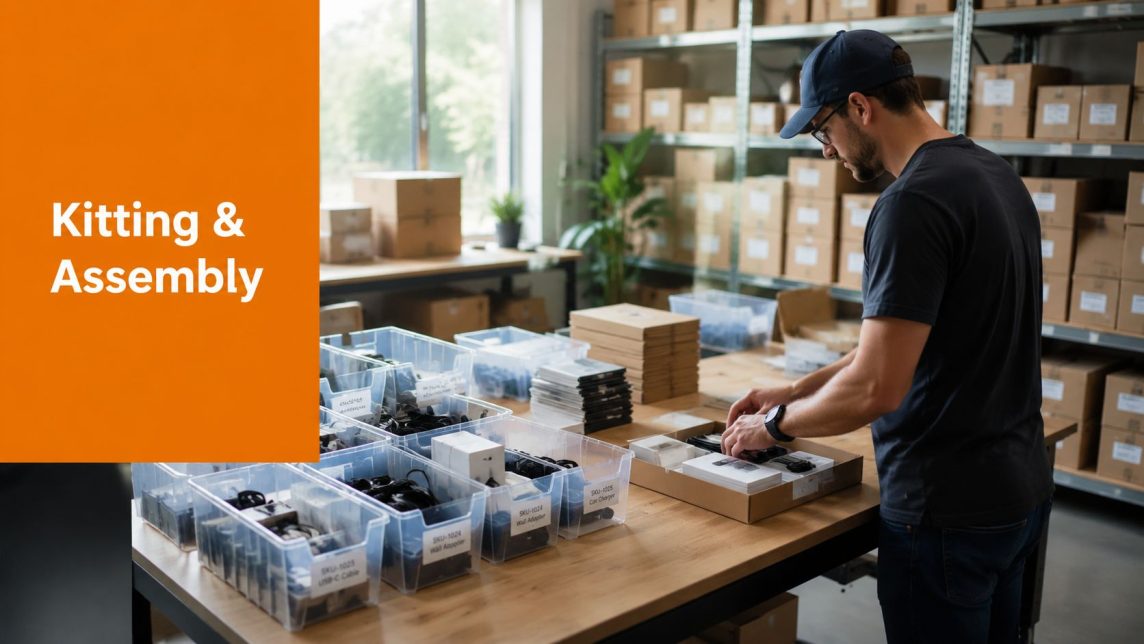
The numbers worth watching

Accuracy is the first one I check because it affects everything else. A warehouse can hit cutoff and still lose money if the team ships the wrong SKU, misses a prep requirement, or creates returns that have to be touched twice.

Perfect order rate matters for the same reason. It measures whether the order was complete, correct, on time, and delivered without preventable issues. Sellers who only watch volume or same-day shipment rate usually miss the underlying problem. Orders are leaving the building, but the process behind them is unstable.

KPI formulas and what they tell you

  • Order accuracy rate: Correct orders shipped ÷ total orders shipped × 100
    Use this to verify that pick, scan, pack, and final check steps are preventing errors.

  • Order cycle time: Time from order placement to shipment
    This shows where work is waiting. Long cycle time often points to release delays, batching issues, or labor gaps, not just slow picking.

  • On-time shipping rate: Orders shipped on time ÷ total orders × 100
    This shows whether cutoff rules, labor planning, and carrier handoff are realistic for your actual order mix.

  • Cost per order: Total fulfillment operating cost ÷ total orders processed
    This helps identify whether complexity, repacks, excess travel, or packaging waste are pushing costs up.

  • Perfect order rate: Orders delivered complete, on time, and error-free ÷ total orders × 100
    This is the best summary metric because it catches failure that single-point metrics can hide.

High output can still mask poor process control. Perfect order rate usually exposes that faster than shipment volume does.

What good looks like

Targets should reflect channel requirements, product complexity, and your margin structure. A DTC apparel brand, a subscription shipper, and a seller sending inventory into FBA should not all use the same threshold for success.

KPI (Key Performance Indicator) Typical Strong Performance Why it matters
Order Accuracy Rate 99%+ Reduces returns, reships, and marketplace penalties
Order Cycle Time Within your published SLA Protects promise dates and lowers order aging
On-Time Shipping Rate 95%+ Keeps channel metrics healthy and avoids late-ship defects
Cost Per Order Stable or falling without claim growth Confirms efficiency gains are real, not borrowed from quality
Perfect Order Rate High and consistent week to week Shows whether the whole workflow is behaving reliably

For teams building visibility around these metrics, logistics analytics and connected order data matter because KPI reporting breaks down fast when orders, inventory, prep status, and shipment events live in separate systems.

How to read the dashboard correctly

Read KPIs together, not one at a time.

If cycle time drops and accuracy slips, the team is probably pushing orders through without enough verification. If cost per order improves but returns or damage claims rise, the savings may be coming from weaker packaging standards or rushed packing. If on-time shipping is strong in Shopify but weak on Walmart or Amazon, the workflow may not be enforcing channel-specific rules consistently.

That last point matters more than many sellers expect. Marketplace compliance is part of order processing, not a separate admin task. If FBA prep, carton labeling, poly bagging, or expiration-date checks happen late or inconsistently, the KPI damage shows up in multiple places at once. Cycle time stretches, labor cost rises, and perfect order rate falls because the internal process was not built to support the external fulfillment requirement.

Use KPIs to find the constraint and fix that step first.

  • Fast but error-prone: Release controls or scan verification are weak
  • Accurate but slow: Layout, batching, or staffing is limiting flow
  • Cheap on paper but expensive in claims: Packaging rules are too loose
  • Strong in one channel and weak in another: Channel compliance is not built into the standard workflow

A clean dashboard should lead to a floor-level action. If it does not change how orders are processed, it is only reporting the problem.

Why Orders Go Wrong and How to Fix It

A promotion goes live at noon. By 4 p.m., orders are stacked in the queue, one sales channel is still showing inventory that is already gone, and the warehouse is burning time on orders that should have been stopped upstream. That is how order failures usually start. The break happens inside the process before a box is ever packed.

The fix is usually operational design, not more effort. If the workflow leaves room for guesswork, the floor pays for it in rework, late shipments, and avoidable support tickets.

A 3D abstract illustration with textured tubes, spheres, and a bold orange banner labeled Fixing Fails.

Five common failure points

Overselling

This starts when inventory updates lag across channels or manual adjustments become routine. The storefront shows stock. The pick face does not.

Fix: Reserve inventory at order acceptance, sync available stock from one system of record, and treat manual corrections as exceptions that need review.

Wrong SKU picked

The root cause is usually poor slotting, lookalike packaging, weak bin labeling, or no scan check at the point of execution. This gets worse fast as catalog depth grows.

Fix: Add barcode validation at pick and pack, separate visually similar SKUs, and clean up location discipline before peak volume exposes the weakness.

Damage in transit

Carrier handling gets blamed first, but packing standards cause a large share of preventable damage. Teams pack too much by habit, especially when temporary labor is added during promotions or Q4.

Fix: Set packaging rules by product profile, test carton and void-fill combinations, and audit pack stations for consistency. Fragile units, liquids, apparel, kits, and Amazon-prepped items need different instructions.

Missed ship cutoff

Late order release, unrealistic same-day promises, and poor labor planning create this problem. Labels get printed for cartons that were never going to make the trailer.

Fix: Use a real cutoff tied to floor capacity, carrier pickup times, and queue depth. If the team can process 1,200 orders between 2 p.m. and last pickup, do not release 1,600 and hope hustle closes the gap.

Poor exception communication

Holds happen. Address errors happen. Split shipments happen. The expensive part is leaving those exceptions ownerless until the customer asks where the order is.

Fix: Assign exception ownership, define response times, and trigger status updates automatically when an order moves into review, hold, or partial-ship status.

Where automation changes the outcome

Automation helps most at the handoff points where manual work tends to fail. It can flag duplicate orders, stop a shipment if the scan does not match the order, surface address issues before label creation, and route marketplace-specific prep instructions to the right queue.

That matters because order processing is the control layer behind fulfillment. If the control layer is weak, the warehouse keeps touching bad work. In mixed-channel operations, that includes compliance work many sellers treat as an afterthought. Amazon inbound labels, poly bag rules, bundle checks, carton labeling, and expiration-date handling need to be built into the workflow before the order or prep instruction reaches the floor.

A Q1 2026 logistics survey reported by Workist found that 62% of 3PLs adopting AI saw 25% faster order cycles. That result makes sense in practice. Good automation reduces waiting, catches obvious exceptions earlier, and keeps labor focused on executable orders.

On the floor: The best process blocks bad work early, before labor, packaging, and carrier spend are wasted on it.

Software still has limits. If item dimensions are wrong, prep rules are missing, or locations are disorganized, the system will expose the mess faster. It will not clean it up for you.

The fixes that hold up under volume are usually simple. Clear release rules. Scan checkpoints. Exception queues. Packaging standards. Assigned ownership.

Operations that depend on heroics after every promotion do not scale.

Clearing Up the Confusion Processing Fulfillment and FBA Prep

Sellers often use three terms as if they mean the same thing. They don’t.

That confusion causes expensive mistakes because each term points to a different part of the operation.

The clean distinction

Order processing is the full internal workflow. It starts when an order or inbound instruction is received and continues through verification, allocation, execution, communication, and closure.

Order fulfillment is the physical execution subset. Pick, pack, ship, and the immediate warehouse tasks around them.

FBA prep is a specialized compliance layer. It includes the tasks Amazon requires before inventory can move cleanly into its network, such as labeling, polybagging, bundling, inspection, and case-pack handling.

A lot of content online explains the first two loosely and barely mentions the third. That’s where sellers get into trouble.

Why FBA changes the operating model

A standard DTC workflow is built around the end customer. An FBA prep workflow is built around Amazon’s inbound rules.

That changes what “done” means. A carton that’s perfectly acceptable for a direct-to-consumer order may still be non-compliant for an Amazon inbound if the labels, bagging, bundling, or prep specs are wrong.

Data cited by Razorpay notes that 28% of FBA sellers face inbound shipment issues due to preparation errors, causing 15 to 20% delays in inventory processing cycles. The same reference says outsourced FBA prep can improve fulfillment accuracy by 35% (Razorpay).

A practical side-by-side view

  • If you run DTC fulfillment: The priority is customer-ready shipping speed, presentation, and tracking.
  • If you send to Amazon FBA: The priority is inbound compliance and rejection avoidance.
  • If you do both: You need separate operating rules inside one system, not one generic packing workflow.

A seller’s biggest mistake is assuming that if a warehouse can ship parcels, it can also manage FBA prep correctly.

That’s rarely true without dedicated controls. FBA prep isn’t just extra labor. It’s specialized processing. The team needs documented standards for label placement, bundle logic, unit condition checks, and carton build rules.

The main takeaway is simple. Order fulfillment is visible to the customer. FBA prep is visible to Amazon. Order processing is what governs both.

Choosing Your Tech Stack for Smarter Order Processing

A seller can get pretty far with shared inboxes, spreadsheets, and a warehouse team that knows the catalog by memory. Then one new sales channel goes live, Amazon routing rules change, or a wholesale order lands on the same day as a promotion, and the cracks show fast.

That is usually the point where order processing stops feeling administrative and starts acting like what it is. The internal control layer that decides whether fulfillment runs cleanly or turns expensive.

A digital tablet displaying an analytics dashboard for order processing and inventory management on a wooden table.

What the OMS does and what the WMS does

An Order Management System (OMS) manages order intake and decision-making. It pulls orders from your channels, applies routing rules, updates statuses, and pushes the right instructions to the warehouse or prep team.

A Warehouse Management System (WMS) manages execution inside the building. It controls receiving, bin locations, scans, picking, packing, inventory moves, and shipment confirmation.

Those jobs overlap, but they are not the same.

I have seen sellers buy a polished OMS because the dashboards looked good, then struggle because the warehouse still relied on paper picks and manual stock adjustments. I have also seen the reverse. A capable WMS kept warehouse labor efficient, but orders still arrived with missing channel notes, incorrect service levels, or no separation between DTC shipping and Amazon prep work. The result was decent activity inside the warehouse and poor control across the business.

What automation improves in practice

Analysts at Apparound report that OMS and WMS automation can reduce errors by 50 to 70% and cut cycle times by 25 to 35% (Apparound).

Those gains usually come from a few operational changes, not from software alone:

  • Orders enter one workflow: Staff are not rekeying order data between platforms.
  • Inventory updates happen from scans: Teams stop relying on delayed spreadsheet adjustments.
  • Exceptions surface earlier: Held orders, stock mismatches, and channel-specific prep rules show up before labor is wasted.
  • Status data gets cleaner: Picked, packed, shipped, and problem states are recorded as events, not guessed after the fact.

For sellers that handle both outbound orders and marketplace prep, this matters even more. The tech stack needs to support internal processing rules before a package ever leaves the building. If the system cannot distinguish a Shopify parcel from an Amazon inbound prep task, the warehouse ends up using workarounds, and workarounds always break under volume.

How to choose without overbuying

Start with the failure points in your current process. Do not start with a feature comparison sheet.

If mis-picks are the problem, scan compliance and pick-path control matter more than advanced reporting. If inventory is drifting across channels, focus on sync timing, receiving discipline, and how adjustments are approved. If FBA prep creates chargebacks or inbound delays, the system must support prep-specific rules such as label requirements, bundle logic, carton contents, and inspection checkpoints.

Use a short evaluation list:

  • Channel coverage: It should support the channels and order types you already run.
  • Rule separation: DTC fulfillment logic and FBA prep logic should be handled as different workflows.
  • Scan control: Receiving, putaway, pick, pack, and ship steps should be verifiable.
  • Exception visibility: Held orders and problem orders need a clear queue and owner.
  • Operational fit: The system should match how your team works on the floor, not force constant manual overrides.

One option in this category is Snappycrate, which combines storage, inventory management, order fulfillment, and Amazon FBA preparation for e-commerce sellers that need one workflow across inbound and outbound operations.

Good software makes a defined process repeatable. Bad software hides process problems until order volume exposes them.

Your Actionable Checklist for Flawless Order Processing

A strong workflow should survive busy weeks, new SKUs, and channel changes without turning into improvisation.

Use this checklist to audit your current setup or to evaluate a 3PL partner.

Operational control checklist

  • Inventory sync is real: Stock updates across your sales channels and warehouse records stay aligned closely enough that teams trust them.
  • Orders are verified before release: Address issues, special handling notes, and channel-specific requirements are caught before picking starts.
  • SKU identification is scan-based: Staff don’t rely on memory or visual matching for final verification.
  • Packing rules are documented: Carton choice, void fill, fragile handling, and bundle logic are standardized.
  • Exception handling has an owner: Held orders, damaged units, and mismatches don’t sit in a gray area.
  • Tracking updates flow back correctly: Customers and channels receive shipment status without manual chasing.

Marketplace and FBA checklist

  • FBA prep is treated as a separate discipline: Your process accounts for labeling, polybagging, bundling, inspection, and carton compliance.
  • Inbound and outbound rules are not mixed together: DTC orders and Amazon prep tasks follow different instructions where needed.
  • Case-pack and pallet handling are defined: The team knows what happens when freight arrives, not only when parcel orders leave.
  • Quality control happens before the carton closes: Compliance is verified during processing, not after Amazon rejects the inbound.

Management checklist

  • You track a small KPI set consistently: Accuracy, cycle time, on-time performance, cost per order, and perfect order rate are visible.
  • You know where delays start: The team can distinguish between inventory problems, release problems, picking problems, and carrier problems.
  • The process works without heroics: Results don’t depend on one experienced person remembering every exception.
  • Your workflow can absorb growth: More orders don’t automatically mean more confusion.

If you can’t answer several of those confidently, the issue usually isn’t effort. It’s process design.

Frequently Asked Questions About Order Processing

What’s the difference between an OMS and a WMS

An OMS manages the order as a business transaction across channels and statuses. A WMS manages the physical warehouse work needed to execute that order. One controls flow logic. The other controls floor execution.

When does it make sense to outsource order processing to a 3PL

It usually makes sense when order volume, SKU count, channel complexity, or compliance work starts pulling too much attention away from merchandising and growth. The clearest sign is when the team spends more time fixing exceptions than running a stable process.

Can a 3PL handle custom kitting and branded packaging

Yes, if those tasks are built into the workflow rather than treated as side requests. Kitting, repackaging, inserts, and brand-specific presentation all require defined pack instructions and quality checks.

Is FBA prep just another version of pick and pack

No. It overlaps with pick and pack, but it’s a separate compliance function. Amazon inbound prep has its own handling rules, and those rules need dedicated controls if you want to avoid delays and rework.


If your team is spending too much time fixing order errors, chasing inventory discrepancies, or managing Amazon prep manually, Snappycrate is worth evaluating. It supports storage, inventory management, order fulfillment, and FBA prep in one operational workflow, which is useful for sellers that need cleaner handoffs between inbound freight, marketplace compliance, and outbound shipping.

0 Continue Reading →

Your Guide to Amazon FBA Inventory Management

Let's be honest: Amazon FBA inventory management isn't just about keeping products in stock anymore. It's a high-stakes game where warehouse space is gold and performance metrics can make or break your business.

The old playbook of sending huge, infrequent shipments? That’s now a fast track to crippling storage limits and fees that eat away at your profits.

The New Reality of Amazon FBA Inventory

The game has completely changed. You can no longer treat Amazon’s fulfillment centers like your own personal, unlimited warehouse. How precisely you manage your inventory now directly controls your bottom line and your brand's ability to even sell on the platform. There’s simply no margin for error.

This shift became crystal clear when Amazon overhauled its capacity limits to deal with the intense competition for warehouse space. With over 2.5 million active sellers worldwide and a staggering 82% of them using FBA, something had to give.

Suddenly, sellers saw storage allocations slashed by 40-75%. Projections that once looked at six months of sales were cut to just five months, all measured in cubic feet. For a typical seller, this meant a standard storage allowance plummeted from 500 cubic feet to just 125—a 75% reduction that brought many operations to a grinding halt.

Your IPI Score Is Your Lifeline

In this new environment, your Inventory Performance Index (IPI) score is the single most critical number for your FBA business. This score, ranging from 0 to 1000, is how Amazon grades your efficiency. A high score unlocks more storage, but a low score (usually below the 400-500 threshold) triggers severe restrictions and higher fees.

To get your IPI score under control, you need to master the metrics that drive it.

Here’s a breakdown of the key metrics Amazon uses to evaluate your inventory performance. Getting these right is fundamental, as they directly influence your IPI score, storage limits, and overall account health.

Key Amazon FBA Inventory Metrics and Their Impact

Metric (IPI Component) What It Measures Impact of Poor Performance Action to Improve
Excess Inventory % Inventory that has been sitting unsold for over 90 days. High storage fees, reduced IPI score, and cash flow tied up in dead stock. Run promotions, liquidate stock, or create removal orders.
FBA Sell-Through Rate Your units sold and shipped over the past 90 days compared to your average units on hand. Lowers your IPI score, signaling to Amazon that your products are not in demand. Improve listings, run PPC ads, or adjust pricing to increase sales velocity.
Stranded Inventory % Stock in a fulfillment center that is not available for purchase due to a listing error or other issue. Zero sales potential while still incurring storage fees. Directly hurts your IPI. Immediately check your "Fix Stranded Inventory" page in Seller Central to resolve listing issues.
FBA In-Stock Rate How well you keep popular, replenishable products in stock, weighted by their sales velocity. Missed sales, loss of sales rank, and a negative impact on your IPI score. Implement better demand forecasting and reorder point planning.

Each of these metrics tells a story about your efficiency. A low score in any one area is a red flag for Amazon and a direct risk to your business.

A low IPI score isn't just a number on a dashboard; it's a direct threat to your business. We've seen sellers with a score below 400 have their storage capacity slashed by over 70%, effectively preventing them from sending in new stock and grinding their sales to a halt.

The Consequences of Inaction

Ignoring these metrics means you’re accepting a state of constant risk. Excess inventory leads to painful long-term storage fees. A poor sell-through rate tells Amazon you’re a poor user of their valuable warehouse space. And stranded inventory is just dead weight, costing you money every single day.

To get a handle on the FBA-specific challenges, it helps to first understand the basics. A solid grasp of general e-commerce inventory management best practices provides the foundation you need to build a winning FBA strategy. The old "set it and forget it" mindset is officially dead; active, data-driven management is the only way forward now.

Forecasting Demand Like a Pro

If you're still guessing at your FBA inventory needs, you're practically lighting money on fire. Strong Amazon FBA inventory management is all about moving from panicked reactions to proactive, data-driven decisions. The goal isn't just to avoid stockouts; it's to build a predictable and profitable sales machine.

This starts by getting real about your numbers. Forget gut feelings—your sales history is the only crystal ball you need. The most basic metric to track is your sales velocity, which is simply the number of units you sell per day for each SKU. This is your foundation.

But just knowing your daily average isn't enough to stay ahead. Sales are never a flat line; they have peaks and valleys you need to anticipate.

Get it wrong, and you’re looking at a domino effect of disaster—from a tanking IPI score to crippling fees and slashed storage limits.

Infographic showing negative impacts of poor FBA inventory, including low IPI, crippling fees, and slashed storage.

As you can see, one misstep with your inventory levels directly triggers a cascade of financial and operational penalties. This makes accurate forecasting a non-negotiable for survival on the platform.

Analyzing Seasonality and Promotions

Every product has some seasonality. Sure, a swimwear brand has an obvious summer rush, but even something like coffee beans can see a spike around the holidays. You have to know your own rhythm.

Pull up your year-over-year data. Did a certain SKU see a 30% sales jump last November? It's smart to bake that same lift into this November's forecast. Then, you need to layer on your own marketing plans.

  • Prime Day: This is a huge one. Look at last year's performance during the event to get a baseline for this year's demand spike.
  • Holiday Deals: Planning a big Black Friday sale? Estimate the sales lift you expect and make sure your inventory can handle it.
  • PPC Campaigns: Ramping up your ad spend will naturally increase your sales velocity. This has to be factored into your reorder calculations.

When you blend your baseline sales data with seasonal trends and your marketing calendar, you get a far clearer picture of what's coming.

Calculating Reorder Points and Safety Stock

A great forecast is only half the battle; you need a smart plan to act on it. That's where reorder points and safety stock come in. These two numbers are your triggers—telling you exactly when to reorder and how much of a buffer to keep for the unexpected.

Your reorder point is the inventory level that screams, "Time to order more stock!" The formula is pretty simple:

Reorder Point = (Average Daily Sales x Lead Time in Days) + Safety Stock

Lead time is a critical number here. It’s the total time from the moment you place a PO with your supplier to the moment that inventory is checked in and available for sale at an FBA warehouse. Most sellers underestimate this, and it's a primary cause of stockouts.

Safety stock is your insurance policy. It's the buffer inventory you hold to guard against a sudden sales surge or a delay in your supply chain. Here’s a common way to calculate it:

Safety stock = (Maximum Daily Sales x Maximum Lead Time) – (Average Daily Sales x Average Lead Time)

Let's say you sell an average of 20 units a day and your lead time is a solid 30 days. Without safety stock, you'd reorder when you hit 600 units. But if you add a 150-unit safety stock buffer, your new reorder point becomes 750 units. That buffer can easily save you from a stockout if a shipment gets stuck in customs. To really level up, it's worth exploring how modern tools can enhance your inventory forecasting and give you a clearer view of your supply chain.

By putting these calculations to work, you build a system that tells you what to do and when. You'll send the right amount of product at the right time, helping you maintain that sweet spot of 30-45 day inventory turnover, which keeps your IPI score healthy and your fees low. To stay on top of the latest changes, check out our guide to FBA forecasting updates and learn how to master Amazon's new Capacity Manager.

Building a Streamlined FBA Inbound Process

Forecasting is one piece of the puzzle, but actually getting your products from the factory floor to a live Amazon listing is where your Amazon FBA inventory management strategy really gets tested. A messy, unpredictable inbound process is the fastest way to stock out, tank your IPI score, and lose momentum. If you want to scale, building a repeatable workflow isn’t just a good idea—it’s non-negotiable.

It all boils down to mastering your lead time. I’m not just talking about shipping. Your true lead time is the total time from the moment you send that wire transfer to your supplier to the second your units are checked in and ready to sell on Amazon. Getting this number wrong is one of the most common—and expensive—mistakes I see sellers make, often causing them to reorder weeks too late.

Two workers checking an inbound delivery at a warehouse loading dock with pallets.

Calculating Your Total Lead Time

To get a real-world number you can count on, you have to break your lead time into its individual parts. Track each stage so you can build a realistic timeline for your reorder calculations.

  • Production Time: How many days does it take your supplier to actually make your stuff? (e.g., 20-30 days)
  • Freight & Transit: This covers everything from ocean or air freight to customs clearance and the final truck ride to your warehouse or 3PL. (e.g., 25-45 days)
  • FBA Receiving: How long does Amazon take to check in your shipment once it hits their dock? This can be anywhere from 3 to 14 days, and sometimes much longer during Q4 or Prime Day.

When you add it all up, a typical lead time for an overseas product can easily be 60-90 days. Knowing this exact figure for your supply chain is the secret to timing your replenishment perfectly.

The Advantage of Just-in-Time Shipments

With today’s FBA capacity limits, the old-school strategy of sending huge, infrequent shipments is completely dead. It hogs your storage allocation, destroys your sell-through rate, and puts your IPI score in jeopardy. The only way to win now is with a "just-in-time" approach using smaller, more frequent shipments.

This keeps your inventory lean and your IPI score healthy. For instance, instead of shipping 3,000 units to cover three months of sales, you send 1,000 units each month. This tactic shrinks your FBA storage footprint, cuts your risk of long-term storage fees, and makes it way easier to stay under your capacity limits. It definitely requires more planning, but the payoff is huge.

The core idea is to treat Amazon's fulfillment centers as a distribution hub, not a long-term storage warehouse. By sending just enough inventory to cover your immediate sales cycle (30-45 days), you maintain a high sell-through rate, which is a massive driver of your IPI score.

Creating Your FBA Shipping Plan SOP

A standardized process for creating FBA shipping plans is absolutely critical for consistency and avoiding dumb, costly mistakes. Documenting these steps in a Standard Operating Procedure (SOP) ensures anyone on your team can get it right every single time.

Here’s a simple but effective SOP you can use for your inbound shipments:

  1. Initiate Shipment in Seller Central: Kick things off under "Manage FBA Shipments" and create a new plan. Be precise with the ship-from address and confirm whether you’re sending individual units or full case packs.
  2. Enter Box Content Information: This step is crucial. You have to tell Amazon exactly how many units of each SKU are in every single box. If you skip this or get it wrong, you’re asking for major receiving delays and potential penalties.
  3. Confirm Carrier and Pallet Information: Select your carrier—either an Amazon Partnered Carrier to get their discounted rates or your own preferred carrier. If you're shipping LTL (Less Than Truckload), enter the correct pallet dimensions, weight, and freight class. Wrong information here can get your shipment rejected at the fulfillment center door.
  4. Print and Apply Labels: Print out the FBA box labels and any pallet labels Amazon generates. Make sure the FNSKU on each unit is scannable and that the FBA box label is placed where it's visible, not over a box seam.

This repeatable workflow removes the guesswork and drastically cuts down your chances of inbound errors. For a deeper dive, check out our ultimate guide to FBA inbound shipments. By building and constantly refining your inbound process, you create a powerful logistical advantage that keeps your inventory flowing and your business growing.

Getting FBA Prep and Compliance Right Every Time

Two people managing product preparation and compliance using a tablet and packaging items.

You can have the best demand forecast in the world, but it won’t mean a thing if your shipment gets turned away at the fulfillment center door. One tiny compliance mistake can throw your entire Amazon FBA inventory management plan off the rails, leading to unplanned prep fees, stockouts from receiving delays, or even a suspension of your shipping privileges.

Getting FBA prep right isn’t just about checking boxes. It’s about protecting your cash flow and your sales momentum. Amazon’s network is a well-oiled machine, and your products need to be perfectly prepped to slide right in without causing a jam. Any slip-up creates a bottleneck, and you’re the one who pays for it.

Mastering the FBA Prep Fundamentals

Every product has its own quirks, but there are a few core prep tasks that apply to almost everything. If you can master these, you’re already well on your way to 100% compliant shipments.

  • FNSKU Labeling: This is the big one. An FNSKU (Fulfillment Network Stock Keeping Unit) is Amazon’s unique barcode that ties your product directly to you. It absolutely must cover any other barcodes like the UPC. A missing or unscannable FNSKU is one of the most common reasons for inbound headaches.
  • Poly Bagging & Suffocation Warnings: If your product can get dirty or damaged by moisture, it needs a clear poly bag. And if that bag has an opening of 5 inches or wider, it legally must have a suffocation warning. This isn't just an Amazon rule; it's a critical safety requirement.
  • Bubble Wrapping: For anything fragile—think glassware, ceramics, or delicate electronics—a poly bag won't cut it. Each unit has to be securely wrapped in bubble wrap to survive the drops and tumbles of warehouse life before it goes into a shipping box.

These might seem like small details, but they’re the difference between a shipment that gets checked in within 24 hours and one that’s stuck in a problem-solving queue for weeks. For a complete walkthrough, you can learn how to prepare and label your products for FBA like a pro.

A rejected shipment isn't just an inconvenience; it's a direct hit to your sales velocity and IPI score. The lost sales from a two-week delay can take months to recover from, especially for a high-velocity ASIN.

Prepping for Tricky Items: Bundles and Fragile Goods

Prep gets a lot more interesting when you’re dealing with anything beyond a simple, standard product. Bundles and fragile items are two of the most common things that trip sellers up.

Let's say you sell a three-pack of gourmet spices. Amazon needs to see that as a single, sellable unit. This means you have to bundle the three jars together—usually with shrink wrap or a poly bag—and then apply a single FNSKU label to the outside of that bundle. To prevent warehouse staff from breaking it apart, you also need to add a "Sold as Set" or "This is a Set, Do Not Separate" sticker.

Now, imagine you're selling hand-blown glassware. Every single glass has to be able to survive a 3-foot drop test without shattering. In practice, this means bubble wrapping each glass, putting it in its own individual box, and then placing that box into the master shipping carton. The FNSKU label goes on the outside of that individual box, ready for sale the moment it's received.

This level of detail is exactly why so many sellers choose to outsource prep. While 92% of private-label brands use FBA, a staggering 40% of new international sellers get tangled up in compliance issues. For our clients here at Snappycrate, handing off these headaches to a dedicated prep service that manages inspections, case packs, and custom packaging is the key to perfect execution.

Knowing When to Partner with an FBA Prep Center

When you’re starting out, handling your own Amazon FBA inventory management makes sense. But as your brand scales, that DIY approach quickly turns from a cost-saver into your biggest growth bottleneck.

If you’re spending all your time juggling supplier shipments, in-house prep, and Amazon's ever-changing rules, you’re not focused on growing the business. Deciding to bring on an FBA prep center or a third-party logistics (3PL) partner is a pivotal moment. This isn't just about saving time—it's about building a smarter, more scalable operation with a partner at the center of your inventory flow.

You Are Constantly Hitting FBA Capacity Limits

Is fighting for FBA storage space a constant battle? That’s one of the clearest signs you need a 3PL. Amazon’s capacity limits have made sending huge shipments directly to their warehouses a losing strategy. It eats up your storage allowance and tanks your IPI score.

A 3PL completely flips the script. You can ship your bulk inventory straight from your supplier to their warehouse, where storage fees are a fraction of FBA's. They become your off-Amazon inventory hub, holding your stock and drip-feeding perfectly prepped shipments into Amazon's network just in time.

Imagine this: instead of sending 5,000 units to FBA and maxing out your Q4 capacity, you send them to your prep center. From there, you call for 500 units to be prepped and sent to FBA each week. This keeps your inventory lean, your sell-through high, and your IPI score healthy—unlocking even more FBA capacity down the road.

Your Prep Needs Are Becoming More Complex

Anyone can stick an FNSKU label on a box. But what happens when you start selling bundles, multipacks, or fragile items that need extra care? The prep work gets complicated fast, and the room for error skyrockets.

One bad shipment from a mislabeled kit can cause weeks of receiving delays and thousands in lost sales. This is where a dedicated prep center shines. They live and breathe this stuff.

They have rock-solid workflows for tasks like:

  • Complex Kitting and Bundling: Correctly assembling multiple items into one sellable unit, complete with "Sold as Set" labels to stop warehouse staff from separating them.
  • Quality Control Inspections: Spotting damaged goods or manufacturing defects before they land in a customer's hands and result in a negative review.
  • Expiration Date Management: Handling shelf-life products with a strict First-In, First-Out (FIFO) process to avoid expired inventory issues.

By outsourcing your prep, you're not just offloading work—you're offloading risk. A great 3PL will guarantee that 100% of your shipments are compliant, saving you from the penalty fees and receiving headaches caused by in-house mistakes.

You Are Expanding to Other Sales Channels

Selling on your own Shopify store or the Walmart Marketplace in addition to Amazon? You’ve probably already discovered the logistical nightmare of managing inventory across different platforms.

You can't use FBA to fill your Walmart orders because Walmart's policies forbid using Amazon Logistics for fulfillment. This forces many sellers into the inefficient and costly trap of holding separate inventory pools for each channel.

A 3PL partner is the solution. They centralize your entire inventory in one location, ready to fulfill orders from any channel. When a Walmart order comes in, they ship it using an approved carrier, keeping you compliant. This unified approach is a cornerstone of modern Amazon FBA inventory management and is essential for any brand serious about multichannel growth.

Your Top FBA Inventory Questions, Answered

If you’ve been selling on Amazon for any length of time, you know that inventory management questions are part of the daily grind. Getting the answers wrong can mean lost sales, surprise fees, and a major headache.

We see these same questions pop up from sellers all the time. Here are the straight, no-fluff answers you need, based on our experience managing thousands of FBA shipments.

How Can I Quickly Fix a Low IPI Score?

A low Inventory Performance Index (IPI) score is an emergency. It directly threatens your storage capacity and your ability to stock up for peak seasons. To turn it around fast, you have to hit two things hard: get rid of excess inventory and boost your sell-through rate.

First, it’s time to be ruthless with your old stock. Go straight to your 'Manage Inventory Health' report in Seller Central—this is your action plan. Find every single SKU that’s been sitting for over 90 days or has a terrible sell-through.

  • Create removal orders. Don't hesitate. If a product isn't likely to sell in the next 60 days, get it out of FBA. The small removal fee is far cheaper than the mounting storage fees and the damage to your IPI.
  • Liquidate with aggressive promotions. Use Amazon coupons, run a deal, or fire up a targeted PPC campaign. The goal is to turn that dead stock back into cash and free up space.

At the same time, you have to fix your stranded inventory. This is stock sitting in a warehouse that you can't sell because of a listing problem, and it's a huge drag on your IPI. Check the "Fix Stranded Inventory" page daily and resolve every issue immediately. If you focus on these two areas for 30-60 days, you will see your score climb.

What’s the Difference Between an FNSKU, UPC, and ASIN?

Mixing these up is one of the most common—and costly—mistakes we see. Each one has a very specific job, and confusing them will get your shipments rejected.

  • UPC (Universal Product Code): This is the 12-digit retail barcode you buy for your product. It’s your product’s universal ID in the global marketplace, like a social security number.
  • ASIN (Amazon Standard Identification Number): This is the 10-character ID Amazon creates for a product page in its catalog. It’s purely for Amazon’s internal use to track listings.
  • FNSKU (Fulfillment Network Stock Keeping Unit): This is the Amazon-specific barcode that ties a product directly to you as the seller. This is the label you must place over the UPC.

The FNSKU is critical because it prevents your inventory from being commingled with products from other sellers. When a customer buys from you, you can be certain they are getting an item that you sent in, which is vital for brand control.

Should I Ship from My Supplier to FBA, or Use a 3PL?

Shipping directly from your overseas supplier to an FBA warehouse sounds efficient, but it's a massive gamble. Your supplier is a manufacturing expert, not an expert on Amazon’s ever-changing, incredibly picky prep rules.

We’ve seen it countless times: shipments get rejected for bad labels, non-compliant packaging, or transit damage. Worse, you have zero quality control. Defective products could go straight to your customers, leading to bad reviews and account health issues.

A 3PL prep center is your operations hub on the ground. They receive your bulk shipment, inspect it for quality, and then prep, label, and package everything perfectly to Amazon’s standards. It’s a far more reliable and scalable model.

Using a 3PL partner like Snappycrate lets you store your bulk inventory affordably and then send smaller, just-in-time shipments into FBA. This keeps your storage fees down and your IPI score way up. For any serious seller, a 3PL isn’t a cost—it’s an insurance policy for a smooth-running supply chain.

How Do I Handle Inventory for Seasonal Products?

Seasonal inventory is one of the trickiest parts of Amazon FBA inventory management. Sending all your stock to FBA at once is a recipe for disaster. It will kill your sell-through rate, crush your IPI score, and likely put you over your storage limits.

The smart strategy is built around a 3PL.

  1. Use last year's sales data to build a solid forecast for your peak season.
  2. Ship your entire seasonal order from your supplier directly to your 3PL's warehouse 2-3 months before the season begins.
  3. Have your 3PL "drip-feed" inventory into FBA in smaller weekly or bi-weekly shipments, based on your real-time sales velocity.

This keeps your FBA stock lean and your sell-through metrics healthy. You'll have the inventory you need to capture peak demand without getting slammed by overage fees or having Amazon restrict your ability to send in more stock.


Navigating the complexities of FBA prep, compliance, and multi-channel fulfillment is a full-time job. Snappycrate acts as a true extension of your team, providing expert FBA prep, storage, and order fulfillment that allows you to focus on growth. If you're ready to build a more resilient and scalable logistics operation, learn more at https://www.snappycrate.com.

0 Continue Reading →

Your Guide to E-Commerce Packaging and Warehousing

When you first start out in e-commerce, “warehousing” is your garage, and “packaging” is a late-night scramble to the post office. But as your brand grows, these two activities stop being separate chores and merge into a single, powerful system: the hidden engine that truly drives your business.

The Hidden Engine of Your E-Commerce Business

For many sellers, the terms warehousing and packaging feel disconnected. One is about shelves and inventory counts; the other is about boxes and tape. But to scale successfully, you have to see them as one integrated process.

Think of it like a professional kitchen. Your warehouse is the mise en place—the prep station. It’s where every ingredient (your inventory) is received, sorted, and stored with absolute precision. Every SKU has its designated spot, ready to be grabbed the second an order dings. A clean, organized prep station is the only way a kitchen can handle the dinner rush.

More Than Just Boxes and Shelves

If warehousing is the prep, then packaging is the final plating. It’s not just about getting the product into a box. It’s about protecting what’s inside, making sure it looks great, and giving your customer that "wow" moment when they open it. The right packaging ensures your hard work arrives intact and reinforces the quality and care you put into your brand.

When you nail this combination, the benefits are huge:

  • Faster Fulfillment: An organized warehouse means your team can pick and pack orders faster. That's how you shrink the time from click to ship.
  • Happier Customers: A great unboxing experience with zero damage is what turns a first-time buyer into a loyal fan.
  • A Healthier Bottom Line: Efficient operations mean lower labor costs, less money wasted on replacing damaged goods, and more repeat business.

In short, mastering warehousing and packaging isn't just a logistical headache to be managed—it's a massive competitive advantage. It's what separates the brands that are just getting by from the ones that are built to last.

This isn't just talk; the numbers back it up. The global packaging market was valued at USD 1.28 trillion in 2026 and is expected to hit USD 1.75 trillion by 2035. That explosive growth is almost entirely fueled by e-commerce, which shows just how critical expert logistics have become. You can explore more data on the packaging market's expansion to see what this trend means for online sellers.

To help you visualize how these two functions work together, let's break down their core activities.

Core Functions of Packaging and Warehousing

This table shows how warehousing provides the foundation (the 'Where') and packaging executes the final steps (the 'How') in the fulfillment journey.

Function Warehousing Activity (The 'Where') Packaging Activity (The 'How')
Receiving Checking in new inventory, inspecting for damage, and entering it into the system (WMS). Sourcing and stocking packaging materials like boxes, mailers, and dunnage.
Storage Organizing products on shelves, bins, or pallets for easy and efficient access.
Order Processing Picking the correct items from their storage locations based on a customer's order. Selecting the right-sized box or mailer for the specific order.
Preparation Bringing picked items to a dedicated packing station. Assembling the product, adding protective dunnage, and including any inserts.
Shipping Sealing the package, applying the shipping label, and sorting it for carrier pickup. Ensuring the final package is secure, correctly labeled, and meets carrier rules.

As you can see, you can't have efficient packaging without organized warehousing. One flows directly into the other.

As your business grows, this relationship becomes impossible to ignore. Understanding how to optimize both is the first step toward building an operation that can handle anything you throw at it. In this guide, we’ll walk you through the entire journey—from the moment inventory hits your dock to the second it lands on your customer’s doorstep.

Tracing Your Product's Journey Through the Warehouse

So, what actually happens to your products after they leave the factory and hit a 3PL warehouse? For many e-commerce sellers, it feels like a total black box. You send off pallets of your hard-earned inventory and just cross your fingers that orders go out correctly.

Let's pull back the curtain and follow your product’s journey, step-by-step.

This whole workflow is built for one thing: getting the right product to the right customer, fast. It’s a world away from the chaos of managing inventory in a garage or the back room of a shop. The process kicks off the second a truck with your goods pulls up to the warehouse receiving dock.

Step 1: Receiving and Inbound Processing

The first step is what we call inbound receiving. This is far more than just unloading boxes; it’s the first and most important checkpoint for your inventory. The warehouse team immediately gets to work, inspecting the shipment to make sure the quantity matches the advance shipping notice (ASN) you sent. They’re also on the lookout for any damage that might have happened in transit.

Once everything is verified, your inventory is scanned into the warehouse management system (WMS). Think of the WMS as the digital brain of the entire operation. It assigns a unique ID to your products, making every single item trackable from that moment on. This is what gives you that real-time visibility into your stock levels.

Want to see how a professional 3PL handles this crucial first step? Check out our detailed guide on the receiving and inspection process.

The diagram below shows the basic flow from receiving to shipping.

Diagram illustrating the e-commerce fulfillment process steps: receive, organize & store, and pack & ship.

As you can see, receiving, storing, and packing aren't just separate tasks. They're connected parts of a fluid system designed to handle your goods with precision.

Step 2: Smart Storage and Inventory Management

With your products checked in, they’re moved into storage. But this isn't random. The WMS tells the team exactly where to put everything—specific bins, shelves, or pallet racks—a process called putaway. This is all optimized for picking speed, so your fastest-selling products are always in the most accessible spots.

Your inventory doesn't just sit there collecting dust, either. A good warehouse performs regular cycle counting, which means counting small sections of inventory on a rotating basis. This is way more effective than a massive, disruptive annual count and helps us spot any discrepancies almost immediately.

By constantly checking physical counts against the WMS data, a 3PL can keep inventory record accuracy at 99% or higher. That level of precision is the bedrock of reliable fulfillment and stops you from overselling products you don't actually have.

To get a complete, end-to-end view of your products, many brands use advanced Supply Chain Management (SCM) software. These powerful systems give you the deep visibility needed to track every step of your product's journey.

Step 3: Order Picking and Packing

The moment a customer clicks "buy" on your Shopify or Amazon store, your e-commerce platform pings the WMS. Instantly, a digital "pick ticket" is created, sending a warehouse associate out to grab the exact items for that order. This is where all that smart, organized storage really pays off.

To make this lightning-fast, warehouse pros use a few different methods:

  • Batch Picking: A picker gathers all the items for a bunch of different orders at the same time, cutting down on travel time across the warehouse floor.
  • Zone Picking: Each picker owns a specific zone. They grab the items from their area and pass the order along to the next zone until it's complete.

Once picked, the items land at a packing station. A packer grabs the right-sized box or mailer, adds any protective dunnage like bubble wrap, and pops in any marketing inserts you want included. This is where packaging and warehousing truly come together—blending storage efficiency with brand presentation.

Finally, the package is sealed, weighed, and a shipping label is printed and stuck on. From there, it’s sorted with other packages going to the same carrier (like UPS or FedEx) and staged for daily pickup. Just like that, it's on its way to your customer, and the tracking information is automatically sent back to your sales channel.

Choosing the Right Packaging for Protection and Branding

Think of your packaging as more than just a box. It’s your customer’s first handshake with your brand, and it’s the only thing standing between your product and a bumpy ride to their doorstep. Getting it right is a careful balancing act between keeping your items safe, creating a great impression, and managing your costs.

Various packaging materials including cardboard boxes, bubble wrap, and padded mailers for product protection.

The choices you make here in packaging and warehousing ripple through your entire business, affecting everything from shipping fees to customer reviews. Let’s walk through the materials you'll be working with and how to pick the right ones.

Primary Packaging: The First Impression

This is the packaging that directly holds your product. It’s the first thing your customer touches after opening the shipping box, and it’s critical for both protection and making your brand look good.

Your main options are:

  • Corrugated Boxes: The undisputed workhorse of e-commerce. They're strong, versatile, and offer fantastic protection for fragile or heavy items. The wavy "flute" layer inside absorbs shocks and impacts like a champ.
  • Mailers (Bubble, Padded, or Rigid): A lifesaver for smaller, less fragile goods like apparel, books, or cosmetics. They’re lightweight, which helps you save a ton on shipping costs, and they take up less storage space.
  • Poly Bags: A super cost-effective and light option for things that don't need rigid protection, like t-shirts. We often use them as an inner layer to protect items from dust or moisture before they go into a box or mailer.

Once you’ve picked your outer container, you need to think about what goes inside to stop your product from bouncing around.

Protective Fillers: Keeping Products Snug and Safe

Protective fillers, which we call dunnage in the logistics world, are what stop your products from getting damaged in transit. The goal is to fill any empty space and absorb shock so your items arrive looking exactly as they should.

Here are the go-to choices:

  1. Bubble Wrap: A classic for a reason. It’s our first choice for cushioning fragile things like glass, ceramics, and electronics.
  2. Air Pillows: These are great for filling big empty spaces in boxes. They’re light and cost-effective, but they offer more general void-fill than targeted cushioning.
  3. Crinkle Paper: An eco-friendly and decorative option that provides decent cushioning. It's perfect for creating a high-end unboxing experience for gift boxes or subscription kits.
  4. Foam Inserts: For high-value or extremely delicate products, nothing beats custom foam inserts. They hold your item in place, offering the highest level of protection possible.

Finding the right mix of outer packaging and inner dunnage is a strategic move. Over-pack, and you're wasting money on materials and shipping. Under-pack, and you're dealing with costly returns and unhappy customers.

The Unboxing Experience: Your New Storefront

In e-commerce, the unboxing is a huge marketing opportunity. It’s your chance to turn a simple delivery into a memorable moment that makes customers feel valued. A great unboxing can make someone feel like they’ve received a special gift, not just another online order.

This is where custom touches come in. Think branded boxes, printed tissue paper, or a simple thank-you note. It all works together to create a powerful brand experience. To really nail this, check out our deep-dive guide on e-commerce packaging solutions.

Special Rules for Amazon FBA

If you’re selling on Amazon FBA, you’ve got another set of rules to follow. Amazon is incredibly strict about packaging because they need to move millions of items through their fulfillment centers efficiently and safely. Get it wrong, and they might reject your entire shipment.

A few key FBA prep requirements include:

  • Poly Bagging: Items sold in sets or with loose parts almost always need to be sealed in a clear poly bag.
  • Suffocation Warnings: Any poly bag with an opening of 5 inches or more must have a suffocation warning clearly printed on it.
  • FNSKU Labeling: Every single unit needs a scannable Amazon barcode (FNSKU), and it has to cover any other barcodes, like the manufacturer's UPC.

On top of that, sustainability is becoming a major driver for customers. The sustainable packaging market hit a value of over USD 270 billion in 2024. More importantly, products with clear sustainability claims have seen 28% cumulative growth over five years, easily outpacing the 20% growth of products without them.

Value-Added Services That Help Your Brand Scale

A modern logistics partner does way more than just store products and ship orders. The best third-party logistics (3PL) providers become an extension of your team, offering a whole suite of value-added services that solve tricky operational problems and unlock real growth.

These are the services that turn a simple vendor relationship into a true strategic partnership.

Workers in a warehouse sorting items into bins, with one bin displaying 'SCALE WITH 3PL'.

Think of these specialized tasks as your secret weapon. They give your e-commerce brand the operational flexibility to jump on new sales channels, launch ambitious marketing campaigns, and meet customer demands head-on. Instead of hitting a wall and saying, "we can't do that," a great partner asks, "how can we make that happen?"

Kitting and Assembly Services

One of the most powerful value-added services is kitting and assembly. This is simply the process of combining multiple individual products (or SKUs) into a single, ready-to-ship unit. It's a game-changer for brands that want to boost their average order value and create unique product bundles.

Let’s say you sell skincare. Instead of a customer buying a cleanser, a toner, and a moisturizer separately, you can offer them a "3-Step Glow Kit." In the warehouse, a team pulls these three items and bundles them together into a new, custom-packaged set.

Warehouse assembly can cover a huge range of tasks:

  • Building Subscription Boxes: Assembling your monthly or quarterly boxes with a rotating mix of products.
  • Creating Gift Sets: Bundling items for holidays or promotions, often with special packaging and inserts.
  • Light Product Assembly: Putting together simple components to create a finished product right before it ships out.

This service effectively moves a final production step from a separate, often expensive, factory right into your fulfillment center. You cut down on transit time, minimize extra handling, and get your new product bundles to market way faster.

By combining separate items into a single kit, you not only give customers a better experience but also make your own operations much leaner. A 3PL can build these kits in advance based on your sales forecasts or assemble them on-demand as orders roll in.

Repackaging and Compliance

Your packaging needs can change completely depending on where you sell. The branded box that works perfectly for your Shopify store might not fly with Amazon FBA or a big-box retailer. This is where repackaging services are a lifesaver.

For instance, a product might arrive from your manufacturer packed in a bulk case of 24, but you need to sell it as a single unit. A 3PL can break down those master cartons and repackage each item for individual sale.

This is absolutely critical for Amazon FBA sellers. Your logistics partner can make sure every single item is prepped to meet Amazon's strict compliance rules, handling tasks like:

  • Applying FNSKU labels over existing barcodes
  • Poly bagging items to keep them clean or together
  • Adding suffocation warnings or other required labels

Getting this prep work right means your inventory will never get rejected by Amazon, saving you from frustrating delays and expensive chargeback fees.

Handling Complex Inbound and Outbound Logistics

Not all inventory arrives at the warehouse on neat, easy-to-unload pallets. Many brands that import goods receive them in floor-loaded containers, where boxes are stacked from floor to ceiling. Unloading these is a slow, labor-intensive job that needs a dedicated team. A full-service 3PL has the staff and processes to handle this efficiently, getting your goods counted, inspected, and put away quickly.

On the other side of the equation is reverse logistics—or as most people call it, returns management. Let's be honest, handling returns is a huge headache for almost every brand.

A 3PL can take this completely off your plate. They'll receive returned items, inspect them for damage, and determine if they can be restocked and sold again or if they need to be disposed of.

By centralizing these specialized packaging and warehousing tasks under one roof, you create a far more efficient and resilient supply chain. It frees you up to focus on what you do best: marketing your products and growing your brand.

How to Measure Your Fulfillment Performance

When it comes to packaging and warehousing, winging it just doesn't cut it. Relying on gut feelings is a surefire way to burn through cash and miss your targets. To really get a handle on how your fulfillment operation is running, you have to track the right numbers—your key performance indicators (KPIs).

Think of these metrics as the language you use to have honest, data-backed conversations with your 3PL. They turn all the complex activity happening in the warehouse into simple, clear numbers. Tracking these KPIs is how you make sure you’re getting the speed and accuracy your brand paid for.

Foundational Accuracy and Speed Metrics

Before you even glance at costs, you need to know if your 3PL is getting the basics right. The two most critical metrics for this are your inventory accuracy and your order cycle time. They tell you everything about the fundamental quality of your fulfillment.

  • Inventory Record Accuracy (IRA): This one is simple: does the inventory your system says you have match what’s physically on the shelf? A high IRA, ideally 99% or higher, is non-negotiable. It’s what keeps you from overselling products you don't have or telling customers something is out of stock when it isn’t.
  • Order Cycle Time: This measures the total time from when a customer clicks "buy" to when their order is officially out the door. Faster cycle times lead to happier customers and give you a serious leg up on the competition.

If you see a low IRA or a slow cycle time, consider them major red flags. These numbers often point to bigger problems, like a disorganized warehouse or clunky picking routes. They should be the very first things you check on any performance report.

Key Operational Performance Indicators

Once you've confirmed your inventory is accurate and your orders are moving quickly, it's time to dig a little deeper into operational efficiency. These metrics give you a pulse on the health of the entire workflow, from receiving your products to getting them shipped.

Imagine your fulfillment center is a finely tuned engine. These KPIs are the gauges on the dashboard. A dip in one area can signal a problem that will soon impact the whole system.

Here are the operational KPIs we always keep a close eye on:

  • Dock-to-Stock Time: How long does it take for new inventory to get off the truck, be processed, and be put away on a shelf, ready to be sold? A good 3PL can get this done in under 24-48 hours. The faster this happens, the faster your products are live and available for purchase.
  • Order Accuracy Rate: This is the percentage of orders shipped without a single mistake—no wrong items, no incorrect quantities. The industry standard here is a whopping 99.8% or higher. Even a tiny dip can cause a huge spike in expensive returns and hurt your brand's reputation.
  • On-Time Shipping Rate: What percentage of orders are shipped out on or before the promised date? For any e-commerce brand that wants to keep its customers, this number should be as close to 100% as humanly possible.

Keeping a close watch on efficiency has become even more critical lately. Recent consolidation in the packaging industry triggered a 10% drop in North American containerboard capacity—the largest on record. This shortage, mixed with manufacturing slowdowns, has made a tight supply chain more important than ever. You can explore the full impact of these industry shifts to get a better sense of the current landscape.

Financial and Cost-Related Metrics

Last but not least, you have to know what all this is costing you. These KPIs connect your warehouse operations directly to your P&L, showing you exactly what you’re paying for and where you might be able to find savings.

  • Cost Per Order (CPO): This is the holy grail of fulfillment finance. It’s your total fulfillment cost (receiving, storage, picking, packing, and shipping) divided by the total number of orders you shipped. It’s the clearest measure of how efficient your entire operation is from a financial standpoint.
  • Inventory Holding Cost: This calculates how much it costs to store unsold inventory over a period of time. This isn't just the storage fee; it includes insurance, space, and labor. Tracking this helps you spot slow-moving products that are just sitting there, tying up cash and valuable shelf space.

By consistently reviewing these three groups of KPIs—accuracy, operational, and financial—you get a complete, 360-degree view of your fulfillment performance. This is the data you need to hold your logistics partner accountable, make smarter inventory decisions, and build a supply chain that can actually support your growth.

Finding the Right 3PL Partner for Your Business

Choosing a third-party logistics (3PL) partner is one of the biggest decisions you’ll make for your brand. This isn't just about finding cheap storage—it’s about bringing on a team that will become a core part of your operations.

A great 3PL can be your launchpad for growth. A bad one? They can create logistical nightmares that tank your customer reviews and damage your reputation.

The right partner gets your business, inside and out. They know your sales channels, whether you’re a Shopify powerhouse or an Amazon FBA specialist, and they have proven experience handling products just like yours. This isn't a one-size-fits-all service; it’s a hands-on extension of your brand.

Core Technical Competencies to Vet

Before you even talk about pricing, you need to lift the hood and check their operational engine. Your business will run on their capabilities, so don't be shy about digging into the details. Start here.

  • Channel Expertise: Do they actually have experience with your sales platforms? A 3PL that deeply understands Amazon’s strict FBA prep rules or how to integrate seamlessly with Shopify’s API will save you countless headaches.
  • Product Handling: Can they store and handle your specific products safely? If you sell fragile glassware, frozen goods, or oversized items, you absolutely need a partner with the right equipment and established processes.
  • Technology Integration: How does their warehouse management system (WMS) talk to your store? Look for real-time inventory syncing, automated order processing, and a client portal that gives you a clear window into your operations.

The right 3PL partner doesn't just offer services; they offer solutions. Their expertise in packaging and warehousing should directly solve your biggest operational headaches, from managing complex inventory to meeting strict retail compliance standards.

Understanding the full scope of what a 3PL does is a great first step. To get a foundational overview, check out our guide explaining what a 3PL warehouse is and how they function.

The Partnership and Communication Factor

Beyond the technical checklist, you have to evaluate the human element. You're entering a long-term relationship, and clear, responsive communication is what holds it all together. A low price means nothing if you can’t get your account manager on the phone when an order goes wrong.

Think about these "soft" but critical factors:

  • Communication Style: How do they handle problems? Look for a partner who is proactive, transparent, and takes ownership when things inevitably go sideways.
  • Scalability and Flexibility: Can they grow with you? Talk about their capacity to handle your sales spikes during Q4 and their ability to add services like kitting as your needs change.
  • Pricing Transparency: Are their fees clear and easy to understand? Run from partners with confusing fee structures or a long list of hidden charges. You want a simple, honest pricing model.

Ultimately, you’re looking for a partner, not just a vendor. You need a team that is genuinely invested in your success and can act as a strategic advisor. The right 3PL will feel like an extension of your own company, working right alongside you to make sure every customer order is a perfect experience.

Frequently Asked Questions

Diving into the world of third-party logistics always brings up a few key questions. We get it. As sellers ourselves, we've been there. Here are answers to some of the most common things e-commerce brands ask us about packaging and warehousing.

What Is the Difference Between Kitting and Assembly?

People often use these terms interchangeably, but they’re two distinct services that can save you a ton of time and money.

Kitting is all about grouping separate items (different SKUs) into a single, ready-to-ship unit. Think of a subscription box, a gift set, or a "starter pack" that bundles several of your products together. We’re just gathering existing items and putting them in one package.

Assembly, on the other hand, is when we actually build a part of your product. This could be as simple as attaching a spray nozzle to a bottle or as involved as putting together a small piece of furniture before it’s boxed up. Both get your products ready for customers right from the warehouse floor.

How Much Warehouse Space Do I Really Need?

The honest answer? It depends entirely on your sales velocity and how much inventory you need to hold. One of the biggest mistakes we see is brands overpaying for warehouse space they aren't using, which just kills your margins.

The smart move is to partner with a 3PL that offers flexible storage. You want someone who can scale your footprint up during your busy season and back down when things are slower. This way, you’re only paying for what you actually use.

What Are the Most Common Hidden Fees with 3PLs?

Most 3PLs are upfront, but some fee structures have surprises lurking in the fine print. Always ask about these potential costs before signing a contract:

  • Onboarding Fees: This is usually a one-time cost to get your account set up, connect your store, and integrate with their software.
  • Monthly Minimums: Some 3PLs require a minimum spend on storage or a minimum number of orders per month. If you have a slow month, you could still get a bill.
  • Special Project Fees: Need something outside the standard pick, pack, and ship? Things like quality control checks, returns processing, or special repackaging jobs often come with a separate price tag.

Getting a clear picture of a 3PL’s entire fee schedule is critical for managing your budget. If you're looking for more general info on packaging supplies, you can often find answers in a supplier's own Frequently Asked Questions.


Ready to work with a 3PL that believes in transparent pricing and provides genuine expertise on packaging and warehousing? At Snappycrate, we operate as a true extension of your team, ready to help you scale with confidence. Explore our fulfillment services today!

0 Continue Reading →

A Guide to B2B Fulfillment Services for E-commerce Growth

When you sell products to other businesses, your logistics needs are a whole different ballgame. B2B fulfillment services are the operational engine that handles everything from storing your inventory to shipping large, complex orders to your business customers.

This process is all about moving products efficiently from your warehouse to a retailer, wholesaler, or distributor, with a laser focus on bulk quantities and strict compliance rules—a world away from shipping small packages to individual consumers.

What Are B2B Fulfillment Services and Why Do They Matter?

Think of B2B fulfillment services as the air traffic control for your wholesale business. If direct-to-consumer (B2C) fulfillment is like calling a single taxi for one person, B2B fulfillment is like coordinating an entire fleet of cargo jets. You aren't just sending a small box to someone's front porch; you're moving entire pallets of product to a massive distribution center.

That difference is everything. B2B orders are typically much larger, happen less often, and are worth a whole lot more. The logistics are far more complicated, too, often needing special equipment to handle pallets, manage freight, and follow the very specific rulebooks of major retailers.

The Strategic Engine for Scaling Your Business

At its heart, B2B fulfillment is about way more than just moving boxes around. It's the strategic engine that lets your brand grow beyond selling one-on-one to customers. Without a solid B2B logistics partner, you're essentially cut off from huge growth opportunities.

These services give your business the power to:

  • Supply Retail Chains: Get your products onto the shelves of big-box stores by hitting their tight delivery windows and meeting exact packaging standards.
  • Sell Wholesale: Fulfill large-volume orders for other businesses that will resell your products.
  • Master Amazon FBA: Prep and ship compliant, pallet-sized inventory loads to Amazon’s warehouses, protecting your IPI score and keeping you in stock.

The entire game is played by a different set of rules. For example, B2C is all about getting individual parcels delivered as fast and cheap as possible. B2B, on the other hand, is built on accuracy, compliance, and scheduled deliveries.

A single mistake on a wholesale shipment—like a wrong label or a missed delivery appointment—can trigger thousands of dollars in chargeback fees from a retailer. This is why specialized B2B fulfillment isn’t just a nice-to-have service; it's a critical way to manage risk.

From Supplier to Business Customer

The journey of a B2B order has a few key stages, all managed by your fulfillment partner. It usually starts when they receive a large shipment of your inventory, often a full container straight from your manufacturer. Your partner then breaks down those shipments, inspects the goods, and stores them neatly on pallets.

When a wholesale order comes in, the fulfillment team picks the right cases or pallets, preps them exactly as the receiving business requires, and books the freight shipping for delivery. This whole workflow is tracked in a sophisticated Warehouse Management System (WMS), giving you a real-time view of your inventory.

Many companies that do this are called third-party logistics providers. To get a better handle on how these partners work, check out our guide on what a 3PL warehouse is.

Ultimately, a great B2B fulfillment service is your key to unlocking new revenue streams and scaling your business smoothly. They take care of all the operational headaches so you can focus on what you do best: building great relationships with your business customers.

The Core Capabilities of a B2B Fulfillment Partner

So, what does a B2B fulfillment partner actually do? It's a lot more than just renting you some warehouse space. It’s a specific set of services designed to manage the unique demands of selling in bulk to other businesses, retailers, and distributors.

A real partner doesn't just move boxes—they become the operational backbone of your business, handling the complex flow of inventory from your supplier all the way to your business customer.

Detailed diagram illustrating B2B fulfillment processes involving suppliers, retailers, FBA, and Amazon logistics.

As you can see, a good B2B provider acts as your central command center, making sure inventory gets where it needs to go, whether that's a pallet headed to a retail partner or a carton prepped for an Amazon FBA warehouse.

Multi-Channel Warehousing and Inventory Management

At its heart, B2B fulfillment is about smart storage. This isn't just about putting pallets on a rack; it's about multi-channel warehousing. This means your entire inventory lives in one place but can be used to fulfill orders for all your sales channels—wholesale, retail, and direct-to-consumer—without missing a beat.

The engine powering this is a Warehouse Management System (WMS). Think of the WMS as the brains of the entire operation. It tracks every single item, case, and pallet from the second it arrives at the dock.

For businesses dealing with perishable goods or regulated products, the WMS is even more critical. It handles lot tracking to ensure compliance with expiration dates (using a First-Expired, First-Out, or FEFO system) and gives you the power to trace specific batches in case of a recall. This centralized view of your stock prevents you from overselling and gives you the confidence to accept that massive wholesale order.

Specialized B2B Pick and Pack Process

Picking and packing for a business customer looks completely different from shipping a single item to someone’s home. B2B order fulfillment is all about volume and precision.

Instead of one-off items, the warehouse team is usually handling:

  • Case Picking: Grabbing full, sealed cartons of a single product.
  • Pallet Picking: Moving entire pallets of goods for a large order.
  • Inner Pack Picking: Breaking down a master case to create a smaller, custom assortment for a specific retailer.

This process requires different equipment—think forklifts and pallet jacks—and a warehouse layout designed for moving large, heavy units quickly. Accuracy is everything. A single mistake on a 500-unit pallet order is a much bigger and more expensive problem than an error on a small consumer package.

Critical Amazon FBA Prep Services

For any brand selling on Amazon, FBA prep is one of the most valuable b2b fulfillment services out there. Amazon's rules for inbound shipments are notoriously strict, and one small mistake can lead to rejected shipments, costly fees, or even a temporary suspension of your shipping privileges.

A solid fulfillment partner acts as your FBA compliance expert. They take all the tedious prep work off your plate, including:

  • FNSKU Labeling: Applying Amazon's unique barcodes to every item, covering any existing UPCs.
  • Poly Bagging: Protecting items and adding suffocation warnings to meet Amazon's safety rules.
  • Creating Bundles: Assembling multi-packs or kits and applying the required "Sold as a Set" labels.
  • Palletizing to Spec: Building and wrapping pallets that meet Amazon's exact height, weight, and labeling requirements.

When you outsource this, you guarantee every shipment gets to Amazon correctly the first time. This protects your Inventory Performance Index (IPI) score and gets your products live and selling faster. For a closer look, check out our full guide to ecommerce order fulfillment services.

Freight Logistics and Receiving

Finally, a true B2B partner has to be an expert in freight. If you’re importing products, chances are they’re arriving in a Full Container Load (FCL) or Less than Container Load (LCL). A B2B fulfillment center is built to handle this.

The team will schedule the delivery, unload the container (even if it's floor-loaded), inspect the cartons, and get every item checked into the WMS. This is a game-changer for businesses that don't have the dock space, equipment, or manpower to unload a 40-foot container on their own.

This expertise also applies to outbound shipments. They’ll manage the process of booking LTL (Less-Than-Truckload) freight carriers to get your palletized orders delivered safely to your retail partners and distributors.

In-House B2B Fulfillment Versus Outsourcing to a 3PL

Every growing business hits a wall. The day comes when packing boxes and managing shipments stops being a small task and starts eating up your entire schedule. This is when you face one of the biggest decisions for your company's future: do you keep handling fulfillment yourself, or do you bring in an expert?

This isn't just about who tapes up your cartons. It's a strategic choice that shapes your company's finances, where your team focuses its energy, and how fast you can actually grow. One path gives you total control but comes with massive headaches and costs. The other offers expertise and flexibility by turning those fixed costs into a predictable, variable expense.

Professional man at a desk with a bustling logistics warehouse and workers behind him.

The In-House Fulfillment Path

At first, managing your own B2B fulfillment services feels like the right move. You’re in complete control of every single detail, from the moment inventory arrives to when the freight truck pulls away. For a small business just starting out or one with very niche products, this can work for a while.

But that control comes with a hefty price. Suddenly, you’re responsible for everything. You’re leasing warehouse space, hiring and training a team, buying forklifts, and sinking money into a Warehouse Management System (WMS). These are huge capital expenditures that lock up cash you could be using for marketing or developing new products.

As your business scales, these duties quickly bog you down. Your team’s focus shifts from growing the business to managing warehouse staff, fighting for better freight rates, and putting out logistical fires.

The Strategic Outsourcing Alternative

Partnering with a third-party logistics (3PL) provider completely changes the game. Instead of building an entire fulfillment operation from the ground up, you get to plug into a logistics machine that’s already running at full speed. This turns fulfillment from a drain on your resources into a real growth driver.

A 3PL gives you immediate access to the warehouse, technology, and trained staff needed to handle complex B2B orders. This is more important than ever, especially as the B2B e-commerce market is set to explode, projected to hit over $3.1 trillion in the US alone by 2029. That kind of growth brings a level of order complexity that a dedicated 3PL is built for.

The biggest advantage is financial. With a 3PL, you trade huge, fixed costs for predictable, variable ones. You only pay for the space you use and the orders you ship, which makes it easy to scale up for the busy season and back down during quiet months—without paying for an empty warehouse or an idle team.

By outsourcing, you’re not just renting warehouse space; you’re buying years of hard-won expertise. A good 3PL already knows the compliance rules for major retailers, has strong relationships with freight carriers, and uses proven workflows to guarantee accuracy.

If you’re selling on major platforms, understanding the rules is non-negotiable. It’s smart to get familiar with resources like Amazon's third-party fulfillment policies to see exactly what's expected from any fulfillment partner you work with.

To help you see the differences more clearly, let’s break down how these two models stack up against each other.

Comparing In-House Fulfillment vs. Outsourced 3PL Partner

Factor In-House Fulfillment Outsourced B2B 3PL
Costs High Fixed Costs: Warehouse lease, staff salaries, equipment, and insurance create a high operational floor. Variable Costs: You pay for the services you use, turning large capital expenses into a predictable operating expense.
Control Total Control: You oversee every step of the process, from receiving to shipping. Shared Control: You manage your inventory and sales channels, while the 3PL executes the physical logistics.
Scalability Limited: Scaling up or down requires significant investment or downsizing, making it slow and expensive. Flexible & Fast: Easily scale services to match demand, whether for seasonal peaks or rapid growth.
Expertise Self-Taught: Your team must learn logistics, compliance, and freight management from scratch. Built-In Expertise: Access a team of logistics professionals who already know the industry's best practices.
Focus Split Focus: Your attention is divided between growing your business and managing logistics. Core Business Focus: Frees you up to concentrate on product, marketing, and sales—the things that actually grow your brand.
Technology Requires Investment: You must purchase, implement, and maintain your own WMS and other software. Ready-to-Go Tech: Leverage the 3PL's advanced WMS and integrations without the upfront cost or maintenance.

Ultimately, the choice depends on your business's stage, goals, and resources. While in-house gives you hands-on control, outsourcing to a 3PL provides the expertise, flexibility, and scalability needed to compete and grow without getting bogged down in logistics.

B2B Fulfillment in Action: Real-World Scenarios

Theory is great, but let's talk about what b2b fulfillment services look like on the ground. The real magic happens when you see how a third-party logistics (3PL) partner solves actual business problems.

We'll walk through four common scenarios to show you how businesses—from scrappy Amazon sellers to large-scale importers—use a 3PL to get ahead.

Workers manage and organize various shipping containers and goods in a busy logistics environment.

For the Growing Amazon FBA Seller

The Pain Point: An FBA seller is getting hammered by a low Inventory Performance Index (IPI) score. Their products arrive floor-loaded in a container from overseas, and their small team spends days unloading, sorting, and stickering everything to Amazon's strict standards. This bottleneck causes stockouts, which tanks their sales velocity and IPI. Worse, rejected shipments create massive, costly delays.

The 3PL Fix: They partner with an FBA prep specialist. Now, when a container arrives, the 3PL's crew unloads it in just a few hours. They handle all the FNSKU labeling, build compliant product bundles, and construct perfect pallets that fly through Amazon's check-in process.

The Result: The seller slashes their inbound shipping time by over 75%. With products consistently in stock, their IPI score shoots up. Now they can finally get back to focusing on marketing and growing the business, not running a mini-warehouse.

For the Multi-Channel Merchant

The Pain Point: A brand is juggling sales from their Shopify store and wholesale orders to a dozen small boutiques. They try to manage it all in-house by keeping separate piles of inventory for each channel. It's a disaster. They constantly oversell on Shopify because the stock was mentally "saved" for a wholesale order that never materialized.

The 3PL Fix: They move their entire inventory to a 3PL with a modern Warehouse Management System (WMS). This creates one single, unified pool of inventory for all their sales channels. The WMS plugs directly into both their Shopify store and their wholesale ordering portal.

Moving to a unified inventory is a total game-changer. It means a Shopify sale and a wholesale case-pack order pull from the exact same inventory count in real-time. No more guesswork, no more stockouts.

The Result: For the first time, the merchant gets a true, accurate picture of their inventory. Overselling becomes a thing of the past. They can now confidently take on larger orders from partners doing B2B wholesale, knowing precisely what they have on hand.

For the Global Importer and Wholesaler

The Pain Point: A company imports specialized hardware in 40-foot containers from Asia. Their entire business is breaking down these massive shipments and reselling them on pallets to regional distributors. The problem? They have no warehouse, no forklift, and no team to do the back-breaking work of unloading a floor-loaded container.

The 3PL Fix: They find a B2B fulfillment partner equipped to handle heavy freight. When a container hits the port, it’s trucked straight to the 3PL. The fulfillment team handles the "devanning" (unloading), sorts thousands of cartons, and palletizes the goods exactly to the importer’s specs.

The Result: The importer runs a lean, asset-light business. They completely avoid the huge expense of a warehouse lease and equipment, turning a massive fixed cost into a simple, predictable per-container fee. This frees up their cash and lets them concentrate on sourcing new products and making sales. It also gives them tight control over their stock—a key part of smart vendor managed inventories.

For the Strategic Operations Manager

The Pain Point: An operations manager at a consumer goods company needs to protect their profit margins. One of their top products requires a tricky kitting process—combining three separate items into a new retail-ready box. Doing it in-house is slow, full of errors, and pulls their best people away from more important work.

The 3PL Fix: She offloads the entire kitting and repackaging project to their B2B fulfillment partner. The 3PL sets up a dedicated assembly line, builds thousands of kits with a 99.9% accuracy rate, and stores the finished goods so they’re ready to ship. The project is completed without disrupting the company’s day-to-day work.

The Result: The 3PL's efficiency and specialized team cut the cost per kit by 15%. The operations manager gets her team back, inventory accuracy improves, and she delivers a project that directly adds to the company's bottom line.

Choosing the Right B2B Fulfillment Partner

Picking a partner for your B2B fulfillment services is one of the biggest strategic moves you'll make. This isn't just about finding cheap pallet storage; it's about bringing on a partner who acts as a true extension of your business and lets you scale without the logistical headaches.

The right partner does more than just move boxes. They give you the infrastructure, tech, and know-how to chase bigger opportunities, whether that’s landing a major retail account or growing your wholesale network. A bad partner, on the other hand, can create total nightmares with lost inventory, missed deliveries, and costly compliance mistakes.

Look Beyond the Price Tag

It’s easy to get fixated on the per-pallet storage fee or the pick-and-pack cost when you're looking at 3PLs. And while those numbers matter, they don’t tell the whole story. The real value is in their reliability, expertise, and the technology that runs their entire operation.

You should zero in on these three core areas:

  • Technology and Integrations: How well does their system actually talk to yours?
  • Scalability and Flexibility: Can they handle your growth without breaking a sweat?
  • Specialization and Expertise: Do they genuinely get your products and your industry?

A cheap provider that can’t integrate with your Shopify store or isn't EDI-compliant will end up costing you far more in manual data entry and lost sales down the road.

Technology and Platform Integrations

In today's world, technology is the single most critical piece of a fulfillment partnership. A 3PL’s Warehouse Management System (WMS) is the brain of their operation, and its ability to connect seamlessly with your sales channels is completely non-negotiable.

Before you even think about signing a contract, make sure they have solid, pre-built integrations for all the platforms you rely on. This means your e-commerce storefront like Shopify, marketplaces like Amazon or Walmart, and especially Electronic Data Interchange (EDI) systems for connecting with big retail partners.

Strong integrations mean that when a wholesale order comes in, it flows automatically into the 3PL’s system. Nobody has to key it in by hand. This gets rid of human error and makes the whole process ridiculously fast.

Scalability and Specialization

Your business goals should drive your choice of partner. If you’re planning to triple your order volume next year, you need a 3PL that can absorb that kind of surge without their processes completely falling apart. Ask them straight up about their capacity and how they handle seasonal rushes for their other clients.

Specialization is just as critical. If you sell food products that need to stay cool, you need a partner with certified, climate-controlled facilities—period. If your main channel is retail, you absolutely need a provider who is an expert in retail compliance and has a proven track record of shipping to giants like Target or Walmart.

For instance, a 3PL that specializes in apparel will understand how to manage thousands of SKUs with different sizes and colors. One that focuses on electronics will have the right processes for handling fragile, high-value goods.

Critical Questions to Ask Potential Partners

When you’re talking to potential partners, you need to dig deep with specific, operational questions. Their answers will tell you everything you need to know about how well they actually run their business.

Here’s a must-ask checklist:

  1. Receiving SLAs: What’s your standard turnaround time for receiving a container or LTL shipment and getting that inventory ready to sell?
  2. Order Accuracy: What is your documented order accuracy rate? And what happens if you make a mistake on our order?
  3. Inventory Accuracy: What is your inventory accuracy rate, and how often do you run cycle counts?
  4. Handling Exceptions: What’s your process for dealing with damaged inbound goods or customer returns?
  5. Compliance Experience: Which major retailers have you shipped to? Can you show us examples of their compliance guides you work with?
  6. Reporting and Visibility: What kind of reports can we pull from your client portal? Can we see our inventory in real-time?

Choosing the right B2B fulfillment partner is a long-term investment in your brand’s future. By focusing on technology, scalability, and proven expertise, you’ll find a provider who doesn’t just ship your products but actively helps you build a stronger, more profitable business.

Your B2B Fulfillment Questions, Answered

Okay, so we've covered the what and the why of B2B fulfillment. But you probably still have some "how does this actually work for my business?" questions. We get it.

Let's tackle the common questions and tricky details we hear from owners and ops managers every day—from Amazon compliance to handling containers.

How Do B2B Fulfillment Services Handle Complex Amazon FBA Prep Requirements?

Think of a good B2B partner as your first line of defense against Amazon's ever-changing rules. They handle all the tedious FBA prep work that, if done wrong, leads to costly penalties, rejected shipments, or inventory getting lost in receiving.

This isn't just slapping labels on boxes. It's a meticulous process to make sure your products fly through Amazon's system and become available for sale, which is key to protecting your Inventory Performance Index (IPI) score. This includes:

  • Correct FNSKU Labeling: Applying Amazon's unique product labels and making sure any other barcodes are completely covered up.
  • Poly Bagging and Safety Warnings: Bagging items correctly and adding required suffocation warnings so they don't get flagged.
  • Creating Bundles: Assembling your multi-packs and applying those "Sold as Set" or "Ready to Ship" stickers Amazon requires.
  • Building Compliant Pallets: Stacking and shrink-wrapping pallets to meet Amazon's strict rules on height, weight, and labeling.

Handing this off is about buying back your time and avoiding headaches. Your partner makes sure every shipment is compliant, preventing the delays that cause stockouts and kill your sales momentum.

Can I Use the Same Inventory for Wholesale and Direct-to-Consumer Orders?

Yes, you absolutely can—and you should. This is one of the biggest wins of working with a modern fulfillment provider. A partner with a solid Warehouse Management System (WMS) can manage a single inventory pool for all your sales channels.

Their system plugs directly into your Shopify store, wholesale portals, and other marketplaces. When an order comes in—whether it’s a single lip balm from your website or a pallet of cases for a retail partner—the WMS deducts it from the same central stock count.

A unified inventory is a game-changer. It stops you from overselling, gets rid of the need to manually juggle stock between channels, and gives you a single, accurate view of what you actually own. You can say yes to a big wholesale order with confidence, knowing your e-commerce store won't suddenly run out of stock.

This is non-negotiable for any brand running an omnichannel strategy. It lets you sell to both businesses and consumers seamlessly, all from the same pile of inventory.

What Is the Process for Sending a Container to a Fulfillment Center?

We aim to make this as hands-off for you as possible. The process starts with a simple heads-up. You just give your fulfillment partner the container info and its estimated arrival date.

From there, their team takes the wheel:

  1. Receiving and Unloading: As soon as the container arrives, the warehouse crew gets to work unloading it, whether the cartons are on pallets or loaded straight onto the container floor.
  2. Verification and Inspection: They do a detailed count of every carton, checking it against your packing list to spot any discrepancies or damage right away.
  3. Palletizing and Labeling: Your goods are then stacked onto pallets according to your specs or warehouse standards, labeled for storage, and prepped for putaway.
  4. System Check-In: Finally, every item is scanned into the WMS. You'll see the new inventory pop up in your portal, ready to be sold.

This service is a must-have for importers and wholesalers. It lets you process huge shipments efficiently without needing your own warehouse, forklift, or staff.

How Does Pricing for B2B Fulfillment Typically Work?

B2B fulfillment pricing is usually "unbundled," which is a good thing. It means you only pay for the specific services you actually use, so your costs scale up or down with your business activity. No paying for things you don't need.

While every provider is a little different, you can expect to see charges for a few core activities:

  • Initial Setup: A one-time fee to get your account created and integrated with your sales channels.
  • Receiving: A charge to process your inbound shipments. This is often billed per pallet, per carton, or by the hour for the labor involved.
  • Monthly Storage: A recurring fee for the warehouse space your inventory takes up, usually calculated per pallet or per bin.
  • Order Fulfillment: Fees for the actual picking and packing of orders. This might be structured as a fee per order, per item, or per case picked.

You’ll also see fees for any special projects or "value-added services" like kitting, custom labeling, or returns processing. Always ask for a detailed quote that breaks down every single potential charge so you can understand your true costs and avoid any surprises down the line.


Ready to stop worrying about logistics and start focusing on growth? The team at Snappycrate has the expertise and infrastructure to handle all your B2B fulfillment needs, from FBA prep to freight management. Discover how our reliable services can become an extension of your business by visiting us at https://www.snappycrate.com.

0 Continue Reading →